Shipment Tracking & Notify App by PluginHive

What is the Shipment Tracking & Notify app, and what does it do?

Shipment Tracking & Notify is a Shopify order tracking app by PluginHive that helps merchants provide real-time delivery tracking updates to customers. It integrates with Shopify to display shipment tracking information on a branded tracking page, allowing customers to check their order tracking status directly from the store. The app supports multiple carriers and centralizes shipment visibility within a single dashboard.

The app automatically sends order tracking notifications at key stages such as In Transit, Out for Delivery, and Delivered. It enables customers to self-track orders, reduces order status inquiries, and improves post-purchase communication. Automating order tracking updates, it helps streamline fulfillment transparency and enhances the overall customer experience.

Key Features of Shopify Shipment Tracking & Notify App

Branded Tracking Page

Displays a branded order tracking page for live shipment tracking inside Shopify.

Live Delivery Updates

Sends live delivery tracking notifications to customers as status changes occur.

Integrated Order Lookup

Provides a Shopify integrated order lookup tool for customers to view tracking.

Automated Email Alerts

Sends automated shipment tracking email alerts on In Transit and Delivered updates.

Multi-Carrier Tracking

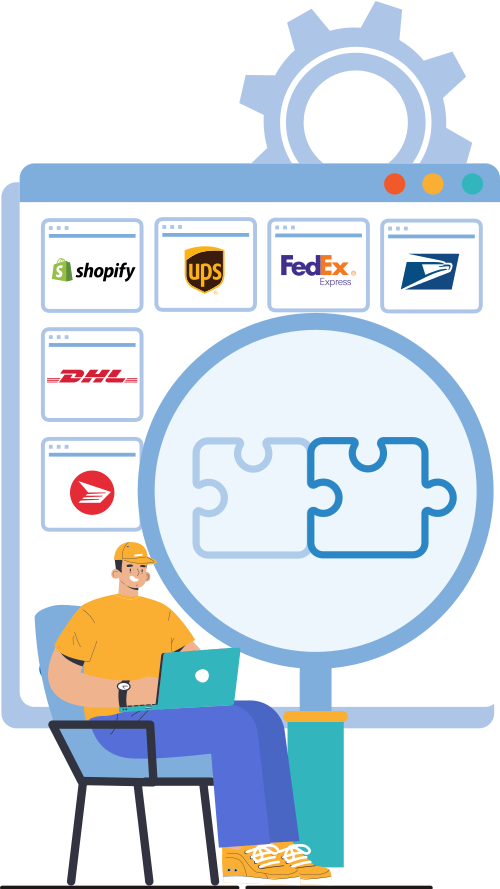
Tracks shipments from major carriers like UPS, FedEx, USPS, DHL, and more.

Tracking Status Sorting

Sorts orders by shipment tracking statuses like Delivered and Exception.

Live Tracking Dashboard

Shows a live shipment tracking dashboard to monitor all delivery statuses.

Delivery Delay Alerts

Highlights delivery delays so merchants can respond faster to tracking issues.

Avoid Spam Delivery Emails

Sends tracking updates via your business email to reduce spam folder issues.

Customer Self-Service Tracking

Lets customers self-serve their order tracking without contacting support.

Post-Purchase Tracking

Enhances the delivery tracking experience after checkout for transparency.

Reduce Support Tickets

Reduces “where is my order” queries with better shipment tracking communication.

Shipping Carriers Supported by Shopify Shipment Tracking & Notify App

  • UPS
  • FedEx
  • USPS
  • Landmark Global
  • Delhivery
  • DHL Express
  • Canada Post
  • Thailand Post
  • Stamps.com
  • Australia Post
  • Blue Dart
  • Amazon Shipping
  • Xpressbees
  • CoolRunner
who should use shipment tracking and notify app

Who Should Use Shopify Shipment Tracking & Notify App?

Shipment Tracking & Notify App is ideal for:

  • Shopify store owners receiving frequent “Where is my order?” queries: Merchants who want automated order tracking and delivery tracking notifications to reduce support tickets and improve response time.
  • High-volume Shopify stores managing daily shipments: Businesses that need centralized shipment tracking and real-time order status visibility across multiple carriers.
  • Stores using multiple shipping carriers: Shopify merchants working with FedEx, UPS, DHL, USPS, or regional carriers who require unified shipment tracking in one dashboard.
  • Brands focused on improving post-purchase experience: Store owners who want a branded order tracking page to enhance delivery tracking transparency and customer trust.
  • Growing eCommerce businesses scaling operations: Merchants who need automated tracking notifications and streamlined order tracking without manual follow-ups.
  • Dropshipping and third-party fulfillment stores: Shopify sellers who require real-time shipment tracking updates to keep customers informed about delivery progress.
  • Customer-centric Shopify brands: Businesses aiming to increase customer satisfaction through proactive delivery tracking and shipment status alerts.
  • Stores looking to reduce refund and dispute cases: Merchants who want clear order tracking communication to minimize chargebacks and delivery-related complaints.

Why Shopify Stores Need Shipment Tracking & Notify App

  • To improve Shopify order tracking:  Stores need reliable shipment tracking and delivery tracking to provide accurate order status visibility after checkout.
  • To automate tracking notifications: Manual order status updates are inefficient; automated shipment tracking emails ensure timely delivery communication.
  • To centralize multi-carrier shipment tracking: Shopify merchants using multiple carriers require unified order tracking within a single dashboard.
  • To reduce delivery-related support queries: Clear delivery tracking updates lower “where is my order” inquiries and improve operational efficiency.
  • To maintain a consistent post-purchase experience: Branded order tracking pages help standardize shipment tracking communication across all orders.
  • To monitor delivery performance and exceptions: Real-time shipment tracking helps identify delays, failed deliveries, and in-transit issues quickly.
  • To improve customer trust through delivery visibility: Transparent order tracking builds confidence and strengthens long-term customer relationships.
  • To support scalable eCommerce fulfillment operations: Automated shipment tracking systems help Shopify stores manage growing order volumes efficiently.
why store need shipment tracking app
common use case - shipment tracking & notify

Shipment Tracking & Notify App’s Common Use Cases

  • Fashion and Apparel Shopify Stores: High-volume clothing brands use a Shopify shipment tracking app to manage order tracking during seasonal sales, while automated delivery tracking notifications reduce support tickets and improve the post-purchase experience.
  • Electronics and High-Value Product Retailers: Stores selling premium gadgets rely on real-time shipment tracking and delivery tracking updates to prevent disputes, reduce chargebacks, and strengthen customer trust.
  • Beauty, Skincare, and DTC Brands: Direct-to-consumer Shopify businesses use automated tracking notifications to enhance order tracking visibility and deliver a consistent post-purchase customer experience.
  • Dropshipping and Multi-Supplier Stores: Shopify dropshipping businesses depend on multi-carrier shipment tracking to consolidate delivery tracking data from different suppliers into a single tracking dashboard.
  • Health and Wellness eCommerce Stores: Supplement and personal care brands use centralized order tracking to provide reliable delivery tracking updates and streamline fulfillment management.
  • Home Decor and Furniture Sellers: Stores shipping bulky or long-transit items leverage shipment tracking to manage delivery expectations, while tracking notifications keep customers informed throughout transit.
  • Subscription Box Businesses: Recurring order models use automated shipment tracking and delivery tracking alerts to maintain predictable post-purchase communication for every shipment cycle.
  • Cross-Border and International Shopify Stores: Global eCommerce businesses require multi-carrier tracking solutions to manage international shipment tracking, customs delays, and delivery status visibility.
  • Flash Sale and High-Traffic Shopify Stores: Brands experiencing order spikes use automated order tracking systems to handle increased shipment tracking inquiries without overloading support teams.
  • B2B and Wholesale Shopify Stores: Bulk order businesses rely on centralized shipment tracking dashboards to monitor large deliveries and optimize logistics and fulfillment operations.

Technical Compatibility & Integrations of Shipment Tracking & Notify App

  • Native Shopify Integration: Fully compatible with Shopify stores and installs directly through the Shopify App Store, embedding order tracking and delivery tracking features within your existing store setup.
  • Multi-Carrier Shipment Tracking: Integrates with major global carriers, including UPS, FedEx, USPS, DHL Express, Canada Post, Australia Post, Blue Dart, Delhivery, Sendle, Yun Express, and Xpressbees
  • Branded Tracking Page Integration: Provides a built-in branded order tracking page that matches your Shopify site design, so customers can view shipment tracking without leaving the store domain.
  • Order Lookup Integration: Integrates an order lookup tool where customers enter their order details to instantly see live shipment tracking updates.
  • Mobile-Responsive Compatibility: Designed to work seamlessly on desktops, tablets, and mobile devices, ensuring accessible delivery tracking for both merchants and customers.
  • Supports Shopify Fulfillment Workflow: Compatible with Shopify’s native order processing, so tracking notifications update automatically as orders move from shipped to delivered statuses.
technical compatibility - shipment tracking and notify app

Alternatives to Shipment Tracking & Notify App

When comparing Shopify order tracking apps, store owners typically evaluate solutions based on multi-carrier shipment tracking, automated tracking notifications, branded order tracking pages, pricing scalability, and overall post-purchase experience.

Some commonly used Shopify shipment tracking solutions include:

  • 17TRACK Order Tracking: Provides global shipment tracking across hundreds of carriers, along with a branded order tracking page and automated delivery tracking updates. However, customization of tracking notifications and automation workflows is relatively limited, which may restrict flexibility for Shopify stores requiring advanced post-purchase engagement or detailed shipment tracking control.
  • AfterShip Order Tracking: Offers multi-carrier order tracking, automated shipment tracking notifications, analytics, and customizable tracking pages designed to enhance the post-purchase experience. While feature-rich, pricing typically increases with shipment volume, and several advanced automation and notification controls are available only in higher-tier plans, which may impact scalability for growing Shopify stores.

How PluginHive’s Shipment Tracking & Notify App Differs

Shipment Tracking & Notify for Shopify by PluginHive is designed for Shopify store owners who require structured shipment tracking automation directly within their store environment, without relying heavily on tier-based feature unlocks.

It provides:

  • Support for major global and regional shipping carriers
  • Automated shipment tracking email notifications
  • Branded order tracking page hosted within Shopify
  • Centralized shipment tracking dashboard
  • Real-time delivery tracking status updates
  • Customer self-service order lookup
  • Reduced “Where is my order?” support queries

The selection of a Shopify shipment tracking app ultimately depends on order volume, required automation depth, carrier coverage, and long-term fulfillment strategy. Stores seeking predictable shipment tracking operations and streamlined delivery communication often prioritize automation efficiency and centralized order tracking visibility.

Why Businesses Trust PluginHive

Powering 120000+ WooCommerce Stores

Earned 4500+ Authentic Five-Star Ratings

98% Satisfaction Rate From Real Users

Risk-Free 30-Day Money-Back Guarantee

Guaranteed 8-Hour Issue Resolution

24×5 Dedicated Customer Support

reviews and ratings for shipment tracking

Frequently Asked Questions (FAQs)

1. How do I automatically send shipment tracking updates to customers on Shopify?

Shopify allows tracking numbers to be added during fulfillment, but automated shipment tracking notifications require a tracking app. The Shipment Tracking & Notify app by PluginHive enables real-time delivery tracking updates via email when shipment status changes, improving post-purchase communication without manual follow-ups.

2. Why isn’t my Shopify order tracking status updating in real time?

Order tracking updates depend on carrier scans. If a carrier has not scanned the package, the delivery tracking status may not change. A shipment tracking solution pulls real-time tracking data from supported carriers and displays the latest available shipment status inside Shopify.

3. Can customers track their orders directly on my Shopify store?

By default, Shopify provides a basic order status page. However, The Shipment Tracking & Notify app enables a branded order tracking page where customers can enter order details and view live shipment tracking without leaving the store.

4. Does Shopify include a delivery tracking system by default?

Shopify supports basic tracking number entry, but it does not provide advanced multi-carrier shipment tracking dashboards or automated tracking notifications. For centralized order tracking visibility, merchants typically use a dedicated order tracking solution like the Shipment Tracking & Notify app.

5. How can I reduce “Where is my order?” (WISMO) inquiries?

WISMO queries increase when customers lack delivery tracking visibility. Automated shipment tracking notifications and real-time order tracking updates significantly reduce support tickets by proactively sharing shipment status information.

6. Can I add or change a tracking number after an order is fulfilled?

Yes, Shopify allows merchants to edit tracking information. Once updated, a shipment tracking system can resend delivery tracking notifications to ensure customers receive the corrected order tracking details.

7. Is there a way to handle shipment tracking for international carriers?

Yes. Shipment Tracking & Notify by PluginHive supports multi-carrier shipment tracking, including several global and regional carriers. It retrieves real-time shipment tracking data and displays international delivery tracking updates within Shopify, allowing merchants to monitor cross-border orders from a centralized tracking dashboard.

8. How do I show estimated delivery dates to customers?

Estimated delivery timelines are typically calculated by shipping carriers or shipping rate apps. Shipment tracking tools focus on real-time delivery tracking updates after dispatch rather than predictive delivery estimation.

9. Can shipment tracking be personalized with my brand logo and colors?

Yes. Shipment Tracking & Notify by PluginHive provides a branded order tracking page that can be aligned with your Shopify store’s design. This allows merchants to maintain consistent branding while offering shipment tracking and delivery tracking updates as part of the overall post-purchase experience.

10. What’s the difference between Shopify native tracking and a tracking app?

Shopify native tracking allows adding a tracking number but lacks centralized shipment tracking dashboards, advanced tracking notifications, and branded order tracking pages. A tracking app enhances automation, visibility, and multi-carrier integration.

11. How do I manage shipment exceptions like delays or failed deliveries?

Shipment Tracking & Notify by PluginHive monitors carrier shipment tracking status updates and reflects delivery exceptions such as delays or failed delivery attempts within the tracking dashboard. This enables Shopify store owners to identify order tracking issues early and take appropriate action before customers raise delivery-related concerns.

12. Can I track multiple packages for one order?

Yes, if an order is split into multiple shipments, a shipment tracking solution can display multiple tracking numbers and delivery tracking statuses under a single order reference.

13. Does the Shipment Tracking & Notify app integrate automatically with shipping carriers?

Yes, PluginHive’s Shipment Tracking & Notify App integrates with major carriers such as FedEx, UPS, DHL, USPS, and regional carriers to fetch real-time shipment tracking data automatically.

14. Will a shipment tracking app actually reduce support workload?

Yes. By automating order tracking updates and delivery tracking notifications, Shopify merchants can reduce repetitive WISMO queries and streamline post-purchase support operations.


All charges are in USD and billed every 30 days.