1. Do I need a TForce Freight account to use the WooCommerce TForce Freight Shipping Plugin?
Yes. A valid TForce Freight account with API credentials is required to fetch real-time LTL freight rates and create shipments inside WooCommerce using the PluginHive TForce Shipping Plugin.
2. How do I connect my TForce Freight credentials to WooCommerce?
You can connect your carrier account by entering your TForce Username, Password, Client ID, and Client Secret in the PluginHive TForce Shipping Plugin settings to enable secure API integration.
3. Why aren’t LTL freight rates showing at checkout?
LTL freight rates may not appear if product weight, dimensions, freight class, warehouse origin, shipping zones, or API credentials are not properly configured. Accurate freight data is required for real-time rate calculation.
4. Can I control when TForce Freight quotes are displayed?
Yes. You can configure freight rules such as weight thresholds or product shipping classes so TForce Freight LTL rates are triggered only when heavy or palletized products are added to the cart.
5. Does the plugin support density-based pricing?
Yes. The PluginHive TForce Shipping Plugin supports density-based rating when product weight and dimensions are configured, ensuring accurate LTL freight pricing.
6. How does freight class work in the plugin?
You can assign a freight class to each product, and TForce Freight uses that classification to calculate LTL shipping rates based on carrier standards.
7. Can I define multiple warehouses or drop-ship locations?
Yes. The PluginHive TForce Shipping Plugin allows multiple origin addresses so accurate origin-based TForce Freight LTL rates are returned at checkout.
8. Can the plugin include residential delivery or liftgate fees?
Yes. Accessorial services such as residential delivery and liftgate options can be included in the freight estimate during checkout.
9. What happens if my cart contains both parcel and freight products?
If freight-classified products are present, the system can be configured to prioritize TForce Freight LTL rates for the entire shipment.
10. Does the plugin print TForce Freight shipping labels?
Yes. The PluginHive TForce Shipping Plugin allows you to generate and print TForce Freight LTL shipping labels directly from the WooCommerce order page.
11. Can I schedule TForce Freight pickups from WooCommerce?
Yes. Pickup requests can be scheduled inside WooCommerce without logging into the TForce Freight portal separately.
12. Will customers get tracking updates automatically?
Yes. Once a shipment is created, tracking numbers are synced with the order and automatically sent to customers via WooCommerce email notifications.
13. Are delivery estimates shown to customers?
Yes. Estimated transit time and delivery dates from TForce Freight can be displayed on cart and checkout pages to improve transparency.
14. Does the plugin support cross-border TForce Freight shipping (US–Canada–Mexico)?
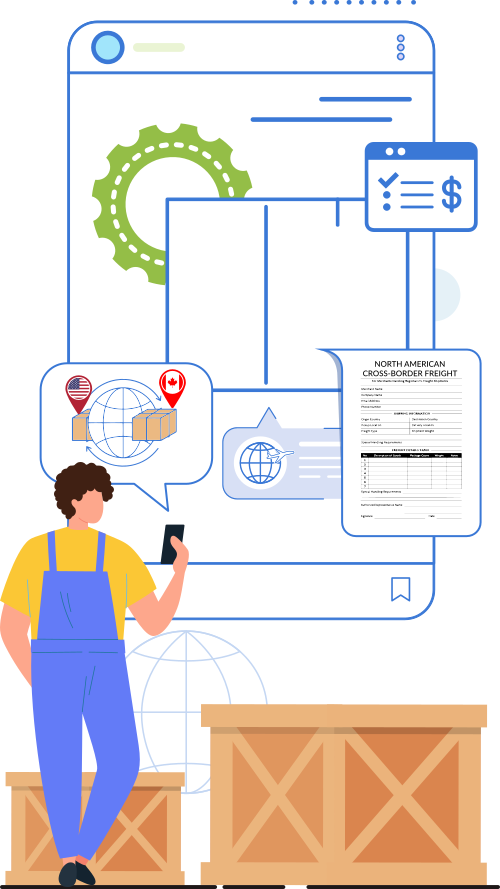
Yes. The PluginHive TForce Shipping Plugin supports domestic and cross-border LTL freight services across the United States, Canada, and Mexico.
15. Why might I get “no rates available” for certain freight classes with TForce?
Some freight classes or restricted lanes may not return automated API quotes. In such cases, manual freight quoting or carrier-side approval may be required.
16. Can I add handling fees or markups to TForce Freight rates?
Yes. You can configure additional rate adjustments or handling charges on top of real-time TForce Freight LTL quotes.
17. Does the plugin support TForce Freight LTL Guaranteed services?
Yes. The PluginHive TForce Shipping Plugin supports TForce Freight LTL, LTL Guaranteed, and Standard LTL services depending on carrier availability.
18. What product details are required for accurate LTL rate calculation?
Product weight, dimensions, freight class, and correct warehouse origin must be configured to receive accurate real-time TForce Freight shipping rates.
19. Can I restrict TForce Freight shipping to specific zones or countries?
Yes. WooCommerce shipping zones can be configured to control where TForce Freight LTL services are offered.
20. Is the plugin suitable for B2B and wholesale freight shipping?
Yes. The PluginHive TForce Shipping Plugin is designed for palletized, industrial, heavy, and B2B LTL freight operations across North America.
21. Can I manage the entire TForce Freight workflow without leaving WooCommerce?
Yes. Rates, shipment creation, label printing, tracking updates, and pickup scheduling can all be managed directly inside WooCommerce.
22. Does the plugin work with WooCommerce Blocks checkout?
Yes. The PluginHive TForce Shipping Plugin is compatible with WooCommerce block-based cart and checkout experiences.
23. What happens if the TForce API temporarily fails?
The PluginHive TForce Shipping Plugin includes fallback handling to manage situations where live freight rates are not returned, helping prevent checkout disruptions.
24. Can I use this plugin for pallet-based freight shipping?
Yes. The PluginHive TForce Shipping Plugin is specifically built for TForce Freight LTL and palletized freight shipping workflows.