FedEx Shipping Plugin for WooCommerce by PluginHive

What Is the FedEx Plugin for WooCommerce?

The WooCommerce FedEx Shipping Plugin with Print Label is a FedEx-certified shipping solution that connects your WooCommerce store directly to your FedEx account. It allows you to add FedEx shipping methods, display real-time FedEx rates at checkout, and manage FedEx shipments directly from your WooCommerce dashboard.

What Does the FedEx Plugin for WooCommerce Do?

The plugin automatically calculates FedEx shipping costs based on weight, size, and destination. It lets you generate official FedEx labels, share FedEx tracking details with customers, and manage domestic, international, and freight shipments inside WooCommerce. This reduces manual work, minimizes errors, and improves the overall shipping experience.

Key Features of FedEx Shipping Plugin for WooCommerce

Display Live FedEx Rates

Shows real-time FedEx rates at WooCommerce checkout.

Print FedEx Shipping Labels

Creates official FedEx labels from WooCommerce orders.

Print Bulk Shipment Labels

Processes multiple FedEx shipments in one workflow.

Send FedEx Tracking Updates

Adds tracking numbers and emails customers automatically.

Show FedEx Delivery Estimates

Displays accurate FedEx delivery dates at checkout.

Enable International Shipping

Supports global FedEx shipping for WooCommerce stores.

Support FedEx Freight Shipping

Handles heavy and LTL FedEx freight shipments.

Apply Smart Packaging Rules

Calculates FedEx rates using box sizes and weight.

Detect Address Types

Identifies residential & commercial addresses for accurate rates.

Create Prepaid Return Labels

Generates FedEx return labels from WooCommerce orders.

Adjust Shipping Costs Flexibly

Adds handling fees or markups to FedEx rates.

Schedule FedEx Pickup

Arranges FedEx pickups from the WooCommerce dashboard.

Print Customs Documentation

Creates invoices for international FedEx shipments automatically.

Enable FedEx Insurance

Protects WooCommerce orders with FedEx insurance coverage.

Integrate Multi-Vendor Shipping

Allows vendors to manage FedEx shipping independently.

Control Available FedEx Services

Let’s customers choose visible FedEx services at checkout.

Supported FedEx Shipping Services

FedEx Domestic Shipping Services

  • FedEx First Overnight
  • FedEx First Overnight Extra Hours
  • FedEx Priority Overnight
  • FedEx Priority Overnight Extra Hours
  • FedEx Standard Overnight
  • FedEx Standard Overnight Extra Hours
  • FedEx 2 Day
  • FedEx 2 Day A.M.
  • FedEx Ground/Home Delivery
  • FedEx Next Day Early Morning
  • FedEx Next Day Mid Morning
  • FedEx Next Day Afternoon
  • FedEx Next Day End of the Day
  • FedEx Express Saver
  • FedEx Regional Economy
  • FedEx Priority Express
  • FedEx Priority
  • FedEx Ground Economy (FedEx SmartPost)

FedEx International Shipping Services

  • FedEx International Economy
  • FedEx International Priority Express
  • FedEx International Priority
  • FedEx International First
  • FedEx Europe First International Priority
  • FedEx International Connect Plus
  • FedEx Distance Deferred

FedEx Freight Shipping Services

  • FedEx 1-Day Freight
  • FedEx 2-Day Freight
  • FedEx 3-Day Freight
  • FedEx International Economy Freight
  • FedEx International Priority Freight
  • FedEx First Freight
  • FedEx Freight Economy
  • FedEx Freight Priority
  • FedEx Next-Day Freight
  • FedEx Regional Economy Freight
who should use fedex

Why WooCommerce Stores Need FedEx Shipping Integration

WooCommerce stores need FedEx shipping integration, 

  • To Automate FedEx Shipping Operations: Integrating FedEx with WooCommerce enables real-time shipping rate display, automated label creation, tracking synchronization, and shipment documentation management from a single dashboard.

  • To Handle Increasing WooCommerce Order Volumes: Automated shipment creation and bulk label printing help manage higher order volumes while reducing manual processing time.

  • To Reduce Manual Shipping Errors: Live FedEx rate calculation, structured address handling, and standardized shipment workflows reduce incorrect charges and failed deliveries.

  • To Display Real-Time Delivery Options at Checkout: Showing multiple FedEx services with real-time pricing and delivery estimates improves transparency during checkout.

  • To Support Domestic and International Shipping: FedEx integration provides access to domestic, international, and freight services, including required customs documentation for cross-border shipments.

Who Should Use WooCommerce FedEx Shipping?

  • Stores That Want Live FedEx Rates at Checkout: Fashion, electronics, home décor, and retail businesses that want to replace manual or flat rates with real-time FedEx shipping rates.

  • High-Order Volume Stores Needing Automation: Growing D2C and subscription brands that want to automate label printing, tracking updates, and fulfillment to handle daily orders efficiently.

  • High-Value & Regulated Product Sellers: Jewelry, electronics, alcohol, and lithium battery sellers needing signature confirmation, insurance, and compliant shipping services.

  • Freight & Heavy Product Businesses: Furniture, industrial, and B2B suppliers shipping oversized or palletized goods using FedEx Ground or Freight services.

  • HazMat & Temperature-Sensitive Shippers: Medical, biotech, and chemical businesses requiring hazardous materials or dry ice shipping support.

  • International Selling Brands: Export-focused stores that need automated customs documentation and seamless international FedEx shipping.

who should use fedex shipping
technical compatibility of fedex

Technical Compatibility With

  • WordPress & WooCommerce Framework: Fully built for WordPress with native WooCommerce shipping method integration, working within standard WooCommerce shipping zones and order workflows.

  • FedEx REST API Integration: Connects directly with your official FedEx account using FedEx APIs to fetch real-time rates, generate labels, create shipments, and retrieve tracking details.

  • Live Rate Calculation Engine: Supports weight-based, dimension-based, and volumetric shipping calculations to ensure accurate FedEx rate display at checkout.

  • Multiple Packaging Methods: Compatible with custom box dimensions, weight-based packing, and multi-package shipments within a single WooCommerce order.

  • Label Format Compatibility: Supports PDF and image-based labels for standard printers, as well as EPL, ZPL, and DPL formats for thermal printers.

  • Advanced FedEx Special Services: Compatible with supported FedEx REST services such as Freight, Ground Economy, FedEx Hold at Location, Dry Ice, and Alcohol shipping (as permitted by FedEx).

    Note: Hazardous Materials (HazMat) and Dangerous Goods shipments are supported only via the FedEx SOAP API and are not available through FedEx REST API integration.

Common Business Use Cases

  • Fashion & Apparel eCommerce Brands: Clothing and lifestyle stores use FedEx Express and Ground services to offer standard and expedited delivery options while automating labels and tracking inside WooCommerce.

  • Electronics & Consumer Gadget Stores: Businesses shipping high-value devices, including lithium battery products, rely on compliant FedEx shipping services to ensure safe and timely delivery.

  • Furniture & Home Décor Businesses: Sellers of large or heavy products utilize FedEx Ground and Freight services to manage oversized shipments efficiently, eliminating the need for external freight systems.

  • Export-Oriented Handmade & Specialty Product Brands: Artisan and boutique businesses shipping globally use FedEx International services with integrated documentation to streamline cross-border deliveries.

  • Industrial & Chemical Supply Stores (Hazmat & Dangerous Goods): Businesses handling regulated materials, such as chemicals, aerosols, or automotive fluids, require FedEx Hazardous Materials and Dangerous Goods shipping support for compliant transportation.

  • Medical, Biotech & Temperature-Sensitive Product Sellers (Dry Ice Shipping): Companies shipping frozen or temperature-controlled goods rely on FedEx Dry Ice services to maintain product integrity during transit.

  • Alcohol & Beverage eCommerce Businesses: Wineries and specialty beverage sellers use FedEx Alcohol shipping services (where permitted) to manage regulated deliveries properly.

Alternatives to the FedEx Shipping Plugin for WooCommerce

If you are comparing FedEx shipping solutions for WooCommerce, here are two commonly considered alternatives:

  • WooCommerce FedEx Shipping Method: An official WooCommerce extension that primarily focuses on displaying real-time FedEx shipping rates at checkout. It is suitable for stores that need basic rate calculation without advanced fulfillment features.
  • Flexible Shipping FedEx: A WordPress plugin that retrieves FedEx live rates using API integration. It works well for stores that require a shipping cost display, with additional features available in premium versions.

How does the FedEx Shipping Plugin for WooCommerce with Print Label differ?

PluginHive’s FedEx solution includes a live rate display along with additional capabilities such as:

  • FedEx Shipping label generation
  • Automated FedEx tracking updates
  • FedEx Freight and special service support (e.g., dry ice, hazardous goods where applicable)
  • FedEx Insurance and signature options
  • International shipment documentation
  • End-to-end fulfillment workflow within WooCommerce
fedex integrations

Integrations

FedEx Shipping Plugin for WooCommerce with Print Label integrates with:

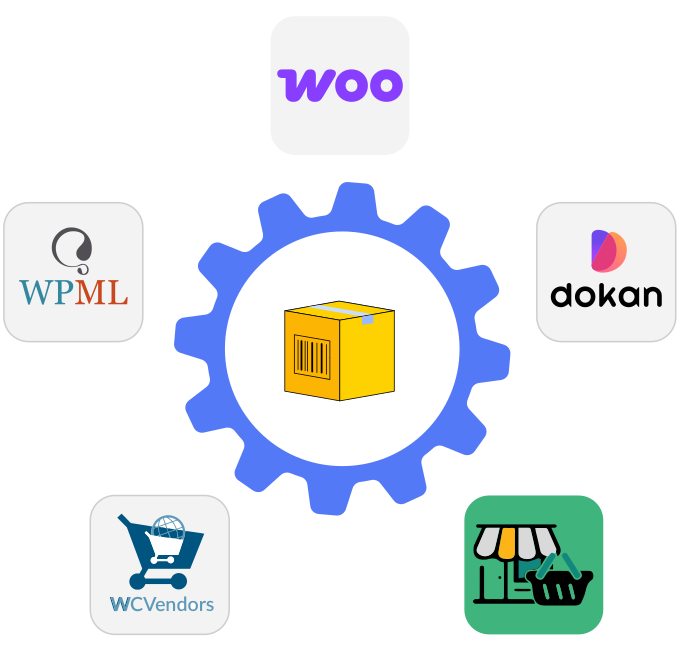
  • Multi-Vendor Marketplace Plugins: Compatible with Dokan, WCFM Marketplace, and WC Vendors Pro (via supported addons) for vendor-level shipping management.

  • WPML (Multilingual Stores): Works with WPML to support multi-language WooCommerce stores.

  • Multi-Currency Plugins: Integrates with popular WooCommerce currency switchers to display FedEx rates in store currency.

  • Third-Party Warehouse & Fulfillment Workflows: Can be integrated into existing fulfillment pipelines where WooCommerce acts as the central order management system.

Why Businesses Trust PluginHive

Powering 120000+ WooCommerce Stores

Earned 4500+ Authentic Five-Star Ratings

98% Satisfaction Rate From Real Users

Risk-Free 30-Day Money-Back Guarantee

Guaranteed 8-Hour Issue Resolution

24×5 Dedicated Customer Support

reviews and ratings for shipment tracking

Frequently Asked Questions (FAQs)

1. Which is the best FedEx shipping plugin for WooCommerce in 2026?

The best FedEx plugin depends on whether you need only live rates or full shipping automation. The official WooCommerce FedEx Shipping Method supports real-time rate calculation only. Advanced plugins like FedEx Shipping Plugin for WooCommerce with Print Label by PluginHive provide real-time rates, label printing, bulk processing, tracking automation, negotiated rates, and international shipping support. For stores that need complete FedEx automation, advanced plugins are more suitable.

2. What is the difference between the official WooCommerce FedEx plugin and PluginHive?

The official WooCommerce FedEx plugin provides real-time shipping rates at checkout but does not support label printing, shipment tracking automation, or bulk processing. PluginHive’s FedEx solution includes real-time rates, FedEx label generation, bulk label printing, tracking updates, negotiated rates, and advanced packaging logic. The official plugin is suitable for rate display only, while PluginHive supports end-to-end fulfillment.

3. Can I print FedEx shipping labels directly from WooCommerce?

Yes. Advanced FedEx plugins allow you to generate and print shipping labels directly from the WooCommerce order page. You can create single or bulk shipments and download labels in PDF or thermal formats such as ZPL for Zebra printers.

4. Why are FedEx rates not showing in WooCommerce?

FedEx rates typically do not appear due to missing product weight or dimensions, incorrect shipping zones, invalid API credentials, unsupported destinations, or disabled FedEx services. Enabling debug mode in the plugin helps identify specific API errors.

5. Does WooCommerce FedEx support negotiated rates?

Yes, most premium FedEx plugins allow you to display your FedEx account’s negotiated rates instead of standard retail rates. This ensures customers see accurate pricing based on your contract with FedEx.

6. Is there a free FedEx shipping plugin for WooCommerce?

Yes, there are free plugins that provide basic real-time FedEx rate calculation. However, they usually do not support label printing, tracking automation, bulk processing, or advanced packaging features. Stores requiring fulfillment automation typically choose paid solutions.

7. How do I connect the FedEx API to WooCommerce?

To connect FedEx to WooCommerce:

*Create or log in to your FedEx business account
*Generate API credentials (Account Number, API Key)
*Install a FedEx shipping plugin
*Enter your credentials in the plugin settings and connect your account

This way, your API will be connected, and you’ll be able to automate FedEx shipping tasks directly within your WooCommerce store.

8. Does WooCommerce FedEx support international shipping?

Yes, FedEx supports international shipping for WooCommerce orders. With PluginHive’s FedEx Shipping Plugin, you can offer international services, generate commercial invoices, handle customs documentation, and provide a range of global shipping options. Make sure your products have accurate weights and HS codes for smooth customs clearance.

9. Can customers see delivery estimates at checkout with FedEx?

Some advanced FedEx plugins display estimated delivery dates along with shipping rates at checkout. This improves transparency and can increase checkout conversion rates. The official WooCommerce FedEx plugin may not support this feature.

10. What is the best FedEx plugin for high-volume WooCommerce stores?

High‑volume stores require features like bulk label printing, automated tracking updates, reliable API performance, and efficient order processing. Advanced Plugins that support bulk shipments and advanced automation, such as the FedEx Shipping Plugin for WooCommerce with Print Label by PluginHive, are better suited for stores processing hundreds of orders per month.

11. Can I hide specific FedEx services at checkout?

Yes. Most FedEx plugins allow merchants to enable or disable specific services such as Ground, Express, or Overnight. This helps simplify checkout and control the shipping strategy.

12. Does WooCommerce support FedEx Freight or LTL shipping?

Some advanced FedEx plugins, like PluginHive, support FedEx Freight (LTL) services for heavy or palletized shipments. The official rate-only plugin may not support freight label generation.

13. Can WooCommerce automatically send FedEx tracking numbers?

Yes. Advanced FedEx plugins automatically attach tracking numbers to orders and send tracking details via email to customers after shipment creation.

14. What causes slow FedEx rate calculation in WooCommerce?

Slow rate calculation may be caused by server performance issues, API latency, large cart sizes, or improper caching configuration. High-quality hosting and optimized plugin settings help improve response time.

15. Is PluginHive better than multi-carrier shipping plugins?

PluginHive offers both single-carrier and multi-carrier shipping solutions. If you only ship with FedEx, a dedicated FedEx plugin may be sufficient. If you ship with UPS, USPS, DHL, and FedEx together, a multi-carrier plugin provides centralized management.

16. Does WooCommerce FedEx work with multi-vendor marketplaces?

FedEx Shipping for WooCommerce by PluginHive supports integration with multi-vendor marketplaces, allowing vendors to generate labels individually. This feature depends on plugin compatibility.

17. What label formats are supported in the WooCommerce FedEx plugin?

Most advanced plugins support:
*PDF labels for standard printers
*ZPL format for Zebra thermal printers
*EPL format in some cases
*Supported formats vary by plugin configuration.

18. Can I use FedEx One Rate in WooCommerce?

Yes, the PluginHive FedEx Plugin supports FedEx One Rate services alongside weight-based rates. You can enable these services directly in the plugin if your FedEx account is eligible.

19. Is WooCommerce FedEx suitable for dropshipping?

Yes. PluginHive FedEx integration works for dropshipping if the merchant has valid FedEx credentials and shipping origin settings configured correctly. Label generation and tracking automation simplify fulfillment.

20. Which FedEx plugin offers the most complete shipping automation?

Plugins that support real-time rates, negotiated pricing, label printing, bulk processing, tracking automation, international documentation, and service filtering offer the most complete FedEx shipping automation. For example, the FedEx Shipping Plugin for WooCommerce with Print Label by PluginHive is one solution that provides these features. Plugins that only display rates or automate just one or two shipping tasks do not cover the full fulfillment workflow.

If you have any further questions about the FedEx Shipping Plugin for WooCommerce, please visit our FAQs section, where you’ll find answers to all your shipping and integration queries.

You are protected by our 30-day money-back guarantee