



“Where is my order?” WISMO is one of the most common customer service enquiries any Shopify merchant faces. It’s almost always a symptom of the same underlying issue: customers don’t have enough visibility into what’s happening with their parcel after dispatch. For Shopify stores shipping with Australia Post, the good news is that the infrastructure for Australia Post delivery tracking already exists, making it easier to keep customers updated throughout the delivery journey.
In This Article
- Why WISMO Is a Shopify Shipping Problem, Not Just a Courier Problem
- The Full Australia Post Tracking Notification Sequence
- What Shopify Merchants Control in the Australia Post Tracking Experience
- What Happens When Tracking Stops Updating?
- How the PluginHive Australia Post Ship App Connects Delivery Tracking to Shopify
- Conclusion
- FAQs
Why WISMO Is a Shopify Shipping Problem, Not Just a Courier Problem
WISMO enquiries reach your support inbox because your post-purchase experience lacks clear delivery visibility, not because the courier failed. When a customer contacts you asking where their order is, it usually means one of a few things:
- They never received a dispatch notification with a tracking number.
- They received a tracking number but couldn’t use it to get a meaningful update.
- The tracking status hasn’t changed in a while, and they’re unsure whether something has gone wrong.
- They expected delivery by a certain date based on the service selected and it hasn’t arrived.
When customers know their parcels are shipped and when they’ll arrive, they feel more confident shopping online.
Tracking notifications from a reliable delivery partner offer customers visibility and control of their delivery.
For full context on how Australia Post’s delivery network affects timing expectations, the guide on Australia Post delivery times and holiday deadlines for Shopify covers what customers should expect.
The Full Australia Post Tracking Notification Sequence
Australia Post provides customers with a structured series of tracking notifications throughout the delivery journey. Understanding this sequence tells you exactly what customers will receive and where the gaps are that generate WISMO enquiries.
The key notification events are:
- Sender preparing parcel: When the merchant completes their transaction or manifest, the customer receives an easy-to-understand update saying ‘The sender is preparing your parcel’. This is the first touchpoint and sets expectations immediately after dispatch.
- Parcel on its way: When Australia Post first scans a parcel, customers are notified that their delivery is on the way.
- Arriving today: On the morning of the delivery, customers are notified that their delivery is arriving that day, with a 2-hour delivery window provided where possible.
- Delivered: When the parcel is delivered, customers receive delivery confirmation.
- Attempted delivery: If the driver couldn’t deliver, customers are notified of the attempted delivery.
- Awaiting collection: If the parcel is held at a Post Office or Parcel Locker, customers are notified that it’s ready to collect.
- Exception: Customers are notified if an exception event occurs in the delivery journey.
What Shopify Merchants Control in the Australia Post Tracking Experience
The data you provide at shipment level directly determines the quality of Australia Post delivery tracking your customers receive. As the sender, you control the inputs that trigger tracking notifications and let customers manage deliveries in transit.
An accurate email address and mobile number are important for Australia Post to match parcels to the receiver. This single configuration point has cascading effects:
- Without a matched email or mobile number, Australia Post cannot link the parcel to the customer’s MyPost account.
- Unmatched customers miss the 2-hour delivery window, management options, and parcel redirection during transit.
- Customers may lose in-transit redirection if senders provide their address but omit their email or mobile number.
Beyond contact details, Australia Post provides merchants with tools to support the tracking experience:
- Tracking notification guide: Australia Post provides a downloadable guide on tracking notifications for Parcel Post and Express Post, explaining which notifications fire at which events and how to configure them.
- Messaging templates: Australia Post provides downloadable messaging templates for merchants to update customer communications and ensure accurate delivery and tracking information is included.
For Shopify merchants concerned about customers confusing legitimate Australia Post notifications with phishing attempts, the guide on Australia Post redelivery for Shopify covers how to brief customers on what genuine missed delivery communications look like.
What Happens When Tracking Stops Updating?
One of the most common triggers for WISMO enquiries is a tracking status that hasn’t updated in several days. Customers may see a static tracking status as a problem, even when the parcel simply moves between scan points.
Most items generally arrive within 5 business days of their expected delivery date. Customers can check lost, late, or damaged item information and confirm whether they qualify for compensation.
Australia Post’s guidance on when to raise a formal enquiry:
- Domestic items: submit an enquiry if the item hasn’t arrived within 10 business days of the expected delivery date.
- International Courier or International Express: 1 business day past the estimated delivery time.
- International Standard: 10 business days past the estimated delivery time.
Understanding expected delivery windows by service also helps set accurate expectations. The guide on Australia Post shipping services for Shopify covers standard delivery timeframes across Parcel Post, Express Post, and international services.
How the PluginHive Australia Post Ship App Connects Delivery Tracking to Shopify
The gap between Australia Post’s tracking infrastructure and what a Shopify customer actually sees begins at the label. If Shopify lacks the tracking number or Australia Post lacks customer contact details, the notification chain fails before it starts. The PluginHive Australia Post Ship app closes that gap by connecting your Australia Post account directly to Shopify.
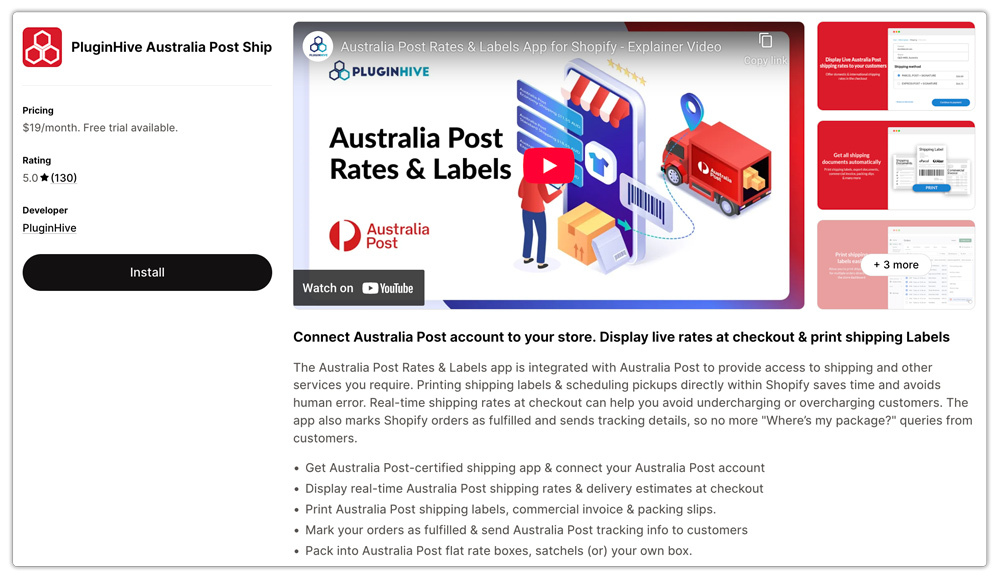
Here’s specifically what the app does to support Australia Post delivery tracking:
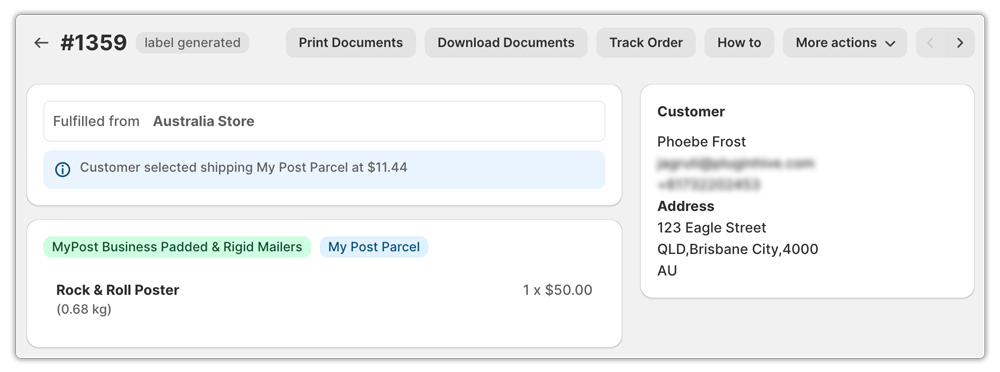
- Automatic tracking number sync. When a label is generated through the app, the tracking number is automatically pushed back to the Shopify order, and the customer’s fulfilment email is triggered, containing the tracking link without any manual step from the merchant.

- Customer contact detail population. The app pulls the customer’s email address and mobile number from the Shopify order and populates them in the Australia Post shipment.
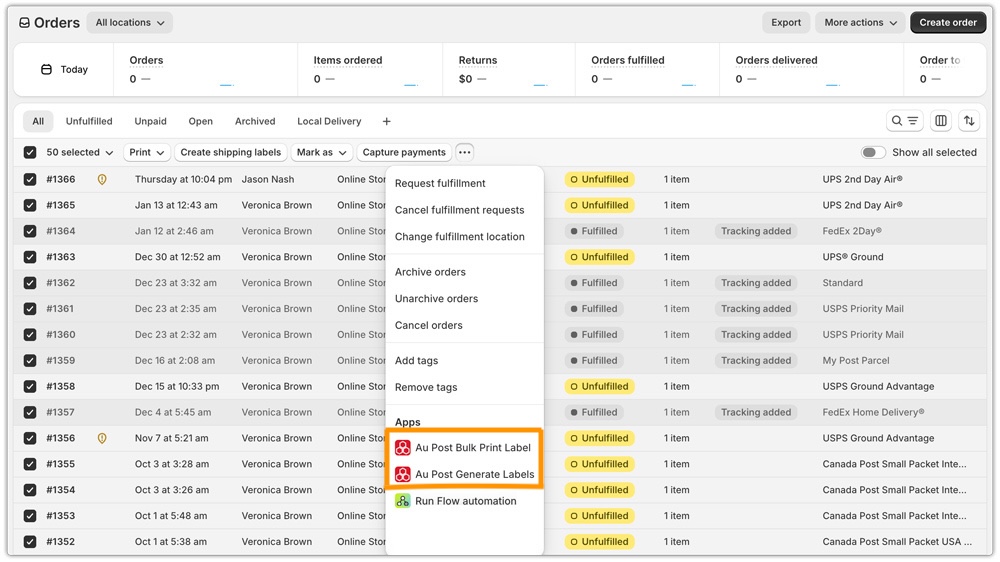
- Bulk label generation for consistent dispatch. For Shopify stores processing high volumes, the app generates labels in batch from the order list, reducing the risk of orders being dispatched without a tracking number attached, which is the most direct cause of WISMO.
The app also supports both MyPost Business and eParcel Contract accounts, ensuring that whichever rate and service tier you’re on, the tracking data flows correctly from Australia Post’s systems through to your Shopify order feed and out to the customer. For more on how MyPost Business integrates with the Shopify workflow, the guide on Australia Post MyPost Business for Shopify covers the account setup and connection steps.
Conclusion
Reducing WISMO on Australia Post Shopify orders is primarily an information problem, not a delivery problem. Australia Post sends key delivery updates, provides a two-hour delivery window, and lets customers manage shipments through its app. Customer adoption depends on sharing contact details with Australia Post, adding tracking to Shopify, and setting clear delivery expectations.
The PluginHive Australia Post Ship app automates the data handoff that makes all of this work, from contact detail population and tracking number sync to bulk label generation, so Australia Post delivery tracking reaches your customers automatically from the moment a label is created.
FAQs
Q: What tracking notifications do Australia Post customers receive automatically?
Customers receive notifications at key events: sender preparing the parcel, parcel on its way, arriving today (with a 2-hour window where possible), delivered, attempted delivery, awaiting collection, and exception.
Q: Why does my Australia Post tracking status stop updating between scans?
Tracking is event-driven and updates only when a parcel passes through a scan point in the network. A static status showing “it’s on its way” is normal during transit; it means the parcel is moving between processing facilities. Most domestic items arrive within 5 business days of the expected delivery date; submit a late item enquiry only after 10 business days.
Q: Does the PluginHive Australia Post Ship app automatically send tracking information to customers?
Yes. When a label is generated through the app, the tracking number is automatically pushed to the Shopify order, triggering the customer’s fulfilment notification email with the tracking link included without any manual entry from the merchant.
