


A label printing error might seem like a minor inconvenience, but in a Shopify fulfillment workflow it can delay dispatch, trigger underpaid postage charges, create tracking failures, and ultimately result in parcels going to the wrong address or not being processed through the Australia Post network correctly. Most errors are predictable and fixable once you know what causes them.
In This Article
- Error 1: Wrong Australia Post Label Size Selected in Print Settings
- Error 2: Australia Post Label Margins Not Aligning with Label Sheets
- Error 3: Express Post Labels Missing Yellow Coding
- Error 4: International Label Printed on Wrong Size or Without Goods List
- Error 5: Packaging Type Misdeclaration on the Label
- How the PluginHive Australia Post Ship App Prevents Australia Post Label Errors in Shopify
- Conclusion
- FAQs
Error 1: Wrong Australia Post Label Size Selected in Print Settings
A size mismatch is one of the most common Australia Post label printing errors in Shopify. Shopify generates the label at one size, but your printer settings use another, causing a cut-off, scaled, or blank printout.
Australia Post offers three package size options for domestic shipments.
- A4 (four labels per page): Use this option with A4 label sheets that hold four labels.
- A4 (one label per page): Use this option with plain A4 paper or an A4-sized label.
- A6: Use this option with a printer that supports A6 paper, including compatible thermal printers.
Fix: In MyPost Business, go to Carriers → MyPost Business → Print Settings and select the label size that matches your physical paper or label stock.
If you’re using Parcel Send, go to Settings → Labels and select the appropriate paper type. You can also generate a sample label to check the margins before printing a full batch.
If your printer cannot handle A6 paper, select one of the A4 options instead.
Error 2: Australia Post Label Margins Not Aligning with Label Sheets
A correctly sized Australia Post label that still prints with misaligned content, cut off at edges or a barcode running into a margin is typically a margin configuration issue, not a file problem. This is common when switching between label stationery brands or after a printer driver update.
Fix: If your label margins aren’t lining up, you can adjust the label position in MyPost Business. Use the margin settings to adjust the top, bottom, left, or right position until the label aligns with your stationery.
When printing the PDF, make sure your printer does not scale the label. Australia Post specifically recommends checking that the PDF is not being scaled during printing.
In Parcel Send, go to Settings → Labels to choose your paper type and set your margins. You can also enable the label start position prompt for A4-4 labels. This lets you choose which corner of the sheet to start printing from, helping you use partially used label sheets without wasting labels.
Error 3: Express Post Labels Missing Yellow Coding
Shopify merchants printing Express Post labels on a standard laser or inkjet printer may produce a label that looks complete but is missing an element Australia Post requires for that service to be routed correctly.
Plain black and white labels are acceptable. However, for Express Post, black and white labels must be supplemented by yellow Express Post mini-labels or tape. The yellow coding ensures Australia Post streams these parcels through the Express Post network.
Fix: If you’re using a non-colour printer for Express Post shipments, obtain yellow Express Post mini-labels or tape from Australia Post and apply them to the parcel alongside the printed label. If your Express Post parcel lacks the yellow coding, Australia Post may process and deliver it at Parcel Post speeds even if you paid for Express.
For more on Express Post service expectations and when to use it for Shopify orders, see the guide on Australia Post shipping services for Shopify.
Error 4: International Label Printed on Wrong Size or Without Goods List
International shipments have specific label and customs requirements, and Shopify merchants can encounter printing errors when they use the wrong label format or fail to print all required documents.
When sending parcels internationally:
- CN22 labels are A6-sized and can be printed on A6 paper or on A4 paper with multiple labels per page.
- CN23 labels can be A5 or A6, depending on the service and printing setup. Parcel Send currently supports A6 CN23 labels.
- If there is more than one item in the parcel, a goods list will also be printed.
- Place the international shipping label and goods list, if applicable, in a clear, self-adhesive plastic sleeve.
- Attach the sleeve to the flattest surface of the parcel.
Fix: Check your Parcel Send or MyPost Business print settings before generating an international label. In Parcel Send, the Multi label A4 option can print up to four A6 labels per page. If the shipment generates a CN23 label, make sure your selected paper type supports the label format generated.
For a full breakdown of international services and zone requirements, see the guide on Australia Post international shipping for Shopify.
Error 5: Packaging Type Misdeclaration on the Label
A packaging misdeclaration occurs when an Australia Post label declares a flat-rate packaging type, but the parcel’s detected dimensions do not match the declared packaging. Australia Post checks declared packaging types against the dimensions detected during processing. When it identifies a packaging misdeclaration, Australia Post may apply the correct postage rate based on the parcel’s actual dimensions, resulting in underpaid postage charges on the sender’s account.
Fix: Only declare Australia Post flat-rate packaging when you are actually using eligible flat-rate satchels, boxes, mailing tubes, tough bags or other eligible packaging. Select the correct size: Extra Small, Small, Medium, Large or Extra Large for the packaging you are using. The correct flat-rate packaging type must be used to qualify for flat-rate postage.
Make sure to measure the parcel’s actual external dimensions carefully, including any protruding or bulky parts. Australia Post’s processing equipment can detect when a package’s dimensions differ from those declared when you created the label.
For more on how packaging choices affect postage costs, see the Australia Post shipping calculator guide for Shopify.
How the PluginHive Australia Post Ship App Prevents Australia Post Label Errors in Shopify
Many of the label errors described above originate from the gap between Shopify’s order data. The PluginHive Australia Post Ship app closes that gap by generating Australia Post labels directly from Shopify order data.
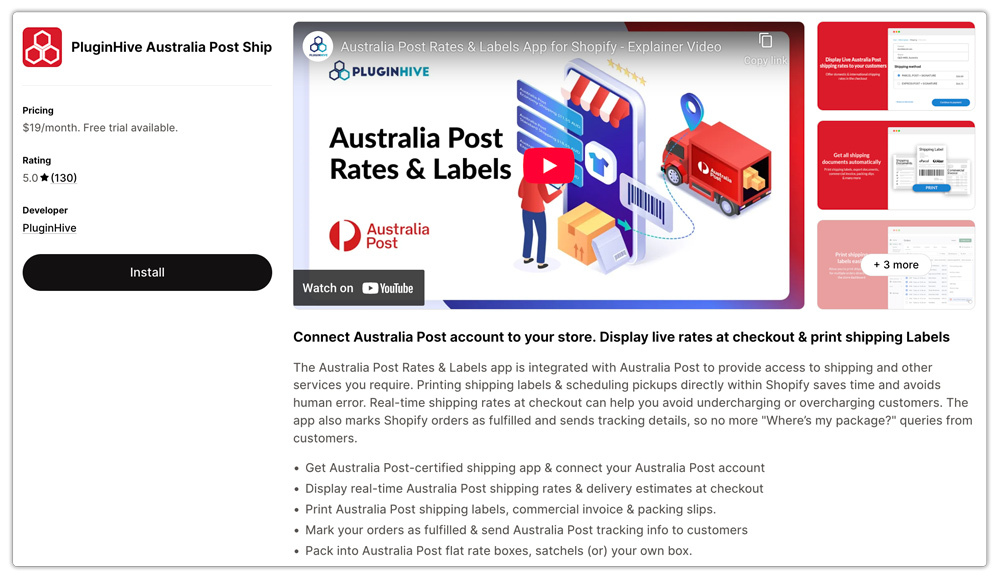
Here’s how it reduces label errors specifically:
- Auto-filled address details. The app pulls the customer’s shipping address directly from the Shopify order and populates it on the Australia Post label without manual re-entry.
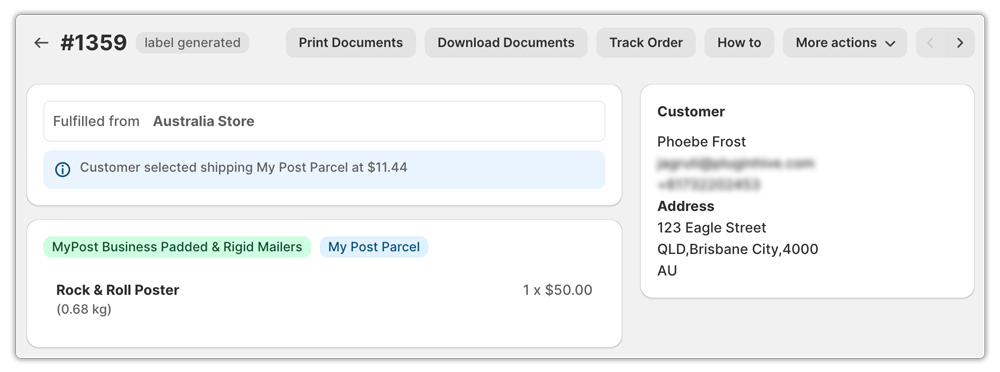
- Correct packaging logic. The app applies packaging rules based on product dimensions entered in Shopify, and sends the correct packaging type declaration to Australia Post when creating the shipment.

- Service-specific label generation. The app generates the correct Australia Post label format for each service: Parcel Post, Express Post, or international services, without requiring you to reconfigure print settings per shipment.

- Bulk label printing from Shopify admin. For high-volume dispatch days, the app supports batch label generation directly from the Shopify order list.

- Tracking sync. Once the label is generated, the tracking number is pushed back to the Shopify order, and the customer is notified automatically so there’s no manual step where a wrong number could be entered. This connects directly to how Australia Post tracking works in Shopify and what customers receive after fulfilment.

Conclusion
Australia Post label printing errors in Shopify almost always trace back to one of a small set of causes: wrong size settings, margin misalignment, missing Express Post yellow coding, international format errors, packaging type misdeclarations, or incorrect printer configuration. Each one is preventable.
The PluginHive Australia Post Ship app removes the manual steps where most errors occur, generating labels from Shopify order data with accurate addresses, weights, and packaging declarations applied automatically, so what prints is what Australia Post expects.
FAQs
Q. Why is my Australia Post label printing at the wrong size?
The label size may not match your paper or label stock. Check your MyPost Business or Parcel Send print settings and select the correct A4 or A6 format. Also check that your printer does not scale the PDF.
Q. Why are my Australia Post labels printing with incorrect margins?
Incorrect margin settings can cause labels to print off-center or cut off important information. Adjust the top, bottom, left, or right margins in your Australia Post printing settings and print a sample label before printing a batch.
Q. What size should I use for Australia Post international labels?
The required format depends on the customs declaration. CN22 labels are A6-sized, while CN23 labels can use A5 or A6 formats depending on the service and printing setup.
