



When you’re setting up shipping for your Shopify store, knowing the base postage cost is only part of the picture. The Australia Post shipping calculator gives you an estimate, but what shows up on your invoice can look different once additional fees, surcharges, and weight adjustments are factored in. Understanding how Australia Post calculates postage and what sits on top of that base rate is what separates Shopify merchants who price their shipping accurately from those who routinely absorb unexpected costs.
This guide explains how the Australia Post shipping calculator works, how postage is calculated, and the fees that affect costs.
In This Article:
- What the Australia Post Shipping Calculator Does and Doesn’t Tell You
- How Australia Post Calculates Postage for Shopify Orders
- Hidden Fees That Don’t Appear in Your Australia Post Shipping Calculator
- Australia Post Shipping Calculator Inside the Parcel Send Portal
- How the PluginHive Australia Post Ship App Brings Accurate Rates to Shopify Checkout
- Conclusion
- FAQs
What the Australia Post Shipping Calculator Does and Doesn’t Tell You
The Australia Post shipping calculator is available at auspost.com.au and lets you calculate postage costs and estimate delivery times. You enter the origin postcode, destination postcode, parcel weight, and dimensions, select a service, and receive a cost estimate alongside an estimated delivery window.
It’s a useful starting point, but there are important limitations every Shopify merchant should understand:
- The public-facing calculator returns retail rates — it does not reflect the discounted Australia Post rates that apply to your MyPost Business savings band or eParcel Contract.
- The estimates are only valid at the time you create the quote and may not include all fees and surcharges.
- Optional extras such as Signature on Delivery or Extra Cover are not included in the base estimate; the postage cost is adjusted for these at the payment stage.
- The calculator does not account for dynamic charges like fuel surcharges, which vary monthly.
For Shopify merchants who have set up a MyPost Business or eParcel Contract account, the shipping calculator gives a useful directional estimate, but the rate your account will actually be charged will differ. The guide on Australia Post rates: MyPost Business vs eParcel Contract for Shopify explains how the rate gap between retail and account-linked pricing works in practice.
How Australia Post Calculates Postage for Shopify Orders
When sending a parcel within Australia, postage is calculated by the weight or size of your parcel, the packaging, and the destination. There are two distinct charging models depending on the packaging you use:
Flat-Rate Packaging (Australia Post’s Own Eligible Packaging)
- Postage is based on size, not weight, for parcels up to 5kg.
- Available in extra small, small, medium, large, and extra large satchels and mailing boxes.
- Provides a fixed national rate to any Australian address regardless of destination zone.
- Only Australia Post packaging products labelled Extra Small, Small, Medium, Large, or X-Large are eligible for size-based national flat rates. Other products are assessed based on physical or cubic weight.
Your Own Packaging (or Non-Eligible Australia Post Packaging)
- Postage is based on the weight or cubic weight, whichever is greater, and the destination zone.
- For parcels over 5kg up to 22kg, destination zones apply; zones are based on the postcode of the destination address.
- For international parcels, charges are based on actual weight, with a maximum weight of 20kg and a maximum girth of 140cm.
Hidden Fees That Don’t Appear in Your Australia Post Shipping Calculator
The Australia Post shipping calculator provides an estimated shipping cost, but additional fees and optional charges may apply depending on your shipment, account, and the services you choose.
Fuel Surcharge
- Fuel prices affect transport costs, so Australia Post may apply a dynamic fuel surcharge based on its direct and indirect fuel costs.
- The surcharge can increase, decrease, or not apply at all, and Australia Post publishes the applicable surcharge schedule in advance.
Over Maximum Limits Fee
- Domestic parcels that exceed Australia Post’s maximum size or weight limits may incur an Over Maximum Limits Fee.
- Oversized parcels may incur administration and return-to-sender charges if rejected at lodgement.
Unmanifest Fee
- eParcel Contract customers incur an Unmanifest Fee for lodging shipments without a complete manifest.
- This applies to both domestic and international lodgements.
Peak Fee
- Australia Post’s terms and conditions allow a Peak Fee to be introduced during periods of exceptionally high demand. Australia Post provides advance notice before applying any Peak Fee.
- High-volume merchants should account for peak-season surcharges when planning shipping costs.
Optional Extras
- Selecting Signature on Delivery, Extra Cover, or Transit Cover adds extra charges to the standard postage cost.
- Some Australia Post calculators may exclude optional services from the initial shipping estimate.
Understanding these charges also matters for Australia Post tracking in Shopify, where optional extras like Signature on Delivery directly affect the tracking and delivery confirmation experience your customers receive.
Australia Post Shipping Calculator Inside the Parcel Send Portal
eParcel Contract customers can get freight quotes directly within the Parcel Send portal. This version is more relevant to business shipping because it reflects your contract account’s pricing rather than retail rates.
Here’s how it works:
- The freight quote calculator has two tabs — Within Australia and International.
- Enter shipment details and click Calculate to view available Australia Post services and estimated shipping rates.
- Include landed duties and taxes in international shipping quotes with a single option before calculating.
- View estimated rates, a cost breakdown, and create shipments directly from the quote with auto-filled details.
For merchants managing international orders, the guide on Australia Post international shipping for Shopify covers how international service zones and rate structures work across the 220+ destinations Australia Post serves.
How the PluginHive Australia Post Ship App Brings Accurate Rates to Shopify Checkout
The core problem with relying on the public Australia Post shipping calculator for Shopify is that it returns retail estimates, not your account-specific rates, and it doesn’t feed directly into what customers see at checkout. The PluginHive Australia Post Ship app solves this by connecting your StarTrack, MyPost Business or eParcel Contract account to Shopify directly.
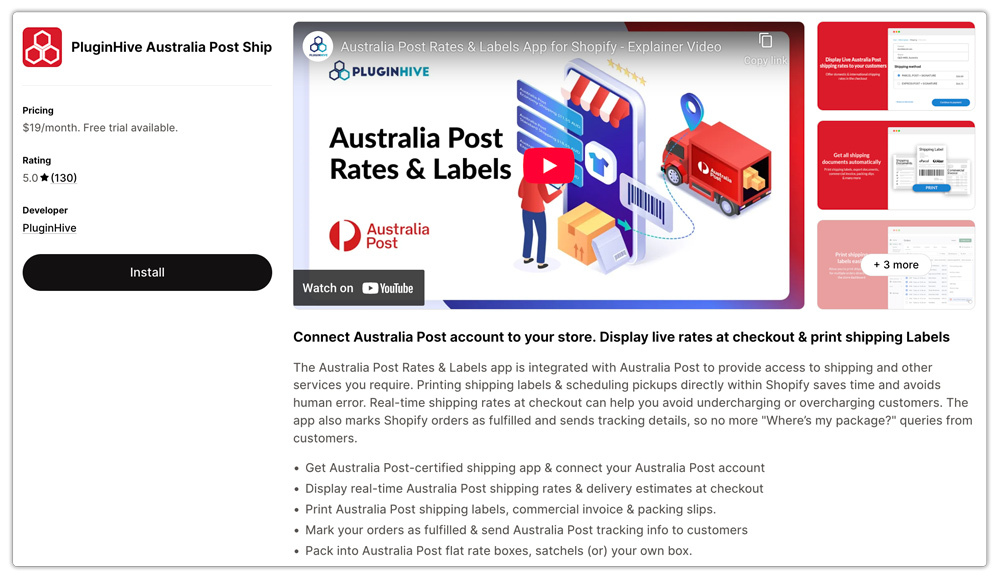
Here’s what it does that the public calculator cannot:
- Live account-linked rates at checkout. Display live Australia Post rates at checkout using your connected account, including MyPost Business discounts and eParcel contract pricing.
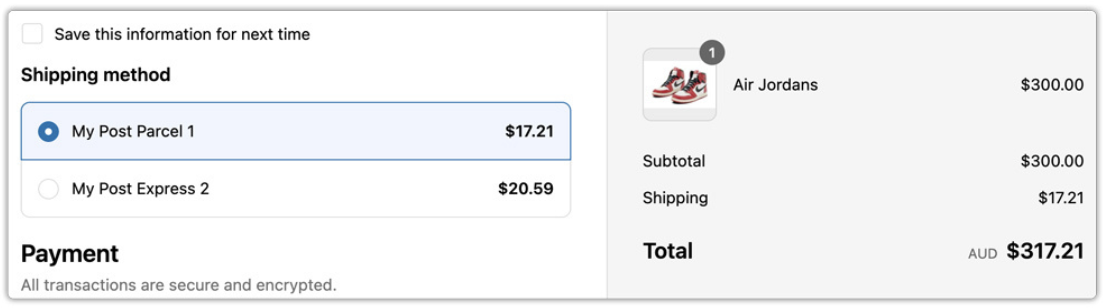
- Accurate cubic weight calculation. The app applies cubic weight logic based on the actual product dimensions entered in Shopify, so the rate displayed accounts for the chargeable weight Australia Post will use, not a simplified approximation.
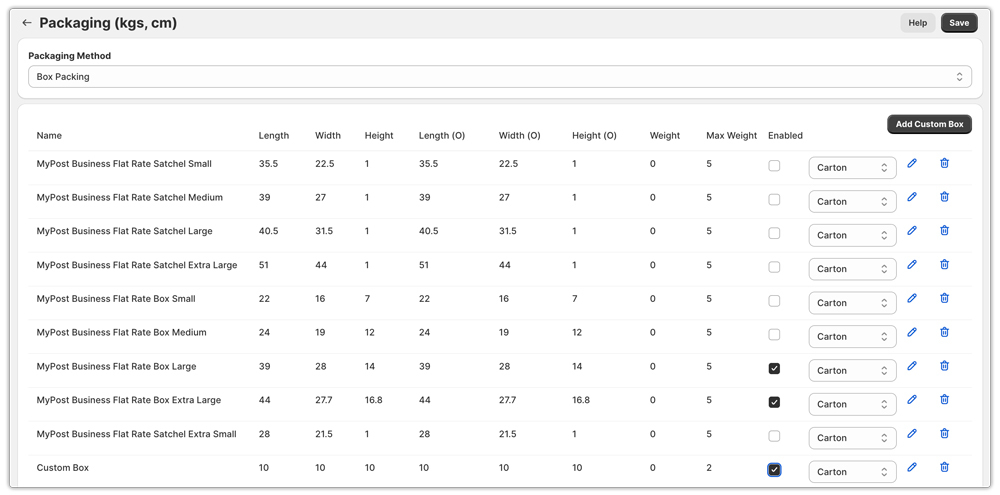
- Packaging rules automation. The app automatically applies the correct packaging logic for flat-rate and own-packaging shipments.
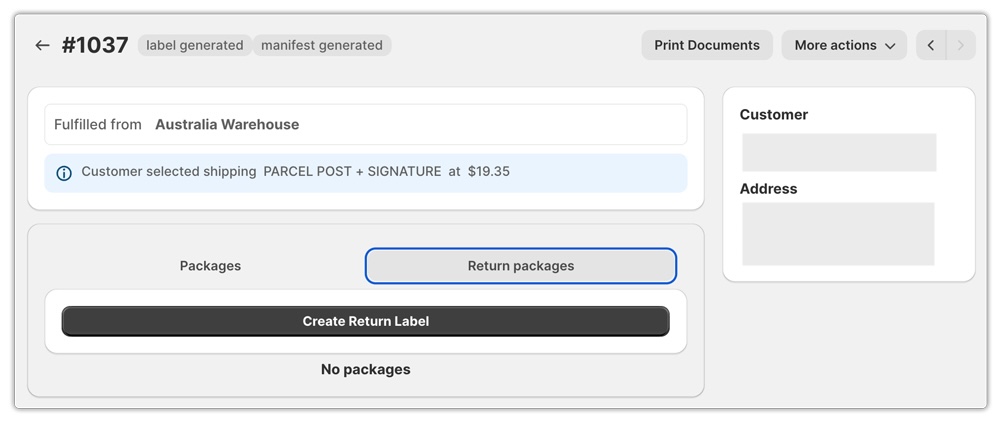
- Label generation from the order page. Generate Australia Post shipping labels directly from your Shopify order page without switching portals.

- Optional extras integration. Configure Signature on Delivery and Extra Cover in the app to include those costs in checkout shipping rates.

This means the rate your customer sees at checkout aligns with what Australia Post will actually charge you, protecting both your margins and your customer’s expectations. For context on how MyPost Business integrates with Shopify, the guide on Australia Post MyPost Business for Shopify covers the account setup and integration steps.
Conclusion
The Australia Post shipping calculator is a valuable tool for getting directional cost estimates, but it returns retail rates and excludes the surcharges, optional extras, and cubic weight edge cases that appear on real invoices. For Shopify merchants, the gap between the calculator estimate and the actual charged amount is where margin quietly disappears.
Getting it right means understanding how postage is calculated, how cubic weight affects chargeable weight, which additional fees can apply, and how your account type changes the rate you’re actually quoted. The PluginHive Australia Post Ship app closes the gap between estimate and invoice by pulling live, account-specific Australia Post rates directly into your Shopify checkout with accurate packaging and weight logic applied to every shipment.
FAQs
Q. Does the Australia Post shipping calculator show my MyPost Business discounted rates?
No. The public calculator displays standard retail rates. To see account-specific rates, you need to use the freight quote tool inside the MyPost Business portal or the Parcel Send portal (for eParcel Contract), or connect your account to Shopify via an integration like the PluginHive Australia Post Ship app.
Q. What is cubic weight and why does it matter when using the Australia Post shipping calculator?
Calculate cubic weight by multiplying your parcel’s length, width, and height (in metres) by 250. Australia Post charges based on whichever is greater: cubic weight or actual weight.
Q. What is a fuel surcharge and does it appear in shipping estimates?
No. Australia Post updates the fuel surcharge based on fuel prices and publishes it 30 days in advance. It does not appear in the upfront Australia Post shipping calculator estimate and will show on your invoice separately.
