



Customers who place an order on your Shopify store don’t stop paying attention once they hit checkout. They want to know when their order is packed, when it ships, and where it is right now. If your store can’t answer those questions automatically, it falls on your support team or, worse, leads to refund requests and negative reviews. Shipping notifications are the backbone of post-purchase customer communication. This article covers what automated shipping notifications look like on Shopify, what the platform handles by default, and how to build a complete notification system that keeps customers informed without manual effort.
In This Article:
- What Are Shipping Notifications in Shopify?
- Why Automated Shipping Notifications Matter
- What Notifications Shopify Sends by Default
- Types of Shipping Notifications Your Store Should Send
- How PluginHive Shipment Tracking & Notify Automates Shipping Notifications
- Best Practices for Shopify Shipping Notifications
- Conclusion
- FAQs
What Are Shipping Notifications in Shopify?
Shipping notifications are automated messages sent to customers after they place an order, providing updates on their shipment as it moves through the fulfillment and delivery process. These can include order confirmation messages, shipping confirmation emails with a tracking number, real-time transit updates, and delivery confirmations.
The goal of shipping notifications is to keep customers informed without requiring them to reach out to your store. When set up correctly, they eliminate uncertainty, reduce “where is my order” (WISMO) queries, and create a smoother experience between checkout and delivery.
Shipping notifications can be delivered via email or through a branded tracking page on your storefront.
Why Automated Shipping Notifications Matter
Manual customer communication doesn’t scale. As order volumes grow, sending individual shipping updates becomes impossible without automation. More importantly, customers now expect proactive updates, not just a tracking number buried in a fulfillment email.
Here’s what automated shipping notifications deliver for your Shopify store:
- Fewer support tickets: Customers who receive proactive tracking updates don’t need to contact you to ask where their order is. This directly reduces your support team’s workload.
- Higher customer satisfaction: Timely, accurate shipping notifications make customers feel informed and in control during the delivery window.
- Reduced disputes and chargebacks: When delivery visibility is clear, customers are less likely to raise disputes for orders that are simply in transit.
- Better brand perception: Branded notifications that match your store’s look and tone feel like a natural extension of the shopping experience, not a generic third-party message.
- Lower return rates: Customers who are updated in real time are less likely to assume an order is lost and request a return.
Understanding Shopify order tracking statuses is also useful here; knowing what each status means helps you communicate them clearly to customers at the right moments.
What Notifications Shopify Sends by Default
Shopify includes a basic set of automated emails that go out as part of the default fulfillment flow:
- Order confirmation email – sent immediately after a customer completes checkout.
- Shipping confirmation email – sent when you fulfill an order and add a tracking number. This email includes the tracking number and a link that directs customers to the shop app.
These two emails cover the minimum. However, Shopify’s default shipping notifications have real limitations:
- There are no automatic in-transit or out-for-delivery notifications.
- Tracking links send customers to the shop app, away from your store.
- There is no delivery confirmation email by default.
- Without editing code, merchants have limited options to brand or customize notification templates.
- Shopify’s native tracking depends on carrier support and works inconsistently across all carriers.
Types of Shipping Notifications Your Store Should Send
A complete shipping notification system covers more than just the moment an order ships. These are the key notification types that a well-configured Shopify store should send:
- Order Confirmed: Sent immediately after checkout. Confirms the order details, items, and expected delivery window.
- Order Shipped: Sent when the shipping label is generated and the order is marked as fulfilled. This should include the tracking number, the carrier being used, and a link to track the shipment.
- In Transit: Triggered by carrier scan events as the package moves through the shipping network. These updates reassure customers that the order is on its way and reduce anxiety during longer delivery windows. Merchants integrating carriers like UPS on Shopify or USPS on Shopify should configure event-driven updates for these carriers specifically.
- Out for Delivery: Lets the customer know their package will arrive that day. This is one of the most-appreciated shipping notifications.
- Delivered: Confirms that the package has been successfully delivered. Closing the loop on delivery prevents customers from reaching out to report non-delivery for packages that have already arrived.
- Exception Alert: Notifies the customer when a delivery attempt fails, the package is held at a facility, or a delay has occurred.
How PluginHive Shipment Tracking & Notify Automates Shipping Notifications
The PluginHive Shipment Tracking & Notify app is built to automate the full sequence of shipping notifications that Shopify doesn’t handle by default.
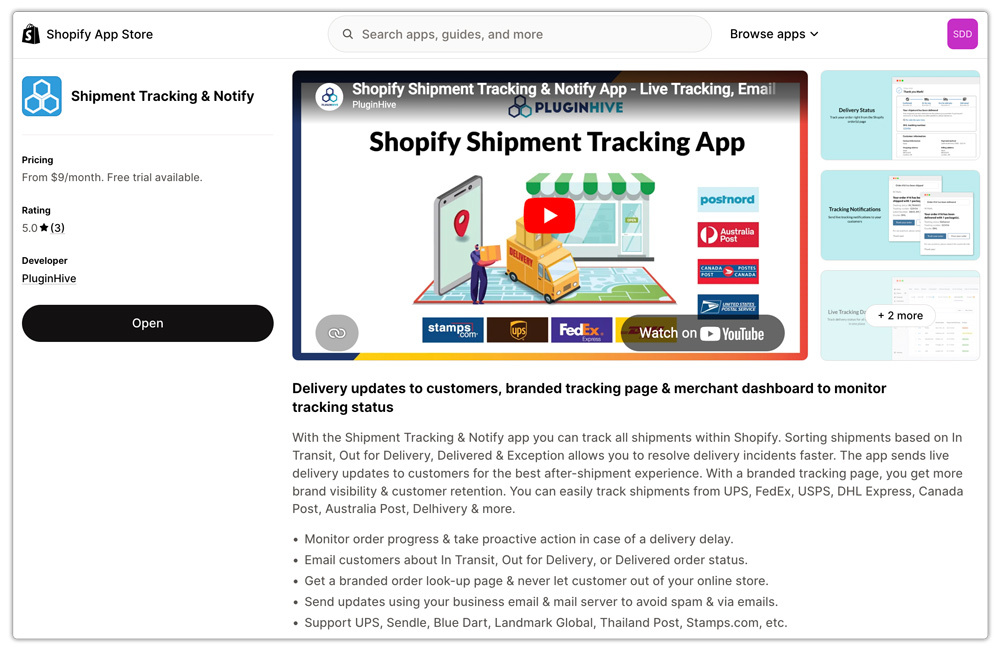
- Event-Driven Email Notifications. The app sends shipping notifications at every meaningful stage: order shipped, in transit, out for delivery, delivered, and exception.
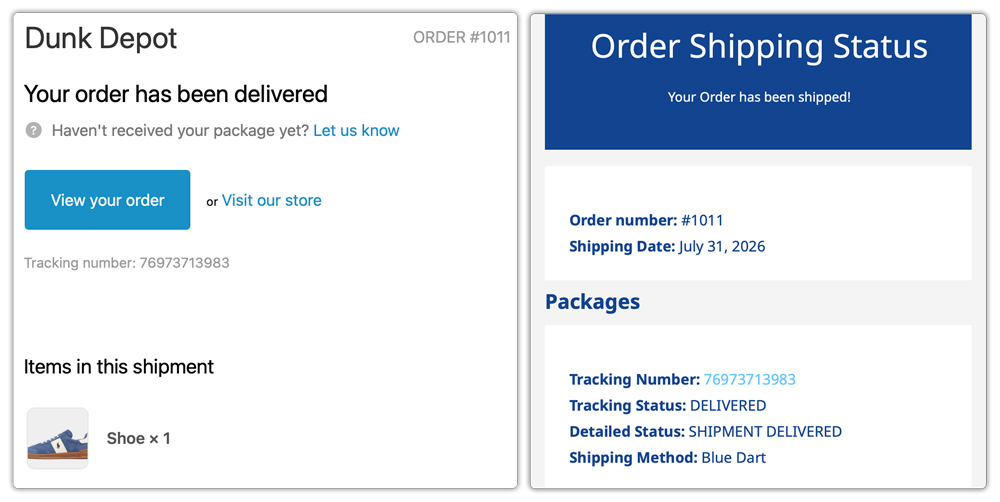
- Send from Your Own Business Email. One of the most important features for deliverability is that the app sends shipping notifications through your own SMTP email server and business email address.

Branded Email Templates. The app lets you customize the email template for your shipping notifications, including the subject line, store logo, branding colors, and message content.

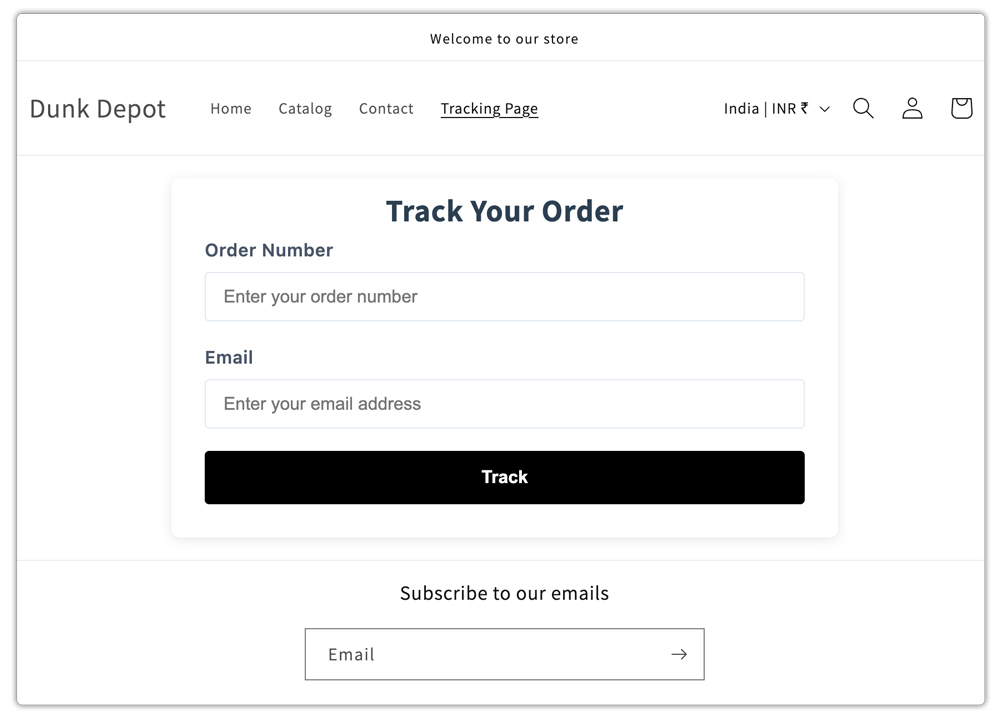
Branded Tracking Page on Your Storefront. Beyond email, the app creates a dedicated tracking lookup page within your Shopify store. Customers can visit the page, enter their order number and email, and view their live shipment status. For merchants interested in branded order tracking pages and the business impact they have, this feature alone reduces inbound support volume.
Multi-Carrier Support in One Dashboard. The app supports major carriers including UPS, FedEx, USPS, DHL Express, Canada Post, Australia Post, Blue Dart, Delhivery, Aramex, Sendle, and more.

Best Practices for Shopify Shipping Notifications
Having automated shipping notifications running is a start. Getting the most out of them takes a few additional steps:
- Use your own SMTP and business email. A branded business email address increases open rates and reduces the risk of spam flags.
- Keep notification content concise and actionable. Each email should tell the customer exactly what has happened and what they need to do next. Avoid long blocks of text.
- Link to a tracking page on your own store. Rather than directing customers to the carrier’s website, link to a page that lives within your Shopify domain.
- Send exception alerts proactively. Don’t wait for customers to notice a delay. A proactive exception notification before the customer contacts you shows professionalism and builds trust.
- Match your notification branding to your store. Email templates should use your store’s fonts, colors, and tone. Every shipping notification is a touchpoint that either reinforces or undermines your brand.
- Test your notifications before going live. Place a test order and run it through your notification sequence to verify that each email sends correctly, looks right in an inbox, and contains accurate tracking information.
Conclusion
Automated shipping notifications keep customers informed without adding manual work for your support team. While Shopify covers basic order and shipping confirmations, merchants need real-time updates for transit, delivery, and exceptions.
A complete notification system can reduce WISMO queries, improve the post-purchase experience, and keep customers connected to your brand. The PluginHive Shipment Tracking & Notify app automates these updates with branded emails and a storefront tracking page, giving merchants and customers full visibility from checkout to delivery.
FAQs
Q: How can I send real-time shipping notifications in Shopify?
Install a tracking app like PluginHive Shipment Tracking & Notify, which monitors shipment status from your connected carriers and sends customers event-driven email updates at each stage of the delivery process.
Q: Can I brand my Shopify shipping notification emails?
Shopify’s default notification templates support basic customization via HTML editing. For fully branded shipping notifications with your store logo, colors, and custom messaging, a dedicated app like PluginHive Shipment Tracking & Notify offers more flexibility and control over the email template.
Q: What carriers are supported for automated shipping notifications?
The PluginHive Shipment Tracking & Notify app supports UPS, FedEx, USPS, DHL Express, Canada Post, Australia Post, Blue Dart, Delhivery, Aramex/Fastway, Sendle, and more. For a full list, refer to the app setup guide.
