


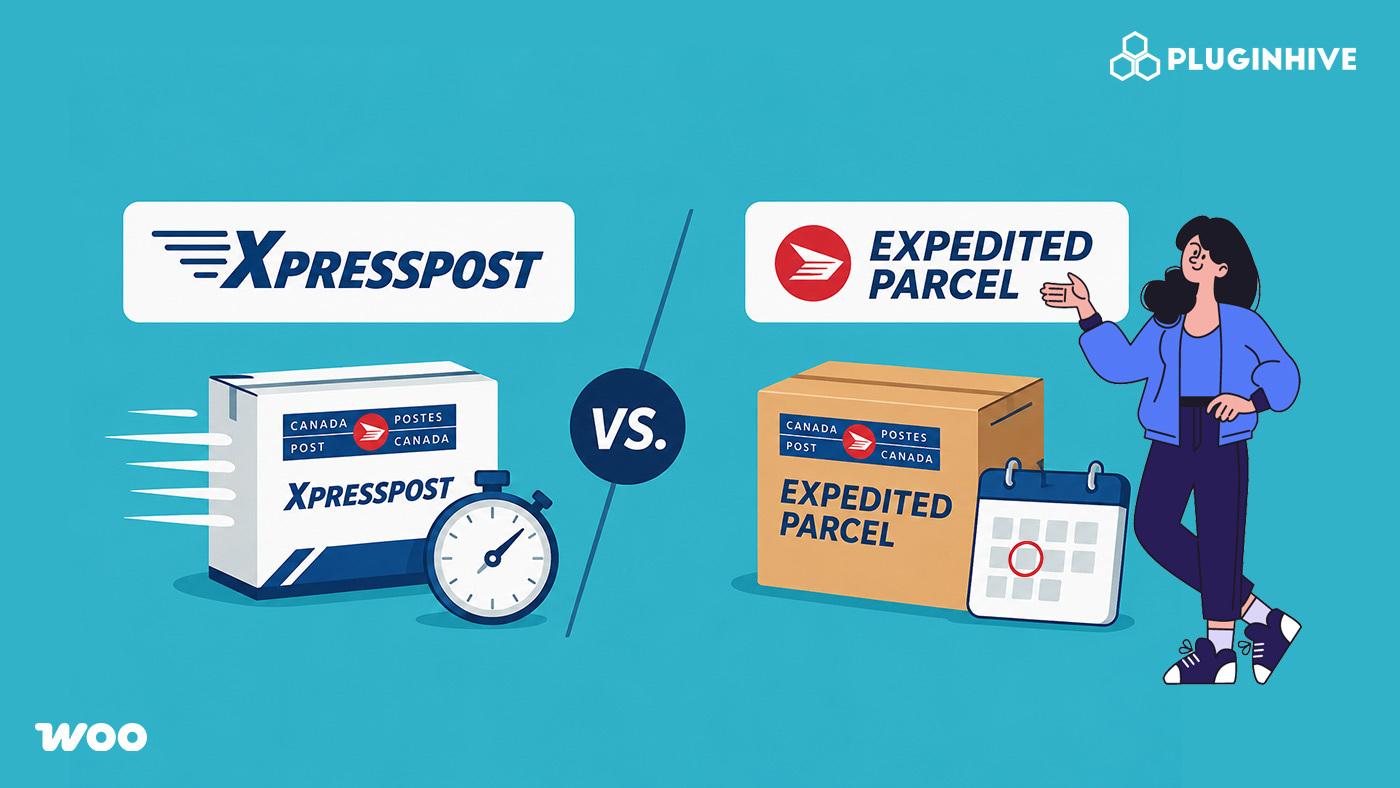
Picking between Canada Post Xpresspost and Expedited Parcel trips up a lot of WooCommerce store owners, both are domestic services, both include tracking, and the names don’t exactly make the difference obvious. Choosing the wrong option means either overpricing your checkout with a premium service most customers don’t need or losing buyers who need faster delivery and don’t see it as an option.
This article walks you through what makes each service different, which scenarios suit each, and how to configure both correctly at WooCommerce checkout.
On This Page
- What Is Canada Post Xpresspost?
- What Is Canada Post Expedited Parcel?
- Canada Post Xpresspost vs Expedited Parcel: Key Differences
- Which Service Should Your WooCommerce Store Offer?
- How to Offer Canada Post Xpresspost and Expedited Parcel in WooCommerce
- Best Practices for Using Canada Post Shipping Services in WooCommerce
- Conclusion
- FAQs
What Is Canada Post Xpresspost?
Xpresspost is Canada Post’s fast domestic shipping service for parcels and documents. It sits between Priority (the fastest, most expensive option) and Expedited Parcel (the everyday, cost-effective choice).
Key features of Xpresspost:
- Delivery speed: Next business day for local and regional shipments from major urban centres; 2 business days nationally
- On-time delivery guarantee: Canada Post guarantees delivery by the committed date or refunds the postage
- Tracking: Full end-to-end tracking included on every shipment
- Signature option: Available for added security – ideal for high-value or sensitive items
- Coverage: Up to $100 liability coverage included; additional coverage available
For a complete breakdown of Xpresspost delivery timelines and size requirements, see the Canada Post Xpresspost Guide for WooCommerce.
What Is Canada Post Expedited Parcel?
Expedited Parcel is Canada Post’s standard eCommerce shipping service. It’s the go-to option for most domestic parcels – affordable, tracked, and reliable for non-urgent orders.
Key features of Expedited Parcel:
- Delivery speed: 1–7 business days, depending on origin and destination
- On-time delivery guarantee: Included, same as Xpresspost
- Tracking: Full tracking included
- Cost: Lower than Xpresspost – often significantly so, especially with commercial volume discounts
- Coverage: Up to $100 liability coverage included
Expedited Parcel is the default recommendation for most WooCommerce stores shipping within Canada because it balances cost and reliability well. If you have a commercial Canada Post account, you’ll likely get better rates on this service than on Xpresspost.
Canada Post Xpresspost vs Expedited Parcel: Key Differences
Both services include tracking and an on-time delivery guarantee – so the real decision comes down to three things: how fast, how much, and what your products require.
| Feature | Xpresspost | Expedited Parcel |
|---|---|---|
| Delivery Speed | Next day (local/regional), 2 days (national) | Typically 1–7 business days |
| Tracking | Included | Included |
| On-Time Delivery Guarantee | Included | Included |
| Liability Coverage | Up to $100 included | Up to $100 included |
| Signature | Available as an add-on | Available as an add-on |
| Cost | Higher | Lower |
| Best Fit | Urgent orders and premium shipping | Standard everyday fulfilment |
The biggest difference between Canada Post Xpresspost and Expedited Parcel is delivery speed. Both services include tracking, liability coverage, and on-time delivery guarantees, but Xpresspost reaches customers faster, while Expedited Parcel helps WooCommerce stores keep shipping costs lower.
Which Service Should Your WooCommerce Store Offer?
The decision depends on what your store sells and who your customers are – not just on which service is cheaper.
Offer Expedited Parcel as your default if:
- Most of your orders are everyday goods with no urgency
- You’re shipping higher volumes and want to maximise commercial rate discounts
- Your average order value is low enough that customers are price-sensitive about shipping
Consider Xpresspost as your primary shipping option if:
- Your products are time-sensitive by nature (perishables, event-related items, last-minute gifts)
- You sell high-value goods and need signature confirmation as standard
- Your customer base regularly expects fast delivery, and your pricing supports the higher cost
Offer both at checkout if:
- Your product range is mixed – some orders are urgent, most aren’t
- You want to give customers the choice and capture revenue from buyers willing to pay for speed
Offering both is the most versatile setup for most WooCommerce stores. As outlined in the Canada Post Services Compared for WooCommerce guide, pairing Expedited Parcel for standard orders with Xpresspost as a paid upgrade is the recommended approach for stores that want to serve a wide range of customer expectations.
How to Offer Canada Post Xpresspost and Expedited Parcel in WooCommerce
The Canada Post Shipping Plugin for WooCommerce with Print Label handles live rate display, label generation, and shipment tracking all from within WooCommerce.
- Enter your Canada Post account credentials under plugin settings

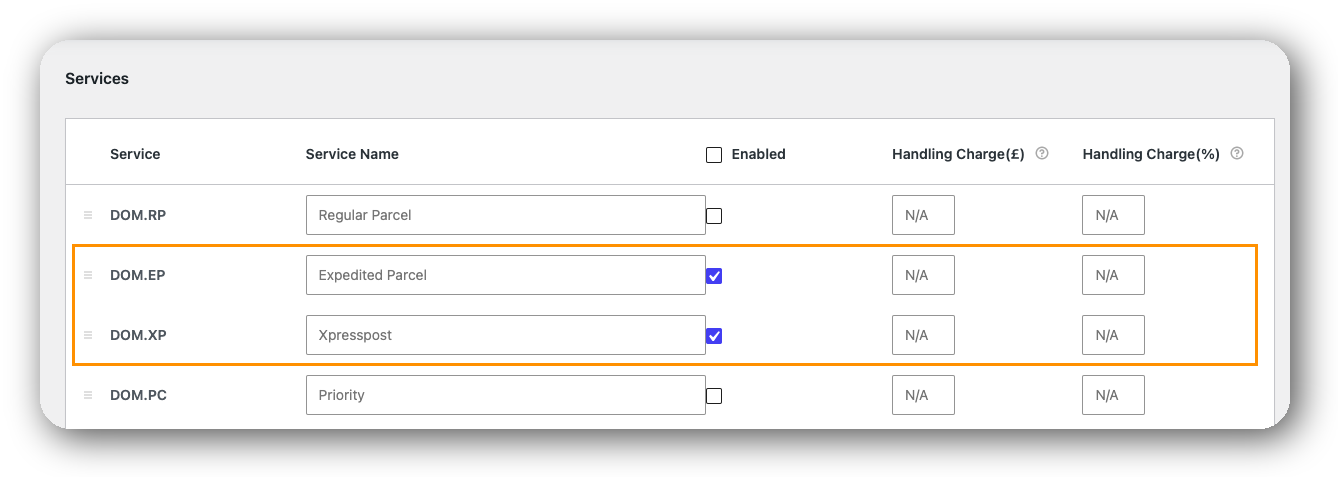
2. Go to the Services tab and enable Xpresspost and/or Expedited Parcel
- Make sure product weights and dimensions are filled in accurately

- Save and test checkout with a few different postal codes
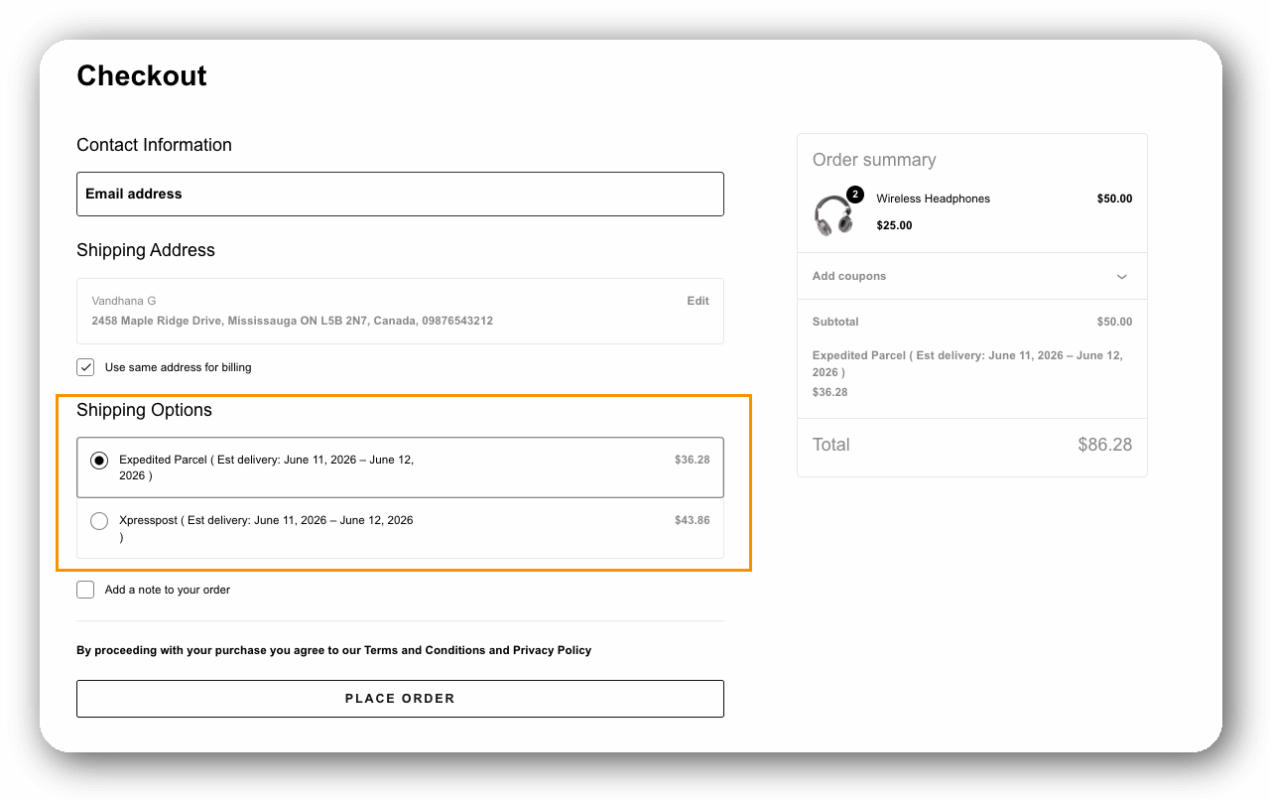
Once configured, live rates appear at checkout, and labels can be generated directly from the WooCommerce order page – with tracking numbers automatically sent to customers via email.
Best Practices for Using Canada Post Shipping Services in WooCommerce
Getting the most out of Xpresspost and Expedited Parcel in WooCommerce comes down to a few setup choices that are easy to overlook.
- Use accurate product weights and dimensions: Canada Post rates are calculated using both actual weight and volumetric weight. If your WooCommerce products have incorrect dimensions entered, you’ll either overcharge customers or lose money on every shipment.
- Enable both services to let customers self-select: Rather than guessing which service your customers prefer, display both at checkout. Buyers decide based on their urgency and budget – you capture more orders either way.
- Apply handling fees selectively: If your packaging costs vary by product size, use the plugin’s handling fee settings to apply percentage-based markups instead of a flat fee. This keeps pricing fair across small and large orders.
- Test your rates before going live: After enabling services in the plugin, place a test order to a few different postal codes – urban, rural, and cross-province – to confirm the rates display correctly.
- Use a contract account for better rates: Canada Post commercial pricing is significantly lower than retail pricing. If you ship regularly, a contract account reduces your Expedited Parcel costs enough to change the math on which service is your default.
These adjustments can make a noticeable difference in how cleanly your store presents shipping options and how confidently customers complete checkout.
Conclusion
Xpresspost and Expedited Parcel aren’t interchangeable – they solve different problems at checkout. For most WooCommerce stores, Expedited Parcel handles the volume efficiently, and Xpresspost earns its place as a paid upgrade for customers who need speed or signature confirmation. The Canada Post Shipping Plugin for WooCommerce with Print Label makes it straightforward to offer both with accurate live rates, label generation, and automatic tracking. If you need help configuring your services, reach out to the PluginHive support team.
FAQs
Q: How is Expedited Parcel different from Xpresspost?
The main difference is delivery speed. Canada Post Xpresspost offers faster delivery for time-sensitive shipments, while Expedited Parcel is a more affordable option for standard domestic deliveries. Both services include tracking.
Q: Is Canada Post Xpresspost better than Expedited Parcel?
Xpresspost is better if your customers need faster delivery. Expedited Parcel is a better choice for cost-conscious shoppers who don’t require express shipping. The right option depends on your shipping priorities.
Q: Does Xpresspost include tracking?
Yes. Every Xpresspost shipment includes end-to-end tracking. If you’re using the Canada Post Shipping Plugin for WooCommerce, the tracking number is automatically attached to the order and emailed to the customer.
Q: Does Canada Post Expedited Parcel include tracking?
Yes. Expedited Parcel also includes full tracking on every shipment, the same as Xpresspost. The two services differ in delivery speed, cost, and signature availability – not tracking.
