



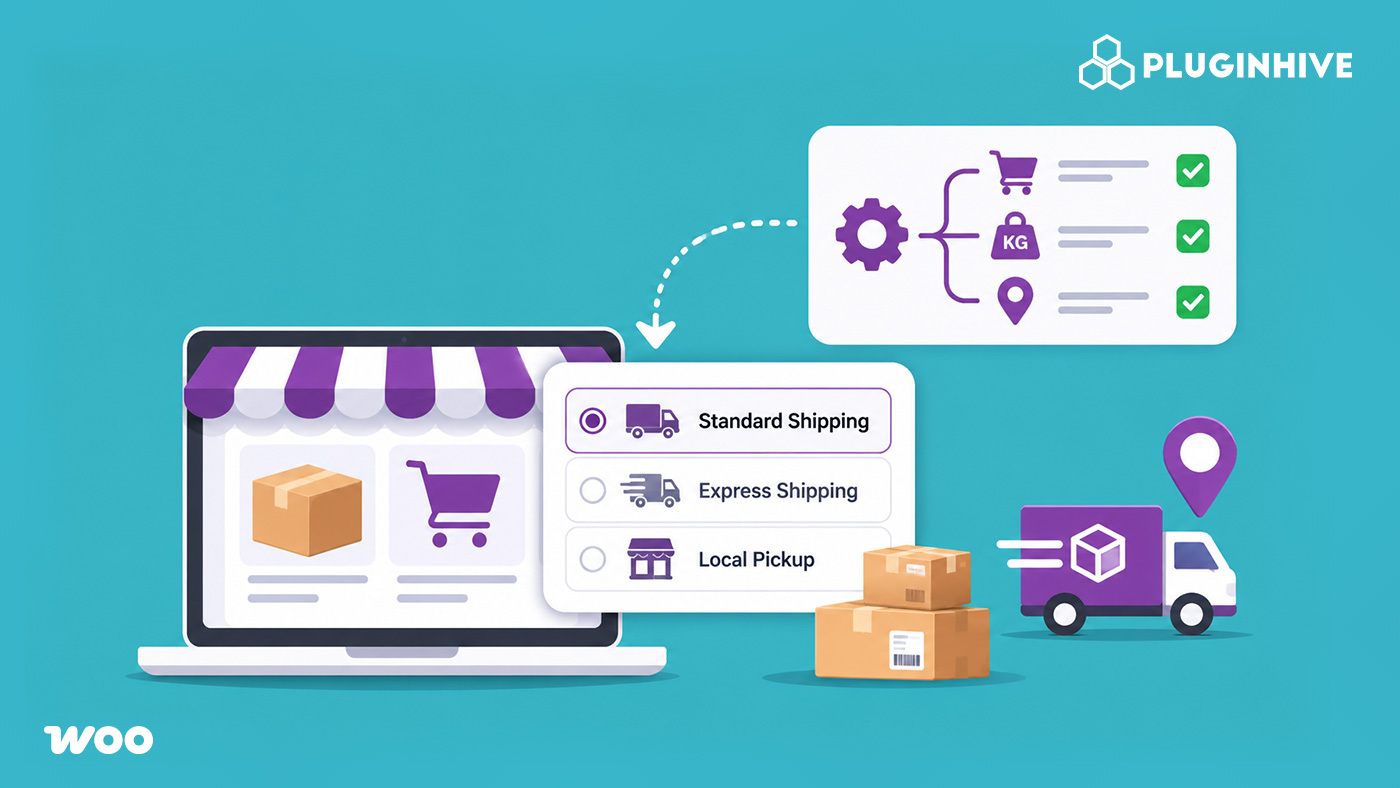
Not every order in your store needs the same shipping options. A customer buying a phone case and one buying a bulky display cabinet shouldn’t see the same list of delivery choices. When every method is shown to everyone, the result is confusing checkouts, undercharged shipments, and abandoned carts.
Conditional shipping for WooCommerce fixes this by showing, hiding, or adjusting shipping methods based on what’s in the cart and who’s buying. This guide covers how it works, the different ways to offer it, and how to manage it without complicating your checkout.
On This Page
- Understanding Conditional Shipping in WooCommerce
- Why Does Your WooCommerce Store Need Conditional Shipping?
- Different Ways to Offer Conditional Shipping in WooCommerce
- How to Set Up Conditional Shipping in WooCommerce
- Best Practices for Managing WooCommerce Shipping Options
- Final Thoughts
- FAQs
Understanding Conditional Shipping in WooCommerce
Conditional shipping means your store applies shipping rules based on conditions. When a cart meets a condition, a shipping method can appear, disappear, or change its price. The rules run automatically at checkout, so nobody has to review orders by hand.
Conditions can come from several places:
- Cart contents: product categories, shipping classes, or specific products
- Cart totals: subtotal, total weight, or number of items
- Customer location: country, state, or postcode through shipping zones
- Customer details: user role or an applied coupon
- Timing: specific days of the week or times of day
WooCommerce’s built-in tools cover the basics. Shipping zones decide where you ship, shipping classes group products with similar needs, and the Free Shipping method can require a minimum order amount. The limit shows up when you need to combine conditions, such as hiding free shipping only for heavy items going to certain states. That is where conditional shipping rules come in.
Why Does Your WooCommerce Store Need Conditional Shipping?
A single list of shipping methods works until your catalogue or customer base grows. Conditional shipping helps in a few practical ways:
- Stops the wrong options from appearing. Free shipping shouldn’t be selectable for an oversized order, and a lightweight postal service shouldn’t be offered for a heavy parcel.
- Protects your margins. Rules let you add a surcharge for fragile items or remove a costly service for remote regions.
- Keeps checkout clean. When free shipping is available, you can hide everything else so customers aren’t choosing between options they’d never pick.
- Handles restricted products. Items that can’t ship to certain areas can be kept away from those destinations. Here’s a guide to restricting shipping by state for products like alcohol.
- Rewards the right customers. You can offer discounted rates to wholesale buyers, loyalty members, or customers using a specific coupon.
Picture a store that sells small accessories and large furniture. Without conditions, someone with a sofa in the cart may see the same low flat rate as someone buying a keychain. With conditions, furniture orders see freight options and accessories see standard shipping.
Different Ways to Offer Conditional Shipping in WooCommerce
There’s more than one way to set this up. The right choice depends on whether you want to control which methods appear, how much each one costs, or which carrier handles which orders.
Show or Hide Shipping Methods Based on Conditions
This works best when your shipping methods already exist, and you only need to control who sees what. The PH Hide Shipping Methods & Rate Adjustment for WooCommerce plugin lets you show or hide WooCommerce and third-party shipping methods based on zones, shipping classes, product categories, cart weight, quantity, subtotal, coupons, and user roles. It can also raise or lower displayed rates by a fixed amount or a percentage.

Example: A store offers Free Shipping on orders above a set amount. One rule hides Flat Rate and Express whenever free shipping is available, so customers see a single clear option.
Set Shipping Rates Based on Conditions
When the price itself depends on the cart, a rate table is a better fit. The PH Table Rate Shipping Pro Plugin for WooCommerce calculates rates by weight, quantity, order value, destination, product category, and shipping class. You can combine several of these in one rule.
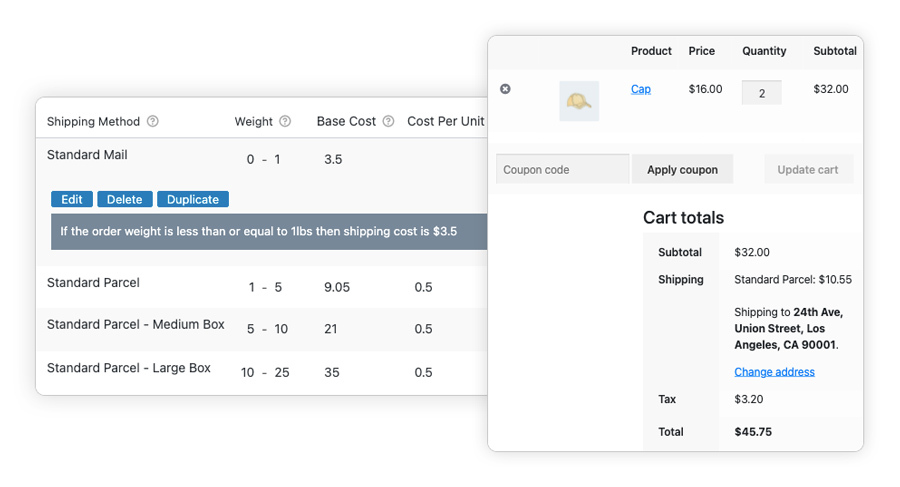
Example: A store charges a lower rate for light orders and moves to higher tiers as weight increases, with separate tiers for domestic and international destinations.
Apply Conditions Across Multiple Carriers
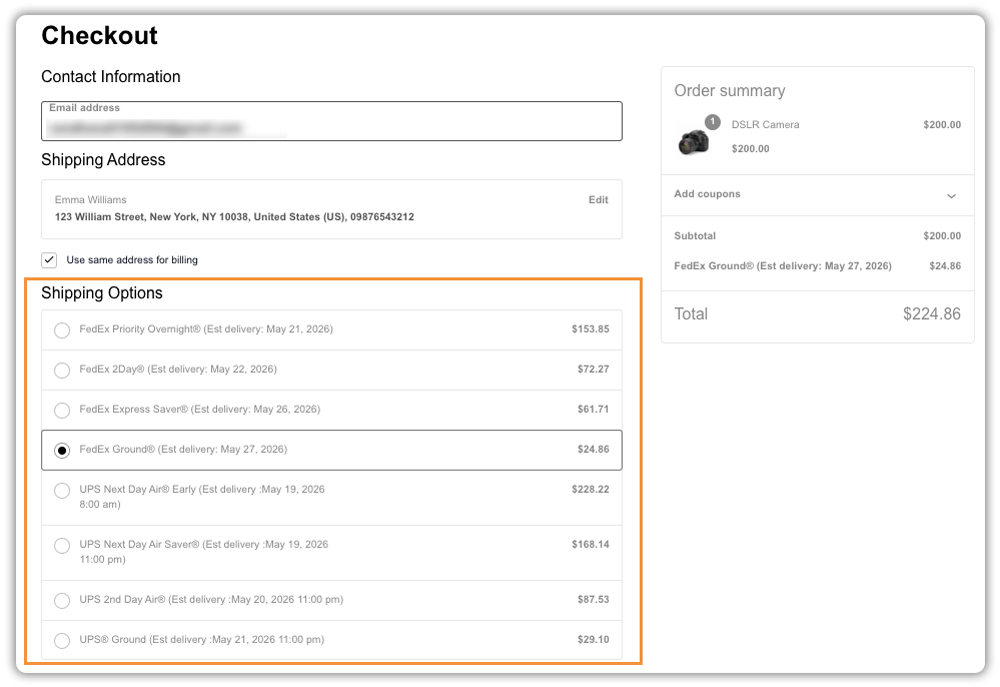
If you ship with more than one carrier, the Multi-Carrier Shipping Plugin for WooCommerce lets you control which carrier’s services appear based on quantity, weight, or destination. For instance, you can hide a premium carrier for one state and show a cheaper one instead. Our guide on conditional shipping with the Multi-Carrier plugin shows this in action.
You can also achieve similar results with custom code. However, rules built inside a plugin are easier to update and don’t need a developer every time your shipping policy changes.
How to Set Up Conditional Shipping in WooCommerce
Setup goes more smoothly when you plan before you configure anything. Here’s the general flow:
- Set up your foundation. Create shipping zones for the regions you serve and shipping classes for your product groups. Most conditions depend on these.
- Choose the right approach. Use the Hide Shipping Methods plugin to control visibility, Table Rate Shipping Pro for condition-based pricing, and the Multi-Carrier plugin for carrier-level control.
- Write your rules in plain language. For example, “Hide Free Shipping for heavy items” or “Show Local Pickup only for customers in our city.” One sentence per rule keeps things clear.
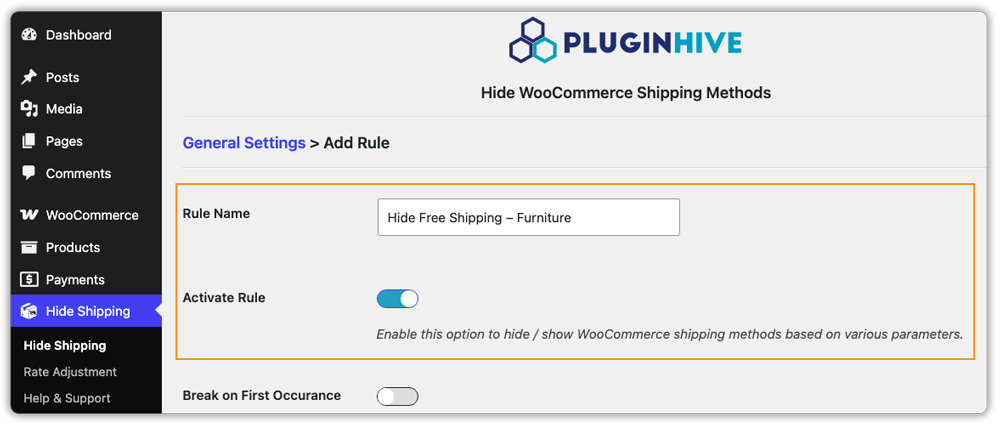
- Create your rules. Each rule has conditions (when it applies) and an action (what happens).
In the Hide Shipping Methods plugin, for example, you pick parameters like location, products, cart value, user, or coupon, then choose which methods to show or hide.


- Test with real carts: Try different products, addresses, and coupons, both as a guest and as a logged-in customer. The Hide Shipping Methods plugin includes a debug mode that helps you see why a rule did or didn’t apply.
Best Practices for Managing WooCommerce Shipping Options
Once your rules are live, a few habits keep them reliable.
- Start small. Begin with the two or three rules that fix your biggest checkout problems, then add more as needed.
- Name rules clearly. “Hide Free Shipping – Freight Class” is easier to find in six months than “Rule 4.”
- Avoid conflicting rules. Two rules that hide methods can leave a customer with nothing to choose. Make sure every cart still has at least one valid option. Settings like “Break on first occurrence” in the Hide Shipping Methods plugin help you control which rule wins.
- Keep product data accurate. Rules based on weight or shipping class are only as good as your product details. Missing weights or unassigned classes lead to wrong results.
- Review regularly. Revisit your rules after carrier rate changes, new product lines, or seasonal promotions.
If you’re still getting familiar with the basics, our complete WooCommerce shipping guide is a good place to start.
Final Thoughts
Conditional shipping isn’t about adding complexity. It’s about making sure each order sees the shipping options that actually fit it. Start with the rules that solve your most common checkout problems, test them with real carts, and build from there. If you need help choosing or configuring the right plugin, PluginHive Support is happy to help.
FAQs
Q. What is conditional shipping in WooCommerce?
It’s a way of showing, hiding, or adjusting shipping methods at checkout based on conditions such as cart contents, weight, destination, or user role.
Q. Can I hide other shipping methods when free shipping is available?
Yes. With the PH Hide Shipping Methods & Rate Adjustment plugin, you can create a rule that hides all other methods whenever Free Shipping appears in the cart.
Q. Does WooCommerce support conditional shipping without a plugin?
Only the basics. Shipping zones, shipping classes, and free shipping minimums are built in, but combining multiple conditions usually needs a plugin or custom code.
