


Ecommerce is no longer limited by borders. If you run a Shopify store, chances are that your visitors come from different countries and they expect to shop in their own currency. According to a Shopify report, stores that offer localized currencies can see conversion rate increases of up to 40%. Shopify does have built-in multi-currency support via Shopify Payments, but it comes with limitations. That’s where third-party Shopify currency converter apps step in. They give you more control, customization, and flexibility to display accurate prices in local currencies without creating confusion for customers.
In this guide, we’ll review the best Shopify currency converter apps, their key features, pricing, pros and cons, and how to choose the right one for your business.
On This Page
- Why You Need a Currency Converter for Your Shopify Store
- Key Features to Look For in a Shopify Currency Converter App
- How to Choose the Right Currency Converter App
- Recommended Shopify Currency Converter Apps
- Tips to Maximize Conversions with Multi-Currency Setup
- Pricing of Shopify Currency Converter Apps
- Conclusion
- FAQs
Why You Need a Currency Converter for Your Shopify Store
If you are serious about cross-border sales, a currency converter is not optional—it’s essential. Here’s why:
- Builds Trust – Customers feel more comfortable when they see prices in familiar currencies.
- Reduces Cart Abandonment – Shoppers often drop off if they’re unsure about exchange rates at checkout.
- Increases Conversions – Localized pricing creates a frictionless experience that encourages purchases.
- Supports International Expansion – As you scale into new markets, having multi-currency support ensures a consistent shopping experience globally.
Key Features to Look For in a Shopify Currency Converter App
Not all apps are created equal. Here are the must-have features you should consider:
- Automatic Geo-Detection – Detects the visitor’s country and shows the correct currency instantly.
- Real-Time Exchange Rates – Uses live data from financial markets to keep prices accurate.
- Multi-Currency Checkout – Ensures that customers pay in their selected currency (when supported by Shopify Payments).
- Customizable Currency Switcher – A clean, branded widget that fits your store design.
- Mobile Responsiveness – Works seamlessly across devices without slowing down site speed.
- Multi-Language Support – Helps when combined with Shopify translation apps for full localization.
How to Choose the Right Currency Converter App
Your choice depends on your store size, customer base, and budget:
- Small Stores / Startups: Begin with free or low-cost options that cover basic translation and currency needs.
- Scaling Stores: Opt for solutions that ensure reliable integration at checkout and offer flexibility as your sales grow.
- Enterprise Brands: Invest in robust tools with advanced customization, automation, and dedicated support for handling high-volume international traffic.
Recommended Shopify Currency Converter Apps
1. MLV Auto Currency Switcher
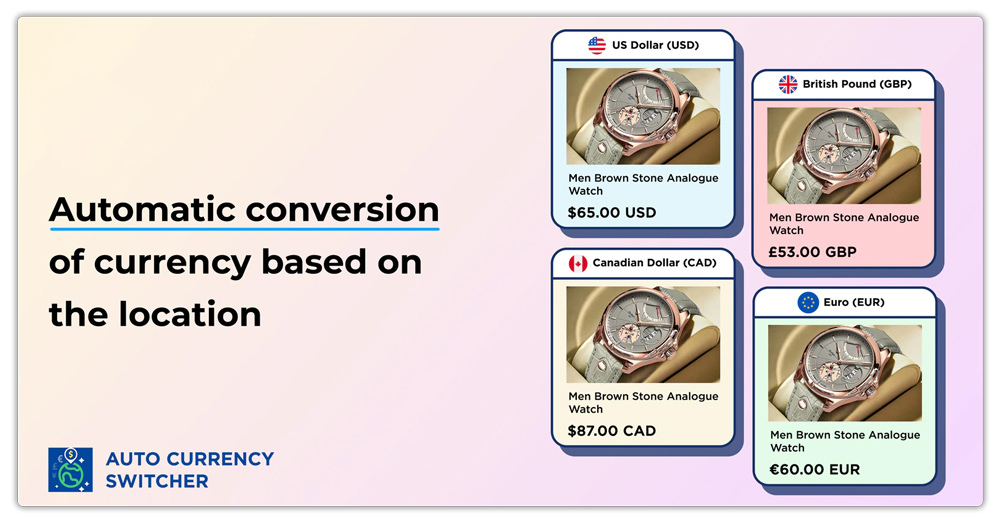
Create new opportunities by selling globally with a simple, beautiful currency converter, “MLV Auto Currency Switcher” on your Shopify store. This currency converter automatically detects customer location and converts prices to their local currency, displaying clean, rounded pricing for a better localized feel. These currency converter features elegant country flags in rectangular & round shapes, enhancing the international shopping experience. Our UX experts can help integrate the money converter seamlessly.
Key Features:
- Customize currency converter design with country flags, currency symbols & names
- Automatic currency converter adapts prices based on the customer’s country
- Works with Shopify payments to checkout in the customer’s local currency
- Enable currency rounding rules and show clean prices to your customers
- Customize the currency converter position on the store
Pricing: A free plan is available, and we offer the Super Success plan, priced at $9.95/month or $95.88/year, with a 20% discount.
Reviews/Ratings: The app boasts over 1,000 reviews and a 4.8 rating on the Shopify App Store.
Get the app here: MLV Auto Currency Switcher
2. Transtore ‑ Currency Translate
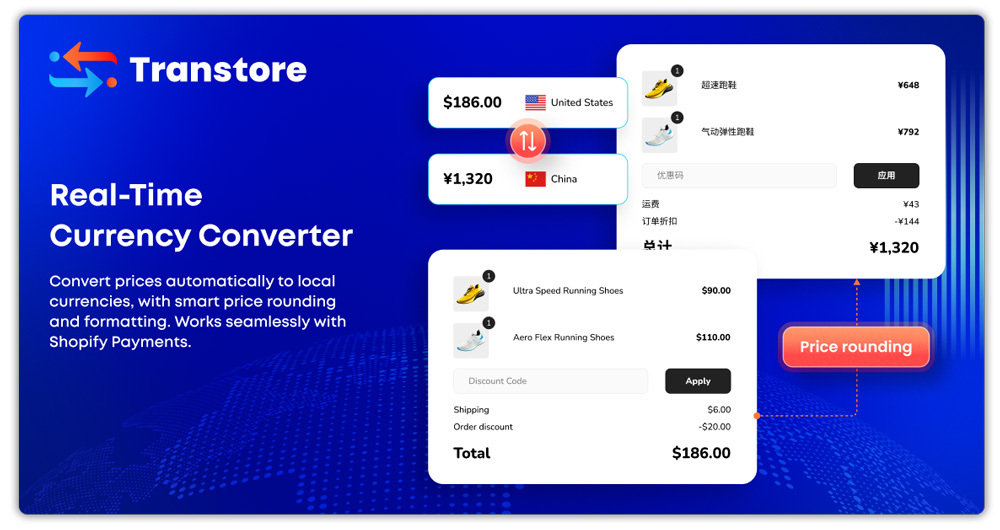
Transform your global sales with Transtore’s intelligent currency converter that automatically adapts to your customers’ local currencies. Boost conversions by eliminating checkout friction and providing familiar pricing that builds instant trust. Transtore’s advanced system ensures accurate, real-time currency conversion while maintaining professional presentation across all devices and customer touchpoints.
Key Features
- Auto translate & adapt your store with AI translation engines: OpenAI, Google…
- Geolocation: auto-redirect to the native language & currency by the customer’s location
- Multilingual SEO: Translate meta tags, URLs, following Google best practices
- Mobile-friendly, stylish, and customizable language selector & currency switcher
Pricing: Transtore offers a free plan with essential multilingual and currency features, plus paid plans for advanced localization and unlimited usage. No coding required, easy setup inside Shopify.
Reviews & Ratings: Rated 4.8/5 from 730+ reviews, merchants praise its quick translations, polished design, and strong support—though some note recent changes to pricing plans.
Get the app here: Transtore ‑ Currency Translate
3. Currency Converter Plus
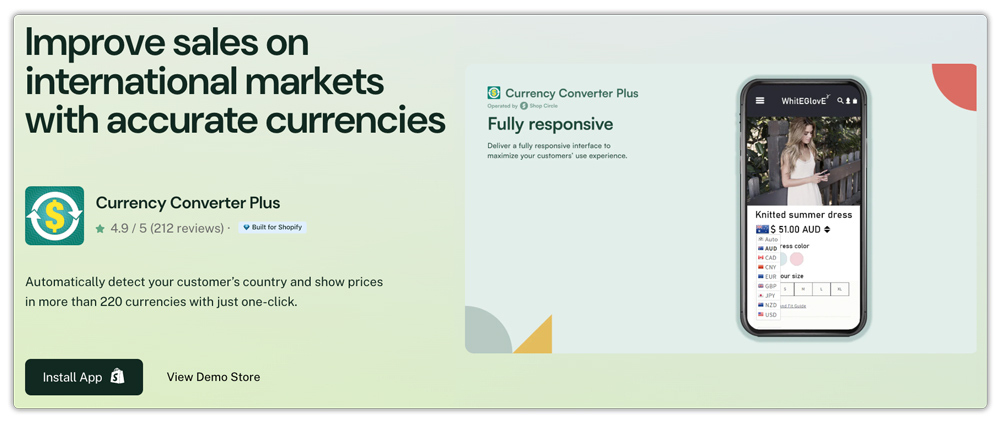
Currency Converter Plus by Code Black Belt is a professional-grade Shopify app designed to internationalize your store with ease. It auto-detects your visitors’ location and displays prices in their local currency, while also letting customers switch to other currencies with a single click. Highly configurable and optimized for performance, it’s built to deliver a consistent, trust-enhancing shopping experience globally.
Key Features
- Accurate geolocation detection using high‑quality, frequently updated IP databases
- Support for 223 currencies, including cryptocurrencies and precious metals
- Exchange rates are updated every minute from reliable providers for precision
- Fully customizable display, including styles, rounding rules, menu button, and format options
- Easy integration with Shopify Markets and compatibility with major themes
Pricing: A free plan is available for development stores or during trial, while the full-featured Professional plan costs US $9.99/month, billed in USD, with a 5-day free trial included.
Reviews/Ratings: Rated an outstanding 5.0 stars from 191 reviews, with 97% of users awarding 5 stars—merchants highlight its ease of use, reliable support, and ability to increase international sales.
Get the app here: Currency Converter Plus
Tips to Maximize Conversions with Multi-Currency Setup
- Keep the currency switcher visible but non-intrusive.
- Test both desktop and mobile experiences.
- Combine with a translation app for a fully localized store.
- Ensure your checkout currency matches the displayed price to avoid cart abandonment.
Pricing of Shopify Currency Converter Apps
- Free apps: Great for beginners but limited at checkout.
- Paid apps: Range from $9/month to $29/month, often with extra features like design customization, priority support, and checkout integration.
- Enterprise plans: May go higher, depending on support level and API usage.
Conclusion
Currency converter apps are essential for any Shopify store looking to attract and convert international customers. By displaying prices in local currencies, you create a seamless shopping experience, reduce confusion at checkout, and build trust with buyers worldwide. Whether you’re just starting out or running a large enterprise, there’s a currency converter app that fits your needs and budget. Choosing the right one will not only improve customer satisfaction but also help you scale your business in the global ecommerce market.
FAQs
1. Does Shopify have a built-in currency converter?
Yes, Shopify Payments supports multi-currency checkout, but only in countries where Shopify Payments is available.
2. Will my checkout always stay in the customer’s selected currency?
Only if you use Shopify Payments. Otherwise, checkout may revert to your store’s base currency.
3. Can I run a global store with just a free currency converter app?
Yes, but for serious cross-border sales, paid apps provide better reliability, customization, and customer trust.
