


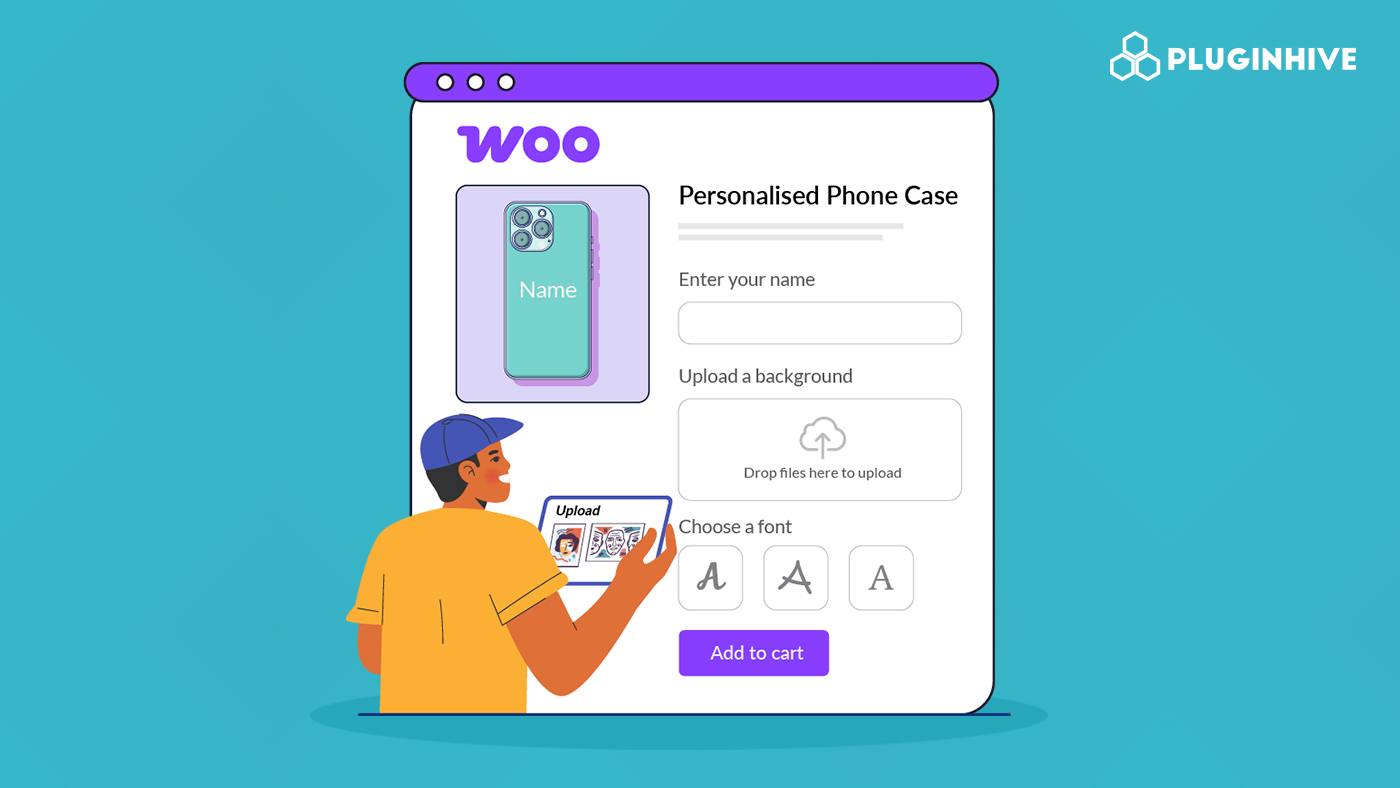
Many store owners want to sell custom phone cases because the margins are attractive, but getting started often feels unclear. WooCommerce removes that friction by making it easier to launch and grow as demand increases. Customization turns an everyday phone case into something personal, and that shift strongly influences buying decisions. Research shows that 38% of younger consumers actively seek personalized products, especially for gifts and self-expression.
In this guide, we’ll show you how to build a profitable custom phone case business using WooCommerce and the PH Product Add-ons for WooCommerce plugin, with a setup that stays practical, scalable, and easy to manage.
Table of Contents
- Why Custom Phone Cases Are a Profitable WooCommerce Business
- What We’re Building
- How to Add Customization Options to Phone Cases in WooCommerce
- Real-World Example: Scaling a Custom Phone Case WooCommerce Store
- Best Practices for Selling Custom Phone Cases Online
- Conclusion
- FAQs
Why Custom Phone Cases Are a Profitable WooCommerce Business
Custom phone cases perform well because they combine steady demand with flexible pricing and low operational risk.
- Large and growing market: The global phone case market continues trending toward $40 billion by 2033, driven by frequent device upgrades and replacement cycles.
- Strong profit margins: Sellers commonly see 40% to 200% margins, especially when personalization add-ons increase order value without raising base costs.
- Repeat purchase behavior: Customers replace cases due to wear, style changes, or new phones, which creates recurring sales instead of one-time purchases.
- Customization supports premium pricing: Personalized phone cases let you charge more for images, text, or finishes, while the base product stays competitively priced.
- Low fulfillment friction: Phone cases are lightweight, easy to ship, and rarely damaged in transit, which reduces returns and support overhead.
Taken together, this makes custom phone cases a business model that rewards clarity and execution rather than large upfront investment.
What We’re Building
Now that you understand the opportunity, let’s define the setup.
In this tutorial, you’ll build a WooCommerce product that collects all customization details at the time of purchase. Customers will choose their phone model and upload an image to be printed on the case. You can also include optional text fields or paid add-ons if needed.
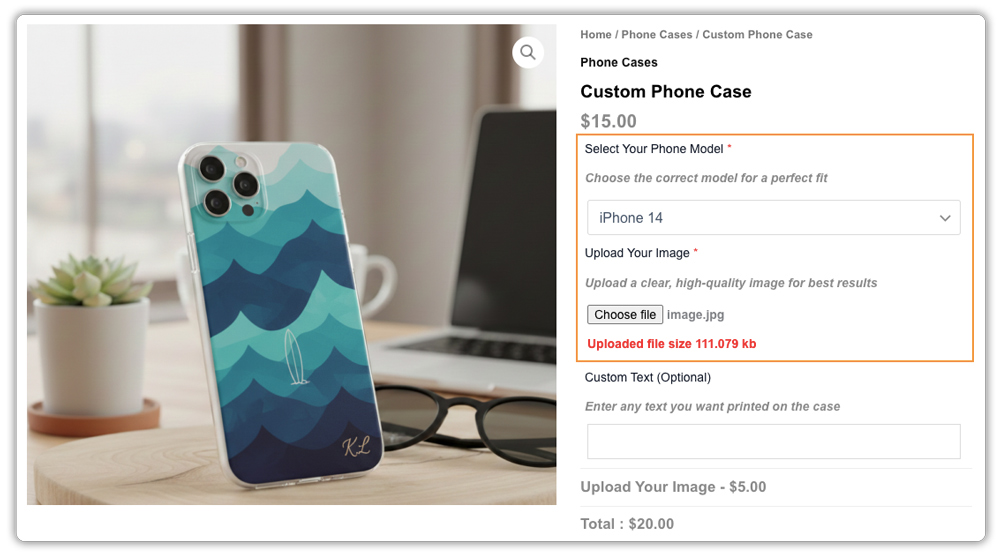
Every customization detail attaches directly to the order, so fulfillment teams can work without follow-ups or guesswork. The result is a clean buying experience for customers and a predictable workflow for store owners.
How to Add Customization Options to Phone Cases in WooCommerce
WooCommerce does a great job handling products, payments, and orders. But when it comes to selling personalized phone cases, it needs a little help. Custom products require customers to share extra details, and WooCommerce doesn’t collect that information by default.
Why Default WooCommerce Isn’t Enough
When you sell personalized phone cases, customers need a way to share exactly what they want printed. Out of the box, WooCommerce does not provide a simple way to:
- Upload images directly on the product page
- Enter custom text or personalization details
- Pay extra for customization options
- Keep all customization details neatly tied to the order
Without these options, store owners often rely on emails or follow-up messages to collect missing details. That slows down fulfillment and increases the chance of mistakes.
Adding Customization the Right Way
This is where the PH Product Add-ons for WooCommerce come in. The plugin lets you add customization options directly to your product pages, so customers can share everything they need to at the time of purchase.
With this plugin, you can easily offer:
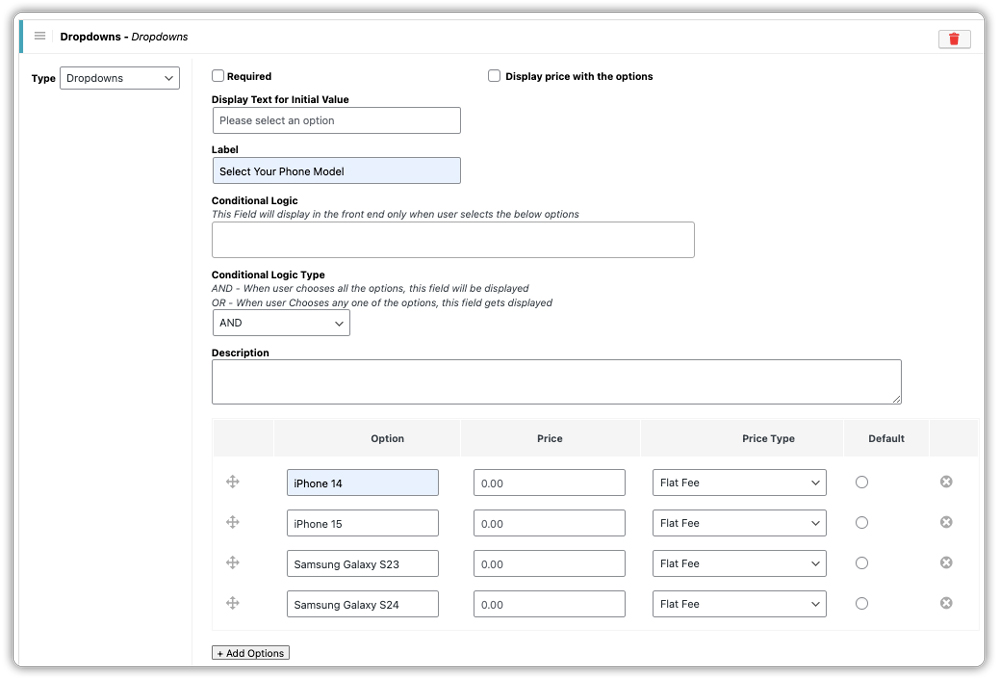
- Dropdowns for selecting the phone model
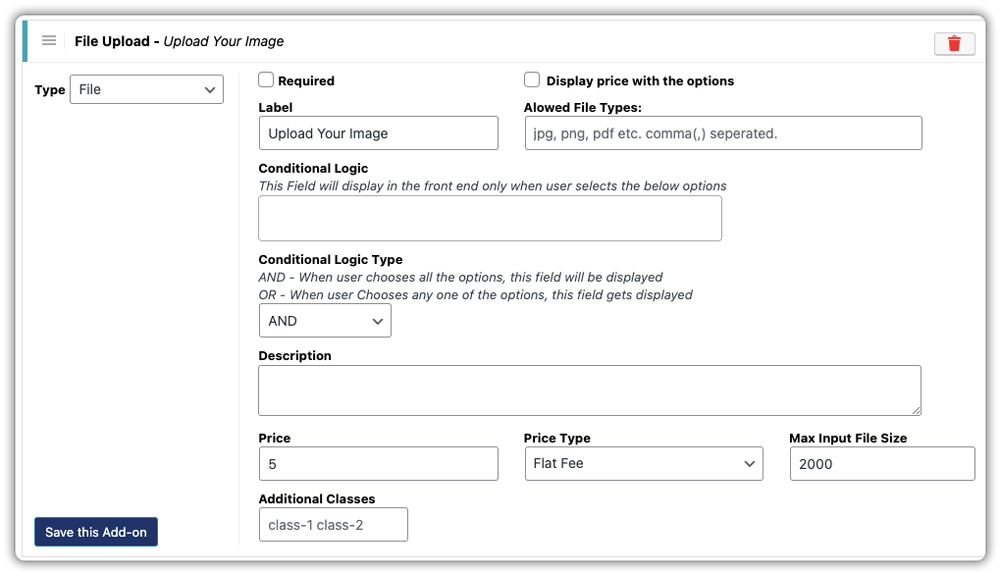
- Image upload fields for custom designs or photos
- Text fields for names, quotes, or short messages
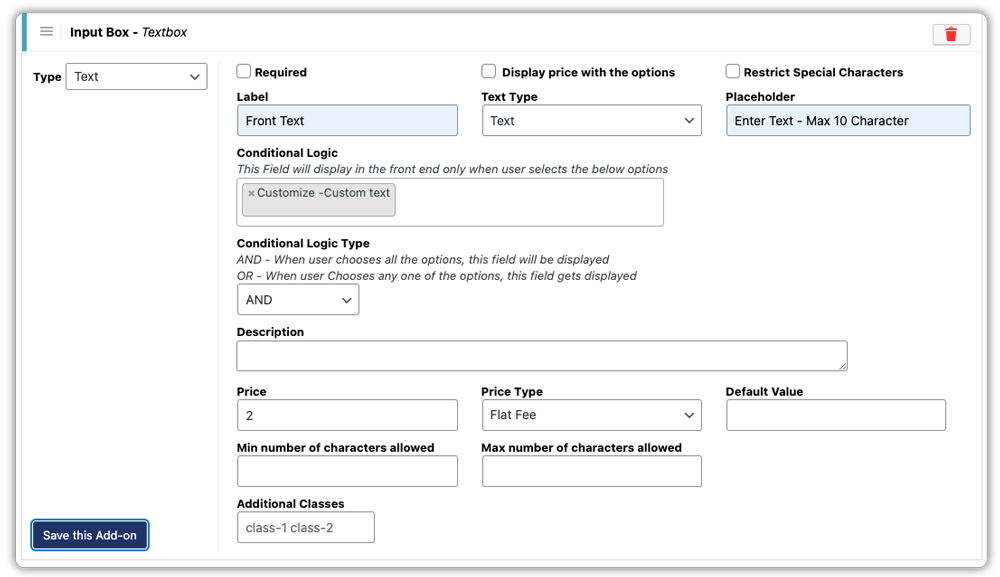
- Optional paid add-ons for premium finishes or special requests
All customer inputs are saved automatically with the order, so nothing gets lost.
Building Your First Custom Phone Case Product
Here’s how the setup usually looks in practice:
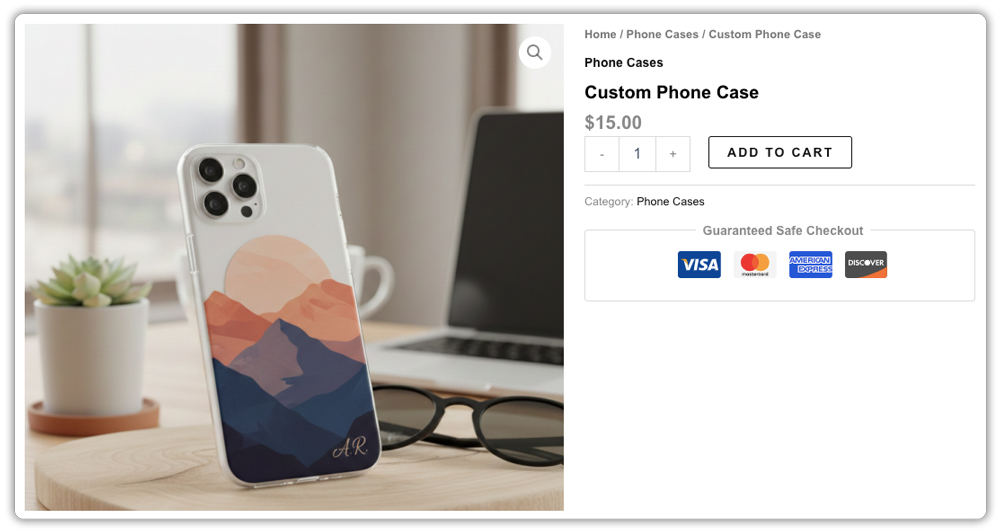
- Create the phone case product: Add a new product in WooCommerce called Custom Phone Case. Add a short description, upload a product image, and set a base price.
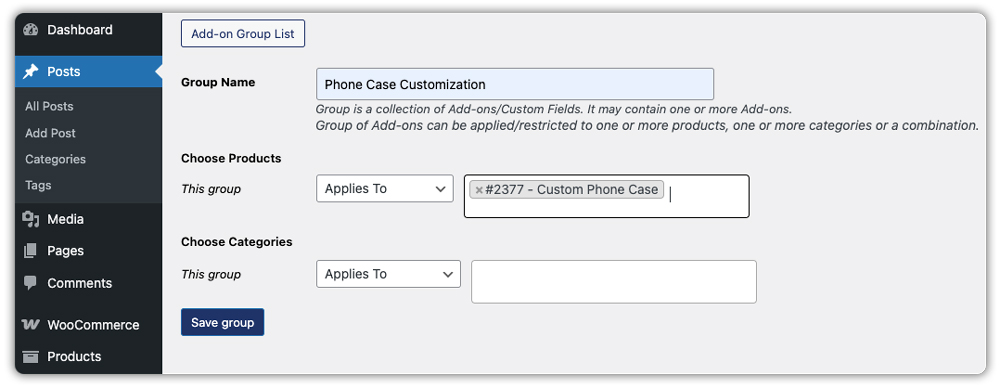
- Create a customization group: In PH Product Add-ons for WooCommerce, create one add-on group and assign it to the Custom Phone Case product.
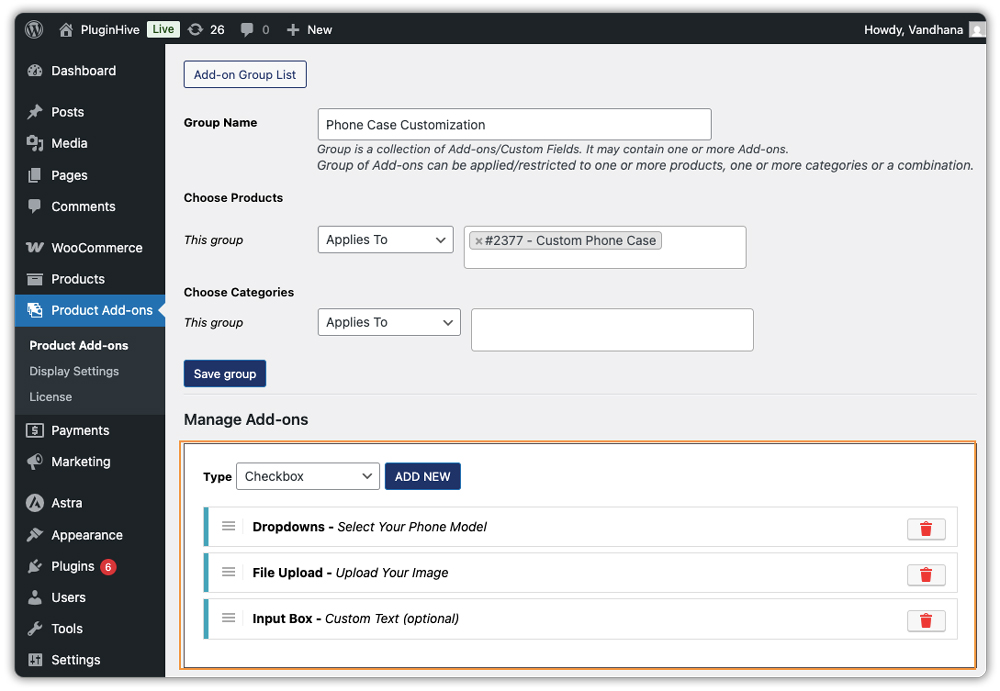
- Add customization options: Inside the add-on group, add the customization fields customers need. Add a dropdown field for phone model selection, a file upload field for the image to be printed, and an optional text field for custom text.
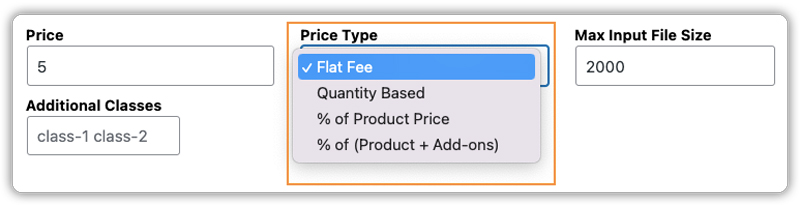
- Add pricing to personalization options: If certain customizations cost more, you can assign prices to those options, so WooCommerce calculates everything automatically.
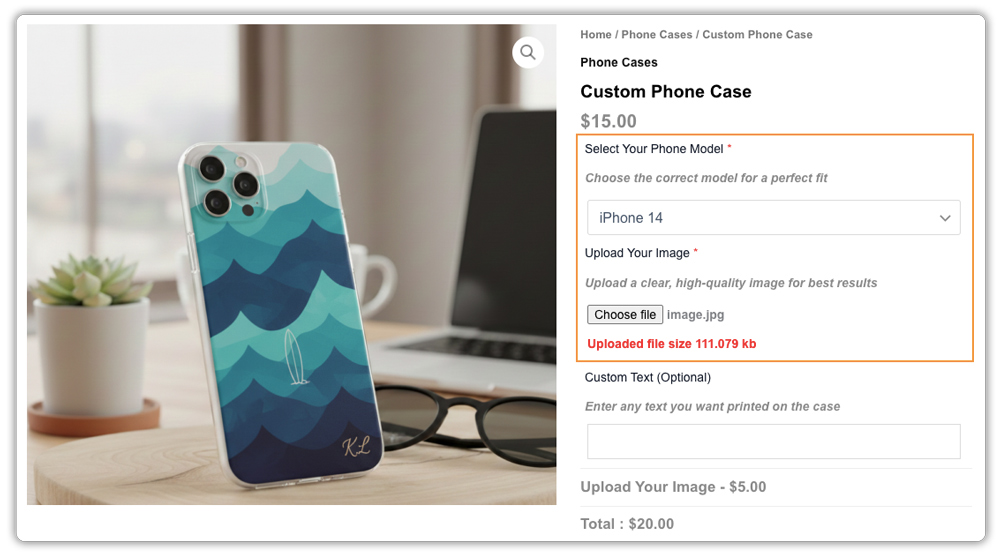
On the product page, customers can choose their phone model, upload an image, and add optional text. Any required fields must be completed before the product can be added to the cart.
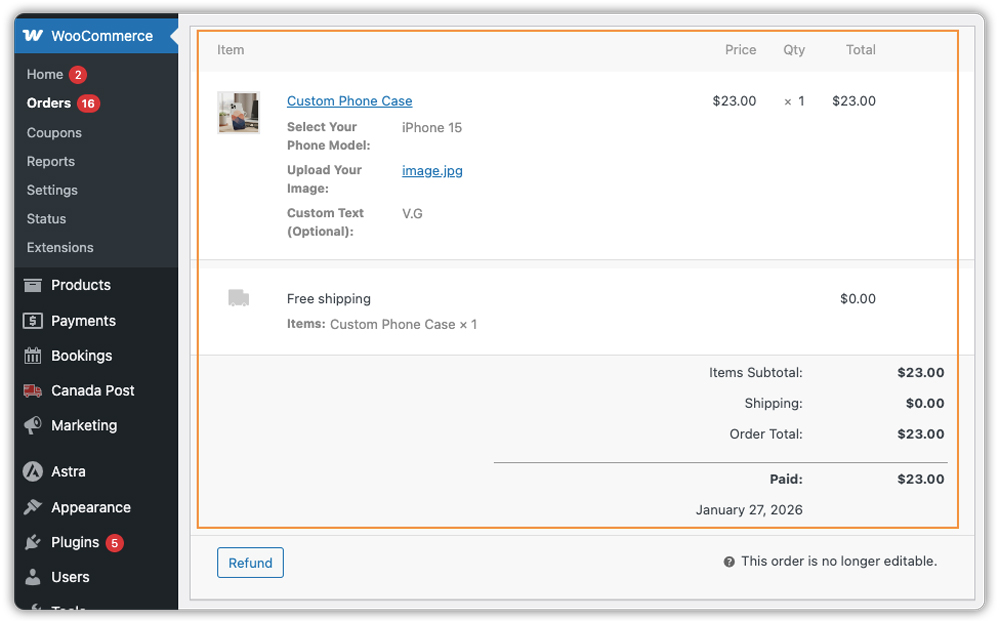
Once an order is placed, all customization details appear directly on the WooCommerce order page. You can view the uploaded image, selected phone model, and any custom text in one place, making it easy to process the order or pass it to your printing team.
For a detailed, step-by-step walkthrough, check out this guide on setting up PH Product Add-ons for WooCommerce .
Real-World Example: Scaling a Custom Phone Case WooCommerce Store
Consider a small WooCommerce store selling personalized phone cases. Orders start coming in regularly, but without a clear way to collect customization details, the process becomes hard to manage.
Before Adding Customization Options
In the early stage, the store relies on manual workarounds:
- Customers place orders and send images later through email or messages
- Image files arrive in different sizes and formats, requiring manual checks
- Custom text requests appear inconsistently in order notes or follow-ups
- The store owner spends time matching images and instructions to orders
- Missing details slow down fulfillment and increase follow-up messages
As orders increase, these issues turn into daily bottlenecks. Processing takes longer, mistakes become more common, and less time remains for marketing or product improvements.
After Implementing PH Product Add-ons for WooCommerce
After adding PH Product Add-ons for WooCommerce, the workflow becomes more predictable:
- Customers select phone models and upload images on the product page
- All customization details are saved directly in the WooCommerce order
- Upload rules reduce unusable or low-quality image files
- Paid customization options increase order value naturally
- Orders move faster to production with no manual follow-ups
The store now handles more orders using the same process. Instead of fixing issues, the owner focuses on fulfillment and growth.
Best Practices for Selling Custom Phone Cases Online
Once your custom phone case setup is live, a few practical best practices can improve conversions, reduce support effort, and make scaling easier.
- Offer design templates alongside custom uploads: Not every customer wants to start from scratch. Use image-based options in PH Product Add-ons for WooCommerce to display 10–15 ready-made templates like quotes, patterns, or minimal graphics. This helps design-hesitant buyers while still allowing personalization.
- Set clear delivery expectations upfront: Custom products take longer to process, so show realistic delivery timelines before checkout. Plugins like the Estimated Delivery Date plugin for WooCommerce help customers understand when to expect their order, reducing uncertainty.
- Review customization details before production: Always check uploaded images and selected options in the WooCommerce order page before fulfillment. A quick review helps catch issues early.
- Keep customers informed after purchase: Order transparency builds trust. Adding tracking details through Shipment Tracking Pro for WooCommerce lets customers follow their order progress without contacting support.
- Use reliable shipping methods: Phone cases are lightweight, but delayed or inconsistent shipping still affects satisfaction. Using dedicated WooCommerce shipping plugins helps manage carriers, rates, and shipping labels more consistently.
Selling custom phone cases successfully comes down to clarity and consistency. When you guide customers with templates, set clear expectations, and use the right WooCommerce tools where they add value, personalization becomes easier to manage and easier to scale.
Conclusion
Selling custom phone cases on WooCommerce becomes manageable once you focus on collecting the right details at the right time. When customers can choose their phone model, upload designs, and confirm their selections before checkout, orders move faster and errors drop. This approach keeps your workflow predictable and allows you to scale without adding manual effort.
If you need help setting this up for your store, PluginHive’s support team can walk you through the process. From configuring PH Product Add-ons for WooCommerce to fine-tuning your customization flow, they can help ensure everything works smoothly from day one.
FAQs
- How do I start a customized phone case business on WooCommerce?
To start a customized phone case business, set up a WooCommerce store, create a phone case product, and decide what customers can personalize, such as images or text. Use a customization plugin to collect these details during checkout so orders are ready for production without follow-ups. - How do I allow customers to upload images for their cases in WooCommerce?
The easiest way is to use PH Product Add-ons for WooCommerce. It lets you add a file upload field directly on the product page, so customers can upload images or designs before they complete their purchase. - How can I make sure uploaded images are good enough for printing?
You can control image quality by setting file rules in PH Product Add-ons for WooCommerce. This allows you to accept only specific file types and sizes, helping prevent low-quality or pixelated prints. - Can I charge extra for personalization options in WooCommerce?
Yes. WooCommerce supports extra charges for customization when you use product add-ons. You can keep the base phone case price lower and add additional fees for image uploads, custom text, or premium finishes.
