



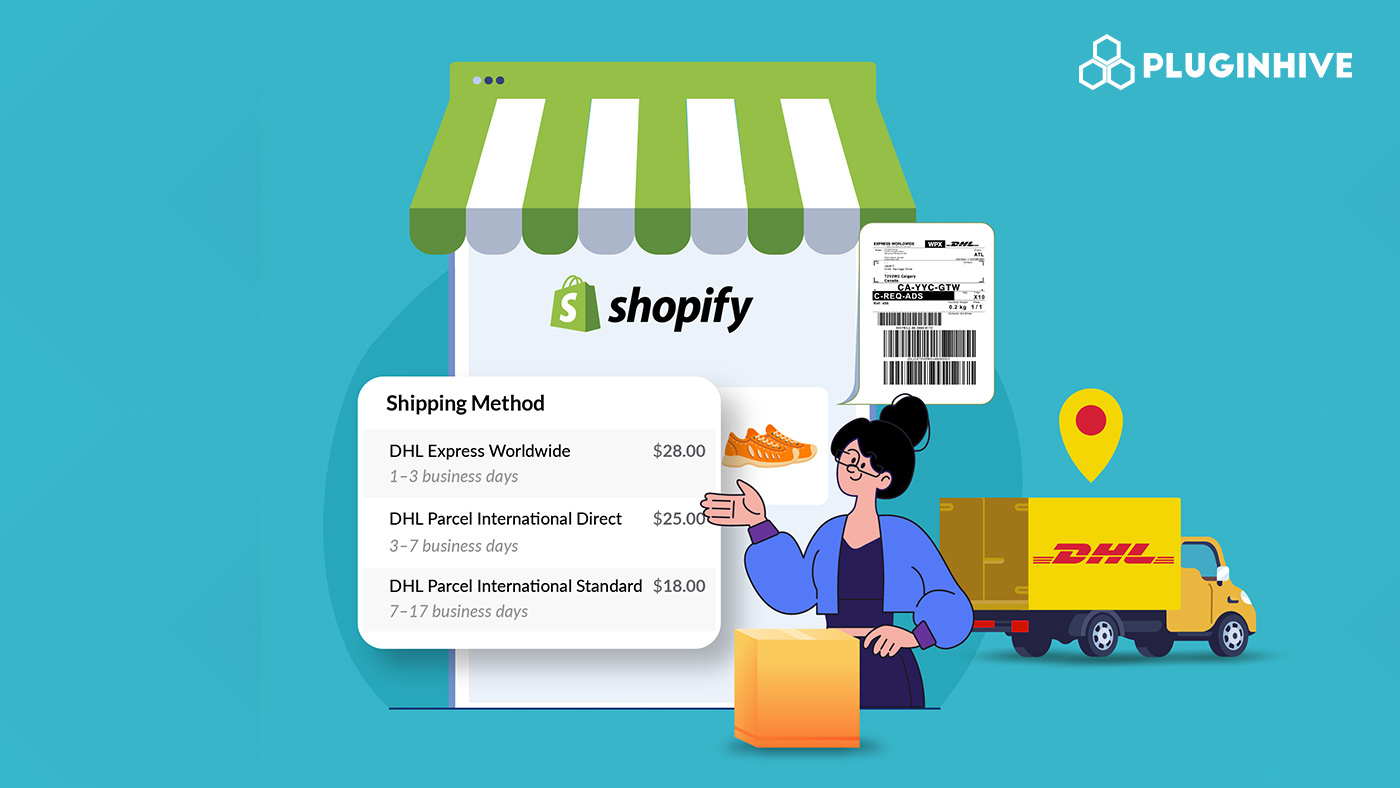
If you run a Shopify store and ship to customers around the world, DHL Express is likely one of the first carriers you’ve considered. DHL Express delivers quickly to over 220 countries and territories, backed by one of the most trusted names in global logistics. But picking the right DHL Express shipping service is only the first step. The real work begins when you set up your shipping workflow, displaying accurate rates at checkout and generating labels efficiently.
This guide covers everything a Shopify merchant needs to know about DHL Express shipping, from the services on offer and account requirements to labels, rates, and tracking.
In This Article:
- DHL Express Shipping Services You Can Use on Shopify
- Requirements Before Setting Up DHL Express on Shopify
- How DHL Express Shipping Rates Work in Shopify
- How DHL Express Shipping Labels Work in Shopify
- How DHL Express Tracking Works in Shopify
- How the PH Multi-Carrier Shipping Label App Simplifies DHL Express Shipping in Shopify
- Best Practices for DHL Express Shipping on Shopify
- Conclusion
- FAQs
DHL Express Shipping Services You Can Use on Shopify
The Carrier offers a range of time-definite services suited to different shipping needs.
Worldwide
- DHL Express Worldwide is DHL’s most popular product, offering an end of next possible business day delivery service around the world for pieces up to 70 kg and shipments on pallets up to 3,000 kg.
- For merchants needing expedited delivery, DHL Express Worldwide offers time-definite, door-to-door shipping to over 220 countries and territories, typically within 1–3 business days.
9:00
- DHL Express 9:00 is a time-sensitive service that offers guaranteed delivery by 9:00 am the next business day.
- It is offered across most business centres in Europe, the Middle East, Africa, Asia, and the Americas.
10:30
- DHL Express 10:30 offers guaranteed delivery the next possible business day by 10:30 am.
- This is ideal for customers who need morning delivery without requiring the earliest time slot.
12:00
- With DHL Express 12:00, shipments are received before 12 noon on the next possible business day.
- DHL Express 12:00 offers a money-back guarantee and allows for pieces up to 70 kg and shipments up to 300 kg.
Saver
- DHL Express Saver offers end-of-day delivery at a more economical rate compared to DHL Express Worldwide.
- It is a strong option for merchants who want to give customers a budget-friendly express alternative without sacrificing reliability.
Requirements Before Setting Up DHL Express on Shopify
Before you can display live DHL Express rates, generate labels, or send tracking information from inside Shopify, a few things need to be in place.
1. A DHL Express Business Account
You will need an active DHL Express business account to access API credentials, your site ID, password, and DHL account number. If you ship regularly, you can open a DHL Express Business Shipping Account for fast, international shipping to over 220 countries.
2. Accurate Shopify Store Settings
Before connecting DHL Express to your Shopify store, make sure the following are configured correctly:
- Your ship-from address is set in Shopify Settings
- All products have accurate weights entered
- Your shipping zones are configured to reflect where you ship to
3. Shopify Plan with Carrier-Calculated Shipping (CCS)
Displaying live DHL Express rates at checkout requires Shopify’s carrier-calculated shipping feature:
- Included with the Advanced Shopify and Shopify Plus plans
- Available on the Grow plan if you switch to annual billing or contact Shopify Support to enable it for an additional fee
How DHL Express Shipping Rates Work in Shopify
Understanding how DHL Express rates are calculated is essential before you configure them in your Shopify store. Showing accurate rates at checkout builds customer trust and reduces cart abandonment from unexpected costs.
How DHL Calculates Rates
- DHL Express shipping rates are calculated based on several key factors: origin and destination, shipment weight, service level, and optional services and surcharges.
- This means product weight and accurate dimensions directly affect the rate at which your customer sees. Always keep these updated in your Shopify product settings.
Volumetric Weight
- Shipping charges are based on whichever is greater, actual weight or volumetric weight. Simply input your DHL Express account number, the origin and destination details, and the package scale weight and dimensions (length x width x height).
- Dimensions are used to calculate volumetric weight. Shipping charges are based on the greater of the shipment’s actual weight or volumetric weight.
How DHL Express Shipping Labels Work in Shopify
Once the right rate is selected at checkout, the next step is label generation. A DHL Express label is the document that carries your shipment’s tracking number, customs information, and routing details through DHL’s global network. Getting it right is critical.
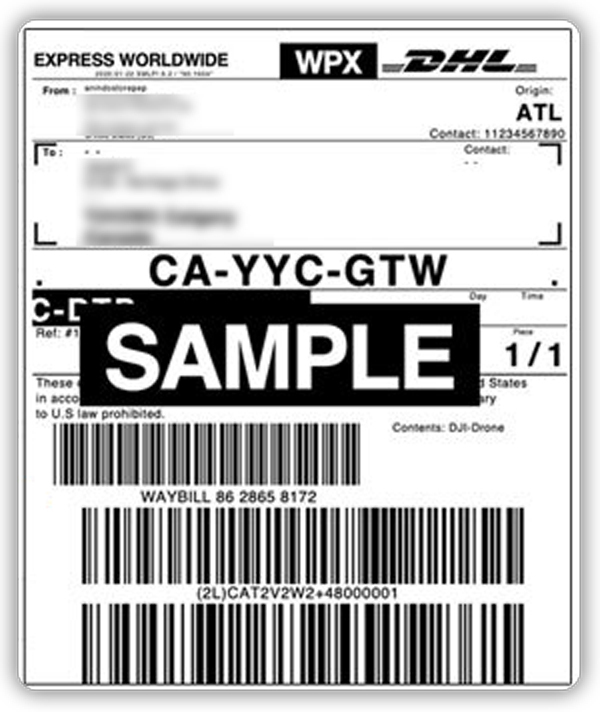
What a DHL Express Label Contains
A standard DHL Express shipping label includes:
- Shipper and recipient address
- Waybill number (DHL’s tracking number)
- Service type (e.g., Express Worldwide)
- Barcode for scanning
- Routing and destination hub codes
- Customs and declared value information for international shipments
Package Requirements for DHL Express Labels
Before generating a label, make sure your shipment meets DHL’s package guidelines. According to DHL’s official Service & Rate Guide:
- Maximum piece weight: 150 lb (68 kg) for Express Worldwide and Express 12:00
- Maximum piece dimensions: 48 x 32 x 32 inches
- Maximum shipment weight: Up to 6,600 lb for Express Worldwide on pallets
Shipments outside these limits may require freight services rather than express parcel.
How DHL Express Tracking Works in Shopify
Tracking is one of the most important parts of the post-purchase experience. When customers can see where their package is, they trust your store more and contact support less.
How DHL Express Tracking Works
To track a DHL Express international shipment, locate the tracking number. Then, go to the DHL Tracking Tool and enter the number to view: current shipment status, estimated delivery date, scan history, and location updates.
Every DHL Express shipment comes with a waybill number that serves as the tracking ID. This number is generated when the label is created and moves through DHL’s system at each scan point from pickup to destination delivery.
What Tracking Events Look Like
DHL Express provides granular, real-time updates throughout the shipment journey. Common tracking statuses include:
- Shipment picked up – DHL has collected the parcel
- In transit – The parcel is moving through DHL’s network
- With delivery courier – The parcel is out for delivery
- Delivered – The recipient has received the parcel
- Delivery attempted – A delivery attempt was made, but the recipient was unavailable
DHL Express provides time-definite express shipping, and the DHL Tracking Tool shows the shipment’s status and delivery date in real time.
Benefits of Displaying Tracking for Your Shopify Store
Making tracking visible to customers leads to measurable improvements:
- Reduces “Where is my order?” (WISMO) support inquiries
- Builds buyer confidence and post-purchase trust
- Reduces disputes and chargeback risk by documenting shipment progress
- Encourages repeat purchases through a smoother delivery experience
How the PH Multi-Carrier Shipping Label App Simplifies DHL Express Shipping in Shopify
Growing stores often require a more flexible and automated setup for DHL Express shipping. This is where the PH Multi-Carrier Shipping Label app fills the gap.
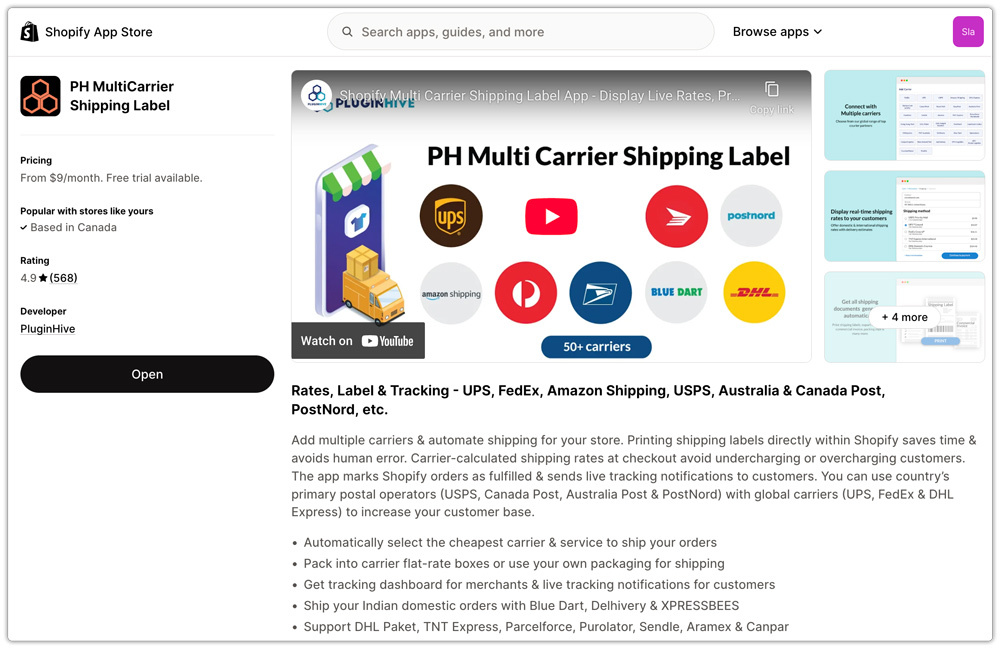
The app is designed to give Shopify merchants full control over DHL Express shipping from live rates and label generation to tracking all from one dashboard inside Shopify.
What the App Enables:
Live rates at checkout: Display accurate, real-time DHL Express rates based on actual package details and destination.

Single and bulk label printing: Generate one label or hundreds at once, saving significant time during peak periods.
Centralized tracking: All DHL Express tracking information is visible inside the app, with automatic customer notifications sent upon fulfillment.
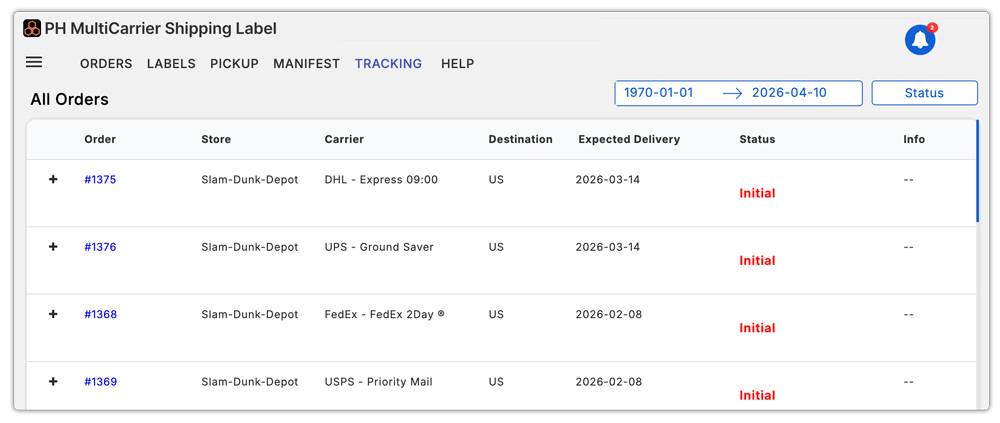
Multi-carrier management: Manage DHL Express alongside other carriers like UPS, FedEx, USPS, and Canada Post from a single interface.

The app is particularly valuable for stores that ship across multiple carriers or regions and need a consistent, scalable workflow rather than managing each carrier through separate tools.
Best Practices for DHL Express Shipping on Shopify
Following a few operational best practices helps reduce errors, keep rates accurate, and deliver a better experience for customers.
- Keep product weights and dimensions: accurate because DHL Express calculates rates using either actual weight or dimensional weight, whichever is greater. Inaccurate product data leads to rate mismatches and potential surcharges after shipment.
- Offer multiple DHL Express service tiers: Give customers the choice between speed and cost by displaying both DHL Express Worldwide and DHL Express Saver at checkout.
- Enable DDP where possible: DHL Express On Demand Delivery lets customers choose exactly when and where to receive their orders while providing full tracking visibility. Pairing this with DDP removes customs surprises for international buyers.
- Display tracking proactively: Send tracking links immediately upon fulfillment to reduce customer inquiries and build post-purchase confidence.
Conclusion
DHL Express shipping is one of the most reliable ways to reach international customers quickly, and integrating it properly into Shopify turns a complex logistics challenge into a smooth, automated workflow. For merchants who rely on contract rates, process high order volumes, or need greater automation, the PH Multi-Carrier Shipping Label app provides the flexibility and tools.
Whether you’re starting with international shipping or scaling an existing operation, DHL Express and a well-configured Shopify setup provide the infrastructure needed to grow across borders with confidence.
FAQs
Q. Can I use my own DHL Express contract rates in Shopify?
To use your own negotiated DHL Express rates at checkout and on labels, you need the PH Multi-Carrier Shipping Label app, which connects to your DHL account via API.
Q. How does DHL Express tracking work?
From the moment DHL takes possession of the shipment until final delivery, you can see how it is progressing. Tracking online is the fastest way to check the status of your shipment. Customers only need the waybill number to track shipments; no account or password is required.
Q. What DHL Express services are available for Shopify merchants?
The most commonly used services include DHL Express Worldwide (1–3 business days to 220+ countries), DHL Express Saver (economical end-of-day delivery), DHL Express 12:00, DHL Express 10:30, and DHL Express 9:00.
