



Your FedEx invoice comes in higher than expected. The base rate looks right, but there’s a line item you didn’t account for: FedEx delivery area surcharges. For Shopify merchants shipping to customers across the U.S., this is one of the most common and most misunderstood sources of unexpected shipping costs.
The good news: it’s not arbitrary, and it’s not unavoidable. Once you understand how it works, which zones it applies to, and what the current rates are, there are concrete steps you can take to reduce how much it costs your business.
In This Article
- What Is the FedEx Delivery Area Surcharge?
- The Four DAS Zone Tiers and What They Mean for Shopify Orders
- 2026 FedEx Delivery Area Surcharge Rates for Shopify
- How to Check if a ZIP Code Triggers a Surcharge
- Strategies to Reduce FedEx Delivery Area Surcharge on Shopify Orders
- How PH Ship, Rate & Track for FedEx Handles DAS on Shopify
- Conclusion
- FAQs
What Is the FedEx Delivery Area Surcharge?
The FedEx Delivery Area Surcharge (DAS) is an additional fee that applies to shipments delivered to certain ZIP codes designated by FedEx as delivery areas subject to the surcharge. These areas may require additional time, distance, or resources to serve.
FedEx periodically updates the ZIP-code lists where Delivery Area Surcharges apply. Merchants should therefore check the latest FedEx ZIP-code lists when calculating shipping costs.
The surcharge is assessed per package and applies in addition to the base transportation charge and other applicable surcharges.
The FedEx Delivery Area Surcharge is separate from the Residential Delivery Charge and Additional Handling Surcharge. The Residential Delivery Charge applies when a shipment qualifies as a residential delivery, while the Additional Handling Surcharge applies when a package meets FedEx’s specified handling criteria. All three can apply to the same shipment simultaneously.
The FedEx delivery area surcharge is distinct from the residential surcharge and the additional handling surcharge. Understanding how all three interact is part of a complete FedEx shipping cost optimization strategy for Shopify.
The Four DAS Zone Tiers and What They Mean for Shopify Orders
FedEx organizes its Delivery Area Surcharge ZIP codes into several geographic categories. For Shopify merchants, these categories help determine which DAS rate applies to a shipment.
- Contiguous U.S. (Standard DAS): This category covers qualifying ZIP codes within the 48 contiguous states. FedEx maintains a specific ZIP-code list for areas subject to the standard Contiguous U.S. Delivery Area Surcharge.
- Contiguous U.S. Extended: This category covers ZIP codes designated by FedEx as Extended delivery areas. The applicable surcharge can differ from the standard Contiguous U.S. DAS rate, so merchants should check the current FedEx ZIP-code list when estimating shipping costs.
- Contiguous U.S. Remote: This category covers ZIP codes that FedEx designates as Remote delivery areas within the contiguous United States. Remote areas have a separate DAS rate that can be higher than rates for other contiguous U.S. categories, depending on the applicable service.
- Alaska, Hawaii, and Intra-Hawaii: FedEx maintains separate DAS categories for Alaska, Hawaii, and shipments within Hawaii. These categories have their own ZIP-code lists and surcharge rates rather than being treated as part of the standard contiguous U.S. categories.
2026 FedEx Delivery Area Surcharge Rates for Shopify
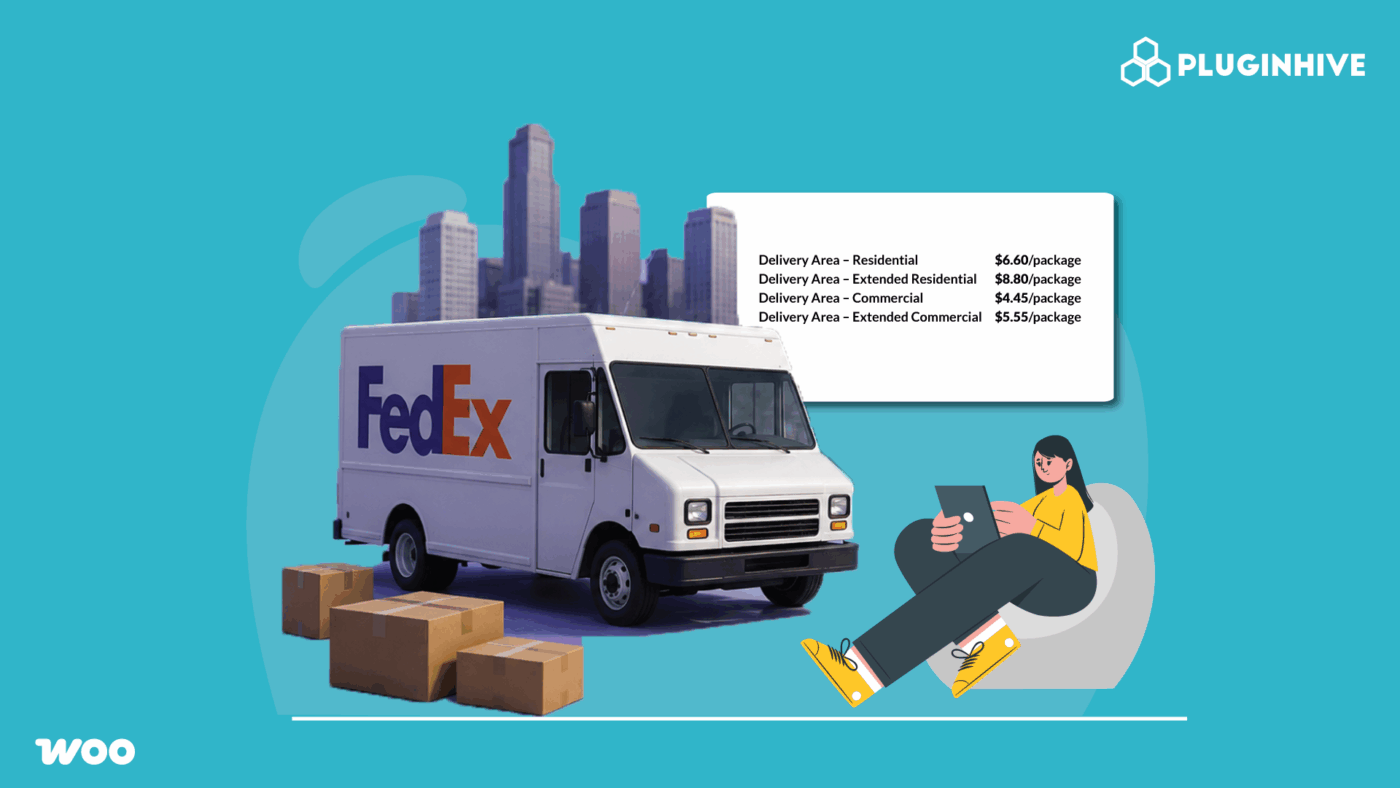
FedEx updated its U.S. Delivery Area Surcharge (DAS) rates effective January 5, 2026. The following rates apply to eligible U.S. package services:
| DAS Category | 2025 Rate | 2026 Rate |
|---|---|---|
| Residential | $6.20 / pkg | $6.60 / pkg |
| Extended Residential | $8.30 / pkg | $8.80 / pkg |
| Commercial | $4.20 / pkg | $4.45 / pkg |
| Extended Commercial | $5.25 / pkg | $5.55 / pkg |
| Remote Commercial / Remote Residential | $15.50 / pkg | $16.75 / pkg |
| Alaska (Residential, Commercial) | $43.00 / pkg | $46.00 / pkg |
| Hawaii (Residential, Commercial) | $14.50 / pkg | $16.25 / pkg |
How to Check if a ZIP Code Triggers a Surcharge
FedEx provides official ZIP-code lists for its Delivery Area Surcharge categories and updates them periodically. The current lists are effective July 20, 2026 and cover Contiguous U.S., Contiguous U.S. Extended, Contiguous U.S. Remote, Alaska, Hawaii, and Intra-Hawaii.
To check whether a destination ZIP code is subject to a Delivery Area Surcharge:
- Open the current FedEx Delivery Area Surcharge ZIP-code list.
- Identify the applicable geographic category.
- Search for the destination ZIP code in the list.
- If the ZIP code appears in the applicable list, the shipment may be subject to a Delivery Area Surcharge, depending on the service and other applicable criteria.
Current FedEx DAS ZIP-code lists: FedEx Delivery Area Surcharge ZIP Codes PDF
For Shopify merchants, using live carrier-calculated rates can help ensure shipping charges reflect the destination and applicable FedEx surcharges instead of relying solely on static flat rates. However, the exact charges depend on the service, shipment details, and applicable FedEx rules.
Strategies to Reduce FedEx Delivery Area Surcharge on Shopify Orders
The FedEx delivery area surcharge can’t always be avoided; it’s geography-driven, not merchant-driven. But there are concrete steps Shopify merchants can take to reduce total DAS exposure across their order volume.
- Use live rates at checkout so DAS is passed through accurately. If you’re using flat-rate shipping and not accounting for DAS, you’re absorbing it silently on every affected order. Switching to live carrier rates ensures the DAS for each destination ZIP is reflected. Read more about how this works in our guide to flat vs. live FedEx rates for Shopify.
- Open a FedEx business account for negotiated DAS rates. Account holders may receive negotiated reductions on surcharges including DAS as part of their shipping agreement.
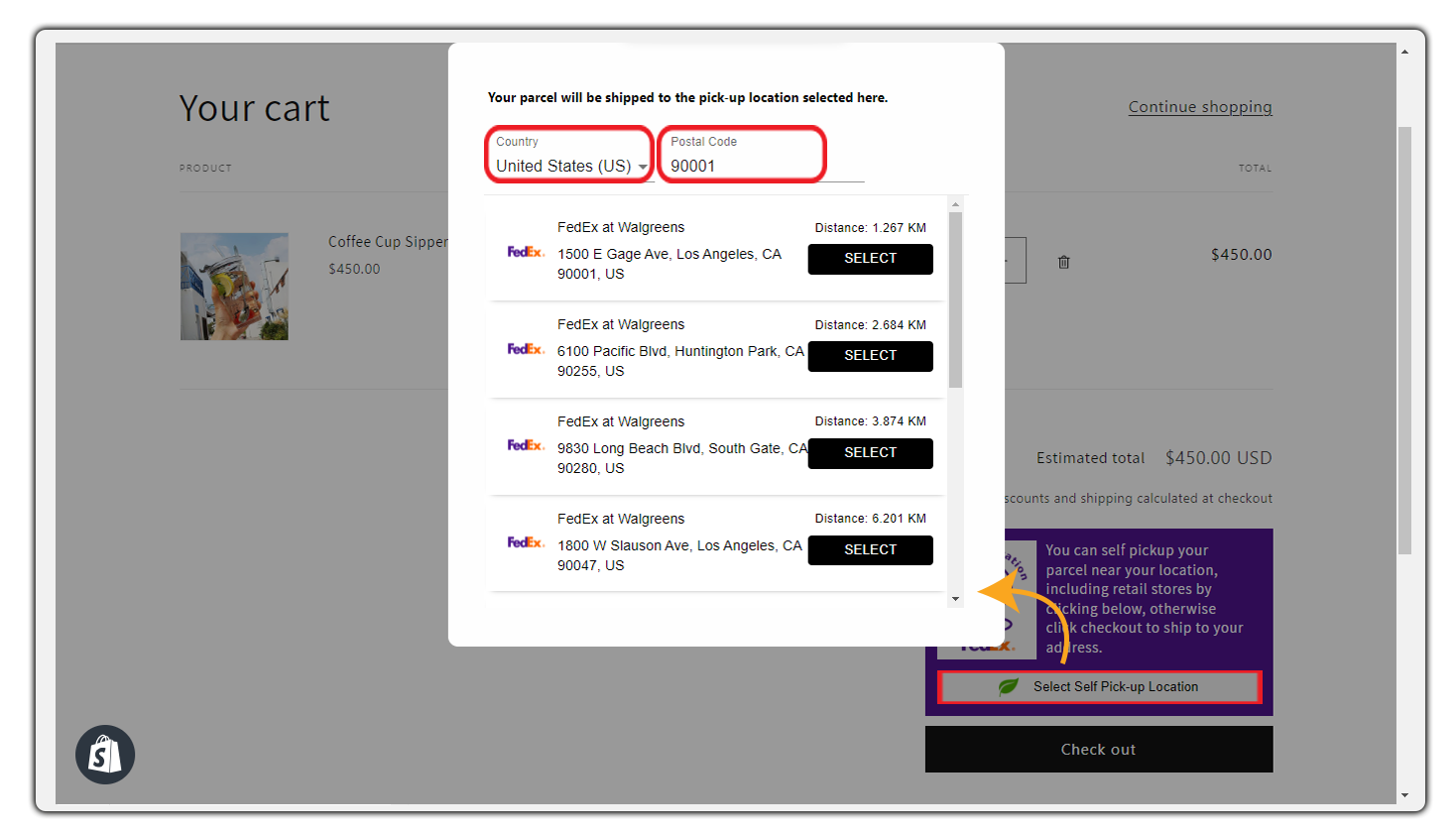
- Offer FedEx Hold at Location for DAS-affected areas. Routing packages to a FedEx Office or retail pickup location instead of a remote residential address can change the applicable surcharge tier. See our guide on FedEx Hold at Location for Shopify for how to offer this at checkout.
- Monitor ZIP code list changes. FedEx reserves the right to change the list of ZIP codes where a delivery area surcharge may apply without notice and as frequently as it determines. ZIP codes move between tiers from Extended to Remote, or from standard to Extended on FedEx’s review schedule. Staying current helps you avoid undercharging customers or absorbing unexpected DAS increases.
How PH Ship, Rate & Track for FedEx Handles DAS on Shopify
FedEx delivery area surcharges are only a surprise when your checkout rates don’t reflect it. The PH Ship, Rate & Track for FedEx app eliminates that gap by pulling live rates directly from FedEx for every order.

Here’s how the app helps Shopify merchants manage DAS:
- Live rate calculation at checkout: rates pulled via the FedEx REST API include DAS automatically for each destination ZIP.

- FedEx account integration: connect your FedEx business account so any negotiated DAS rates or surcharge reductions in your shipping agreement are applied at the point of rate calculation, not retroactively on the invoice

- Hold at Location at checkout: offer FedEx Hold at Location as an option at checkout so customers in high-DAS residential areas can redirect to a commercial pickup point, reducing the applicable surcharge tier
- Multiweight pricing support: for stores shipping multiple boxes per order, the app supports Multiweight rate logic so consolidated shipments are rated correctly

- FedEx REST API accuracy: built on the FedEx REST API, the app reflects FedEx’s current surcharge structure, including DAS tier changes as they’re updated
For merchants who’ve previously relied on static shipping rates or estimated flat fees, switching to live rates through the app is typically the single most impactful change for bringing checkout prices in line with actual FedEx invoices.
Conclusion
The FedEx delivery area surcharge is a predictable cost once you know which ZIP codes it applies to, what each tier costs, and how it interacts with the service you’re using. What makes it feel unpredictable for most Shopify merchants is not accounting for it at checkout.
The fix is straightforward: use live FedEx rates at checkout so every DAS charge is reflected in what the customer pays, leverage FedEx One Rate where it waives DAS on express shipments, offer Hold at Location to move high-DAS residential deliveries to commercial pickup points, and monitor ZIP code list changes so you’re not caught off guard when a major zone update is applied.
The PH Ship, Rate & Track for FedEx app ties all of this together inside Shopify, pulling accurate rates, applying your negotiated account terms, and surfacing the right options per destination.
FAQs
Q. What is the FedEx delivery area surcharge?
It’s a per-package fee applied to shipments delivered to ZIP codes that are more costly for FedEx to service, typically rural, remote, or low-density areas. It applies on top of the base shipping rate and varies by zone tier.
Q. Does FedEx One Rate waive the delivery area surcharge?
Yes, FedEx One Rate waives fuel, residential, and delivery area surcharges on qualifying express domestic shipments. It’s an effective option for standard and Extended DAS zones, but does not apply to Remote zones.
Q. How does Hold at Location affect the delivery area surcharge?
Routing a package to a FedEx Office or retail pickup location rather than a remote residential address may reduce or eliminate the DAS tier that applies by moving a shipment from residential Remote to a lower commercial tier, or out of DAS entirely depending on the pickup location’s ZIP code.
