



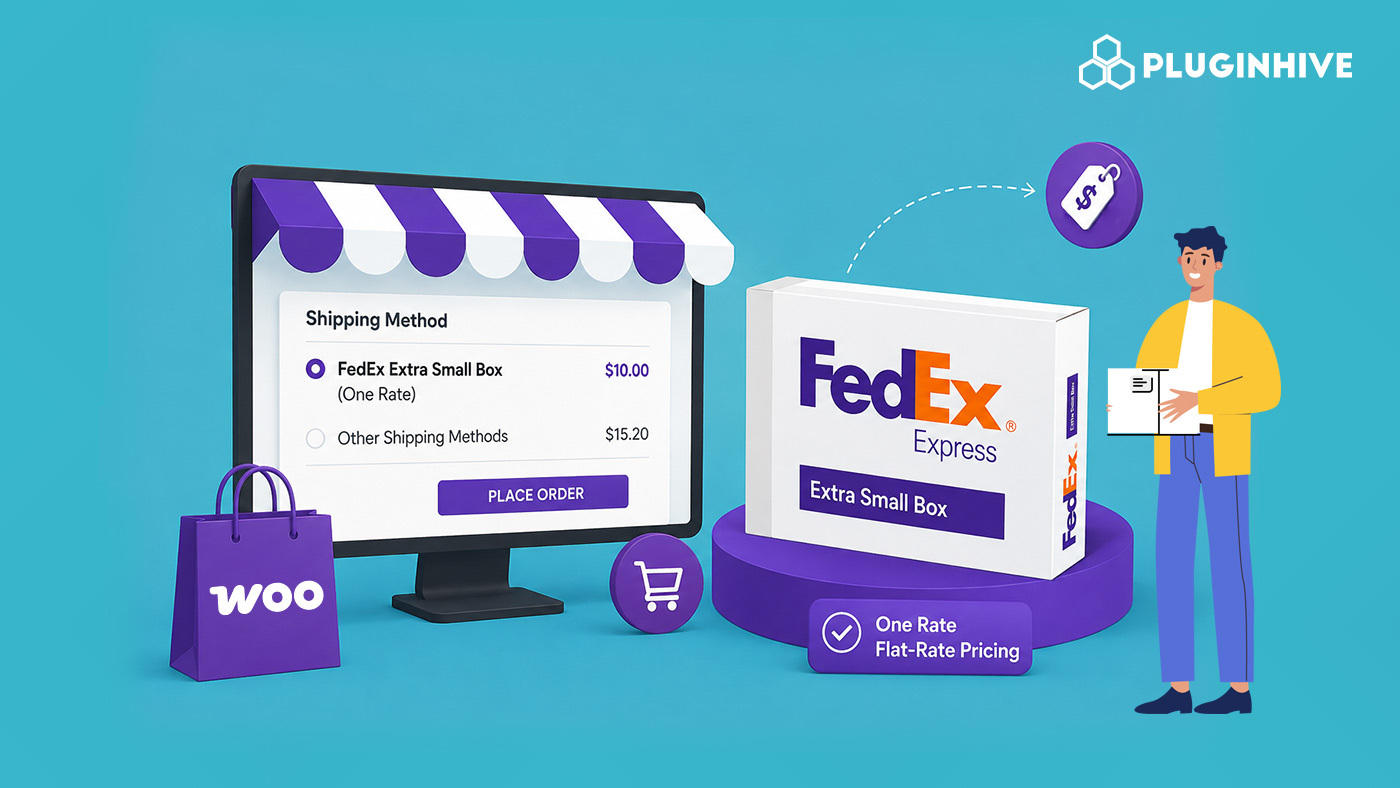
If you sell small, lightweight products on WooCommerce, you may be overpaying for shipping. Jewelry, phone accessories, supplements, and cosmetics often fit poorly in standard boxes. FedEx has addressed this with the new Extra Small box under its One Rate program. The PluginHive FedEx Shipping Plugin now supports this packaging option on WooCommerce.
This means store owners no longer have to choose between “small” and “medium” flat-rate tiers when neither fits. Here’s what the Extra Small box is, what it costs, and how to switch it on in your store.
On This Page
- What Is FedEx One Rate?
- FedEx Extra Small Box: Size and Pricing
- Why This Matters for WooCommerce Store Owners
- Print FedEx Labels for One Rate Boxes Directly from WooCommerce
- FAQs
What Is FedEx One Rate?
FedEx One Rate is FedEx’s flat-rate shipping program for Express services. Instead of paying based on the dimensional weight of your package, you pay a fixed price determined only by the box size and the delivery speed you choose (Overnight, 2-Day, or 3-Day). It’s built for stores that ship consistent, packable items and want predictable shipping costs at checkout, no surprise dimensional-weight surcharges.
Until now, FedEx One Rate packaging came in four box sizes: Small, Medium, Large, and Extra Large. It also included envelopes and tubes. The Extra Small box is the newest addition, designed for smaller parcels that previously required the Small box.
FedEx Extra Small Box: Size and Pricing
The Extra Small box is FedEx‘s most compact One Rate flat-rate option to date. It’s designed for items that comfortably fit in a box smaller than the existing Small size, giving merchants a genuinely lower rate for genuinely small shipments.
Key points merchants should know:
- It sits below the existing Small box in the One Rate lineup, with correspondingly lower flat rates.
- Pricing varies by delivery speed (Overnight vs. 2-Day vs. 3-Day) and zone, so confirm current rates via your FedEx account or the FedEx One Rate page.
- Weight limits still apply; check FedEx’s published limits before defaulting every small order to this box.
- Available for domestic Express shipments in the US, under the same eligibility rules as the rest of the One Rate program.
For stores shipping small-format products, this closes a real pricing gap, you’re no longer subsidizing box space you don’t use.
Why This Matters for WooCommerce Store Owners
If your store ships small items at volume, the Extra Small box can meaningfully lower your average shipping cost per order. A few scenarios where it pays off:
- Jewelry and accessories: rings, watches, small electronics that barely fill a Small box today.
- Beauty and supplement brands: single-bottle or single-tube orders.
- Phone cases, cables, and small parts: low-weight, low-volume SKUs.
- Sample or trial-size product lines: where box size, not weight, was the limiting factor.
Passing these savings to customers (or absorbing them for better margins) is a straightforward win once the box is properly configured in your shipping settings.
How to Enable the FedEx Extra Small Box on WooCommerce
The PluginHive WooCommerce FedEx Shipping Plugin connects your store directly to FedEx’s live rates, One Rate flat-rate boxes, and label printing, all from the WooCommerce dashboard.
To start using the new box size, go to WooCommerce → Settings → Shipping → FedEx. Open Packaging and select Extra Small Box.
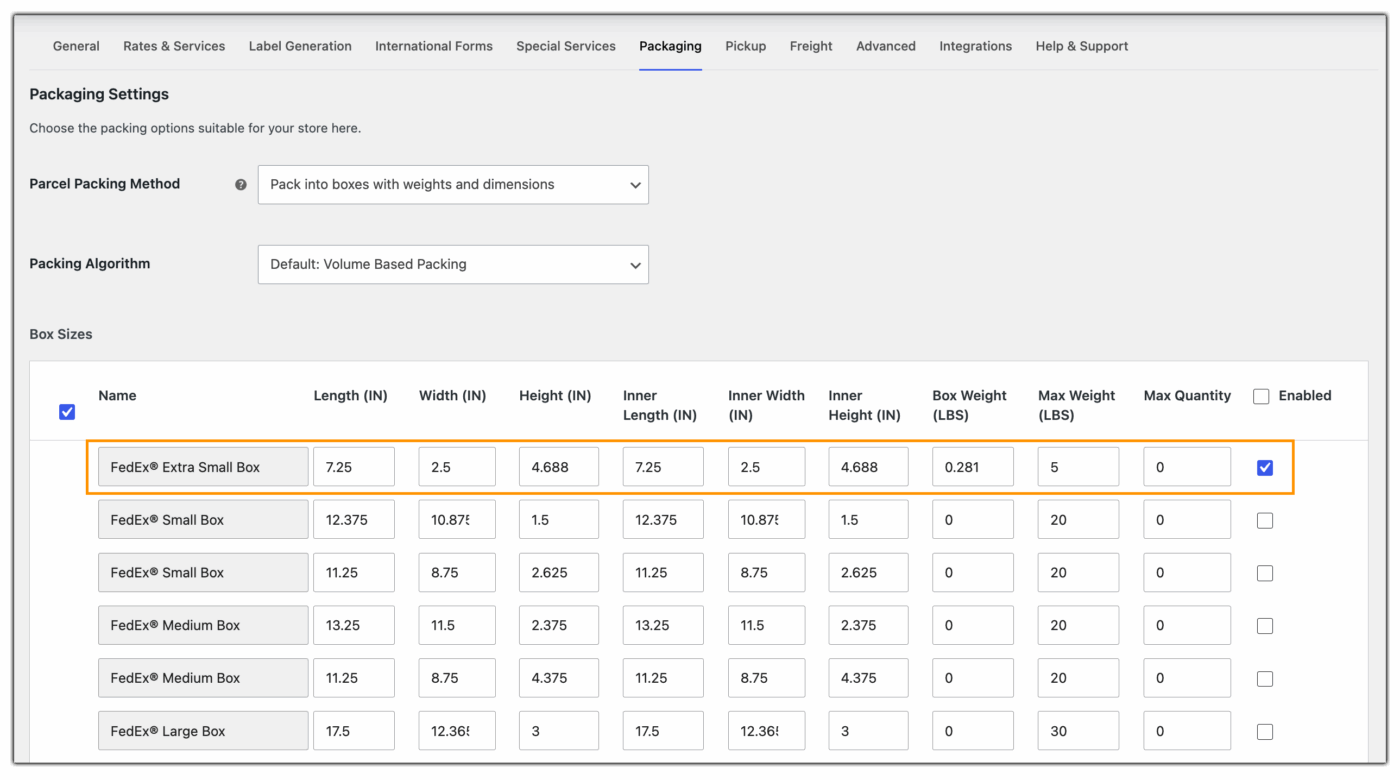
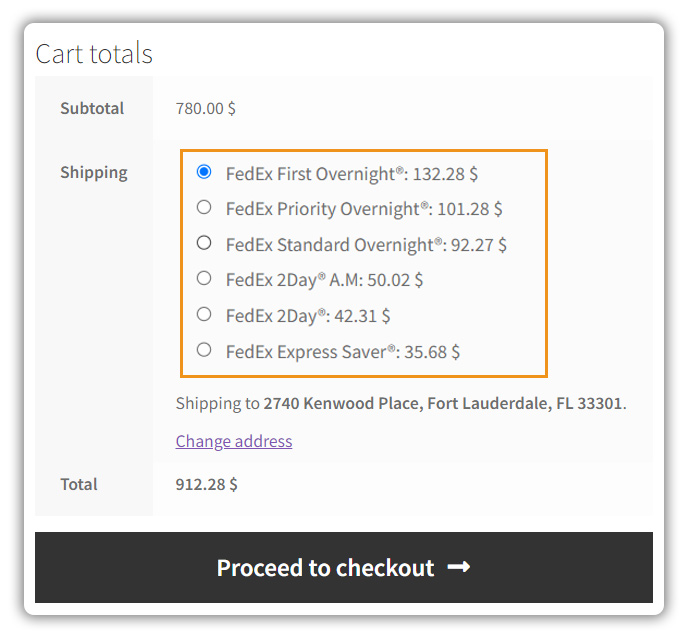
Once configured, customers ordering small items see the lower flat rate automatically, no manual overrides needed.
Beyond rate display, the plugin lets you generate and print FedEx shipping labels right from the WooCommerce order screen.
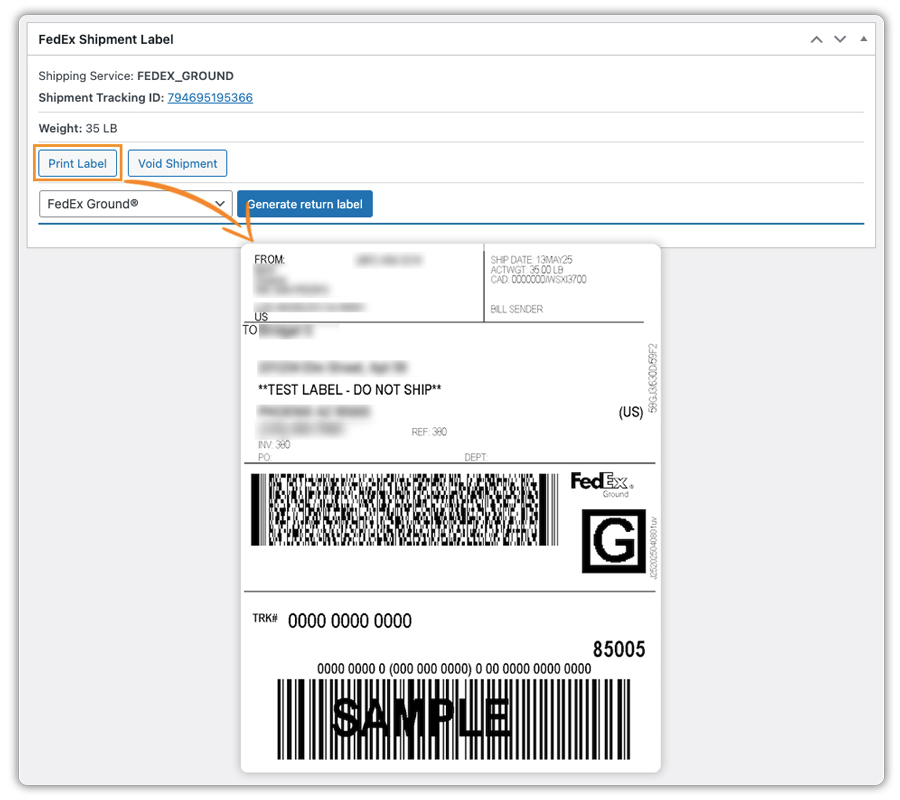
That means no logging into a separate FedEx portal, no re-entering package details, and no risk of mismatched box selections between checkout and fulfillment.
Final Thoughts
The FedEx Extra Small box gives WooCommerce stores a better-fit One Rate option for small, lightweight orders. It can help avoid paying for larger packaging when a smaller box is enough. If you regularly ship jewelry, cosmetics, accessories, or other compact products, the Extra Small option can help keep shipping costs aligned with your actual package size.
For help configuring the FedEx Extra Small box, contact PluginHive Support.
FAQs
Q. Do I need a new FedEx account to use the Extra Small box?
No. If your FedEx account already supports One Rate, the Extra Small box becomes available as a packaging option once your plugin is updated, no new account setup is required.
Q. What if I also want to hide certain shipping methods at checkout, like disabling FedEx for specific zones or cart conditions?
You can pair the FedEx plugin with the PH Hide Shipping Methods & Rate Adjustment for WooCommerce plugin to control exactly which shipping options customers see based on cart total, product, location, or user role.
Q. I also sell products that need weight- or price-based shipping tiers instead of flat rates; is that possible alongside FedEx One Rate?
Yes. The WooCommerce Table Rate Shipping plugin lets you build custom rate tables based on weight, price, or destination, which you can run alongside FedEx One Rate boxes for a hybrid shipping setup.
Q. Can I offer rates from multiple carriers, not just FedEx, at checkout?
Yes. The Multi-Carrier Shipping Plugin for WooCommerce lets you compare and print labels from FedEx, UPS, USPS, and other carriers from a single WooCommerce dashboard, so you’re not locked into one carrier’s rate structure.
