


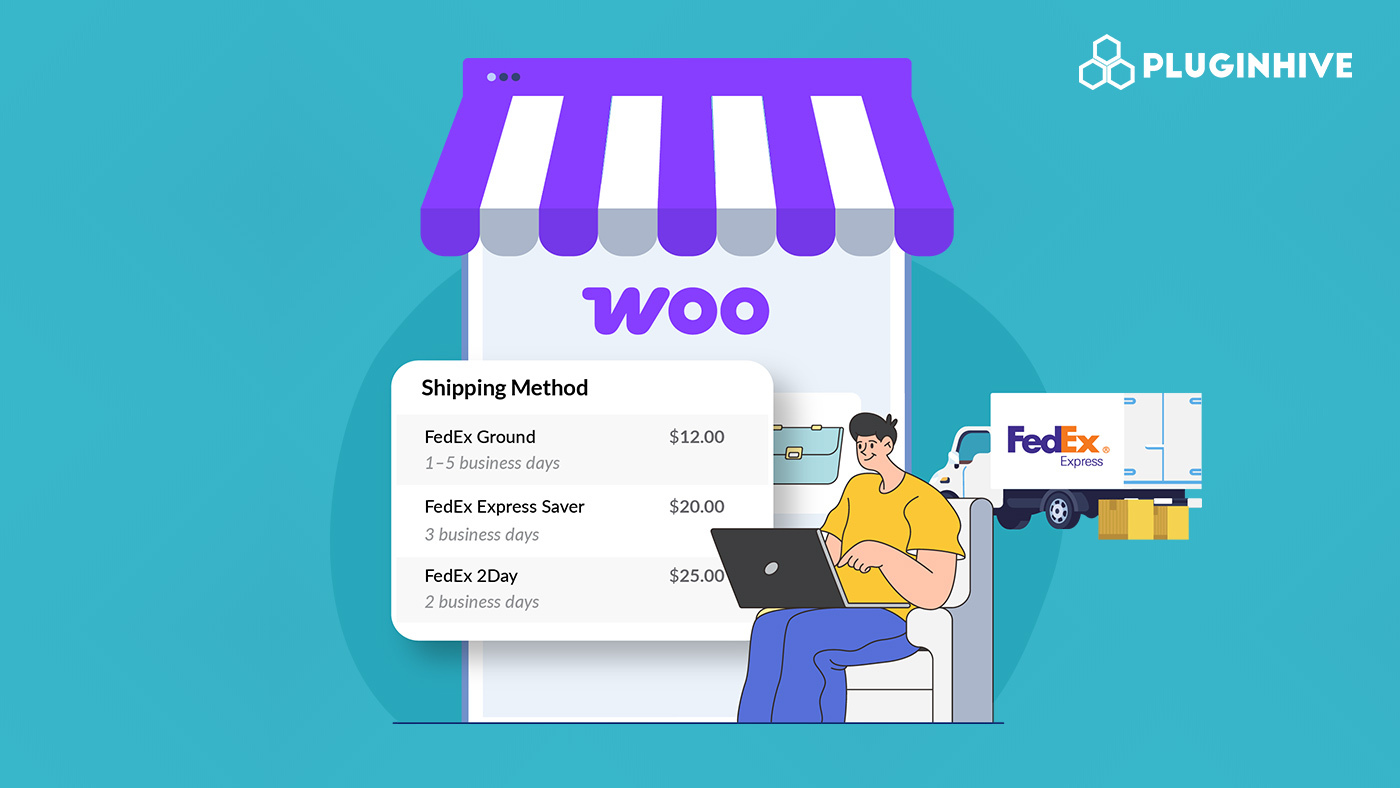
Accurate shipping costs are crucial for customer satisfaction and conversions. Unexpected fees at checkout often lead to cart abandonment. By showing live FedEx rates in WooCommerce, customers see real-time costs based on order weight, size, and destination. For stores with a FedEx business account, enabling negotiated rates adds more value, offering discounted prices to customers or boosting profit margins.
In this guide, we’ll cover how FedEx live rates work, the difference between standard and negotiated rates, and how to display them at checkout in WooCommerce.
On This Page
- Importance of FedEx Live Rates in WooCommerce
- Standard FedEx Rates vs. Negotiated Rates
- What You Need to Display FedEx Live Rates
- How to Show Live FedEx Rates in WooCommerce
- Real-World WooCommerce Store Example
- Conclusion
- FAQs
Importance of FedEx Live Rates in WooCommerce
Shipping costs play a big role in customer decisions at checkout. If the rates shown are too high, unclear, or inaccurate, customers are more likely to abandon their carts. By enabling FedEx live rates in WooCommerce, you can:
- Provide accurate pricing: Rates are pulled in real-time from FedEx based on package weight, dimensions, and delivery address.
- Increase transparency: Customers know they’re paying exactly what FedEx charges, avoiding hidden fees.
- Reduce cart abandonment: Clear shipping costs eliminate surprises at checkout.
- Leverage negotiated discounts: If you have a FedEx business account, you can apply negotiated rates to offer lower prices or improve margins.
Ultimately, FedEx live rates create a more reliable, transparent checkout experience, helping you build trust and secure more sales.
Standard FedEx Rates vs. Negotiated Rates
When using FedEx for WooCommerce shipping, you’ll encounter two main types of rates: standard (list) rates and negotiated rates. Understanding the difference helps you decide how to optimize shipping costs for your store.
Standard (List) Rates: These are the publicly available retail prices listed by FedEx. They apply to anyone shipping without a special agreement.
Negotiated Rates: These are discounted rates offered to businesses that have a FedEx account with an active shipping contract in place. The discounts depend on factors like your shipping volume, frequency, and service usage.
A quick comparison:
| Feature | Standard / List Rates | Negotiated / Contract Rates |
|---|---|---|
| Overview | Public rates listed by FedEx for all shippers. | Discounted rates agreed upon between FedEx and a business. |
| Who Can Use Them | Anyone without a FedEx contract, casual or low-volume shippers. | Businesses with a FedEx account and negotiated terms. |
| Pricing | Higher retail rates, no discounts. | Lower rates, often 10–40%(+) cheaper depending on volume. |
| Flexibility | Fixed pricing based on service, distance, and weight. | Customized discounts, reduced surcharges, and volume-based pricing. |
| Best For | Small or infrequent shippers. | Medium to large businesses with regular shipping needs. |
For WooCommerce stores processing frequent or high-volume orders, enabling negotiated FedEx rates is the smarter choice, as it directly reduces shipping costs and improves competitiveness.
What You Need to Display FedEx Live Rates
To show accurate FedEx shipping costs at WooCommerce checkout, you only need a few essentials. With the right setup, both standard and negotiated FedEx rates will display seamlessly to your customers.
- A FedEx Account
You’ll need a registered FedEx account to access live rates. If you don’t already have one, you can sign up for free on the FedEx website.
- For standard rates, a basic account is enough.
- To access negotiated rates, you’ll need an active business agreement with FedEx. Make sure your account is enabled for negotiated rates by contacting your FedEx representative.
- FedEx Web Services (API) Credentials
FedEx requires API credentials to fetch live rates. You can obtain these details once your account is registered and approved for FedEx Web Services.
- WooCommerce Shipping Plugin for FedEx with Print Label
The PH FedEx Shipping Plugin for WooCommerce connects your WooCommerce store directly to FedEx, retrieving real-time shipping rates based on package weight, dimensions, and customer destination. It supports both standard and negotiated rates.
To set up the plugin, follow this guide: How to Set Up the WooCommerce FedEx Shipping Plugin.
How to Show Live FedEx Rates in WooCommerce
Once you have connected your FedEx account with the PH WooCommerce Shipping Plugin for FedEx with Print Label, displaying live FedEx rates at checkout is quick and straightforward.
In the plugin settings,
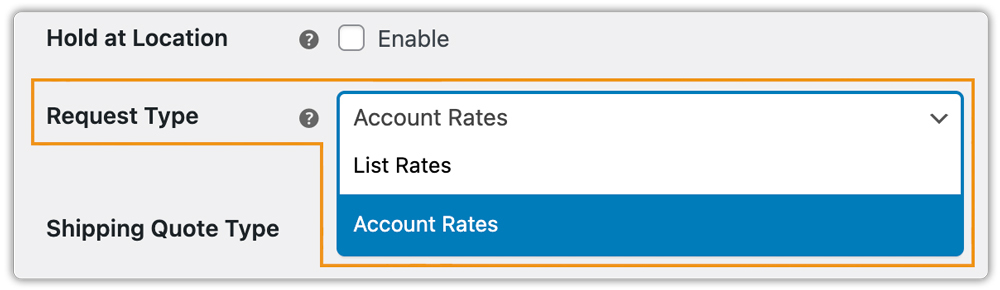
- Set the rate request type to Account Rates so your negotiated FedEx discounts are displayed instead of only retail rates.
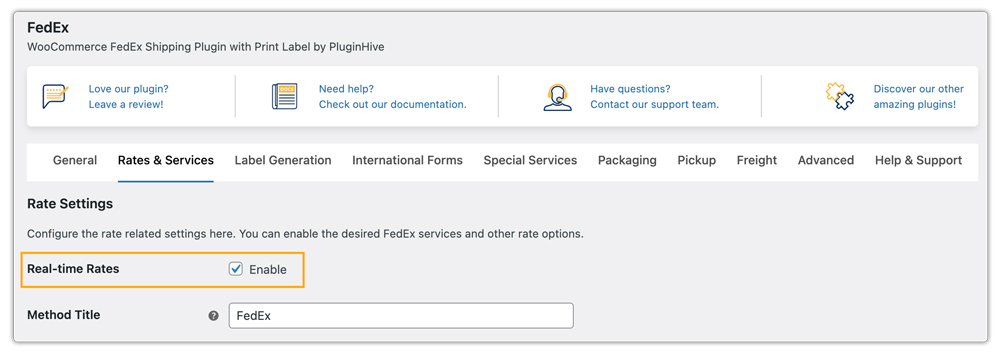
- Enable Real-time Rates calculation to fetch costs directly from FedEx based on package weight, dimensions, and destination.
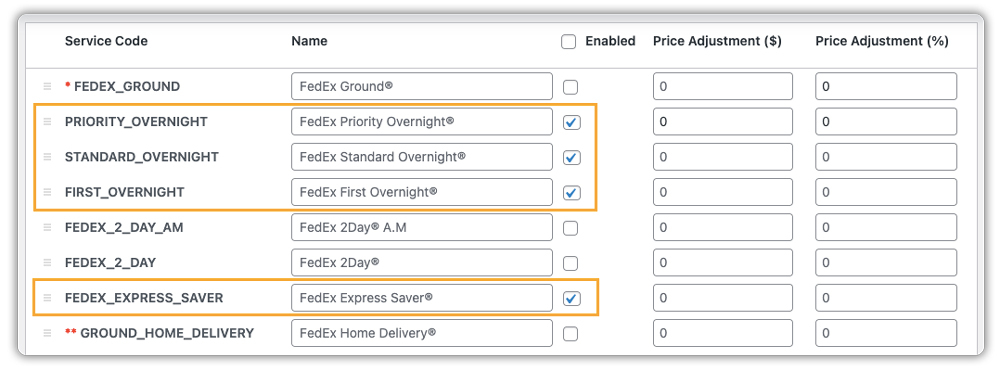
- Choose the FedEx services you want to display at the cart and checkout, such as FedEx Overnight services and FedEx Express Saver.
- Once configured, FedEx live rates will automatically appear on both the cart and checkout pages, giving customers clear and transparent shipping costs.

You can also print FedEx shipping labels directly from your WooCommerce dashboard with this plugin. Check out this guide to learn how: FedEx Label Printing in WooCommerce Made Easy
Real-World WooCommerce Store Example
A WooCommerce store selling fitness supplements across the U.S. was struggling to provide transparent and cost-effective FedEx shipping options.
Challenges:
- Customers only saw standard FedEx retail rates, which were higher than the store’s negotiated discounts.
- Inconsistent shipping costs at checkout led to cart abandonment.
- Manual handling of shipping rates and labels slowed down fulfillment.
Solution:
The store integrated the PH WooCommerce Shipping Plugin for FedEx with Print Label, which allowed them to:
- Display both standard and negotiated FedEx rates in real time.
- Automatically calculate shipping based on weight, dimensions, and customer location.
- Offer multiple FedEx services at checkout, letting customers choose between speed and cost.
- Print shipping labels directly from the WooCommerce dashboard, saving time.
As a result, the store reduced cart abandonment, cut fulfillment time by 35%, and improved customer satisfaction with accurate and transparent shipping options.
Conclusion
Showing live FedEx rates in WooCommerce ensures a transparent checkout experience and builds customer trust. With accurate real-time pricing and the ability to apply negotiated discounts, you can improve customer satisfaction while protecting your margins. Whether you run a small store or handle high-volume orders, enabling FedEx live rates keeps your shipping competitive and reliable.
Need help setting it up? Contact PluginHive Support for guidance.
FAQs
- Which FedEx service should I choose: Express Saver or Overnight?
Overnight works best for urgent, next-day deliveries, while Express Saver is more budget-friendly with slightly longer timelines. If you’re deciding between the two, check this detailed comparison of FedEx Overnight vs. FedEx Express Saver for WooCommerce.
- Is FedEx Ground cheaper than Express for WooCommerce orders?
Yes, FedEx Ground is generally the more economical choice for short-distance shipping, while FedEx Express is designed for time-sensitive orders. Here’s a full breakdown: FedEx Ground vs. FedEx Express in WooCommerce.
- What’s the most affordable FedEx international service I can offer at checkout?
FedEx International Connect Plus (FICP) is one of the most cost-effective solutions for cross-border WooCommerce shipping. Learn how it works here: FedEx International Connect Plus for WooCommerce.
- Can I display multiple FedEx services at checkout?
Yes, you can enable several FedEx options like Ground, 2Day, Overnight, and International Priority, so customers can choose the speed and cost that fits them best.
- Does FedEx deliver on weekends?
Yes, FedEx offers weekend delivery with selected services. Availability depends on the destination and chosen service. For more details, see this complete guide: FedEx Weekend Delivery for WooCommerce.
