



For Shopify merchants, shipping is where the real fulfillment process begins. Once an order is placed, generating a FedEx shipping label should be quick and seamless. But when FedEx shipping errors appear in Shopify, everything slows down. Orders get delayed, pickups are missed, and customers are left waiting for tracking updates.
FedEx shipping errors in Shopify can happen for several reasons: incorrect service selection, package weight issues, missing customs details, billing problems, or restricted item flags. While these errors can be frustrating, most of them are common and completely fixable once you understand what’s causing them.
In this guide, we’ll break down the most common FedEx shipping errors in Shopify, explain why they happen, and show you exactly how to fix them so your fulfillment process stays smooth and uninterrupted.
In This Article:
- Most Common FedEx Shipping Errors in Shopify and Their Fixes:
- Preventing FedEx Shipping Errors in Shopify
- Conclusion
- FAQ’s
Most Common FedEx Shipping Errors in Shopify and Their Fixes:
Some of the most common errors you will face in shopify in regards to shipping are listed below:
Invalid or Incomplete Shipping Address
One of the most common Shopify FedEx shipping errors is an incorrect or incomplete shipping address. Even small mistakes can cause FedEx to reject the label.
Common error messages:
- “Invalid recipient address”
- “Street lines are missing.”
Why it happens: Missing apartment/suite details, ZIP and city mismatches, or incorrect country formatting.
How to fix it: Enable address validation in Shopify, verify ZIP/postal accuracy, and confirm details with the customer before generating the label.
FedEx Account Authentication Failure
If Shopify cannot properly connect to your FedEx account, label generation will fail immediately, causing an error in shipping.
Common error messages:
- “Authentication failed.”
- “Invalid account credentials”
Why it happens: Incorrect API key or password, expired FedEx credentials, or the account is not enabled for FedEx web services.
How to fix it: Reconnect your FedEx account in Shopify, regenerate API credentials if needed, and confirm your FedEx account is active and approved for online shipping services. You can do this by contacting FedEx Support.
Service Not Available for Selected Destination
This Shopify FedEx error appears when the selected shipping service doesn’t match the destination.
Common error message:
- “Requested service is not available.”
Why it happens: Choosing FedEx Ground for an international shipment, selecting a service not supported in that postal code.
How to fix it: Double-check the selected FedEx service, enable multiple service options in Shopify, and confirm the destination address is eligible for that service. A better option here is to use PH Ship Rate and Track for FedEx, which will only return services that are supported.
Package Weight or Dimensions Issues
Incorrect package details are another common reason Shopify FedEx label generation fails, which causes a shipping error. FedEx relies on accurate weight and dimensions to calculate rates and approve shipments.
Common error messages:
- “Invalid package weight”
- “Dimensions exceed the limit.”
Why it happens: The product weight may be set to 0 in Shopify, the dimensions entered are unrealistic, or the shipment exceeds FedEx service limits for size or weight.
How to fix it: Make sure every product in Shopify has accurate weight information, use proper default package settings, and review FedEx size and weight restrictions before generating the label.
Missing Customs Information (International Orders)
When shipping internationally with Shopify and FedEx, incomplete customs details will immediately cause a shipping error.
Common error messages:
- “Customs details required”
- “Missing harmonized code.”
Why it happens: The product doesn’t have an HS (harmonized system) code, the description is missing.
How to fix it: Add HS codes to your Shopify products, include clear product descriptions and country of origin, and ensure the declared value matches the actual order value.
Billing & Payment Issues
Sometimes Shopify FedEx label generation fails not because of technical errors, but due to billing setup problems on your FedEx account.
Common error messages:
- “Account not authorized for billing.”
- “Insufficient billing privileges”
Why it happens: The account that is being used for label generation has no balance left in it.
How to fix it: Contact FedEx to confirm your billing setup is properly configured, update any outdated payment details, and verify that your shipping charges are linked to the correct FedEx account in Shopify.
Dangerous Goods or Restricted Item Errors
FedEx will also cause a shipping error if the shipment includes restricted or regulated products. FedEx applies strict rules for certain categories, and the system will block the label if requirements aren’t met.
Common error messages:
- “Commodity not allowed.”
- “Hazardous materials documentation required.”
Why it happens: You may be attempting to ship restricted items, missing required hazardous materials documentation, or sending products like alcohol or batteries without proper approval.
How to fix it: Review the official FedEx prohibited and restricted items list, ensure your account is approved for dangerous goods shipping if applicable, and upload all required documentation before generating the label.
Preventing FedEx Shipping Errors in Shopify
Fixing FedEx shipping errors in Shopify is necessary, but constantly fixing the same errors can quickly become frustrating. The real goal isn’t just solving problems when they happen. It’s setting up your shipping process so those problems don’t show up in the first place.
Using a tool like PH Ship, Rate, and Track for FedEx helps reduce these issues by validating shipment details before the label is created. Instead of discovering errors after clicking “Generate Label,” the system helps ensure everything is correct upfront.
Here’s how it makes a difference:
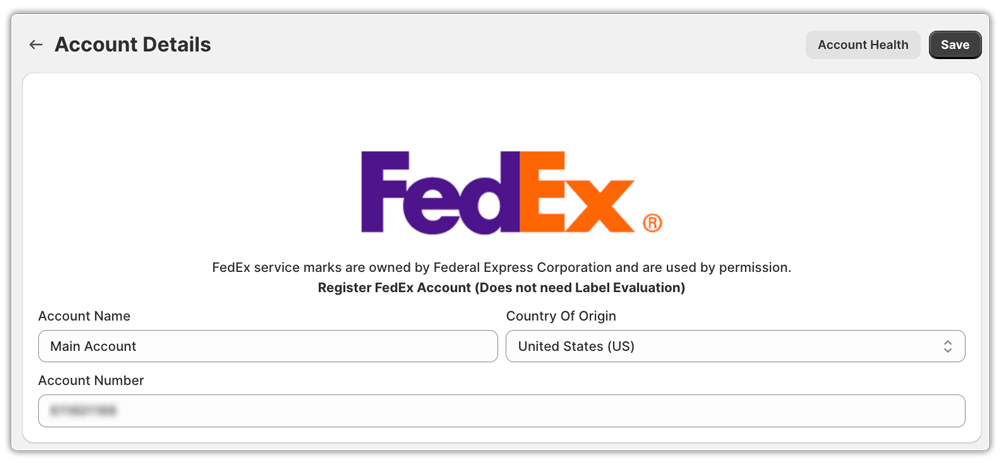
- Secure the FedEx account connection
A properly connected FedEx API reduces login and authentication errors that can interrupt label creation. Labels are generated using the proper FedEx account and billing settings, reducing authorization and payment-related problems.
- Showing only valid FedEx services
The app pulls live rates from FedEx and displays only services available for the destination. This prevents “Service not available” errors caused by selecting unsupported shipping options.

- Accurate weight and package settings
Product weight is pulled directly from Shopify, and you can set predefined package sizes. This helps avoid common issues like “Invalid package weight” or dimension limit errors.

- Built-in customs information support
For international orders, you can easily add HS codes, product descriptions, declared values, and country of origin. This reduces customs-related shipping errors and prevents delays.

- Dangerous goods shipment handling
If you ship eligible hazardous materials, the required details can be added to each product separately. This helps avoid “Commodity not allowed” or missing documentation errors.

When your shipping process is automated and properly configured, you move from reacting to errors to preventing them. That means fewer disruptions, faster fulfillment, and a smoother experience for both you and your customers.
Conclusion
FedEx shipping errors in Shopify can be stressful, especially when orders are packed, ready to go, and customers are waiting for their tracking details. But the good news is that most of these issues aren’t major technical problems. They usually come down to small gaps in shipment data, service selection, package weight, customs information, or billing setup.
Once you understand where FedEx shipping errors typically come from, whether it’s an invalid address, unsupported service, incorrect dimensions, missing customs details, or restricted item rules, fixing them becomes much simpler. Instead of guessing, you can quickly identify the root cause and move forward.
Even better, when your shipping setup is properly configured, many of these errors can be avoided altogether. Keeping your product data accurate, ensuring your FedEx account settings are correct, and using a solution like PH Ship, Rate, and Track for FedEx helps reduce repeated shipping disruptions. With the right automation and validation in place, your workflow becomes smoother and more predictable.
In the end, fewer FedEx shipping errors mean faster fulfillment, fewer delays, and a better experience for your customers, which is exactly what every Shopify merchant wants.
FAQ’s
Q. Why is my FedEx label not generated in Shopify?
FedEx labels usually fail to generate due to incomplete shipping addresses, incorrect package weight or dimensions, authentication issues with your FedEx account, or missing customs information for international orders. Checking these areas first typically resolves the issue quickly.
Q. How do I fix the “Authentication failed” error in Shopify FedEx shipping?
This error usually means Shopify cannot connect to your FedEx account. Reconnect your FedEx account in Shopify or your shipping app, verify your API credentials, and ensure your FedEx account is active and enabled for web services.
Q. What causes the “Requested service is not available” error?
This happens when the selected FedEx service does not match the shipment destination. For example, choosing FedEx Ground for international shipping or selecting a service not supported in that postal code. Double-check the service type and destination eligibility.
