


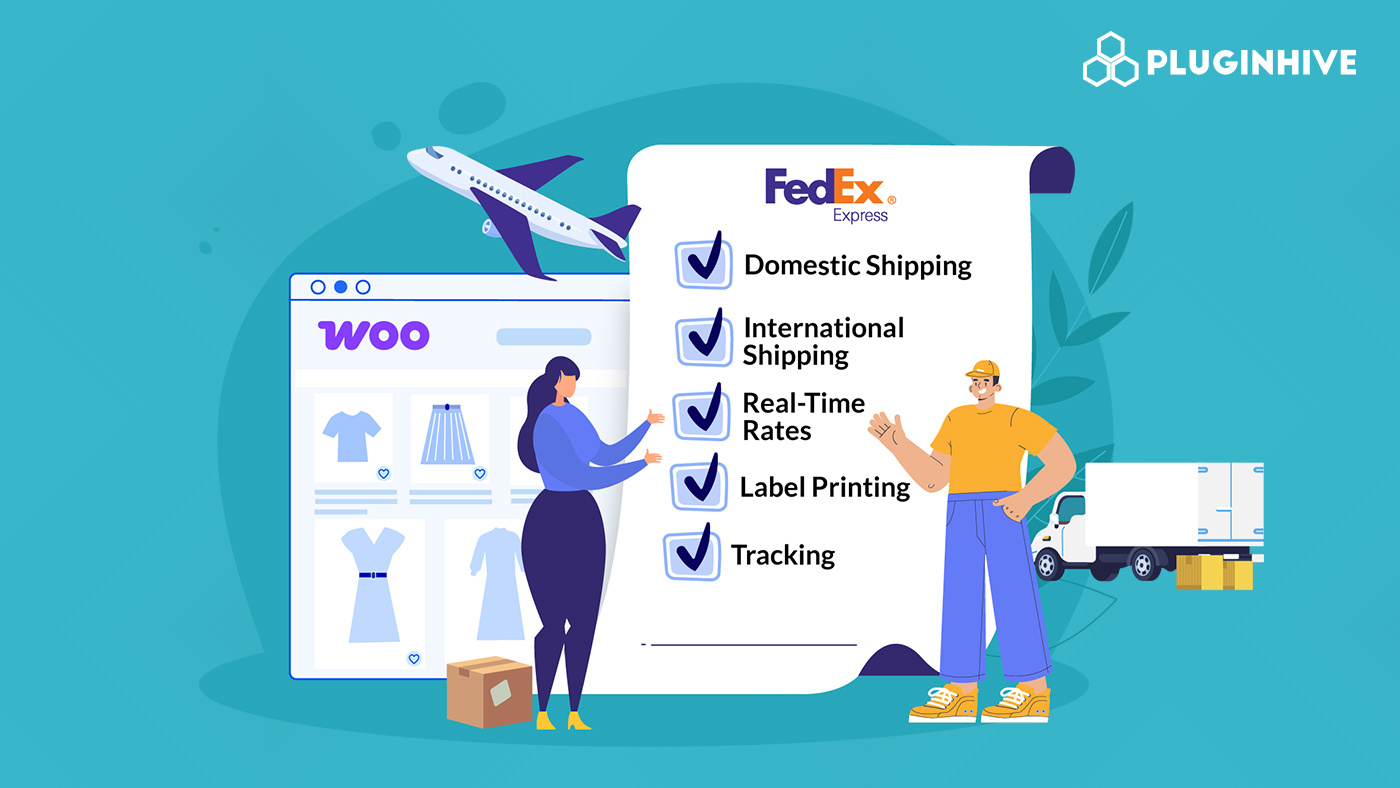
Shipping directly impacts customer experience in your WooCommerce store, especially if you serve both local and global customers. Offering reliable domestic and international delivery options at checkout can help expand your customer base. FedEx is a global courier company that provides a wide range of domestic and international shipping services, including express and ground delivery solutions for businesses of all sizes.
In this guide, you’ll learn how to add FedEx services to WooCommerce and configure them properly for smooth, accurate shipping.
On This Page
- Why Use FedEx for WooCommerce Shipping?
- Prerequisites Before You Begin
- How to Add FedEx Shipping Services in WooCommerce
- Real-World Use Case
- Advanced Customization Options for WooCommerce
- Conclusion
- FAQs
Why Use FedEx for WooCommerce Shipping?
Using FedEx with your WooCommerce store brings reliability, speed, and flexibility to your shipping process, enhancing both customer satisfaction and business efficiency. Here’s why FedEx is a top choice for e-commerce shipping:
- Global and Domestic Coverage: FedEx ships to over 200+ countries and territories, making it easy to serve local and international customers alike. You can scale your store’s reach without worrying about shipping limitations.
- Fast and Reliable Delivery: From cost-effective ground options to expedited express services, FedEx offers delivery solutions that meet different customer needs. This variety helps reduce cart abandonment by letting buyers choose what works best for them.
- Cost Savings for Businesses: With a FedEx business account, you can access discounted rates, rewards, and negotiated pricing, helping you save on both domestic and international shipments as your order volume grows.
- Special Handling and Flexible Solutions: Whether shipping fragile, heavy, or customs-sensitive items, FedEx offers tailored services to ensure packages are handled professionally and arrive safely.
- Improved Customer Experience: Reliable transit times and a trusted delivery network build customer confidence, encouraging repeat purchases and boosting overall satisfaction.
With these advantages, it’s clear why FedEx is a preferred choice for WooCommerce merchants looking to provide fast, reliable, and cost-effective shipping. Before you start offering these services to your customers, there are a few things you need to prepare in your WooCommerce store.
Prerequisites Before You Begin
Before adding FedEx shipping services to your WooCommerce store, you need to make sure your accounts and tools are ready for smooth integration.
1. FedEx Account
You must have an active FedEx business account with API credentials (account number, key, and password). This allows your WooCommerce store to fetch live rates, generate labels, and manage domestic and international shipments reliably.
2. Plugins to Integrate FedEx
To connect WooCommerce with FedEx, you’ll need a shipping plugin such as:
- FedEx Shipping Plugin for WooCommerce with Print Label – A dedicated plugin to display live FedEx rates, print labels, and manage tracking directly from your WooCommerce store.
- Multi-Carrier Shipping Plugin for WooCommerce – lets you offer FedEx alongside other carriers such as UPS, USPS, DHL, and Stamps.com, providing real-time rates and shipping options in one place.
- WooCommerce Shipping Services – An all-in-one solution to handle multiple carriers, automate label printing, and send tracking updates without leaving WooCommerce.
3. Product Details
Ensure all your WooCommerce products have accurate weight and dimensions, as FedEx requires these details for precise shipping rate calculations.
How to Add FedEx Shipping Services in WooCommerce
In this section, we’ll focus on how to add and configure FedEx shipping services using the FedEx Shipping Plugin for WooCommerce with Print Label. This plugin makes it easy to connect FedEx services to your WooCommerce store, giving customers multiple delivery options that balance cost and speed.
For step-by-step instructions on setting up FedEx shipping, visit the PluginHive WooCommerce FedEx Shipping Guide .
Adding FedEx Domestic Shipping Services
To add and offer domestic FedEx shipping:
- In the plugin settings, go to the Rates and Services tab and select the domestic services you want to offer, such as FedEx Ground, FedEx Express Saver, FedEx 2Day, and FedEx Overnight services.

- The plugin pulls real-time shipping rates directly from your FedEx account, ensuring customers see accurate pricing at checkout.
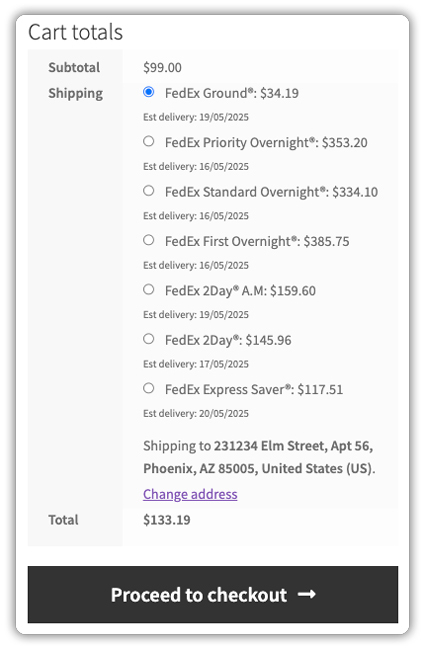
- You can generate shipping labels instantly from within WooCommerce orders. Each label includes complete shipment details to ensure accurate handling.

Adding FedEx International Shipping Services
Similarly, the plugin also allows you to configure FedEx international shipping services:
- Make sure your products have accurate HS codes, which are required for international shipments.

- Choose the international FedEx services you want to offer. Rates for these services will appear automatically at checkout, giving customers transparent shipping costs.

- Generate and print FedEx shipping labels, commercial invoices, and other required customs documents directly from WooCommerce.

For additional shipping tasks, you can refer to FedEx tracking for WooCommerce orders and FedEx pickup for WooCommerce orders. These guides will help you further automate and streamline your WooCommerce shipping workflow.
Real-World Use Case: A U.S. Store Expanding Globally
A U.S.-based WooCommerce store initially handled all its FedEx shipments manually through the FedEx portal. For a small number of domestic orders, this worked fine. The store owner would log in to FedEx, enter shipment details, generate labels, and manually update tracking numbers in WooCommerce.
However, as the business grew, two major challenges appeared:
- Order volume increased significantly.
- The store started receiving international orders and wanted to expand globally.
Managing shipments manually in the FedEx portal became time-consuming and prone to errors. Entering shipment details twice (once in WooCommerce and again in FedEx) slowed down fulfillment and increased operational workload.
To solve this, the store integrated FedEx directly into WooCommerce using the FedEx Shipping Plugin for WooCommerce with Print Label.
After integration:
- Live FedEx domestic and international rates were automatically displayed at checkout.
- Customers could choose services based on delivery speed and cost.
- Shipping labels were generated directly from WooCommerce orders.
- Commercial invoices and customs documents were created automatically for international shipments.
- Tracking information was synced instantly with customer orders.
- FedEx pickups were scheduled from within the WooCommerce dashboard.
With everything centralized inside WooCommerce, the store was able to scale both locally and internationally without increasing manual work. Fulfillment became faster, and the business successfully expanded into global markets.
Advanced Customization Options for WooCommerce FedEx Shipping
After enabling FedEx domestic and international services, you can further optimize how they appear and function in your WooCommerce store.
- Combine FedEx with Free or Flat Rates: Alongside FedEx’s live rates, you can offer free shipping above a cart value or add flat-rate options. The WooCommerce Table Rate Shipping Pro Plugin lets you create conditional rules based on subtotal, weight, destination, or shipping class.
- Show Estimated Delivery Dates for FedEx Services: To improve clarity at checkout, you can display estimated delivery dates for FedEx services with the FedEx plugin. For more flexibility, you can use the Estimated Delivery Date Plugin for WooCommerce.
- Enhance FedEx Shipment Tracking: While basic tracking is available within the FedEx plugin, you can automate tracking updates and improve customer communication using the WooCommerce Shipment Tracking Pro Plugin.
- Hide or Adjust FedEx Shipping Methods: You can hide slower or unsuitable FedEx services based on your business requirements. The PH Hide WooCommerce Shipping Methods & Rate Adjustment Plugin helps you control which FedEx methods appear at checkout.
With these advanced options, you can fine-tune how FedEx domestic and international services work in your store while keeping everything centralized inside WooCommerce.
Conclusion
Integrating FedEx domestic and international services into your WooCommerce store helps streamline shipping and offer reliable delivery options to customers worldwide, all from one dashboard. With the right setup, you can scale confidently while keeping operations efficient and customer-friendly.
For assistance with setup or customization, you can reach out to PluginHive support here: PluginHive Support
FAQs
Q. Does FedEx deliver to Mexico?
Yes, FedEx delivers to Mexico for WooCommerce orders. They handle both commercial and residential shipments, providing reliable delivery and tracking. You can check more details here: Does FedEx Deliver to Mexico?
Q. Can I ship from my U.S.-based WooCommerce store to residential addresses in Mexico with FICP?
Yes, FedEx International Connect Plus (FICP) is designed for residential deliveries in Mexico. It ensures faster delivery times and tracking support for cross-border shipments.
Q. How can I ship WooCommerce orders to Australia using FedEx?
FedEx offers several international shipping services to Australia, including options for speed, cost, and package type. You can select the service in the plugin that best fits your business needs. Learn more here: WooCommerce FedEx Shipping to Australia.
Q. Which FedEx box should I use for international WooCommerce shipments?
Choosing the correct FedEx box depends on shipment size, weight, and destination. Read the guide here: FedEx Box for WooCommerce International Shipping.
