


Running a Shopify store that ships across Europe means GLS is likely already part of your carrier mix, or soon will be. GLS handles domestic deliveries in under 24 hours and cross-border European shipments within 24 to 96 hours, which makes it one of the go-to carriers for e-commerce merchants in Germany, Spain, France, the Netherlands, and beyond. But fast delivery means nothing to a customer who has no idea where their parcel is. This guide covers how GLS order tracking works, where the default Shopify setup falls short, and how to build a post-purchase experience that matches the speed GLS promises.
In This Article
- What GLS Actually Offers for Parcel Visibility
- Where Shopify’s Default Tracking Stops
- How the FlexDeliveryService Changes Customer Expectations
- Setting Up GLS Order Tracking on Shopify with PluginHive Shipment Tracking & Notify
- Reading GLS Order Tracking Status Events Correctly
- One Thing European Shopify Merchants Often Overlook in GLS Order Tracking
- Conclusion
- FAQs
What GLS Actually Offers for Parcel Visibility
GLS (General Logistics Systems) is headquartered in Amsterdam and operates across 41 European countries as well as the US and Canada through its network of national GLS companies and partner depots. According to GLS’s official website, the group runs over 1,600 depots and more than 120 hubs, covering both B2B and B2C parcel needs across its footprint.
For GLS order tracking, the carrier offers several layers of customer visibility:
- Web tracking: customers can enter one or more parcel numbers on GLS’s official tracking page to get real-time updates on their shipment’s progress
- MyGLS app: available in supported markets, the app lets recipients monitor deliveries, receive push notifications, and manage delivery preferences directly from their phone
- Email and SMS notifications: GLS sends status alerts at key milestones including label created, shipment received, out for delivery, exception, and delivered, depending on the service and country
- FlexDeliveryService: GLS’s flagship B2C tool that notifies recipients by email about their upcoming delivery with an estimated time window, and lets them choose from multiple delivery options before or during transit, such as redirecting to a GLS ParcelShop, selecting a new date, or authorising a safe drop
The FlexDeliveryService is particularly relevant for Shopify merchants shipping to European households.
Where Shopify’s Default Tracking Stops
Shopify’s out-of-the-box handling of GLS shipments follows the same pattern as every other carrier: you fulfil the order, enter the GLS parcel number, and Shopify sends a standard notification email with a generic tracking link. One email. One link. That’s it.
From that point on, Shopify plays no further role in the GLS order tracking journey. It doesn’t:
- Pull live GLS status updates back into the order or your dashboard
- Send follow-up notifications when the parcel moves from depot to transit to out for delivery
- Provide a branded, on-store page where customers can check their status without leaving your domain
- Give you a consolidated view of all active GLS shipments in one place
For merchants shipping across multiple European countries with GLS, this matters more than it might seem. GLS transit routes, depot handling, and notifications can vary significantly between Germany and France. Shopify treats them identically: one email, no follow-up.
This is especially relevant if you’re already running a multi-carrier setup. Shopify’s tracking email doesn’t distinguish between GLS, DHL, or any other carrier; it generates the same flat notification regardless of who’s moving the parcel. If you’re looking to understand how multi-carrier shipping is managed at a broader level, this guide to setting up Shopify shipping integration with multiple carriers gives you the full picture.
How the FlexDeliveryService Changes Customer Expectations
It’s worth understanding why GLS order tracking deserves more than a basic link. GLS’s FlexDeliveryService sends recipients an email notifying them of the upcoming delivery, including an estimated time window. The recipient can then:
- Choose a new delivery date from the next five working days
- Redirect the parcel to a GLS ParcelShop or parcel locker of their choice
- Authorise a safe drop location
- Refuse the delivery online before the first attempt
This level of flexibility is baked into GLS’s infrastructure. Your customer has already received a GLS notification before you’ve sent anything from your Shopify store. If your store’s tracking communication is just one static link, the experience feels disjointed. A branded store notification alongside GLS alerts keeps customers informed while keeping your brand visible.
Setting Up GLS Order Tracking on Shopify with PluginHive Shipment Tracking & Notify
PluginHive Shipment Tracking & Notify is the most practical way to automate GLS order tracking directly inside your Shopify store. Here’s how it works:
- Install the app from the Shopify App Store and connect your GLS carrier account credentials in the app settings. This authenticates the integration at the account level, so status data is pulled specifically for your shipments.
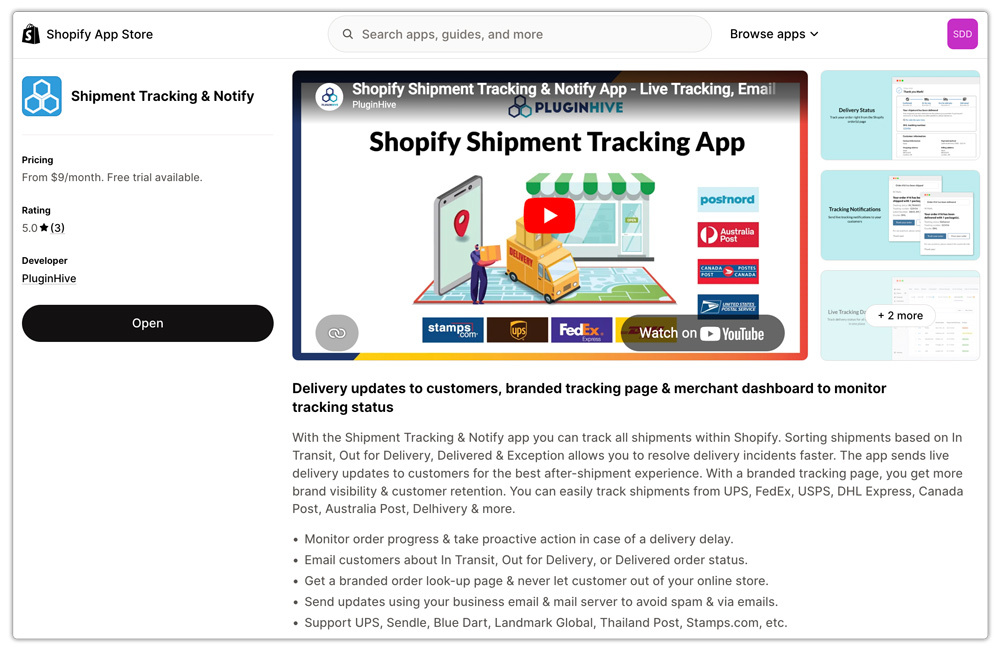
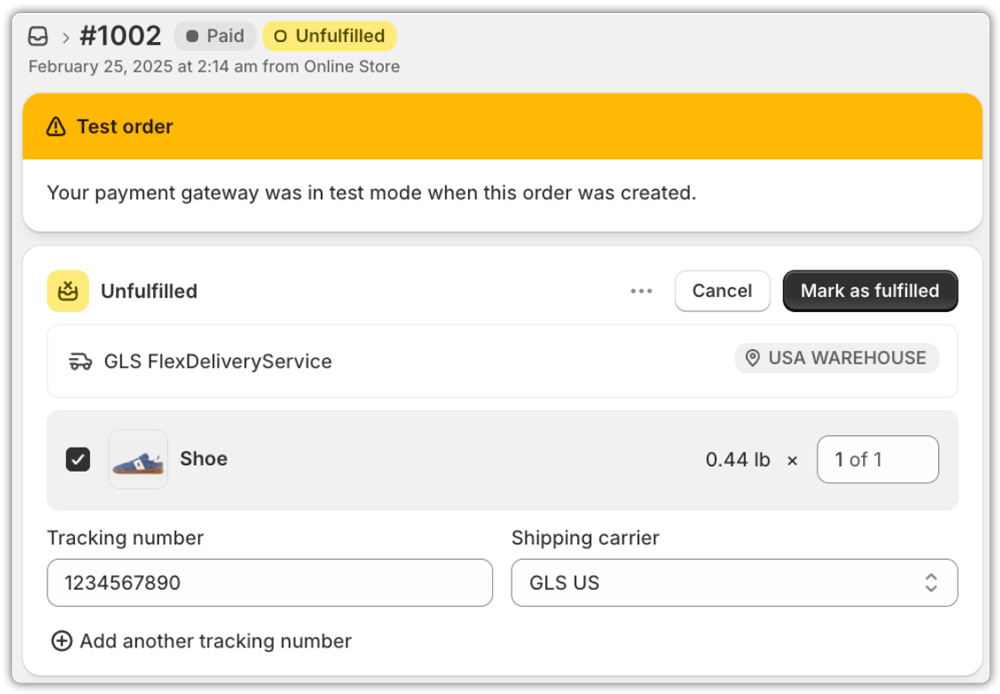
- Fulfil Shopify orders as normal, entering the GLS parcel number in the tracking field. The app identifies GLS shipments automatically and starts syncing live status from GLS’s system.
- Set up milestone-based email notifications so customers are alerted at each stage: parcel booked, picked up, in transit, out for delivery, and delivered directly from your own business email address, not a third-party domain.

- Add the branded tracking page to your Shopify store through the navigation settings. Customers enter their order number and email to view live GLS order tracking status without ever leaving your store.
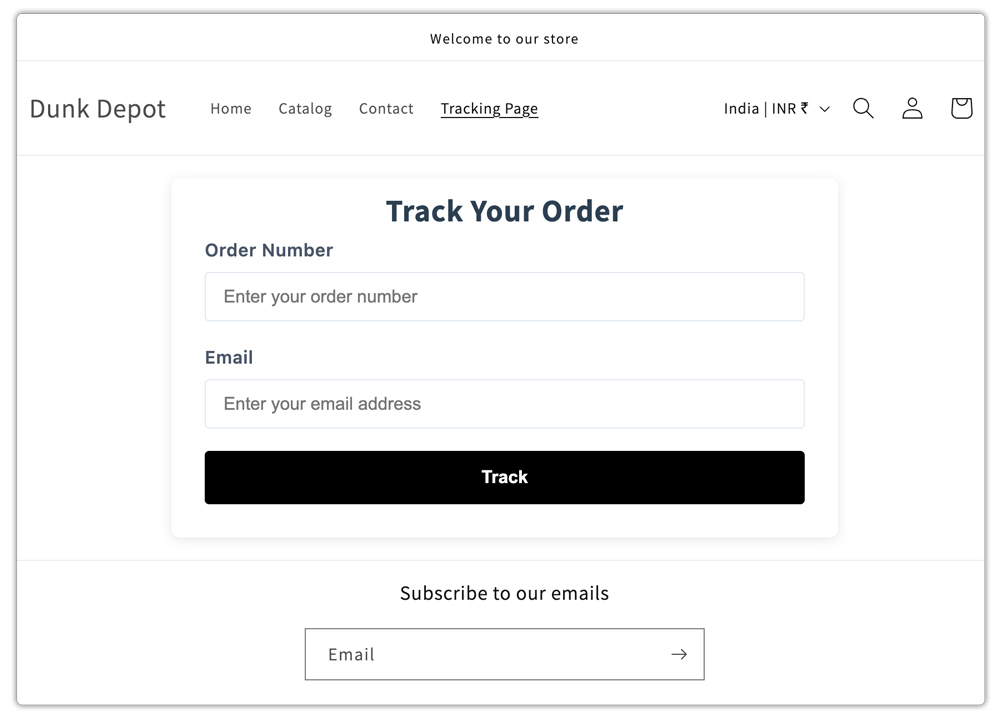
The result is an automated post-purchase flow that keeps customers informed and reduces “where is my order?” requests.
For merchants also looking to automate GLS label generation alongside tracking, the Shopify Multi-Carrier Shipping Label app handles rates, labels, pickups, and tracking from a single Shopify dashboard.
Reading GLS Order Tracking Status Events Correctly
GLS tracking events follow a lifecycle that’s worth understanding before you configure your notifications:
- Electronic shipment data received: the label has been created, but GLS hasn’t physically collected the parcel yet
- Parcel handed over to GLS: the parcel is in GLS’s network and depot processing has begun
- In transit: the shipment is moving through GLS hubs, which for cross-border orders may involve multiple country transitions
- Out for delivery: on the morning of the delivery day, GLS typically sends a time-window notification to the recipient
- Delivered: successful delivery to door or ParcelShop; the recipient may be notified by GLS to confirm collection for ParcelShop deliveries
- Delivery exception: first delivery attempt failed; GLS usually makes a second attempt
Understanding these stages helps you match your notification timing to what GLS is already communicating. Sending a branded “your parcel is out for delivery” email at the same time GLS sends their time-window alert creates a consistent, reassuring experience rather than a confusing one.
One Thing European Shopify Merchants Often Overlook in GLS Order Tracking
GLS operates through national companies, meaning GLS order tracking data can look slightly different depending on the destination country. A shipment from Germany to Spain passes through at least two national GLS networks. GLS status labels, update frequency, and FlexDeliveryService availability can vary by origin-destination pair.
This is why connecting through an authenticated carrier account, rather than relying on a generic public tracking lookup, is important. Account-level tracking pulls data specific to your shipments and reflects the actual service type, not a generic query response.
- For Shopify merchants already managing international shipping more broadly, this Shopify international shipping guide covers how to think about carrier selection, transit expectations, and customer communication across different markets, GLS included.
- If you’re also building out your broader Shopify order tracking page, this walkthrough on setting up a Shopify order tracking page is a useful companion to the steps above.
Conclusion
GLS has built a genuinely customer-forward tracking system, from real-time web tracking to the FlexDeliveryService that lets recipients manage their own delivery before it even arrives. For Shopify merchants, the challenge is not the quality of GLS’s data; it’s surfacing that data inside your own brand experience. Properly configured GLS order tracking on Shopify means live status pulling into your store, branded milestone notifications going out to your customers, and a self-serve tracking page that keeps buyers on your domain. With PluginHive Shipment Tracking & Notify handling that automation, the gap between a GLS parcel number and a complete post-purchase experience is closed, and your customers feel informed every step of the way.
FAQs
Q. Does Shopify natively support GLS tracking?
Shopify can store GLS tracking numbers and links, but it does not provide live GLS updates or automated shipment notifications.
Q. What is GLS FlexDeliveryService and does it affect my Shopify store?
FlexDeliveryService is GLS’s recipient notification tool that sends delivery time-window alerts and lets customers modify their delivery before the first attempt. It runs on GLS’s side independently of Shopify, which is why aligning your own notifications with GLS’s updates is important for a consistent customer experience.
Q. Can I manage GLS tracking alongside other European carriers from one Shopify dashboard?
Yes. PluginHive Shipment Tracking & Notify supports GLS and other European and global carriers from a single dashboard, so your team doesn’t need to log into multiple carrier portals.
