


Reliable delivery is a key part of running a successful online store. For merchants using Shopify, smooth Shopify shipping operations help ensure orders reach customers on time, creating a better shopping experience and building long-term trust.
However, delivery issues can still occur in e-commerce fulfillment. Problems such as incorrect addresses, failed delivery attempts, or unavailable recipients can interrupt the delivery process and cause unexpected delays.
In some cases, a shipment handled by FedEx may result in a FedEx failed delivery status. When this happens, the package might be held at a FedEx facility, returned to the sender, or flagged with a delivery exception, often leading to additional shipping costs and customer frustration.
The good news is that Shopify merchants can usually resolve a FedEx failed delivery quickly by identifying the cause and coordinating with FedEx to arrange redelivery or correct shipping details.
In This Article:
- Common Reasons for a FedEx Undeliverable Package in Shopify
- How FedEx Handles Failed Deliveries in Shopify
- Steps to Resolve Undeliverable FedEx Shipments in Shopify
- Managing FedEx Delivery Issues in Shopify with Shipping Apps
- Conclusion
- FAQ’s
Common Reasons for a FedEx Undeliverable Package in Shopify
Even with a well-managed shipping process, packages can sometimes fail to reach the customer. Carriers like FedEx may mark a shipment as undeliverable when they encounter issues during delivery. For merchants using Shopify, understanding the common causes can help resolve problems faster.
Incorrect or Incomplete Address
- Missing apartment, suite, or unit numbers in multi-unit buildings
- Incorrect street name or house number
- A wrong ZIP or postal code sends the package to the wrong delivery area
Customer Not Available
- Delivery attempts failed because the recipient was not present
- Signature required for delivery, but no one is available to sign
- Customer unavailable during multiple delivery attempts
Refused Deliveries
- Customer rejects the package at the time of delivery
- The recipient no longer wants the order, or did not expect the shipment
Customs Clearance Issues (International Orders)
- Missing or incomplete shipping documentation in international orders.
- Import duties or taxes are not paid by the recipient
- Shipment held by customs for additional verification
Damaged or Unsafe Packages
- The package is severely damaged during transit
- The shipping label is unreadable or missing
- The package is considered unsafe to deliver due to damage or leakage
How FedEx Handles Failed Deliveries in Shopify
When a package cannot be delivered, FedEx follows specific steps to resolve the issue. In many cases, a FedEx failed delivery occurs due to address issues, recipient unavailability, or other delivery exceptions. These steps give both the recipient and the sender a chance to fix the issue and complete the delivery
- Delivery attempt policies
FedEx typically makes multiple delivery attempts if the first attempt fails. FedEx may mark a shipment as undeliverable after repeated delivery attempts fail. - Holding packages at FedEx facilities
In some situations, FedEx may hold the package at a local facility or designated location, usually up to 7 days while waiting for further instructions from the sender or recipient. This gives the recipient time to arrange a pickup or provide updated delivery details. - Returning shipments to the sender
If the shipment still cannot be delivered after attempts or if no instructions are provided, FedEx may return the package to the sender. Return transportation charges and related fees may apply unless the delivery failure was caused by the carrier. - Contacting the sender or recipient for correction
When a shipment becomes undeliverable, FedEx may try to notify the sender and request instructions on how to proceed, such as correcting the address, arranging a return, or providing alternative delivery details. If the sender cannot be contacted within about five business days, the shipment may be stored temporarily or otherwise handled according to local regulations.
By following these steps, FedEx works to resolve delivery issues and ensure shipments reach the intended recipient or return safely to the sender.
Steps to Resolve Undeliverable FedEx Shipments in Shopify
When a shipment is marked as undeliverable, it doesn’t necessarily mean the order is lost. In many cases, the issue can be fixed quickly with a few simple steps. If you manage orders through Shopify and ship with FedEx, here’s how you can resolve the problem.
Step 1: Check FedEx Tracking Details
Start by reviewing the tracking information to identify the delivery exception. The tracking status usually explains why the delivery failed, such as an incorrect address or an unavailable recipient.
Step 2: Contact the Customer
Contact the customer to confirm the correct delivery address and check whether any shipping details need updating.
Step 3: Request Address Correction with FedEx
If the address is incorrect or incomplete, request an address correction from FedEx to reroute the shipment and complete delivery successfully.
Step 4: Reschedule Delivery or Hold at Location
If the customer missed the delivery attempt, you can reschedule the delivery or ask FedEx to hold the package at a nearby pickup location.
Step 5: Create a Replacement Shipment if Needed
If the package is returned or remains undeliverable, create a new shipment after confirming the correct address with the customer.
Managing FedEx Delivery Issues in Shopify with Shipping Apps
A solution like PH Ship, Rate & Track for FedEx helps Shopify merchants automate their FedEx shipping workflow and manage delivery issues more efficiently. By integrating directly with Shopify and FedEx, the app reduces manual work and makes it easier to monitor and resolve shipping exceptions.
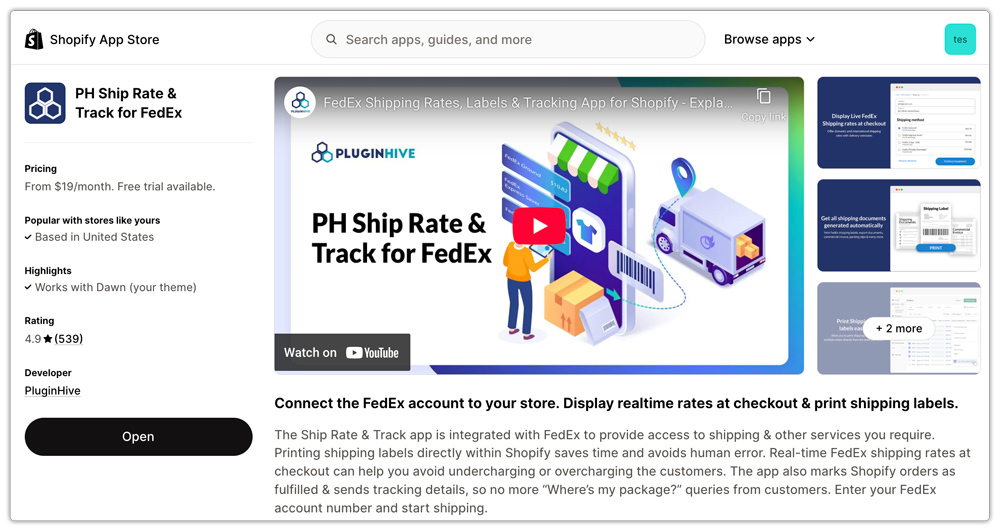
With the help of PH Ship, Rate & Track for FedEx, merchants can simplify several important tasks:
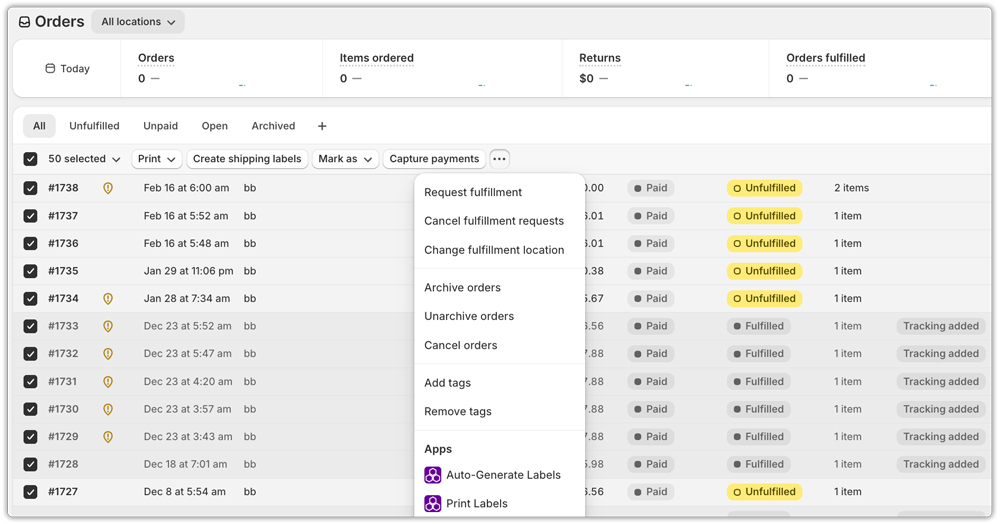
- Bulk label management
For stores handling many orders, shipping apps allow merchants to generate and manage multiple FedEx shipping labels at once, making the fulfillment process faster and more organized.
- Automation for shipping exceptions
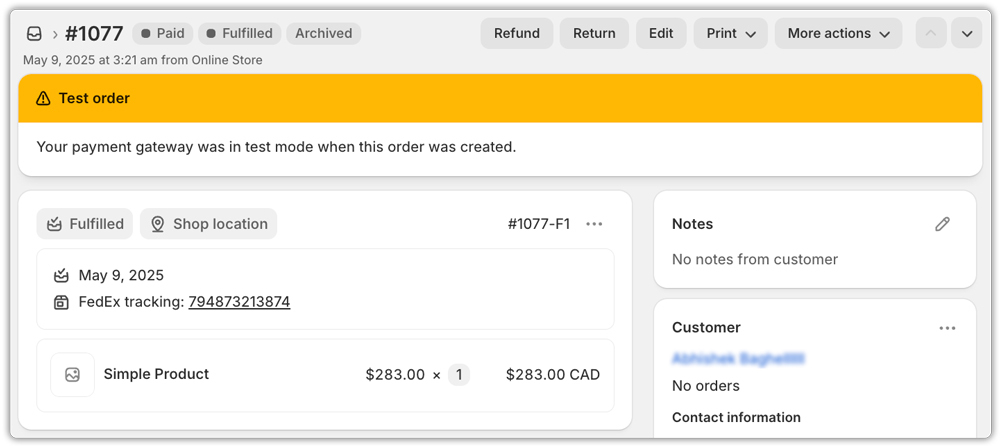
PH Ship, Rate & Track for FedEx automatically syncs order and tracking data back to Shopify, allowing merchants to quickly identify delivery exceptions such as failed delivery attempts, incorrect addresses, or undeliverable shipments.
- Real-time tracking alerts
Apps provide real-time tracking updates and notifications whenever the shipment status changes. It allows you to track orders with generated shipping labels and gives you the option to monitor shipment status. This helps merchants respond quickly to delivery problems and keep customers informed.

Conclusion
Failed deliveries can occasionally happen in eCommerce, but they don’t have to disrupt your entire fulfillment process. By understanding the common reasons behind delivery failures, such as incorrect addresses, unavailable recipients, or customs issues, Shopify merchants can quickly identify the problem and take the right steps to resolve it.
Working closely with FedEx to review tracking updates, confirm customer details, and arrange redelivery or address corrections can often help resolve a failed FedEx delivery and get the package back on track.
Using shipping automation tools like PH Ship, Rate & Track for FedEx app can further simplify the process by providing real-time tracking updates, automated shipping workflows, and easier label management. With the right approach and tools in place, Shopify merchants can handle FedEx failed delivery situations efficiently while keeping their shipping operations smooth and reliable.
FAQ’s
Q. What does FedEx do if a package is undeliverable?
In most cases, FedEx will attempt to deliver your package three times before returning it to the shipper. In case a courier is unable to leave your package, the courier will try to call you to check your availability and attempt the delivery.
Q. How long will FedEx hold an undeliverable package?
FedEx holds your package for up to 7 days before returning it to the shipper. You’ll need to bring your tracking number, government-issued photo ID, and your door tag number. Track your package to see where FedEx is holding it.
Q. How do I contact FedEx about an undelivered package?
If your package tracking status shows delivered but the recipient cannot find it, log in to your FedEx account, open the tracking page, and enter the tracking number or reference number. Select Manage Delivery, then Report Missing Package.
