



Once a customer completes a purchase on your Shopify store, their attention immediately shifts to one question: when will my order arrive? This post-purchase window is one of the highest-engagement moments in the entire customer journey, yet most Shopify merchants let it go to waste by redirecting customers to a generic carrier page. A dedicated order tracking page changes that completely.
A branded order tracking page keeps customers within your store ecosystem, reinforces your identity, and creates opportunities to build loyalty and drive additional revenue, all at a moment when customers are already paying close attention.
In This Article:
- Why Generic Carrier Pages Hurt Your Shopify Brand
- Key Benefits of a Branded Tracking Page for Shopify Stores
- The Solution: PluginHive Shipment Tracking & Notify App
- Conclusion
- FAQ’s
Why Generic Carrier Pages Hurt Your Shopify Brand
When a customer lands on a generic carrier page, several things happen that work against your business. First, your branding disappears entirely. Second, some carrier pages display advertisements sometimes from competing brands. Third, customers feel disconnected from your store, which weakens the relationship you worked hard to build.
Studies consistently show that customers check their order status multiple times between purchase and delivery. Every one of those visits to a generic carrier page is a missed opportunity. With a branded order tracking page, each of those visits becomes a touchpoint that reinforces your brand and keeps customers engaged.
Key Benefits of a Branded Tracking Page for Shopify Stores
Consistent Brand Experience End to End
- Your brand does not end at checkout. A branded order tracking page ensures that customers experience your identity, your logo (or, if you don’t have one yet, it may be worth taking the time to design a logo), and tone at every step of their journey, including after the sale.
- This consistency builds recognition and makes your store feel more professional and trustworthy to both domestic and international customers.
Fewer Customer Support Requests
- “Where is my order?” is the most common support query in e-commerce. When customers have easy access to a clear, real-time order tracking page, they find the answers themselves without contacting your support team.
- This reduces ticket volume significantly and frees up your team to handle more complex issues.
Upsell and Cross-Sell While Customers Are Engaged
- A customer checking their order status is already in a buying mindset. A branded order tracking page lets you display product recommendations, promote seasonal offers, or highlight a loyalty program right at that moment.
- This turns a passive status check into an active revenue opportunity.
Proactive Notifications That Reduce Anxiety
- Pairing a branded order tracking page with automated email notifications means customers are always in the loop.
- Rather than wondering about their package, they receive timely updates at every stage: shipped, out for delivery, delivered. This proactive communication builds confidence in your store.
Valuable Post-Purchase Data
- When customers interact with your own order tracking page, you can collect data on how often they check it, what they engage with, and how they navigate your store.
- This data is unavailable when customers are redirected to a carrier’s website, making a branded page a meaningful source of customer insight.
The Solution: PluginHive Shipment Tracking & Notify App
The PluginHive Shipment Tracking & Notify app is a Shopify app that gives merchants everything they need to deliver a professional, branded post-purchase experience without any technical complexity.
Here is what the app does and how it works:
Branded Order Tracking Page Built into Your Store
- The app creates a dedicated order tracking page directly on your Shopify store. Customers can visit this page, enter their order number and email address, and instantly view their latest shipment status, all within your store’s branding.
- Because all tracking activity happens on your own domain, it also improves your store’s SEO performance and drives repeat visits from customers checking their order status.
Automatic Email Notifications on Every Status Change
- Once enabled, the app automatically sends email notifications to customers every time the tracking status changes, whether the package is in transit, out for delivery, or delivered.
- These notifications are sent from your own business email using your mail server, which means they land in the inbox rather than the spam folder.
Centralized Shipment Dashboard for Store Owners
- Store admins get a consolidated view of all fulfilled orders and their real-time tracking statuses. Shipments can be sorted by status: In Transit, Out for Delivery, Delivered, or Exception, making it easy to spot and resolve delivery issues before customers have to reach out.
- This proactive visibility directly reduces the burden on your support team.
Wide Carrier Support
- The app supports major carriers, including UPS, FedEx, USPS, DHL Express, Canada Post, Australia Post, Delhivery, Sendle, Blue Dart, and more.
How to Set Up the PluginHive Shipment Tracking & Notify App
Getting the app running on your Shopify store is straightforward. Here is a step-by-step walkthrough based on the official setup guide:
Step 1: Install the App
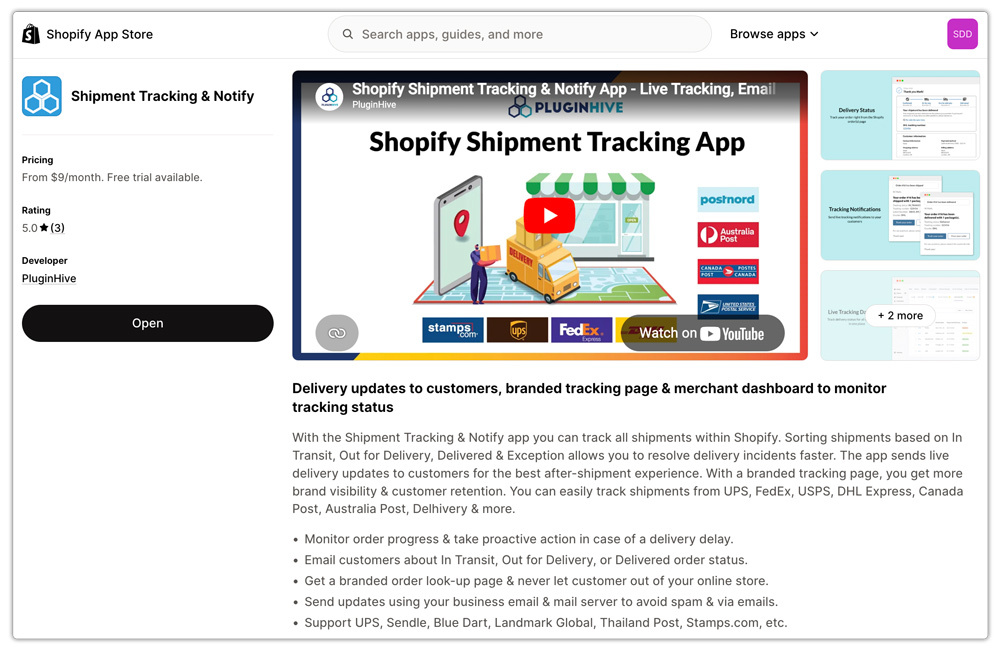
Go to the Shopify App Store and search for “Shipment Tracking & Notify” by PluginHive. Click Install and follow the on-screen prompts to add the app to your store.
Step 2: Enable Email Notifications
After installation, go to the Settings tab inside the app and turn on Email Notifications. This allows the app to automatically send live tracking updates to your customers whenever the shipment status changes.

Step 3: Fulfill Orders with Tracking Numbers
When fulfilling an order, enter the Tracking ID provided by your shipping carrier in the Tracking Number field and click Fulfill Items. The app will automatically trigger an order fulfillment email containing the tracking details.

Step 4: Add the Order Tracking Page to Your Store Navigation
- Inside the app, go to the Orders section and click Navigation. Choose where you want the order tracking page to appear in the header or footer menu.
- Enter a name for the page (this is what customers will see in your store menu), and it will go live immediately. Customers can then visit the page, enter their order number and email address, and view real-time shipment updates.

Conclusion
The post-purchase experience is a direct reflection of your brand. When customers receive a smooth, informative, and on-brand order tracking page, they feel valued, and that feeling drives loyalty, reduces support costs, and increases the likelihood of repeat purchases.
With the PluginHive Shipment Tracking & Notify app, Shopify merchants can create a fully branded order tracking page without any technical expertise. It is one of the simplest upgrades you can make to your store, and one of the most impactful for the long-term customer relationship.
Every order you ship is a chance to leave a lasting impression. A great order tracking page ensures that the impression is always a positive one.
FAQ’s
Q. Can a branded tracking page reduce customer support requests?
Yes. A clear order tracking page significantly reduces “Where is my order?” support tickets because customers can check shipment progress themselves at any time.
Q. Which shipping carriers are supported by PluginHive Shipment Tracking & Notify?
The app supports major carriers, including UPS, FedEx, USPS, DHL Express, Canada Post, Blue Dart, and many regional carriers.
Q. Is technical knowledge required to set up a branded tracking page on Shopify?
No. The setup process is simple and does not require coding. Merchants install the app, enable notifications, fulfill orders with tracking numbers, and add the tracking page to store navigation.
Q. Does a branded tracking page improve Shopify customer experience?
Yes. Customers feel more confident when they receive real-time shipment updates in a professional, branded environment. This improves trust during the post-purchase stage and strengthens long-term customer relationships.
