


“Online store” here means any e-commerce business, regardless of platform. Whether you run WooCommerce, Shopify, Magento, BigCommerce, or PrestaShop, international shipping brings the same core problems: customs paperwork, duty calculations, carrier coverage gaps, and shipping costs that vary widely by destination. Getting it wrong shows up fast, in abandoned carts, customs delays, or shipping costs that eat into margins.
This guide covers how to set up and automate the international shipping process, regardless of which platform your store runs on.
On This Page
- Why International Shipping Needs Its Own Plan
- Setting Up Shipping Zones and Rates
- Customs, Duties, and Paperwork
- Calculating Accurate International Shipping Rates
- How to Automate International Shipping for Your Ecommerce Store
- Conclusion
- FAQs
Why International Shipping Needs Its Own Plan
Domestic shipping rules don’t carry over cleanly once an order crosses a border. Delivery times stretch from days to weeks, carriers often hand packages to local postal services for the last mile, and customers increasingly expect to see duties and taxes upfront rather than being surprised at delivery. Without dedicated rules, stores either overcharge and lose sales, or undercharge and absorb the difference on every order. Treating international shipping as its own category is what keeps cost and customer experience predictable.
Setting Up Shipping Zones and Rates
Start by grouping destination countries into zones instead of one flat “rest of world” rate. A zone for Canada and Mexico, one for the EU, and one for Asia-Pacific, for example:
- Reflects real cost differences instead of a single average that overcharges nearby countries and undercharges distant ones.
- Within each zone, rates should scale with weight and dimensions rather than staying flat.
- Native shipping zone tools on most platforms handle flat or free-shipping rules well — live, carrier-calculated rates by zone usually require a dedicated shipping plugin/app.
Customs, Duties, and Paperwork
Every international shipment needs a commercial invoice and the correct Harmonized System (HS) code per product, since customs authorities use these to assess duty.
- Delivered Duty Paid (DDP) — where the seller collects duties at checkout, or
- Delivered Duty Unpaid (DDU) — where the customer pays on delivery.
- DDP is generally better for customer experience since there are no surprise charges at the door.
These rules are also actively changing. The EU removed its €150 duty-free threshold on July 1, 2026, replacing it with a temporary flat €3 customs duty per line item on low-value shipments, plus new product data requirements. (For more info, read this: EU Customs Duty Changes). The US similarly ended its $800 de minimis exemption in 2025. Both changes mean more international orders now attract duty regardless of value, making upfront duty calculation more important than before.
Calculating Accurate International Shipping Rates
Flat international rates are easy to set up but rarely match reality, since actual cost depends on destination, weight, dimensions, and current carrier pricing. Live rate calculation at checkout — pulled directly from carrier APIs — keeps quoted costs accurate without constant manual updates and protects margins on heavier or farther-flung orders that a flat rate would undercharge.
Choosing Carriers for Cross-Border Delivery
Carrier choice affects both cost and delivery experience. Here’s how the major international carriers generally compare:
| Carrier | Best For | Good To Know |
|---|---|---|
| USPS International | Small, lightweight packages to a wide range of countries | Often the cheapest option for light parcels; slower transit times |
| UPS International | Time-sensitive shipments needing tracked, guaranteed delivery | Strong tracking and customs support; higher cost than postal options |
| FedEx International | Reliable cross-border delivery with multiple speed tiers | Wide country coverage; good documentation tools for customs |
| DHL Express | Fast international delivery, especially into Europe and Asia | Known for strong customs clearance networks outside the US |
Many stores use more than one carrier, picking the cheapest reliable option per zone or weight range rather than defaulting to a single carrier for every destination.
How to Automate International Shipping for Your Ecommerce Store
Handling international orders manually quickly becomes time-consuming as your business grows. Calculating shipping rates, preparing customs paperwork, creating shipping labels, and updating tracking information for every order can slow down fulfillment and increase the risk of errors.
The right shipping solution automates these tasks by connecting your store directly with shipping carriers, allowing you to manage international orders from a single dashboard.
For WooCommerce Stores
If you run a WooCommerce store, WooCommerce Shipping Services lets you display live international shipping rates at checkout, generate shipping labels, prepare customs documentation, and automatically send tracking updates to customers.

If you choose to display only rates for international destinations in your store, you can use the Multi-Carrier Shipping Plugin for WooCommerce.
For Shopify Stores
If you sell on Shopify, the Multi-Carrier Shipping Label app offers the same workflow, helping you compare live carrier rates, print shipping labels, generate customs documents, and keep customers informed with automated tracking notifications.
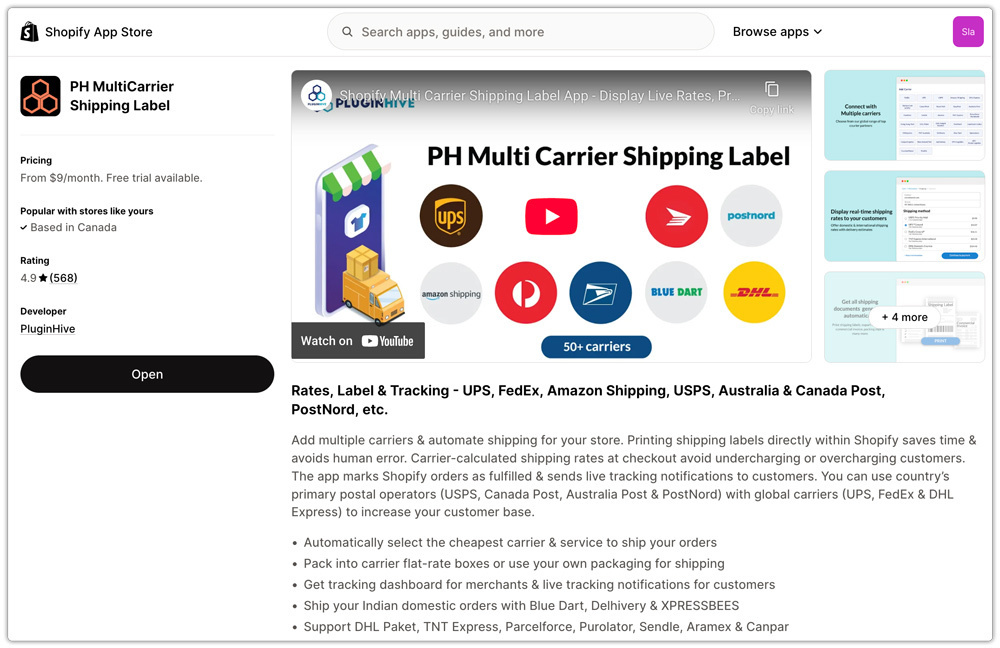
Whether you use WooCommerce, Shopify, Magento, BigCommerce, or PrestaShop, automating international shipping reduces manual work, improves checkout accuracy, and helps you scale cross-border fulfillment more efficiently.
Conclusion
International shipping rewards stores that treat it as its own workflow rather than an afterthought bolted onto domestic rules. Zones, accurate rates, correct customs paperwork, and the right carrier mix all compound into a smoother experience for customers and fewer surprises for the business. Automating shipping through PluginHive’s plugins/apps makes that workflow sustainable as international order volume grows, whichever platform the store runs on.
Need help setting up international shipping for your store? Our support team is here to help.
FAQs
Q. Can I show estimated delivery dates for international orders in WooCommerce?
Yes. The Estimated Delivery Date Plugin for WooCommerce displays estimated delivery dates on product pages, the cart, and checkout based on your shipping configuration. This helps set clear delivery expectations and reduces customer support enquiries about international shipments.
Q. Can I show, hide, or adjust shipping methods based on destination or cart conditions?
Yes. The PH Hide Shipping Methods & Rate Adjustment for WooCommerce plugin lets you show, hide, or modify shipping methods based on different conditions. This helps customers see only the shipping options that apply to their orders.
Q. Can I offer custom international shipping rates instead of carrier-calculated rates?
Yes. The PH Table Rate Shipping Pro for WooCommerce plugin allows you to create flexible shipping rules based on different parameters and conditions. It’s ideal if you want to offer your own international shipping rates instead of using live carrier rates.
Q. Can WooCommerce marketplaces calculate international shipping separately for each vendor?
Yes. The PH Multi-Vendor Shipping Plugin for WooCommerce calculates shipping rates separately for each vendor based on their warehouse or origin address. This ensures accurate international shipping costs for multi-vendor marketplaces.
Q. How can customers track their international shipments after dispatch?
The WooCommerce Shipment Tracking Pro plugin automatically adds carrier tracking information to WooCommerce orders and customer emails. Customers can track their shipments using the provided tracking number, reducing “Where is my order?” enquiries and improving the post-purchase experience.
