



Shopify’s Winter ’26 Edition marks a major shift for merchants. With over 150 new features, this release is not just about adding tools; it’s about changing how stores are built and launched. AI is no longer working in the background. It’s stepping into a more collaborative role.
At the center of this change is Shopify’s AI Sidekick. What was once a reactive assistant has evolved into a collaborator that understands e-commerce, anticipates needs, and helps turn conversations into real actions inside your store. Instead of juggling guides, settings, and apps, merchants can now rely on Sidekick to simplify complex tasks.
In the Renaissance era, “launching faster” did not mean rushing. It means spending less time on manual setup and more time shaping your brand and products. Shopify AI Sidekick takes care of the heavy lifting, allowing merchants to launch their business with confidence and speed.
In This Article
- Shopify’s AI Sidekick in Winter ’26
- What’s New in Shopify AI Sidekick (Winter ’26 Edition)
- Using Shopify AI Sidekick to Set Up a Store Faster
- Accelerating Product Setup with Shopify AI Sidekick
- Designing Your Store Faster with Sidekick
- Finally Launching Your Store
- Conclusion
- FAQ’s
Shopify’s AI Sidekick in Winter ’26
Shopify AI Sidekick in Winter ’26 Edition represents a major shift in how merchants interact with AI inside Shopify. It’s no longer just a support tool; it’s a built-in collaborator designed to help merchants launch and grow stores faster.
Sidekick’s Evolution: From Reactive Assistant to Proactive Collaborator
- Earlier versions of Sidekick responded only when merchants asked questions
- In Winter ’26, Sidekick:
- Anticipates merchant needs
- Suggests next actions before problems arise
- Helps in doing tasks directly with merchant approval
How Sidekick Understands eCommerce Better Than Generic AI
- Trained specifically on e-commerce and Shopify-related problems.
- Understands: Products, collections, themes, checkout, and operations, as well as how different store parts affect conversions.
- Uses real store data instead of generic assumptions about what a merchant wants.
How to access Sidekick Inside Shopify
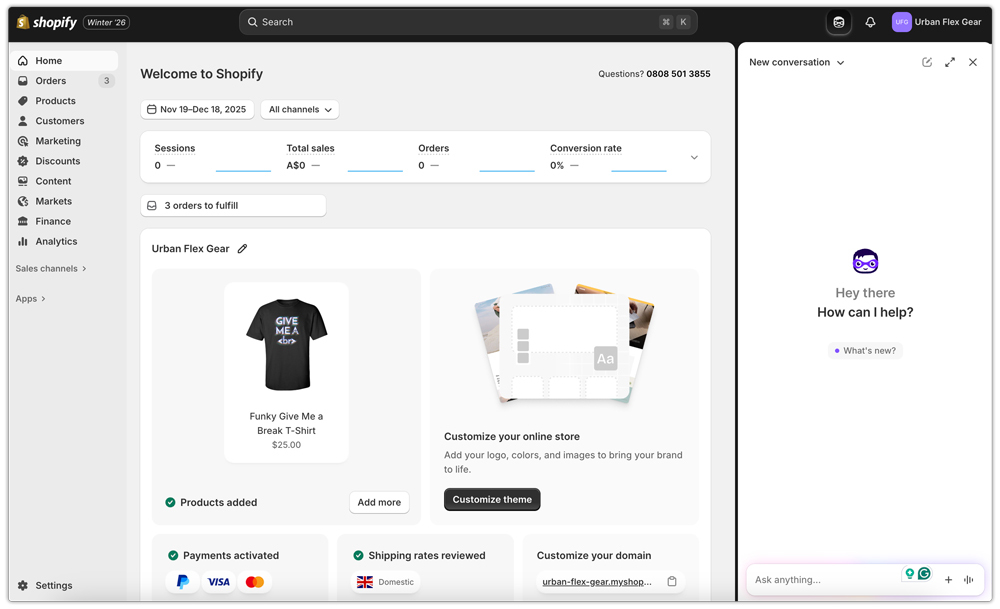
Sidekick is available on Shopify directly; no extra tools are required to access it, you only need to click on the option you find on the top right corner of your store. You can access it from here to ask any questions that you have about Shopify.
- Sidekick is also available while:
- Setting up products and collections
- Editing themes and store design
- Configuring payments, shipping, and checkout
This integration and behavior are what make Shopify AI Sidekick a true collaborator in the Winter shipping, not just another AI chatbot.
For more info on using the AI inside of Shopify, check out Winter’26 news for Shopify.
What’s New in Shopify AI Sidekick (Winter ’26 Edition)
Winter ’26 Edition introduces some of the most meaningful upgrades Sidekick has ever received. These changes change it from a helpful guide into an AI that actively suggests and executes while keeping merchants fully in control.
Sidekick Pulse: Proactive Business Intelligence
Sidekick Pulse acts like a business advisor that’s always working in the background, even when you’re not asking questions.
How Sidekick Pulse analyzes your store
- Reviews your store setup, products, and performance signals automatically
- Identifies gaps, risks, and missed opportunities before launch
- Understands what’s incomplete or under-optimized
Turning insights into immediate actions
- Suggests specific next steps you can implement instantly
- Helps you fix issues or improve setup without manual research
Sidekick That Builds and Executes
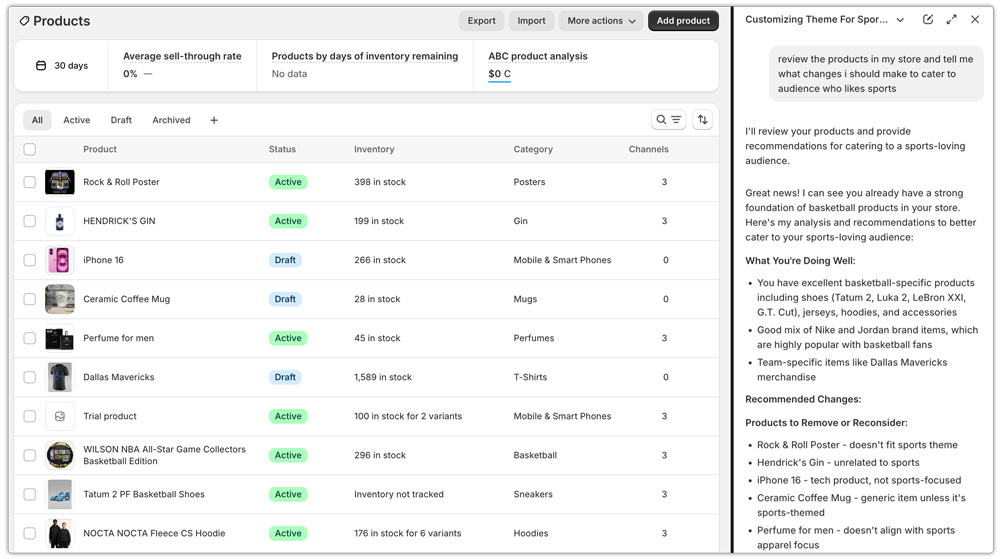
One of the biggest shifts in Winter Shipping is Sidekick’s ability to do the work, not just explain it.
Making changes directly
- Applies updates to themes, settings, and workflows for you
From conversation to execution without switching tools
- Turn natural-language prompts into real actions
- One conversation can lead directly to completed setup tasks
Together, these updates make Shopify AI Sidekick a true store launch partner, one that thinks ahead, acts fast, and helps merchants get to market sooner without sacrificing quality or control.
Using Shopify AI Sidekick to Set Up a Store Faster
Shopify AI Sidekick significantly reduces the time it takes to move from a blank store to a launch-ready setup by guiding merchants through the most time-consuming configuration tasks.
Store Settings and Core Configuration
Sidekick helps merchants get critical store settings right without needing to go through documentation.
- Guides you through setting up payments, taxes, shipping, and checkout based on your business needs
- Generates store pages like About Us, Contact, and Policies using simple, clear prompts
This ensures your store is functional and ready to accept orders much earlier in the setup process.
Navigation, Collections, and Structure
A clear store structure is good for both customer experience and scalability, and Sidekick helps you build it quickly.
- Creates menus and collections based on your products and store goals
- Organizes categories for easy navigation and future growth
With Sidekick handling the foundation, merchants can focus on building their brand and marketing strategy.
Accelerating Product Setup with Shopify AI Sidekick
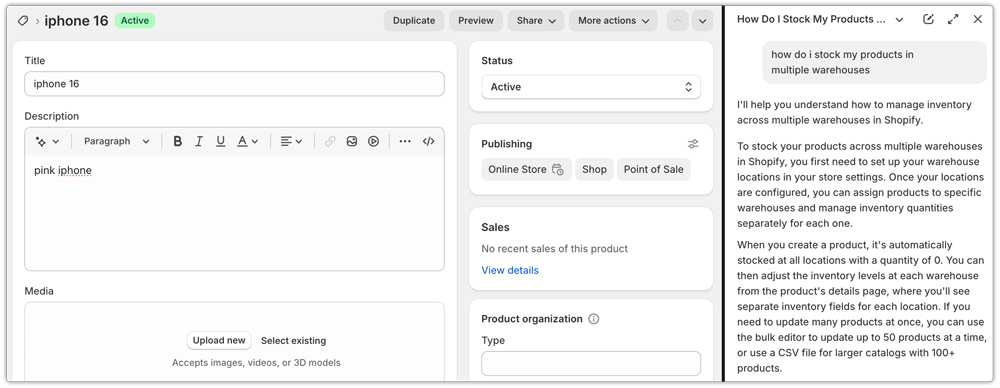
Product setup is often one of the most time-consuming parts of launching a store. Shopify AI Sidekick speeds this up by turning prompts into structured, ready-to-publish product listings.
- Create products using simple conversational prompts, without manually filling out every field
- Improve product titles, descriptions, and metadata to be clearer, more consistent, and launch-ready
- Receive bulk optimization suggestions to quickly change multiple products across your store
By reducing repetitive work and cleanup, Sidekick helps merchants get their entire product catalog ready faster without sacrificing quality.
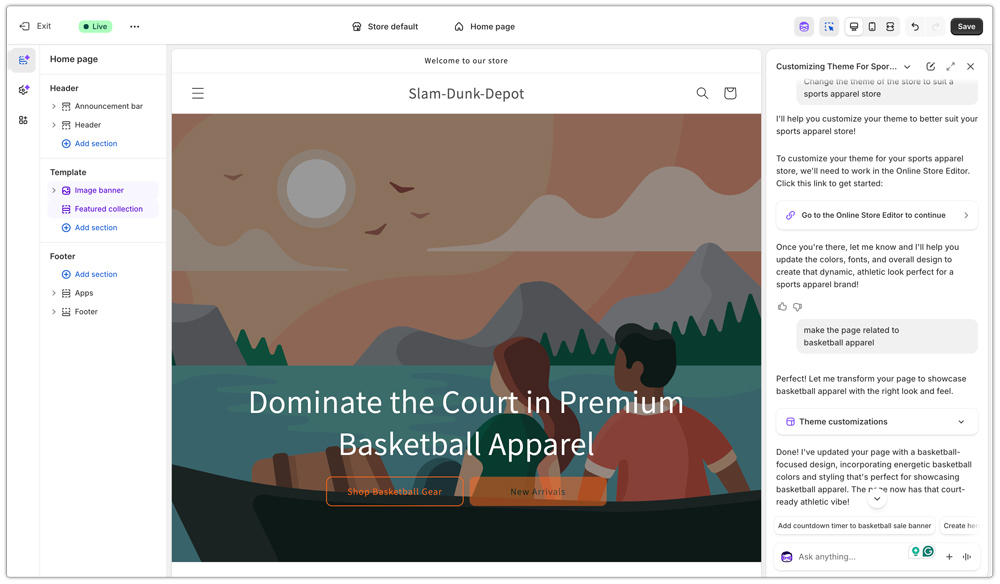
Designing Your Store Faster with Sidekick
Shopify AI Sidekick makes store design quicker and more intuitive by removing technical barriers.
Natural-language theme editing
- Edit themes using simple commands like “make this button rounded.”
- Apply global or local changes instantly by clicking any element
AI-powered visual improvements
- Enhance product photos with built-in AI tools
- Create professional visuals without design expertise
This allows merchants to design and change their stores faster without compromising on quality.
Finally Launching Your Store
This is where preparation turns into action. With Shopify AI Sidekick supporting the entire setup process, launching your store becomes a smooth and confident step rather than a stressful one.
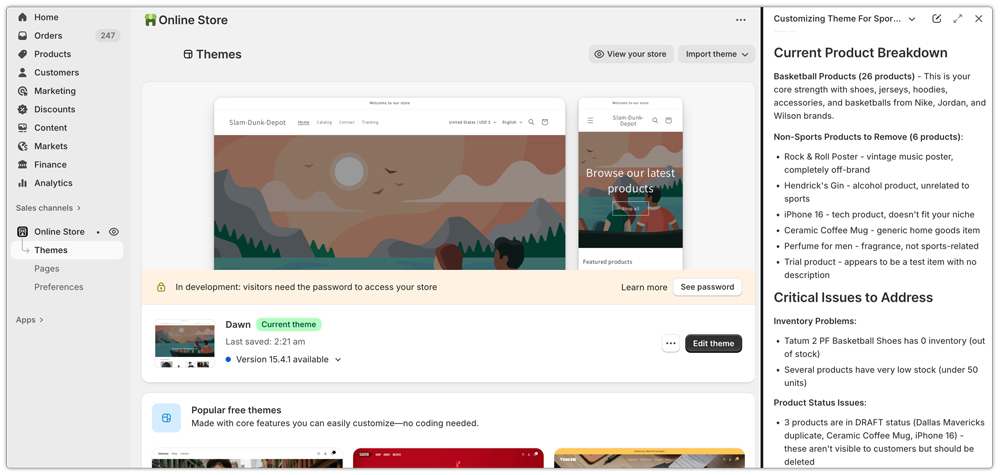
- Sidekick helps check key areas like products, checkout, payments, and navigation before launch
- Last-minute fixes or adjustments can be handled quickly through simple prompts
- You can go live knowing your store is complete, consistent, and ready to accept orders
By reducing uncertainty and manual checks, Sidekick makes the transition from setup to launch faster and far more easy.
Post Launch Setup:
While Shopify AI Sidekick helps merchants configure shipping settings faster, choosing the right carrier setup for shipping your products after launch is just as important. This is where the PH MultiCarrier Shipping Label app comes to help
With MCSL, merchants can:
- Connect multiple shipping carriers in one place
- Display accurate shipping rates at checkout
- Generate shipping labels and manage orders without manual work
When combined with Shopify AI Sidekick, MCSL helps merchants move from store setup to shipping-ready faster, ensuring that once the store goes live, order fulfillment runs smoothly from day one.
Conclusion
Shopify’s Winter ’26 Edition changes what launching a store feels like. Instead of checking settings, guides, and tools, merchants now have Shopify AI Sidekick working alongside them throughout the entire process. It doesn’t just answer questions; it helps you think, decide, and act faster.
By simplifying setup, speeding up product creation, removing design friction, and fixing issues before launch, Sidekick takes a lot of pressure off merchants. When paired with launch-ready tools like the PH MultiCarrier Shipping Label app for shipping and fulfillment, merchants can also ensure their shipping setup is accurate and scalable from day one. This means less time troubleshooting after launch and more time focusing on your brand, products, and customers.
In this new Shopify AI Renaissance, launching fast isn’t about rushing to go live. It’s about removing unnecessary work and moving forward with confidence. With Shopify AI Sidekick and reliable shipping workflows in place, merchants can launch stores that are not only faster but stronger from day one.
FAQ’s
1. What is the winter 2025 update for Shopify?
The Winter 2025 Shopify update (Winter ’26 Edition) introduces over 150 new features with a strong focus on AI. The highlight is AI Sidekick evolving into a proactive collaborator that helps merchants build, optimize, and launch stores faster. Overall, the update reduces manual work and makes store setup and launches more efficient.
2. How is Shopify’s Sidekick different from other AI tools?
Unlike generic AI, Sidekick is trained specifically on Shopify and e-commerce. It understands products, collections, themes, checkout, and store performance, and uses real store data instead of generic assumptions.
3. Can Sidekick help with product creation and optimization?
Yes. Sidekick can create products through conversational prompts, improve titles and descriptions, and suggest bulk optimizations to get catalogs launch-ready faster.
