


When it comes to reliable and affordable shipping within Canada and across international borders, Canada Post remains one of the most trusted carriers among Shopify merchants. Its wide delivery network, flexible services, and strong reputation make it a go-to choice for businesses that want dependable order fulfillment.
For Shopify sellers, offering live Canada Post rates at checkout is more than just a convenience; it’s a powerful way to build customer trust. When buyers see accurate, real-time shipping rates directly from Canada Post, they’re more confident that they’re paying a fair price for delivery.
In this guide, we’ll walk you through exactly how to set up live Canada Post rates in your Shopify checkout, including the steps, settings, and tools needed to get it running smoothly. By the end, you’ll know how to provide a fully automated and transparent Shopify shipping setup that enhances your customers’ buying experience.
In This Article
- Prerequisites Before Showing Live Canada Post Rates
- Step-by-Step Guide to Show Live Canada Post Rates
- Customizing Canada Post Rates Display in Shopify
- Best Practices for Using Canada Post on Shopify
- Conclusion
- FAQ’s
Prerequisites Before Showing Live Canada Post Rates
Before you can display live Canada Post rates at checkout, make sure you have the right setup in place. These steps ensure your Shopify Canada Post integration works smoothly and shows accurate carrier-calculated rates.
Canada Post Business Account
You’ll need a Canada Post business account to access your API credentials (username, password, and customer number).
These credentials allow Shopify or your shipping app to fetch real-time Canada Post rates.
Note: Sign up through the Canada Post Solutions for Small Business program if you don’t already have one.
Shopify Plan with Carrier-Calculated Shipping (CCS)
The CCS feature is required to show live rates at checkout.
- Included with Advanced or Plus plans.
- If you’re on the Grow plan, you can enable it by:
- Upgrading to an annual subscription, or
- Contacting Shopify Support to add it for a small fee.
Check the official Shopify documentation for where CCS is available.
Recommended App For Canada Post Shipping
Install the PH Multi-Carrier Shipping Label App for an easy Canada Post integration.
It connects your Canada Post account via API, calculates real-time rates, and lets you:
- Show or hide specific services
- Add markups or discounts
- Automate label generation and pickups
With these steps complete, your Shopify store will be ready to display accurate live Canada Post rates at checkout.
Step-by-Step Guide to Show Live Canada Post Rates
Setting up live Canada Post rates in your Shopify checkout is simple once you have everything ready. Follow these steps to connect your account, configure your services, and start displaying real-time shipping rates to customers.
Step 1: Create Your Canada Post Account
Start by logging in to your Canada Post Solutions for Business account. Once you’re in, locate your API credentials, including your username, password, and customer number.
These details are what Shopify uses to pull Canada Post live rates directly at checkout.

Note: For full detailed instructions on setting up a Canada Post account, check out How to Register for a Canada Post Account.
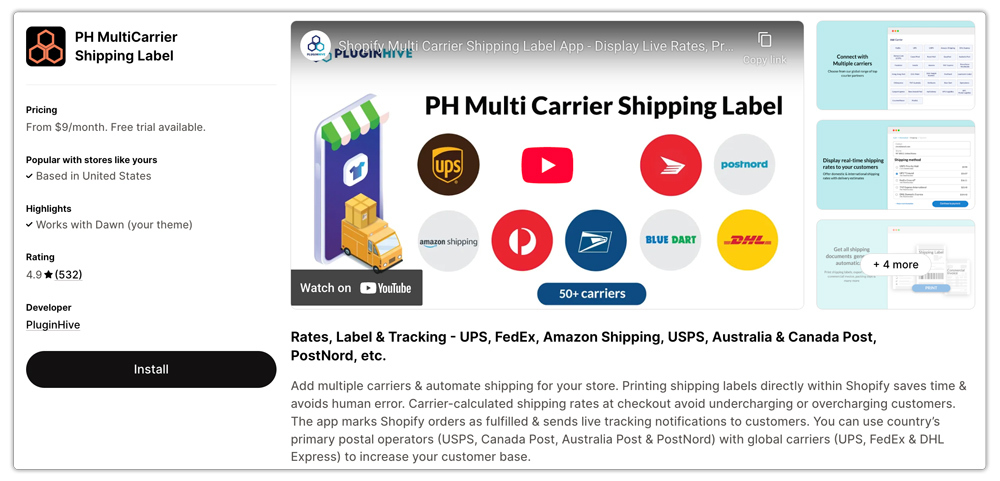
Step 2: Install the PH Multi-Carrier Shipping Label App
Next, head to the Shopify App Store and install the PH Multi-Carrier Shipping Label App. After installation, connect your Canada Post account using the API credentials from this app will automatically fetch real-time shipping rates and make it easy to manage your Shopify shipping setup.
Note: Detailed instructions for setting up the app can be found in Setting up Shopify Multi Carrier Shipping Label App.
Step 3: Configure Your Canada Post Service Options
Within the app, choose which Canada Post services you want to display at checkout, such as Expedited Parcel, Xpresspost, or Priority. You can also set preferences like handling fees, rate adjustments, or restrictions based on location or weight.

Step 4: Show Live Rates at Checkout
Once your configuration is complete, your Shopify store will begin showing Canada Post live rates directly at checkout.
Test it by adding a product to your cart and entering a postal code. You should now see accurate real-time shipping rates pulled straight from Canada Post.

With these steps done, your Canada Post Shopify checkout will provide customers with transparent, up-to-date delivery options that build trust and improve conversions.
The Video Below gives you a detailed explanation of how to set up live Canada Post rates on Shopify.

Customizing Canada Post Rates Display in Shopify
Once you’ve set up live Canada Post rates, you can fine-tune how they appear at checkout to better match your business needs. Using the PH Multi-Carrier Shipping Label app, you can easily customize Canada Post rates to align with your Shopify shipping rules.
Here’s what you can do:
- Add handling fees or discounts – Adjust your rates by adding a small handling charge or offering discounts to encourage faster shipping options.

- Show specific Canada Post services – Display only the delivery options you want customers to see based on factors like product weight, destination, or shipping zones.

- Set custom shipping rules – Control when and how rates appear, ensuring your checkout always reflects accurate and business-friendly pricing.
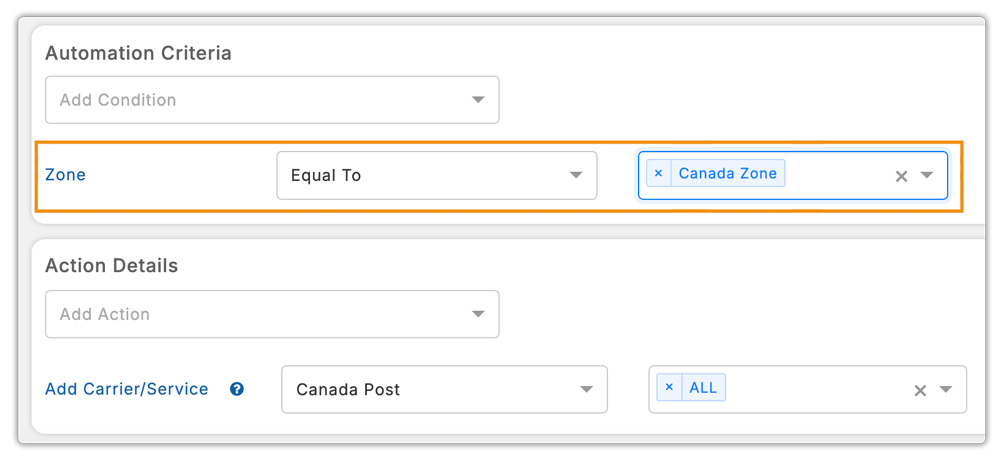
By using the PH Multi-Carrier Shipping Label app, you can create custom Canada Post rates that are transparent, flexible, and tailored to your store’s fulfillment strategy.
Full details on adding these customizations can be found in Setting up Shopify Multi Carrier Shipping Label App.
Best Practices for Using Canada Post on Shopify
To get the most out of your Canada Post Shopify setup, it’s important to follow a few best practices. These will help keep your shipping process accurate, efficient, and customer-friendly.
Here are some proven tips to optimize your Shopify shipping setup:
- Add accurate product weights and dimensions – Always input precise weights and package sizes so your Canada Post rates remain accurate and consistent at checkout.
- Offer multiple delivery speeds – Give customers flexibility by including options like Standard, Express, and Priority shipping. This helps cater to different delivery needs and budgets.
- Maintain rate transparency and tracking – Combine clear, upfront shipping costs with real-time delivery tracking to build trust and improve customer satisfaction.
- Use scheduled pickups – Automate your Shopify fulfillment by scheduling Canada Post pickups, saving time and reducing manual drop-offs.
By following these Shopify shipping best practices, you’ll streamline operations and reduce delivery issues. This will help you provide a smoother and more reliable shopping experience for your customers.
Conclusion
Displaying live Canada Post rates at your Shopify checkout is one of the simplest yet most effective ways to improve the shopping experience for your customers. It builds trust by showing accurate, real-time shipping costs, reduces cart abandonment, and helps you stay transparent with delivery pricing.
With the right setup, a Canada Post business account, a Shopify plan that supports carrier-calculated rates, and the PH Multi-Carrier Shipping Label app, you can easily automate this process and keep your shipping fully up to date.
Beyond just showing rates, customizing your Canada Post integration lets you fine-tune services, offer multiple delivery speeds, and even schedule pickups for smoother fulfillment.
In short, connecting Canada Post live rates to your Shopify shipping setup helps you save time, reduce manual work, and create a checkout experience your customers can trust, all while streamlining your order fulfillment process.
FAQ’s
- Does Shopify integrate with Canada Post?
Yes, Shopify integrates with Canada Post to display live rates, print labels, and manage shipping. You can also use the PH Multi-Carrier Shipping Label app for advanced rate customization and automation.
- Is Canada Post Shipping to the US DDP?
Yes. From August 29, 2025, all Canada Post shipments to the United States are to be sent with DDP (Delivered Duty Paid). This means duties and taxes are paid upfront by the sender. DDU (Delivered Duty Unpaid) shipments will no longer be accepted and will be blocked at label creation.
- Does Canada Post deliver to India?
Yes, Canada Post delivers parcels to India through its international shipping services. However, depending on your delivery timeline and budget, other carriers like UPS, Purolator, or FedEx may offer faster or more cost-effective options for shipping to India.
