


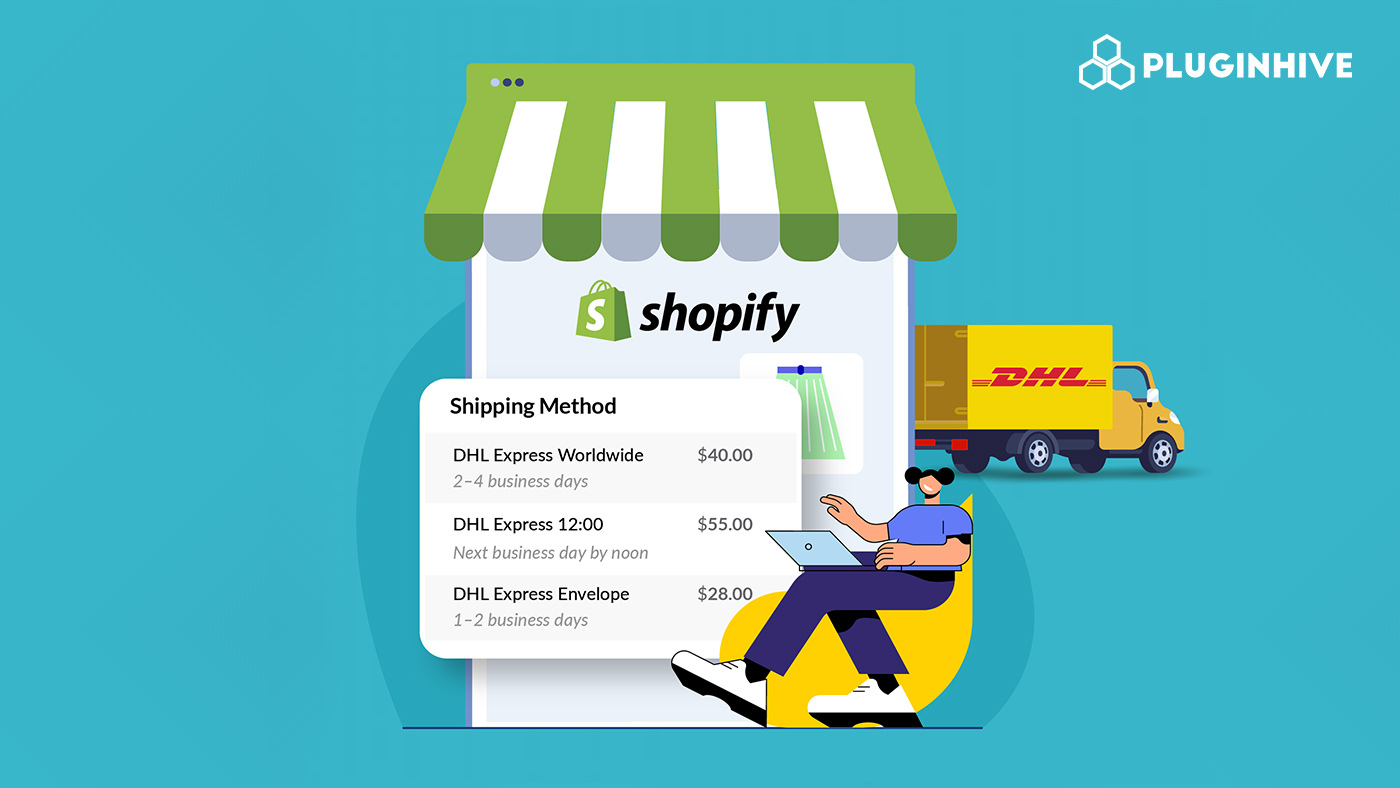
Fast and reliable shipping plays a huge role in whether customers complete a purchase, especially for international orders. That’s where DHL Express stands out. With its global delivery network, time-definite services, and strong customs expertise, DHL Express is a popular choice for Shopify merchants who want dependable and fast shipping worldwide.
For Shopify sellers, showing live DHL Express rates at checkout isn’t just about accuracy; it’s about trust. When customers see real-time shipping rates pulled directly from DHL Express, they feel confident they’re being charged fairly. This transparency helps reduce cart abandonment and improves the overall checkout experience.
In this guide, we’ll walk you through how to show live DHL Express rates at Shopify checkout, step by step. We’ll cover everything you need from prerequisites and app setup to customization tips and best practices so you can create a smooth, automated shipping workflow that works for both you and your customers.
In This Article:
- Prerequisites Before Showing Live DHL Express Rates in Shopify
- Step-by-Step Guide to Show Live DHL Express Rates
- Customizing DHL Express Rates in Shopify
- Best Practices for Using DHL Express on Shopify
- What Research Says About Shipping Transparency and Checkout Conversions
- Conclusion
- FAQ’s
Prerequisites Before Showing Live DHL Express Rates
Before live DHL Express rates can appear at checkout, your Shopify store needs a few things in place. These requirements ensure your rates are accurate and your integration runs smoothly.
DHL Express Business Account
- First, you’ll need an active DHL Express business account. This gives you access to API credentials such as your site ID, password, and DHL account number.
- These details allow Shopify to pull real-time DHL Express shipping rates directly from DHL.
Note: If you don’t already have an account, you can sign up for a DHL Express business account through the official DHL website.
Shopify Plan with Carrier-Calculated Shipping (CCS)
Live DHL Express rates require Shopify’s carrier-calculated shipping feature.
- Included with Advanced Shopify and Shopify Plus
- Available on the Grow plan if you:
- Switch to annual billing, or
- Contact Shopify Support to enable CCS for a small additional fee
Recommended App for DHL Express Shipping
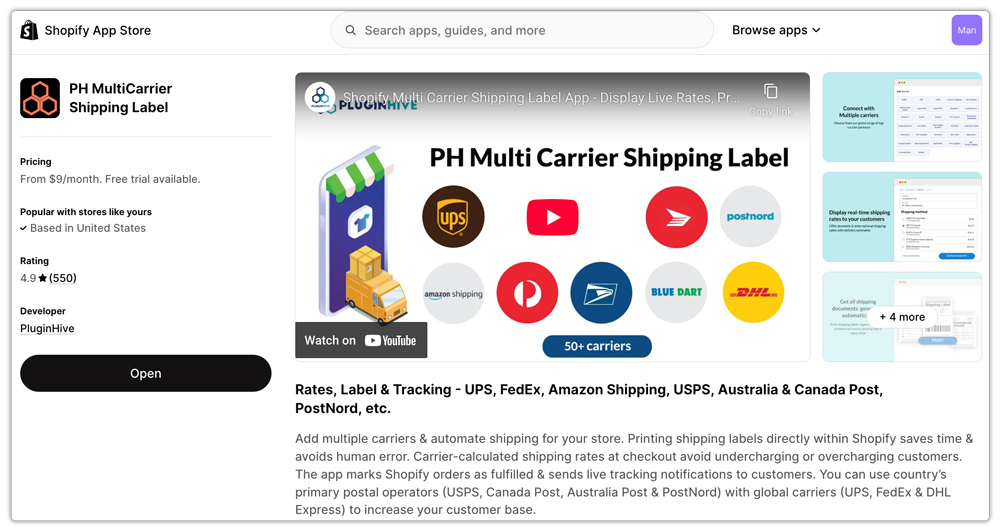
To make setup simple and flexible, we recommend using the PH Multi-Carrier Shipping Label app.
This app connects your DHL Express account via API and allows you to:
- Display live DHL Express rates at checkout
- Choose which DHL Express services to show
- Add handling fees or discounts
- Generate shipping labels and schedule pickups automatically
Once these basics are ready, your Shopify store will be fully prepared to show accurate DHL Express rates.
Step-by-Step Guide to Show Live DHL Express Rates
Once your accounts and app are ready, setting up live DHL Express rates on Shopify is straightforward. Follow the steps below to get everything running.
Step 1: Create Your DHL Express Account
- Log in to your DHL Express business account and locate your API credentials, your site ID, password, and DHL account number.
- These credentials are essential for pulling DHL Express live rates into your Shopify checkout.
Note: If you need help, check out the article on how to obtain a DHL account.
Step 2: Install the PH Multi-Carrier Shipping Label App
- Next, visit the Shopify App Store and install the PH Multi-Carrier Shipping Label app.
- After installation, connect your DHL Express account using the API credentials.
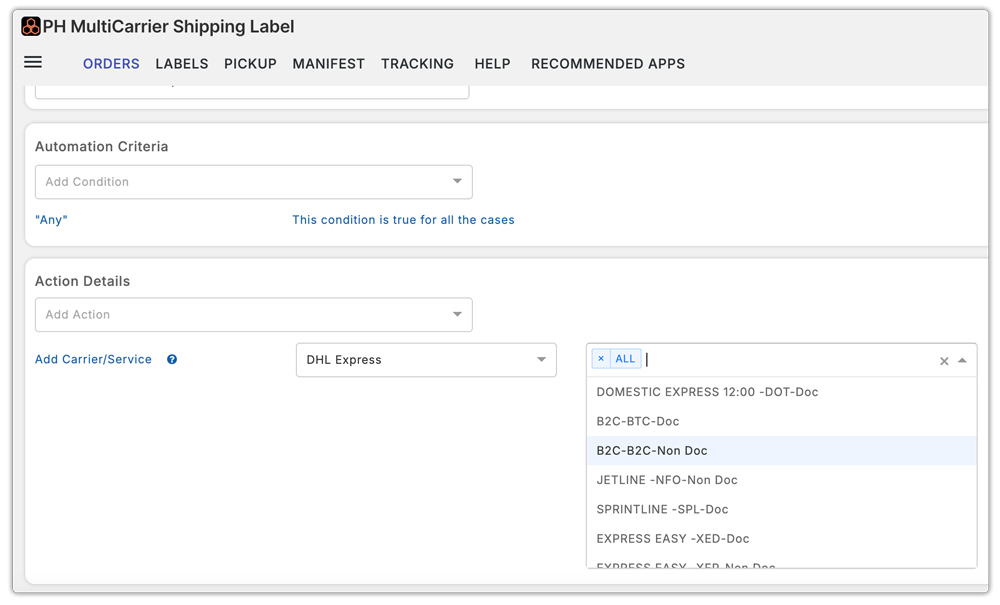
Step 3: Configure Your DHL Express Services
Inside the app, choose which DHL Express services you want to offer at checkout, such as:
- DHL Express
- DHL Express Saver
- DHL EuroPack
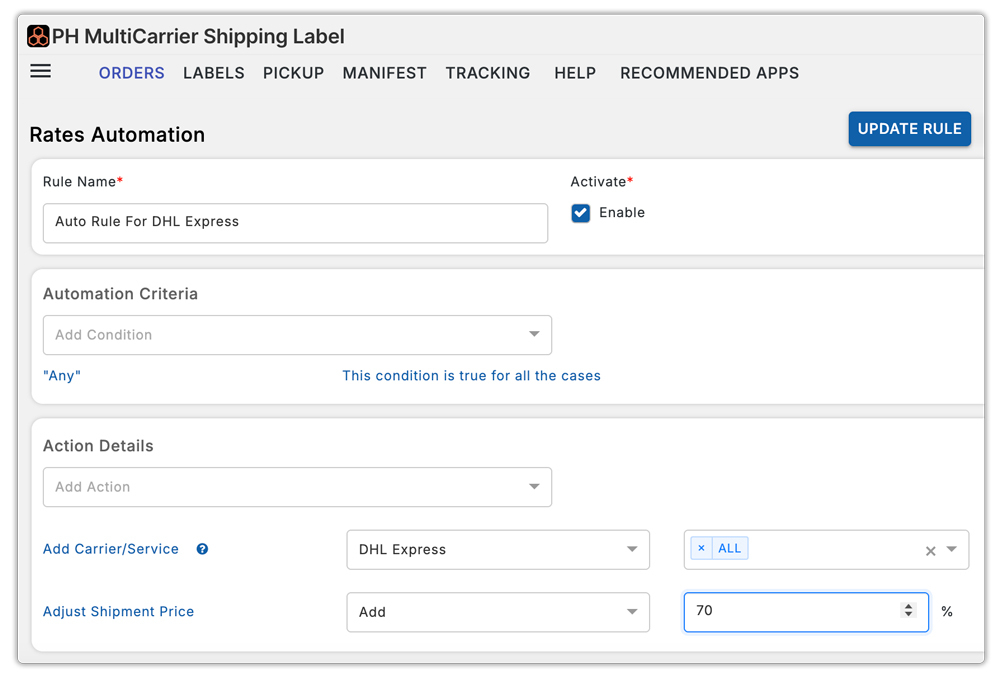
You can also fine-tune settings like rate markups, handling fees, service availability, and shipping rules based on destination or package weight.
Step 4: Show Live DHL Express Rates at Checkout
- Once everything is configured, your Shopify checkout will start showing live DHL Express rates automatically.
- To test it, add a product to your cart and enter a shipping address. You should see accurate DHL Express shipping rates calculated in real time.
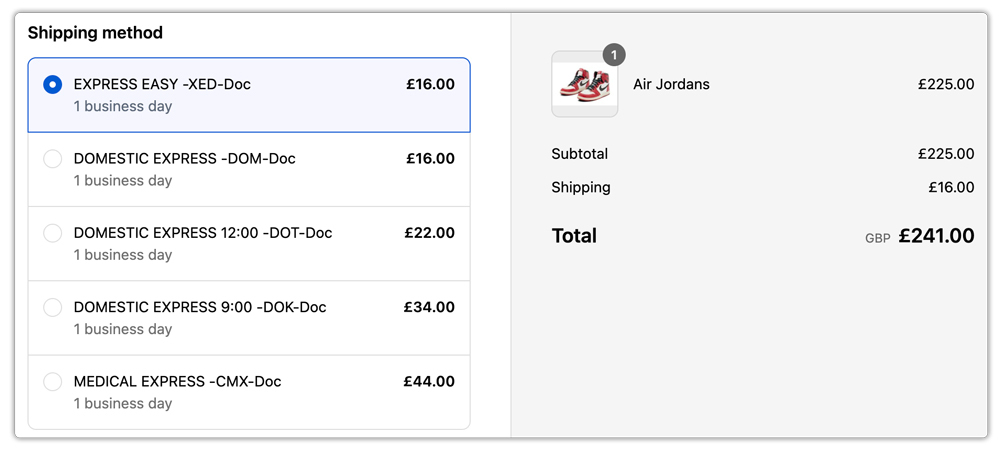
At this point, your store is officially offering transparent and reliable DHL Express shipping options.
Customizing DHL Express Rates in Shopify
After enabling live rates, you can customize how DHL Express options appear at checkout to better match your business needs.
With the PH Multi-Carrier Shipping Label app, you can:
- Add handling fees or discounts to cover packaging costs or promote express delivery
- Show only selected DHL Express services based on shipping zones or product types
- Create custom shipping rules using weight, cart value, or destination conditions
These options give you full control while keeping rates accurate and transparent for customers.
Best Practices for Using DHL Express on Shopify
To get the best results from DHL Express on Shopify, keep these best practices in mind:
- Always use accurate product weights and dimensions to avoid incorrect rate calculations
- Offer multiple delivery speeds so customers can choose between cost and speed
- Pair live rates with real-time tracking to improve post-purchase confidence
- Schedule DHL Express pickups to save time and streamline fulfillment
Following these tips helps reduce shipping issues and creates a smoother experience for both you and your customers.
What Research Says About Shipping Transparency and Checkout Conversions
Choosing to display accurate, real-time shipping rates at checkout isn’t just best practice; there’s real evidence showing it affects customer behavior and sales.
Several studies from e-commerce research and industry data highlight how shipping costs and transparency influence purchase decisions:
- Unexpected shipping costs are a major driver of cart abandonment. Research shows that around 28% of shoppers abandon carts when they encounter unexpected shipping fees late in the checkout process, making it one of the most common reasons for losing a sale.
- In broader checkout usability research, nearly 48% of shoppers abandon their purchase because extra costs like shipping and taxes are too high or hidden until the last step.
- Additional data reveals that 50% of cart abandonment cases can be linked to surprise shipping and tax charges, especially when shoppers don’t see total costs until checkout.
These insights show a clear pattern: when customers can’t see accurate delivery costs upfront, they are far more likely to drop out of the purchase process. Offering live DHL Express rates at checkout helps reduce that “sticker shock,” builds transparency, and gives customers confidence that the price they see is the price they’ll pay.
Conclusion
Showing live DHL Express rates at Shopify checkout is one of the simplest ways to create a better shopping experience for your customers. When shipping costs are clear, accurate, and calculated in real time, shoppers feel more confident completing their purchase, especially for international orders.
With the right setup in place, a DHL Express business account, a Shopify plan that supports carrier-calculated shipping, and the PH Multi-Carrier Shipping Label app, you can automate the entire process. From displaying real-time rates to managing services, labels, and pickups, everything works together smoothly.
Beyond convenience, live DHL Express rates help reduce cart abandonment, set clear delivery expectations, and build long-term trust with your customers. Instead of guessing shipping costs or dealing with last-minute surprises, your checkout stays transparent and reliable.
In the long run, this kind of clarity doesn’t just improve shipping; it improves conversions, customer satisfaction, and the overall professionalism of your Shopify store.
FAQ’s
Can I show live DHL Express rates on any Shopify plan?
Live DHL Express rates require carrier-calculated shipping (CCS). This feature is included with the Advanced Shopify and Shopify Plus plans. If you’re on the Grow plan, you can enable CCS by switching to annual billing or by contacting Shopify Support for an additional fee.
Do I need a DHL Express business account to show live rates?
Yes. A DHL Express business account is required to access API credentials. These credentials allow Shopify or a shipping app to pull real-time DHL Express shipping rates directly from DHL.
Can I choose which DHL Express services appear at checkout?
Absolutely. Using the PH Multi-Carrier Shipping Label app, you can decide which services to show, such as DHL Express, DHL Express Saver, or DHL EuroPack. You can also hide services you don’t want to offer.
