


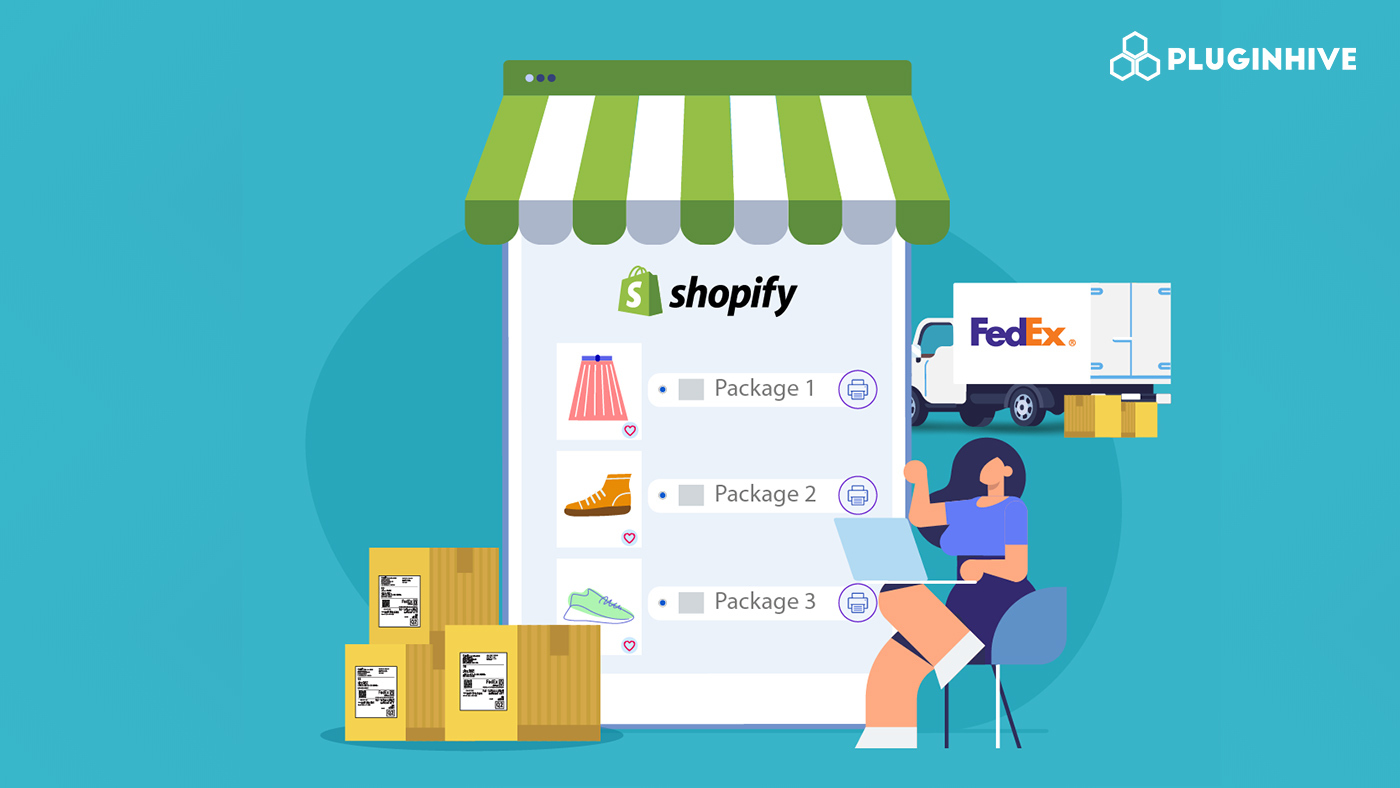
As Shopify stores grow, orders often become more complex. Instead of shipping everything in a single box, merchants frequently need to split one order into multiple packages. This is known as multi-package shipping.
In Shopify, multi-package shipments usually come into play when an order is too big or heavy for one box, when items ship from different warehouse locations, or when a single purchase includes multiple products packed separately. For example, a customer might order gym equipment, furniture, or bundled apparel items that simply won’t fit into one package. In these cases, merchants must ship multiple boxes while keeping tracking and delivery as seamless as possible.
FedEx is frequently chosen for multi-package shipping because it handles multi-piece shipments reliably and provides strong tracking across all packages under one shipment. With services that support both ground and express delivery, FedEx allows Shopify merchants to ship multiple packages together while maintaining visibility, delivery speed, and professional customer communication.
In This Article:
- What Is a Multi-Package FedEx Shipment
- Scenarios Where Shopify Stores Need Multi-Package Shipping
- How to Create Multi-Package FedEx Shipments in Shopify
- How to Reduce Costs on Multi-Package FedEx Shipments
- Conclusion
- FAQ’s
What Is a Multi-Package FedEx Shipment
A Multi-Package FedEx shipment is a single shipment that includes multiple boxes sent to the same recipient under one master tracking number.
Definition of a FedEx Multi-Package Shipment
- One customer order shipped using multiple boxes
- Each box has:
- Its own label
- It’s own tracking number
- All packages are connected under one FedEx shipment
- Packages typically travel together and are delivered around the same time
Single-Package vs Multi-Package Shipments
Single-Package Shipment
- All items fit into one box
- One shipping label and one tracking number
- Simpler packing and lower risk of split delivery
Multi-Package Shipment
- The order is divided into two or more boxes
- Multiple labels and tracking numbers
- Used when:
- Items are large or heavy
- Products ship as bundles
- Packaging requirements differ per item
For Shopify merchants, multi-package shipments make it easier to handle complex orders without creating multiple separate shipments.
Scenarios Where Shopify Stores Need Multi-Package Shipping
Shopify merchants often use multi-package shipping when a single order can’t fit in one box. Below are the most common situations where splitting shipments makes sense.
Orders Exceeding Single-Box Limits
- Large or heavy orders may exceed weight or size limits
- Splitting packages helps avoid oversized fees and handling issues
Furniture, Equipment, or Bundled Products
- Bulky items or multi-part products ship better in separate boxes
- Bundles often include items with different packaging needs
Multiple Warehouse Locations
- Items in one order may ship from different warehouses
- Multi-package shipping keeps tracking organized across locations
Domestic vs International Shipments
- Domestic shipments are usually simpler to manage
- International shipments require package-level customs details
- FedEx supports both, making scaling easier for Shopify stores
How to Create Multi-Package FedEx Shipments in Shopify
Creating multi-package FedEx shipments in Shopify doesn’t have to be complicated. With the PH Ship, Rate & Track for FedEx app, merchants can automate packing, label generation, and tracking in one place.
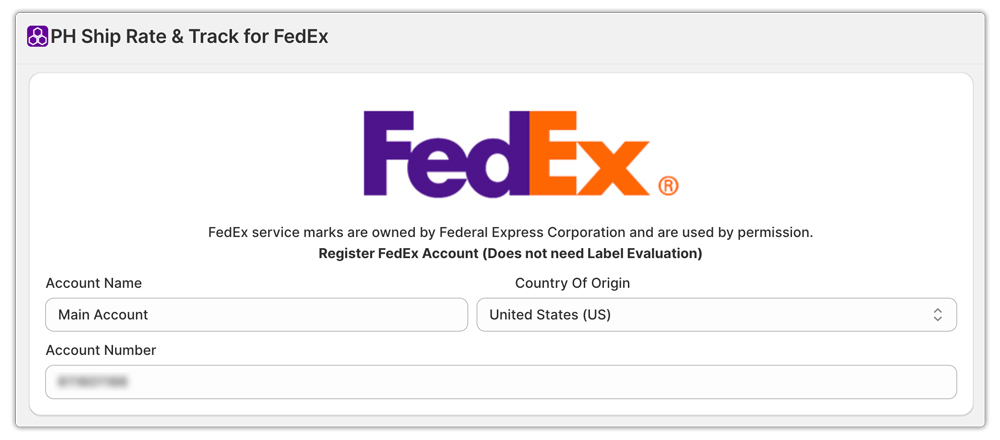
Connect Your FedEx Account to Shopify
Start by connecting your FedEx account to Shopify through the app. Once connected, your store can access live FedEx rates and use FedEx services directly while fulfilling orders.
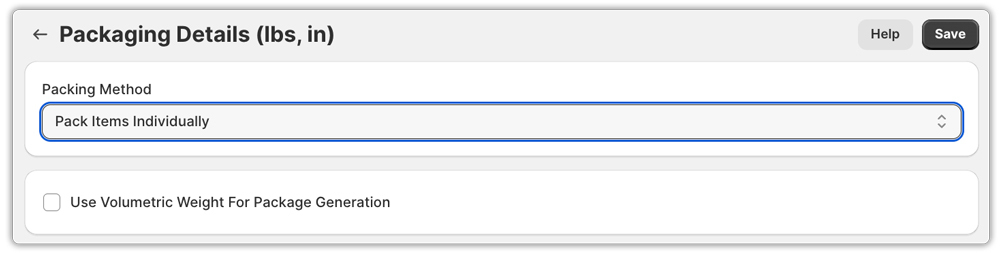
Set Up Packaging Logic
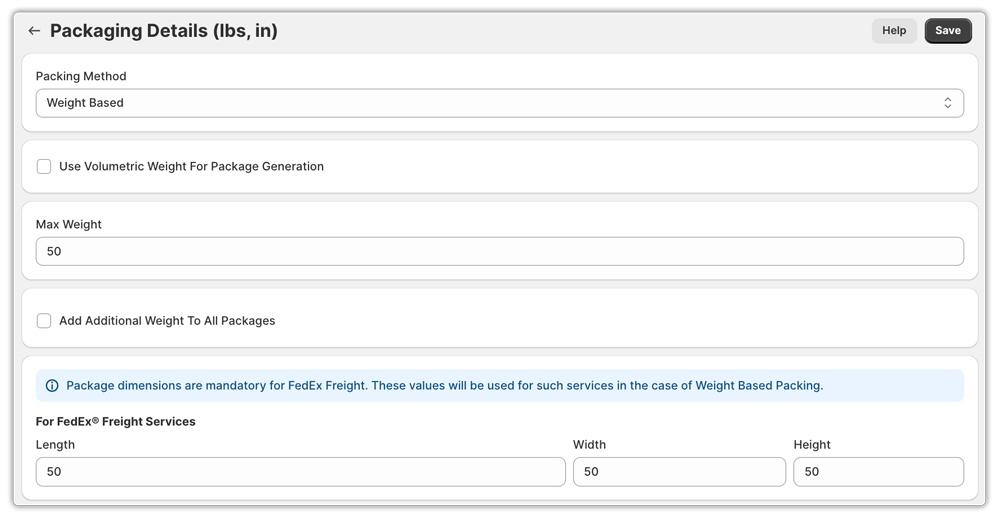
The app lets you decide how orders should be packed based on your products and shipping needs.
1. Weight-Based Packing
- Set a maximum allowed weight per package
- If an order exceeds this weight, the app automatically splits it into multiple packages
- Ideal for heavy or dense products
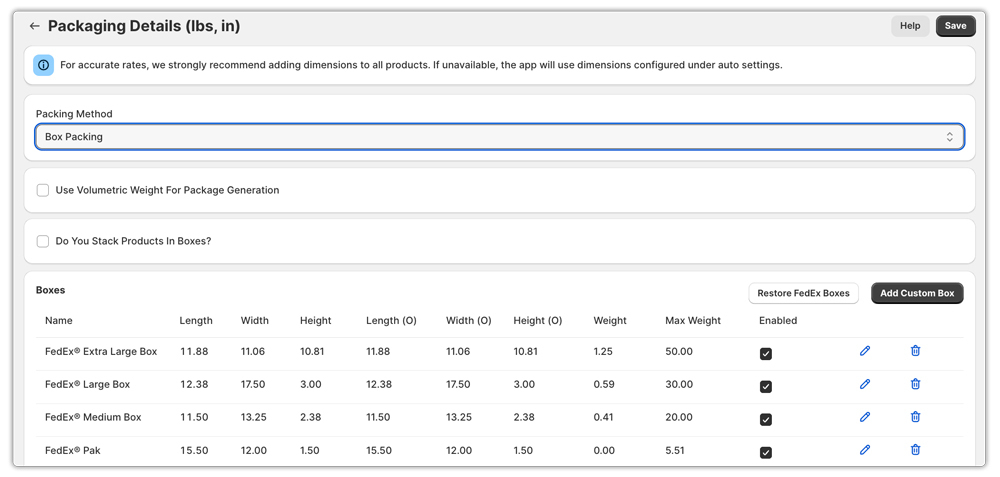
2. Box Packing (Including FedEx Boxes)
- Uses package dimensions to calculate volume
- Compares order volume against box capacity
- Automatically creates multiple packages if the order exceeds the box volume
- Supports standard FedEx boxes and custom boxes
3. Individual Item Packing
- Creates a separate package for each item in the order
- Best for fragile, high-value, or uniquely sized products
Automatic Label Printing and Tracking
Once the packages are created, the app gives the option to generate a separate shipping label for each package. You can print all labels at once, saving time during fulfillment. Each package receives its own tracking number, which you can monitor.
Overall, the app removes the manual work from multi-package shipping and makes the process faster, cleaner, and easier to manage for Shopify merchants.
How to Reduce Costs on Multi-Package FedEx Shipments
Shipping multiple packages can increase costs quickly if it isn’t planned carefully. By making a few smart adjustments, Shopify merchants can significantly reduce FedEx multi-package shipping expenses.
- Optimize Package Dimensions: Always use boxes that closely match your product size. Oversized packaging increases dimensional weight, which can drive up FedEx rates. Tighter packing helps lower costs and reduces the risk of damage during transit.
- Choose the Right FedEx Service: Not every shipment needs express delivery. Use FedEx Ground or Home Delivery for non-urgent orders and reserve express services for time-sensitive shipments. Matching the service to the delivery deadline can result in major savings.
- Combine Packages vs Split Shipments: Sometimes combining items into fewer packages costs less than shipping multiple small boxes. In other cases, splitting heavy items into multiple packages avoids overweight surcharges. Testing both options helps identify the most cost-effective approach.
- Avoid Address and Handling Surcharges: Double-check shipping addresses before label creation to prevent address correction fees. Proper labeling, accurate package details, and correct packaging also help avoid additional handling surcharges.
By fine-tuning these areas, merchants can keep multi-package FedEx shipping efficient without letting costs spiral out of control.
Conclusion
Multi-package FedEx shipping is often necessary as Shopify orders become larger and more complex. While splitting an order into multiple boxes can seem challenging, the right setup makes the process simple and reliable.
By using the PH Ship, Rate & Track for FedEx app, merchants can automate packing, label creation, and tracking for every package in a shipment. This keeps fulfillment efficient and ensures customers receive clear delivery updates.
With proper packaging, the right FedEx service selection, and attention to avoiding extra fees, Shopify merchants can manage multi-package shipments smoothly while keeping shipping costs under control as their business grows.
FAQ’s
Q. What is a multi-package FedEx shipment in Shopify?
A multi-package FedEx shipment is a single Shopify order that ships in two or more boxes. Each package has its own shipping label and tracking number, but FedEx links all packages under one shipment for easier tracking and delivery management.
Q. Can customers track all packages in a multi-package shipment?
Yes. Each package receives its own FedEx tracking number. Customers can track individual packages through the FedEx website, while merchants can view all tracking details directly inside Shopify using the app.
Q. How does FedEx calculate shipping costs for multi-package shipments?
FedEx calculates rates based on each package’s weight, dimensions, and selected service. Costs may include dimensional weight, fuel surcharges, and handling fees, which is why accurate packaging details are important.
