



Every thriving Shopify store depends on a shipping setup that holds up day after day. FedEx has long been the carrier of choice for merchants who need speed, global coverage, and dependability. But the technology powering that connection is changing. FedEx is retiring its older infrastructure, and stores that do not adapt risk losing core shipping capabilities at the worst possible moment.
This guide covers everything you need to know: what the FedEx REST API is, what is at stake if you delay, and exactly how to complete the switch step by step, without writing a single line of code.
In This Article:
- What the FedEx REST API Means for Your Shopify Store
- What Happens If You Stay on the Old API
- How to Switch To Rest API: A Shopify Walkthrough
- Practical Advice for a Hassle-Free FedEx Rest Api Switch
- Need to Add FedEx REST API in Other E-Commerce Platforms?
- Wrapping Up
- FAQ’s
What the FedEx REST API Means for Your Shopify Store
REST API is the modern web standard that powers most of today’s applications. Compared to FedEx’s legacy SOAP-based Web Services, the REST API is lighter, faster, and built around current security practices.
For Shopify merchants, the practical benefits show up immediately:
- Accurate rates at checkout: customers see live FedEx pricing after they enter an address, with no estimates and no surprises.
- Automated label creation: generate and print FedEx shipping labels directly from your Shopify dashboard, without toggling between platforms.
- Real-time shipment visibility: both you and your customers can follow packages from pickup to doorstep, cutting down on “Where is my order?” enquiries.
- Expanded carrier capabilities: the REST API unlocks a broader set of FedEx services and future features.
In short, it is the foundation that keeps your FedEx shipping working reliably.
What Happens If You Stay on the Old API
FedEx has already begun shutting down select SOAP Web Services, including Tracking, Address Validation, and Postal Code Validation. FedEx Web Services will fully retire on June 1, 2026. Any store still running on the old system after that date will face serious, immediate problems.
Here is what that looks like in practice:
- Checkout rates disappear: When the shipping API is off, causing customers to abandon their carts.
- Label generation breaks down: orders pile up with no way to create labels automatically, pushing your team into slow, error-prone manual workarounds.
- Tracking becomes unavailable: without live tracking data, customer service enquiries spike, and your support team has nothing concrete to offer.
- Security gaps widen: the SOAP API runs on older authentication protocols that no longer meet current standards. The REST API uses authentication, which is significantly more robust.
- New features are locked out: FedEx is building everything new on REST. Staying on SOAP freezes your shipping capabilities while competitors move ahead.
The longer you wait, the less time you have to test and resolve issues before the June 2026 deadline arrives.
How to Switch To Rest API: A Shopify Walkthrough
The simplest and most reliable way to get the FedEx REST API working on your Shopify store is by using a compatible shipping solution that handles the heavy lifting for you. Rather than dealing with raw API credentials, developer documentation, or complex backend configurations, all you actually need to do is connect your FedEx REST credentials to the shipping apps.
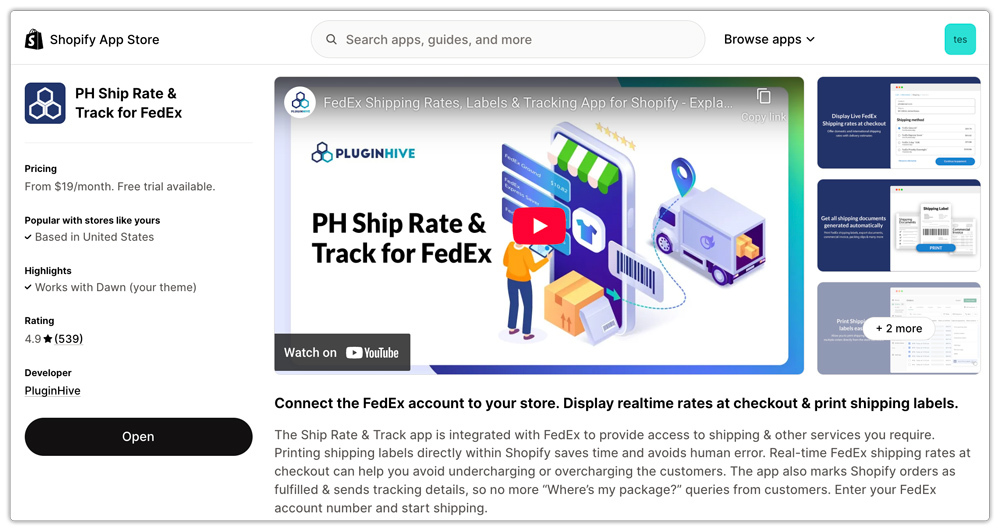
Integration through the PH Ship, Rate & Track for FedEx app
- To get started, download and install the PH Ship, Rate & Track for FedEx app on your store. You can refer to the setup guide to walk you through the entire process.
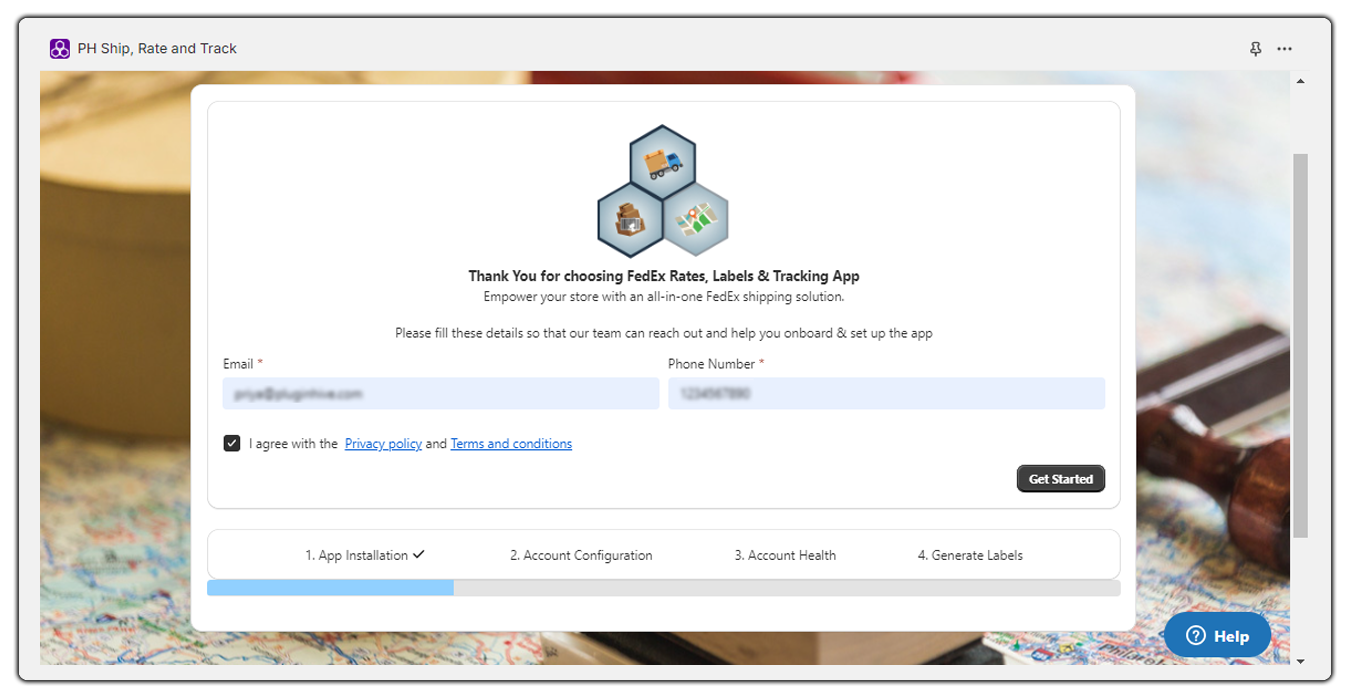
- Post that you will land on the App Installation page. Fill in your email address and phone number, check the I agree with the Terms and Conditions and Privacy Policy box, and click Get Started to begin the setup.
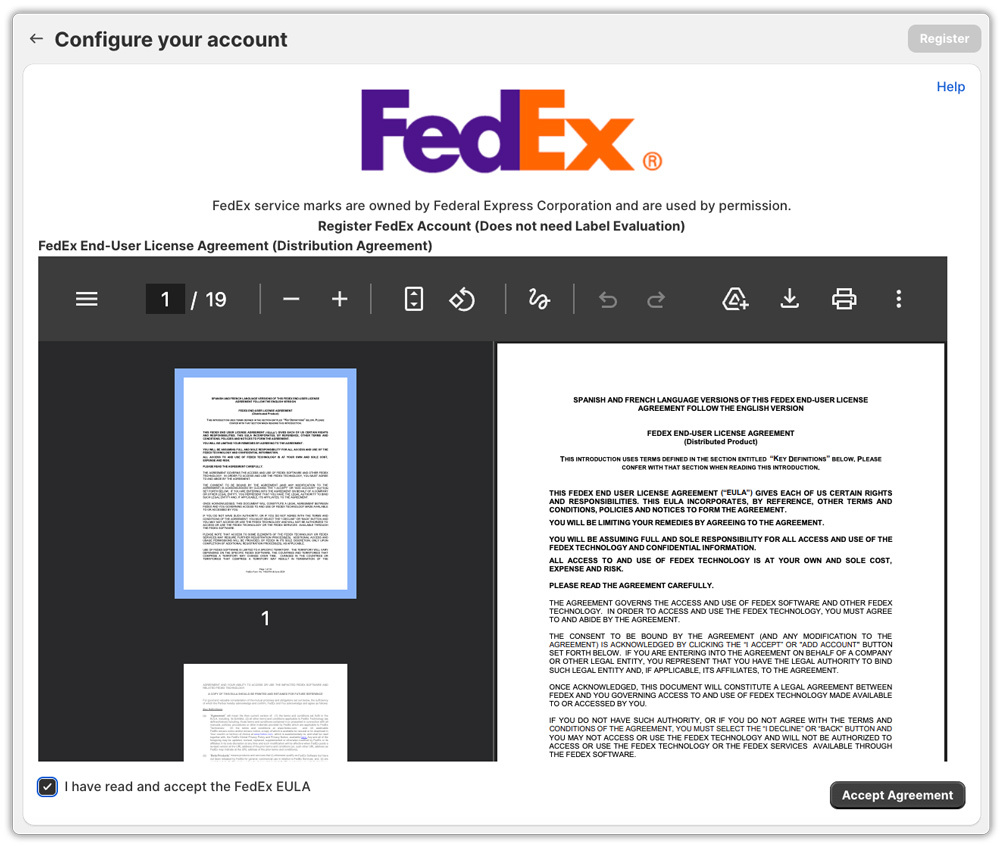
- To configure the FedEx REST API, you will be prompted with the FedEx End User License Agreement (EULA). Read through it carefully, check the acceptance box, and click Accept Agreement to move on to the next step.
- After this, you’ll be prompted to enter your account details exactly as they’re registered with your FedEx account. Account Name, Account Number, First Name, Last Name, Company Name, Phone Number, Email Address, Street Address, Country/Region, City, State, and ZIP Code, along with a Validation Type option. This validation method will authenticate your account based on the option you select, such as Email, SMS, CALL, Invoice, or Helpdesk.
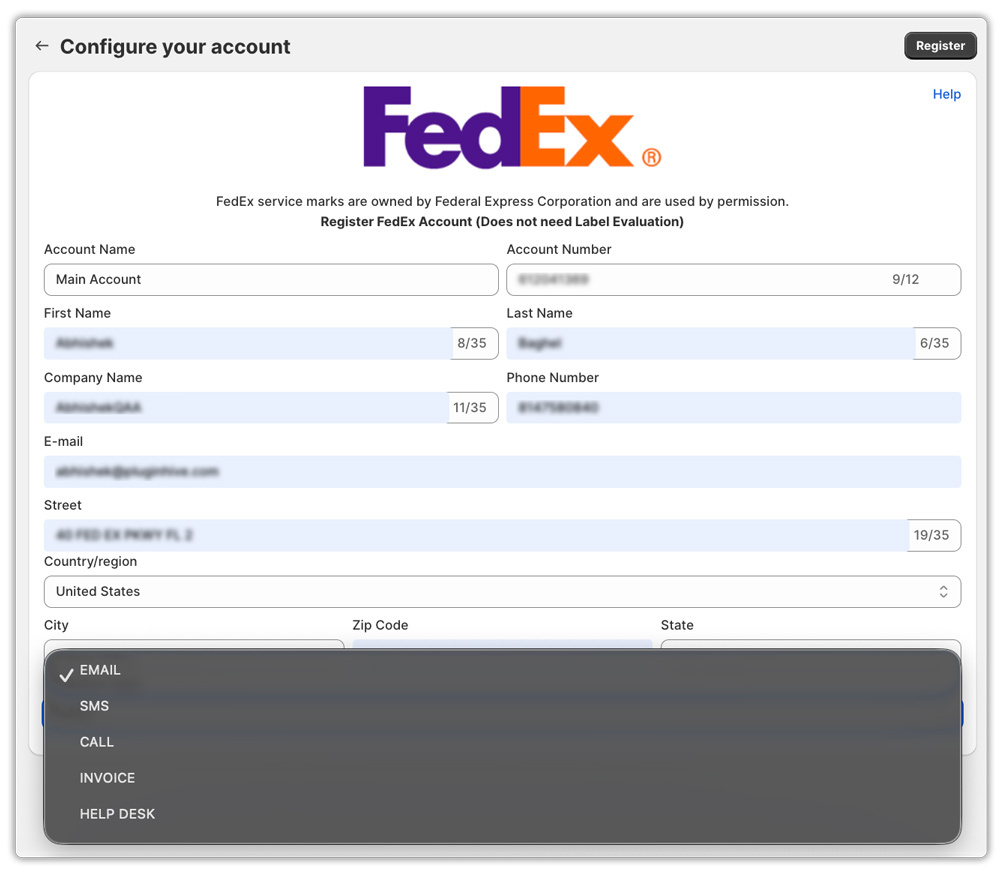
Validation method for FedEx to verify your account.
Options include:
- OTP via SMS, Phone Call, or Email
- Invoice validation (using recent FedEx invoice details)
- Help Desk confirmation
- If you select SMS, Phone Call, or Email, you will be prompted to enter the OTP received in your medium that is registered with FedEx.
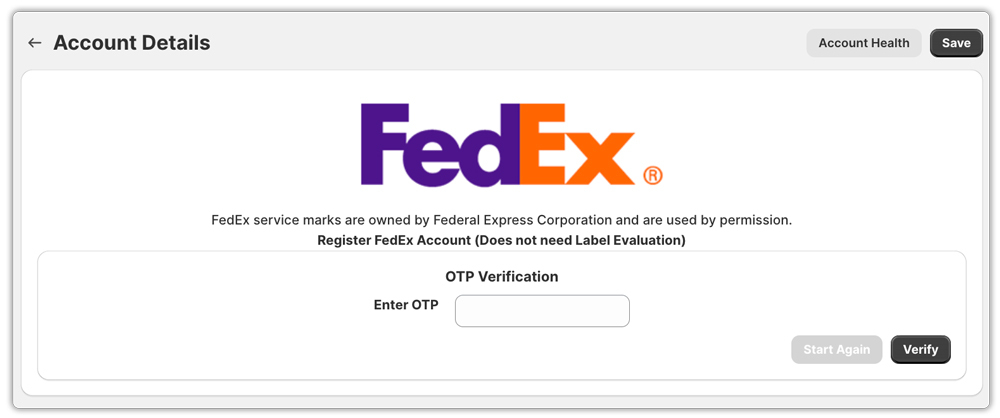
- If you choose Invoice validation, FedEx will prompt you to provide invoice details, including your invoice number, amount, date, and currency, to complete account verification. These invoice details can be found on any recent FedEx shipping invoice linked to your FedEx account.
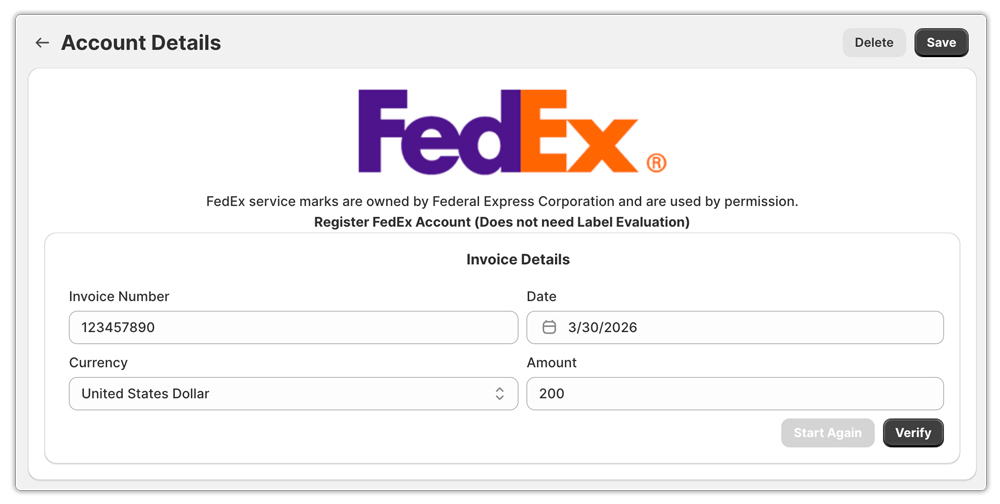
If you select Help Desk:
- This method requires you to contact your FedEx Account Manager or FedEx Tech Support and request a bypass for FedEx REST registration.
- Before reaching out, keep the following details ready:
- FedEx Account Number
- FedEx Billing Address (including Email ID and Phone Number)
- Recent FedEx Invoice ID
- Once the FedEx team confirms the bypass, return to the app and select the Help Desk option for account validation. A confirmation screen will appear asking whether you’ve already completed the manual validation with the FedEx support team.
- Click Proceed if the bypass has been completed; your account will be registered successfully.
If the bypass has not been completed on the FedEx side, the registration will fail. In that case, reconnect with your FedEx Account Manager or Tech Support and confirm the bypass.
For best results, complete the Help Desk registration while still on the call with the FedEx team, so you can immediately verify that the process works.
Alternatively, you can share the required details with the PluginHive support team, who can coordinate with FedEx on your behalf.
- After all of this is done, you will land on the verification screen, confirm the verification to proceed, and click Finish to complete the configuration process.
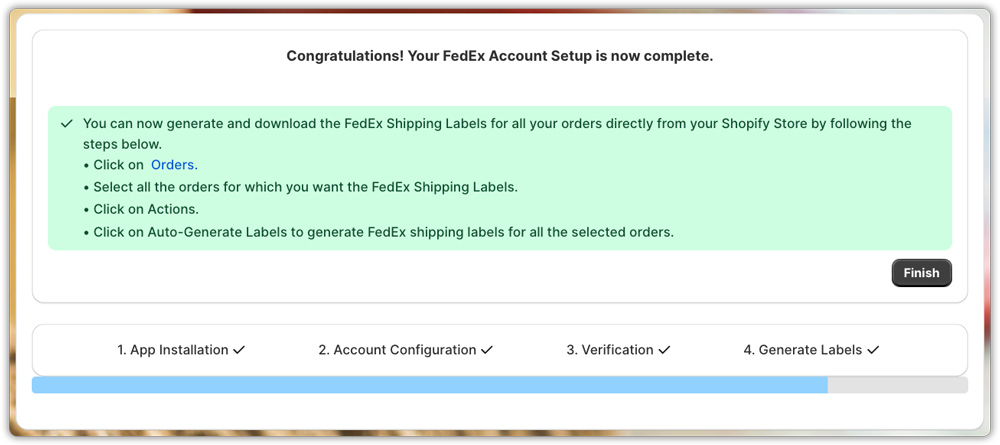
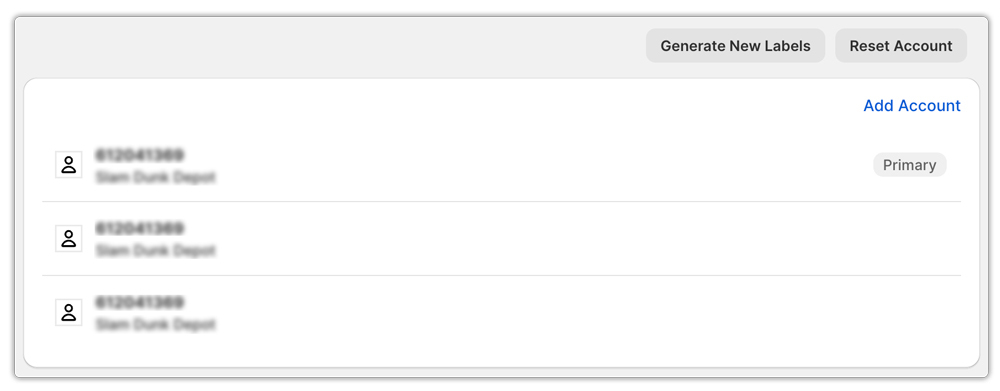
- If you are an existing customer of the app, migrating from your old service account is even simpler. Click Reset Account in your app settings, then set up your FedEx REST credentials using the same steps above.
Video Tutorial for Integrating Rest in the PH Ship Rate & Track for the FedEx app
Below is the video tutorial for integrating the FedEx REST API in the app. It covers the complete setup process, including API credentials and account connection.
Integration through the PH Multi-Carrier Shipping Label app
If you ship with multiple carriers and need a more versatile solution, you can integrate the FedEx REST API through the PH Multi Carrier Shipping Label app. It brings FedEx together with a range of other carriers under one roof.
To get your FedEx REST API running with the PH Multi Carrier Shipping Label app, you first need to install and configure the app on your Shopify store. Refer to the PH Multi Carrier Shipping Label App Setup Guide.
- Once you set up the app, add FedEx as a carrier and connect your REST API credentials.
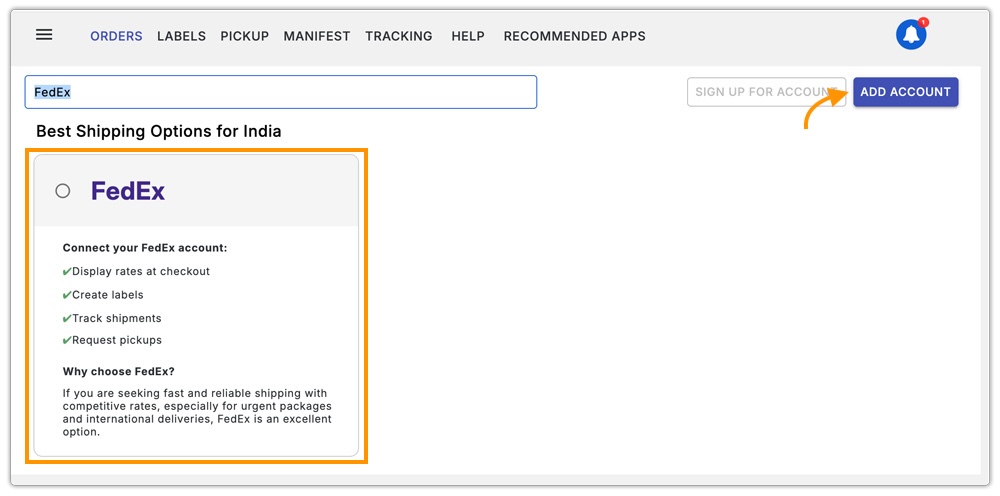
- Click the FedEx REST option and select Add Carrier to open the End User License Agreement (EULA). Read through it and agree to proceed.

- After this, you’ll be prompted to enter your account details exactly as they’re registered with your FedEx account, including Account Name, Account Number, First Name, Last Name, Company Name, Phone Number, Email Address, Street Address, Country/Region, City, State, and ZIP Code along with a Validation Type option. This validation method will authenticate your account based on the option you select, such as Email, SMS, CALL, Invoice, or Helpdesk.

Validation method for FedEx to verify your account.
Options include:
- OTP via SMS, Phone Call, or Email
- Invoice validation (using recent FedEx invoice details)
- Help Desk confirmation
If you select SMS, Phone Call, or Email, enter the OTP sent to your registered FedEx contact method.
- First, enter the OTP you received for the FedEx account registration.

- After the first OTP, enter the second OTP to verify tracking registration.

- If you choose Invoice validation, FedEx will prompt you to provide invoice details, including your invoice number, amount, date, and currency, to complete account verification. You can find these invoice details on any recent FedEx shipping invoice linked to your FedEx account.

If you select Help Desk:
- This method requires you to contact your FedEx Account Manager or FedEx Tech Support and request a bypass for FedEx REST registration.
- Before reaching out, keep the following details ready:
- FedEx Account Number
- FedEx Billing Address (including Email ID and Phone Number)
- Recent FedEx Invoice ID
- Once the FedEx team confirms the bypass, return to the app and select the Help Desk option for account validation. A confirmation screen will appear asking whether you’ve already completed the manual validation with the FedEx support team.
- Click Proceed if the bypass has been completed; your account will be registered successfully.
If the bypass has not been completed on the FedEx side, the registration will fail. In that case, reconnect with your FedEx Account Manager or Tech Support and confirm the bypass.
For best results, complete the Help Desk registration while still on the call with the FedEx team, so you can immediately verify that the process works.
Alternatively, you can share the required details with the PluginHive support team, who can coordinate with FedEx on your behalf.
- After completing the required verification details, click Verify to connect your account and start shipping with FedEx.

- If you are an existing customer of the app, migrating from your old service account only requires you to add FedEx Rest as a new carrier in the app and follow the same steps for verification as mentioned above.

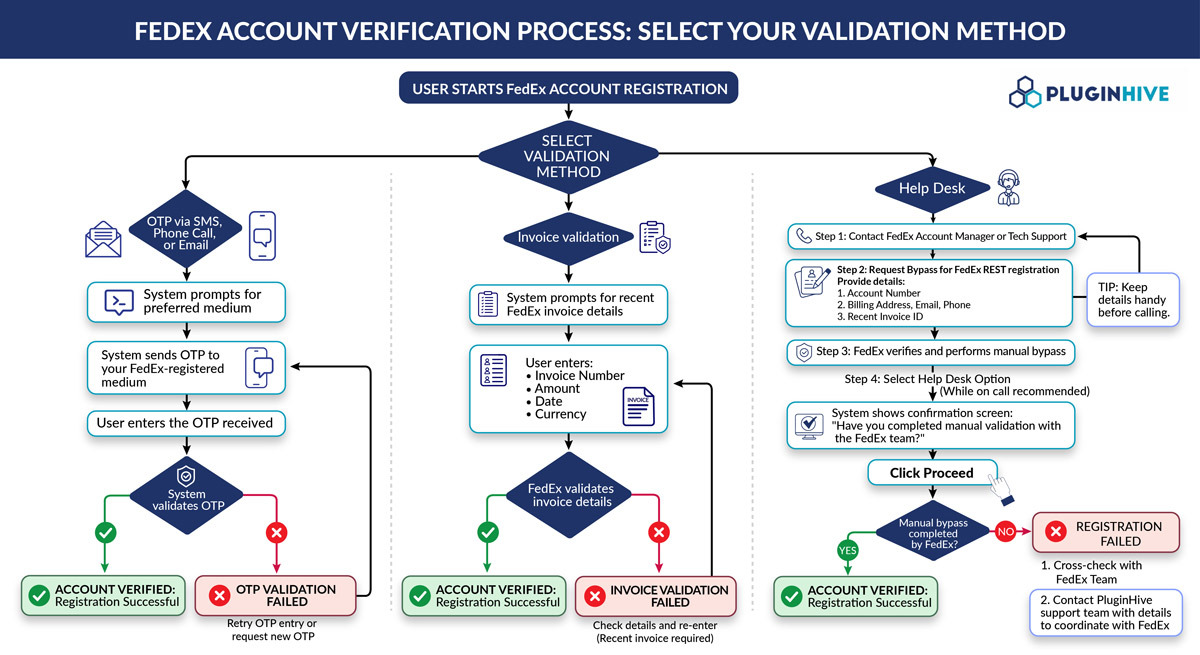
Step-by-Step FedEx Rest Validation Workflow
Below is the flowchart depicting the complete validation process, outlining each step from input submission to final approval or rejection.
Video Tutorial for Integrating Rest in the PH MultiCarrier Shipping Label app
Below is the video tutorial for integrating the FedEx REST API into the app. It covers the complete setup process, including API credentials and account connection.
Practical Advice for a Hassle-Free FedEx Rest Api Switch
A little preparation goes a long way. Here is what makes the transition smoother:
- Act before June 2026: migrating early gives you time to test thoroughly and resolve any edge cases.
- Schedule the switch: During low-traffic hours to reduce customer impact if adjustments are needed.
- Check that every product has a weight and dimensions, as missing data will cause rate calculation failures
- Run a test order first: before processing orders, confirm that rates appear at checkout and that a test label generates.
- Enable only the services your store actually uses: a shorter list of options at checkout is faster for customers.
- Watch your first few live orders closely: catching small issues early stops them from affecting more customers down the line.
- Keep the app updated: periodic updates bring new FedEx features and improvements as they become available through the REST API.
Need to Add FedEx REST API in Other E-Commerce Platforms?
If you also use other eCommerce platforms, you can connect to the FedEx REST API using PluginHive’s multi-carrier shipping solutions available for WooCommerce, Magento, and BigCommerce. The FedEx registration, OTP/invoice verification, and Help Desk validation workflow remain similar across all platforms.
You can use the following solutions:
- WooCommerce: WooCommerce Shipping Services
- Magento: Magento Multi Carrier Shipping Label & Rates with Tracking
- BigCommerce: Multi-Carrier Shipping Label by PluginHive
- Prestashop: Multi Carrier Shipping Label
For all the above platforms, follow the setup steps explained earlier in this article- FedEx REST API integration through Multi-Carrier shipping solutions.
Wrapping Up
The clock is ticking on FedEx’s legacy SOAP API, and June 2026 will be here sooner than you think. The move to the FedEx REST API now means your Shopify store stays functional, and your fulfillment workflow does not skip a beat.
Whether you go with the PH Ship, Rate & Track for FedEx app for a dedicated FedEx setup, or the PH Multi Carrier Shipping Label app to manage multiple carriers from one place, both get you connected to the REST API.
The sooner you make the switch, the more breathing room you have to test, fine-tune, and ship with confidence. And if you ever need a hand along the way, the PluginHive support team is always there to help.
FAQ’s
Q. What is the FedEx REST API?
The FedEx REST API is the updated way for your Shopify store to communicate with FedEx services. It replaces the older SOAP-based Web Services and brings faster performance, stronger security, and access to the latest FedEx features.
Q. When is the deadline to switch to the FedEx REST API?
FedEx is retiring all SOAP-based Web Services on June 1, 2026. After that date, any store still using the legacy system will lose access to FedEx real-time rates.
Q. Do I need a developer to migrate to the FedEx REST API on Shopify?
No, PluginHive’s PH Ship, Rate & Track for FedEx and PH Multi Carrier Shipping Label handle the FedEx Shopify connection in Shopify. There is no coding, no API documentation to read through, and no external configuration needed.
