


Once a customer places an order on your Shopify store, the sale may be done, but the experience is far from over. What happens between checkout and delivery shapes how customers feel about your brand, whether they leave a good review, and whether they come back. This is the window where merchants build or break the post-purchase experience.
Most Shopify merchants focus heavily on the buying journey and overlook what comes after. This article covers what a strong post-purchase experience looks like, what Shopify offers by default, and how to close the gaps that leave customers wondering where their order is.
Table of Contents
- What Is the Post-Purchase Experience in Shopify?
- Why Post-Purchase Communication Matters for Shopify Stores
- Key Touchpoints in a Strong Post-Purchase Experience
- What Shopify Provides by Default
- How PluginHive Shipment Tracking & Notify Improves the Post-Purchase Experience
- Best Practices to Keep Shopify Customers Informed After Purchase
- Conclusion
- FAQs
What Is the Post-Purchase Experience in Shopify?
The post-purchase experience refers to everything a customer goes through after completing a checkout on your store. This includes the order confirmation email, shipping notifications, delivery tracking, and how quickly they can get answers to questions like “Where is my order?”
A strong post-purchase experience keeps you informed at every stage, from the moment you place an order to the moment it arrives at your door. A poor one creates silence, uncertainty, and avoidable support tickets.
For Shopify merchants, managing the post-purchase experience well is a direct competitive advantage. Customers who feel informed after buying are more likely to trust your brand enough to buy again.
Why Post-Purchase Communication Matters for Shopify Stores
Shipping is one of the most visible parts of the customer journey. When an order gets delayed, takes the wrong route, or stops receiving updates, customers notice immediately. The gap between placing an order and receiving it raises questions, and if your store doesn’t answer them proactively, customers will contact you or, worse, dispute the charge.
Here is why investing in the post-purchase experience pays off:
- Fewer support queries: Proactive tracking updates reduce “where is my order” (WISMO) tickets significantly.
- Higher repeat purchase rates: Customers who feel well-informed after a purchase are more likely to return.
- Better reviews: A smooth delivery experience contributes directly to positive feedback on the Shopify App Store and Google.
- Reduced disputes and chargebacks: Transparent tracking communication minimizes customer claims for non-delivery.
A poor post-purchase experience doesn’t just affect customer satisfaction; it directly impacts your store’s reputation and revenue.
Key Touchpoints in a Strong Post-Purchase Experience
A good post-purchase experience isn’t a single email. It’s a sequence of communication touchpoints that keep customers informed throughout the fulfillment and delivery process.
- Order Confirmation: The first message a customer expects after placing an order. It confirms the order details, total payment, and expected delivery window. This should go out immediately and include a clear summary of the order.
- Shipping Confirmation with Tracking: Once an order is fulfilled and a label is generated, customers should receive a shipping confirmation that includes a tracking number and a direct link to track their shipment. This is the most important message in the post-purchase sequence. Merchants using Shopify carrier-calculated shipping with live rates already give customers accurate delivery expectations at checkout; the shipping confirmation should reinforce those expectations.
- In-Transit Updates: Real-time updates tied to carrier scan events let customers know their package is moving. Updates like “Your order has arrived at the distribution center” or “Your order is out for delivery” reduce anxiety and improve the perceived quality of the delivery experience.
- Delivery Confirmation: A final notification confirming the package has been delivered closes the loop and reduces the chance of customers reporting non-delivery for packages that arrived without a notification.
- Exception Alerts: When a delivery is delayed, held at a facility, or returned to sender, customers should hear from you before they reach out to you. Proactive exception communication turns a frustrating situation into a manageable one.
What Shopify Provides by Default
Shopify’s native tools handle some parts of the post-purchase experience reasonably well out of the box:
- An order confirmation email is sent automatically after checkout.
- A shipping confirmation email is sent when you fulfill an order and add a tracking number.
- A basic order status page is generated for each order.
However, Shopify’s defaults leave significant gaps. The tracking link in the shipping confirmation sends customers to a third-party carrier page away from your store domain. There are no automated in-transit or out-for-delivery notifications. There is no branded tracking page within your own storefront. And there is no merchant-facing dashboard showing the status of all active shipments at once.
For merchants who want to deliver a professional post-purchase experience, these gaps need to be filled with the right tools. A dedicated Shopify order tracking page keeps customers on your store domain rather than sending them to a generic carrier website, a small but meaningful difference for brand perception and customer trust.
How PluginHive Shipment Tracking & Notify Improves the Post-Purchase Experience
The PluginHive Shipment Tracking & Notify app is built specifically to fill the gaps in Shopify’s default post-purchase communication. It automates tracking notifications and adds a branded tracking page to your storefront without any development work.
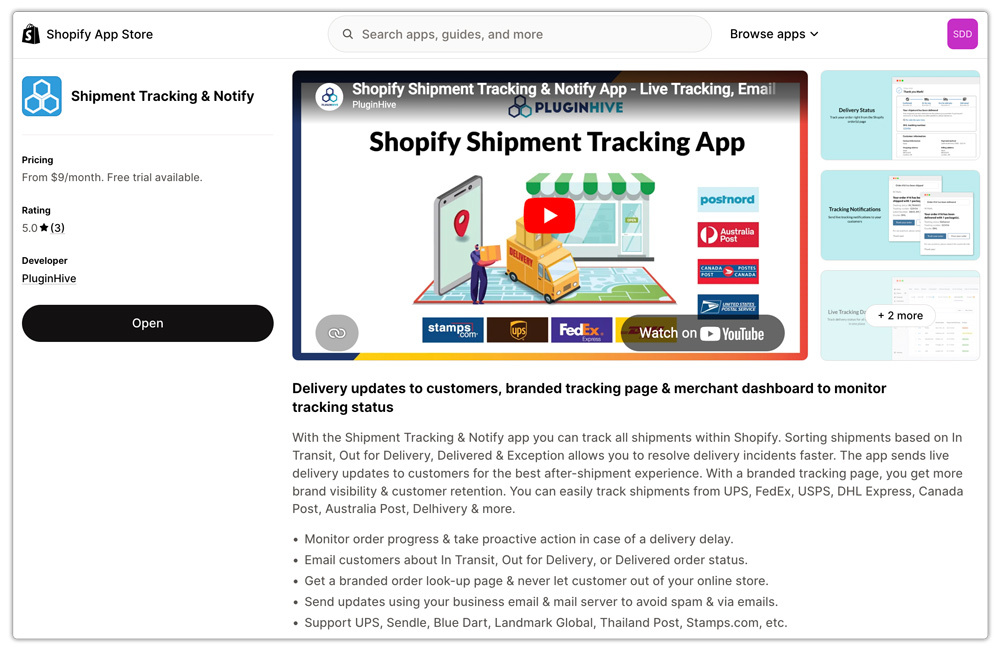
Here’s what the app adds to your post-purchase experience on Shopify:
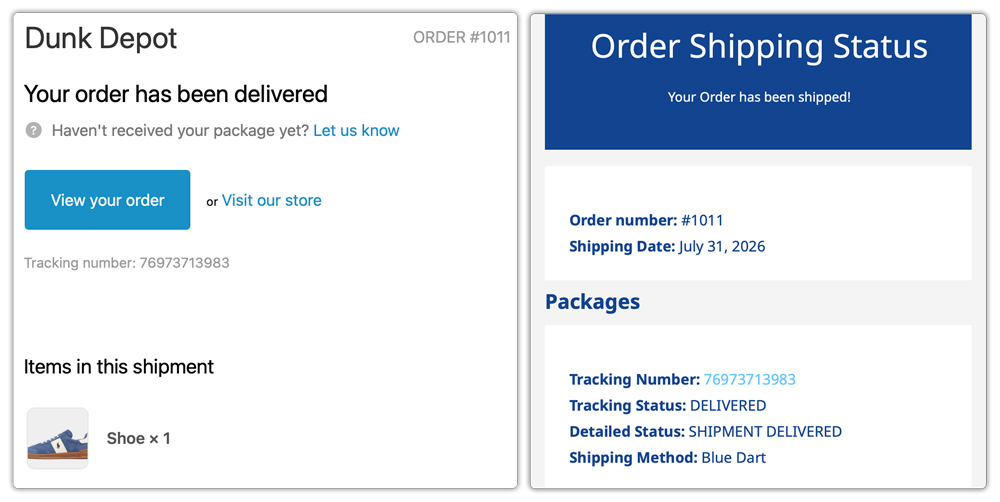
- Automated Email Notifications: The app sends real-time tracking emails triggered by actual carrier scan events. Orders ship then you send customers updates when their orders ship, enter transit, and get delivered.
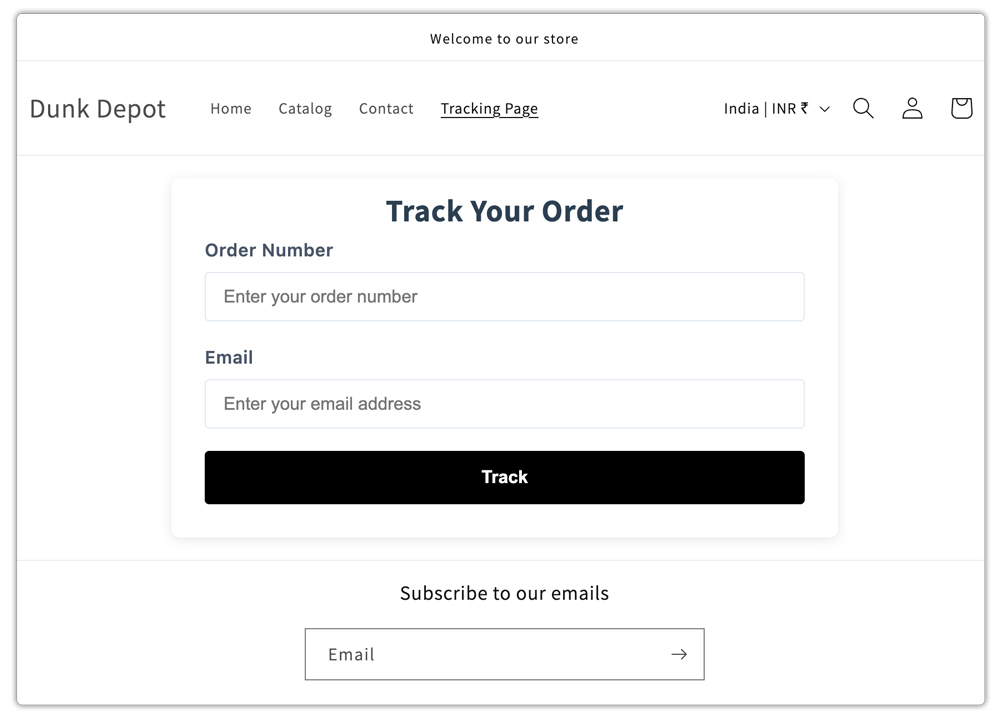
- Branded Tracking Page on Your Storefront: The app creates a dedicated tracking lookup page within your Shopify store. Customers visit the page, enter their order number and email, and view their live shipment status, all without leaving your domain.
- Multi-Carrier Support: The app tracks shipments from major carriers including UPS, FedEx, USPS, DHL Express, Canada Post, Australia Post, Blue Dart, Delhivery, and more, all from a single dashboard.

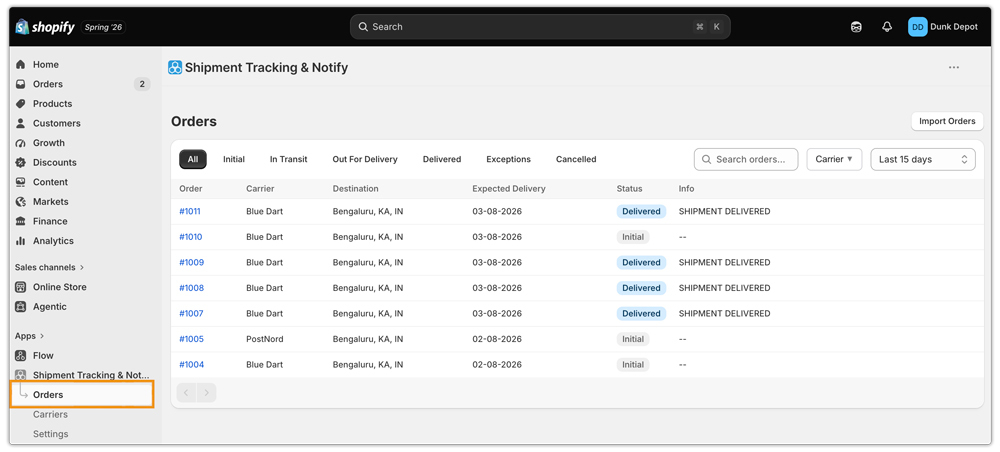
- Centralized Shipment Dashboard: From the merchant side, the app provides a live view of all active shipments organized by status: In Transit, Out for Delivery, Delivered, Exception, and Cancelled.
Flexible Pricing for Any Store Size: The app is available across multiple plans:
- Free – Up to 25 orders/month with email notifications
- Starter ($9/month) – Up to 200 orders/month with a branded tracking page
- Popular ($29/month) – Up to 1,000 orders/month
- Premium ($49/month) – Up to 2,000 orders/month
- Enterprise ($99/month) – Unlimited orders/month

For any Shopify merchant looking to invest in the post-purchase experience without building a custom solution, the Shipment Tracking & Notify app is a straightforward starting point.
Best Practices to Keep Shopify Customers Informed After Purchase
Even with the right tools in place, how you use them matters. Here are a few practices that make a meaningful difference in the quality of your post-purchase experience on Shopify:
- Send notifications through your own email address. Using your own SMTP server ensures tracking emails come from a recognizable sender, not a generic platform address. This improves open rates and keeps notifications out of spam.
- Add a tracking page to your store navigation. Make it easy for customers to find and self-serve. A visible tracking link in the header or footer reduces inbound support queries.
- Customize your tracking emails to match your brand. Generic notification emails feel like an afterthought. Branded tracking emails with your store logo, colors, and voice reinforce the post-purchase experience as part of your brand, not just logistics.
- Set accurate delivery expectations at checkout. Showing live carrier-calculated shipping rates at checkout with estimated delivery windows means customers know what to expect before they even place an order.
- Monitor shipment exceptions proactively. Use your tracking dashboard to catch delays before they become complaints. A proactive exception notification builds more trust than a reactive apology.
- Use multi-carrier tracking in one place. If your store ships with more than one carrier, consolidate tracking in a single dashboard.
Conclusion
The post-purchase experience plays a big role in customer satisfaction and repeat purchases. Keeping customers informed with timely updates and easy tracking builds trust while reducing WISMO queries.
Shopify covers the basics, but the PluginHive Shipment Tracking & Notify app helps fill the gaps with automated notifications and a branded tracking page, making it easier to keep customers informed from purchase to delivery.
FAQs
Q. What is the post-purchase experience in eCommerce?
The post-purchase experience covers every customer touchpoint that occurs after checkout, including order confirmation, shipping notifications, shipment tracking, delivery confirmation, and exception alerts.
Q. Does Shopify send automatic tracking updates to customers?
Shopify sends a shipping confirmation email when you fulfill an order and add a tracking number, but it does not send in-transit updates, out-for-delivery notifications, or delivery confirmations automatically. To add those touchpoints, you need an app like PluginHive Shipment Tracking & Notify.
Q. Can I add a branded order tracking page to my Shopify store?
Yes. The PluginHive Shipment Tracking & Notify app creates a branded tracking lookup page directly on your Shopify storefront. Customers enter their order number and email to view their live shipment status without leaving your store domain.
