


If you ship with PostNord, your customers already expect visibility into where their order is at every stage. Shopify gives you a starting point for PostNord order tracking, but out of the box, it’s fairly limited. This guide walks through how PostNord tracking works with Shopify, where the gaps are, and how to set up a complete PostNord order tracking experience.
In This Article:
- How PostNord Order Tracking Works by Default
- What Happens When You Fulfil a Shopify Order with PostNord
- The Gap Between a Tracking Number and a Tracking Experience
- How to Add PostNord Order Tracking to Shopify Orders
- PostNord Shipment Statuses to Know
- Best Practices for PostNord Order Tracking on Shopify
- Conclusion
- FAQ’s
How PostNord Order Tracking Works by Default
Customers can track any PostNord letter, parcel, or pallet using a shipment ID, regardless of destination. PostNord offers domestic tracking across the Nordics and international tracking for cross-border shipments.
A PostNord shipment ID is the core identifier behind every tracking lookup. Customers can enter the shipment ID on PostNord’s tracking page to view its current status and delivery history. The PostNord App lets recipients track packages, receive delivery updates, and authorize others to collect parcels.
For Shopify merchants, this means the tracking data itself is reliable and official. The key is making PostNord tracking available without sending customers away from your Shopify store.
What Happens When You Fulfil a Shopify Order with PostNord
When you fulfil a Shopify order and enter a PostNord tracking number, Shopify does two things: it saves the tracking number against the order, and it emails the customer a basic fulfilment notification with a generic tracking link. That’s where Shopify’s native PostNord order tracking support ends.
Shopify does not:
- Pull live shipment status from PostNord and display it back to customers
- Send automatic follow-up emails when the shipment reaches a new milestone
- Show you a dashboard of all active PostNord shipments and their current status
- Offer a branded, on-store page where customers can check their delivery without leaving your domain
If you’re new to shipping with the carrier, it’s worth first learning how to register for a PostNord account, since your PostNord customer number is required before any tracking or label data can flow into Shopify at all.
The Gap Between a Tracking Number and a Tracking Experience
A tracking number by itself is just a code. What turns it into a genuine PostNord order tracking experience is automation: live status pulled directly from PostNord, notifications sent at the right moments, and a page where customers can self-serve instead of emailing your support team.
This gap becomes especially visible for Shopify merchants shipping across the Nordic region, and into the EU, where PostNord’s domestic and international shipping options mean customers could be tracking anything from a MyPack Home delivery to a cross-border parcel. Each of these has a different transit path, and customers want that reflected clearly at every step, not just a single static link.
How to Add PostNord Tracking to Shopify Orders
The most reliable way to close this gap is by using PluginHive Shipment Tracking & Notify, a Shopify app built specifically to turn a bare tracking number into a complete PostNord order tracking workflow.
Here’s how the setup works:
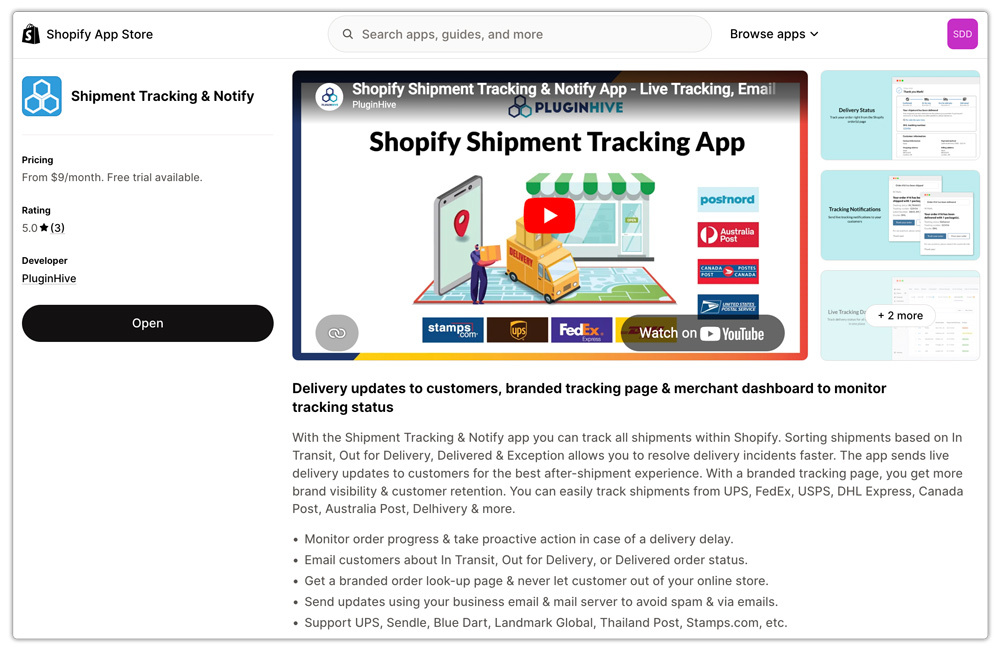
- Install the app from the Shopify App Store to enable PostNord shipment tracking in your Shopify store without needing a PostNord account.
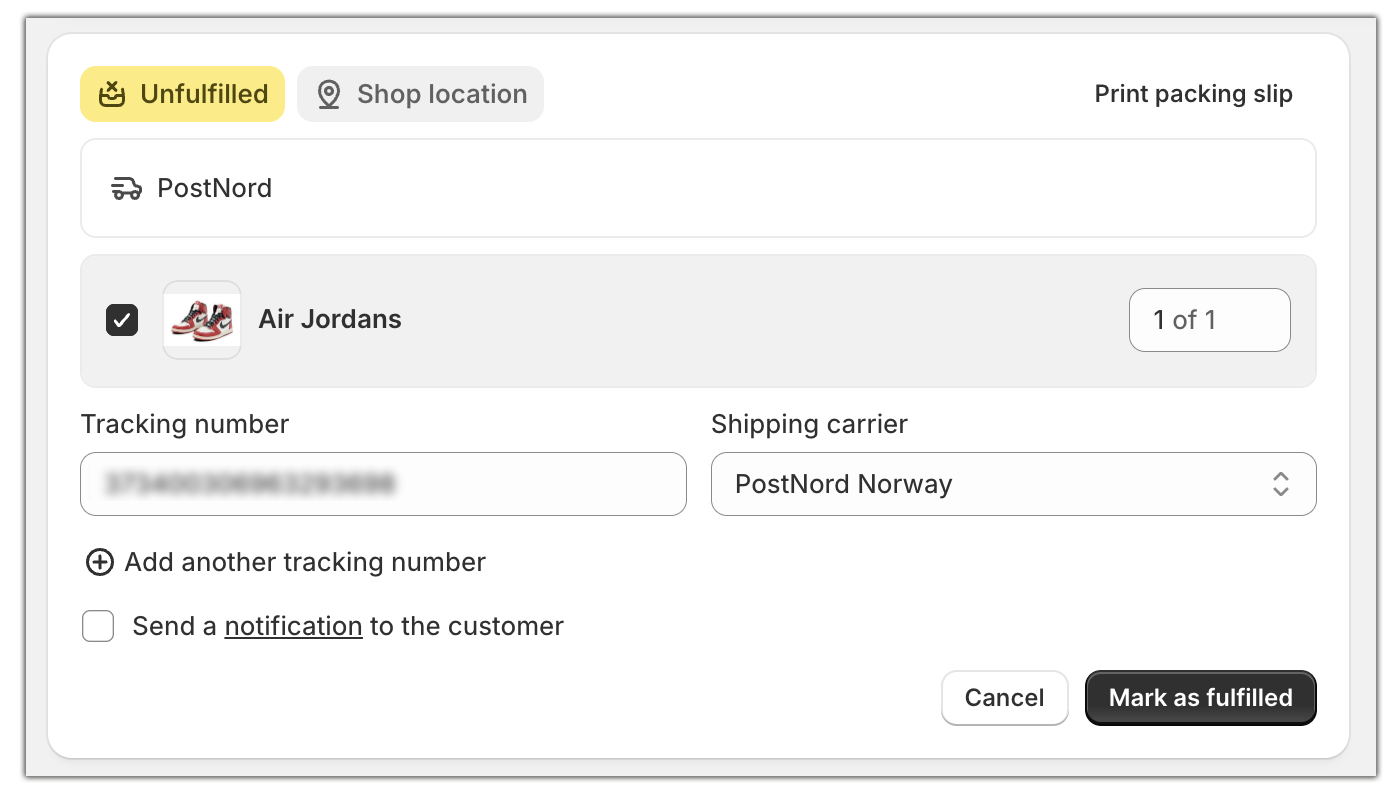
- Track all your PostNord shipments directly through the app. Simply fulfil your Shopify orders as usual and enter the PostNord tracking number; the app automatically detects the shipment and syncs live tracking updates.
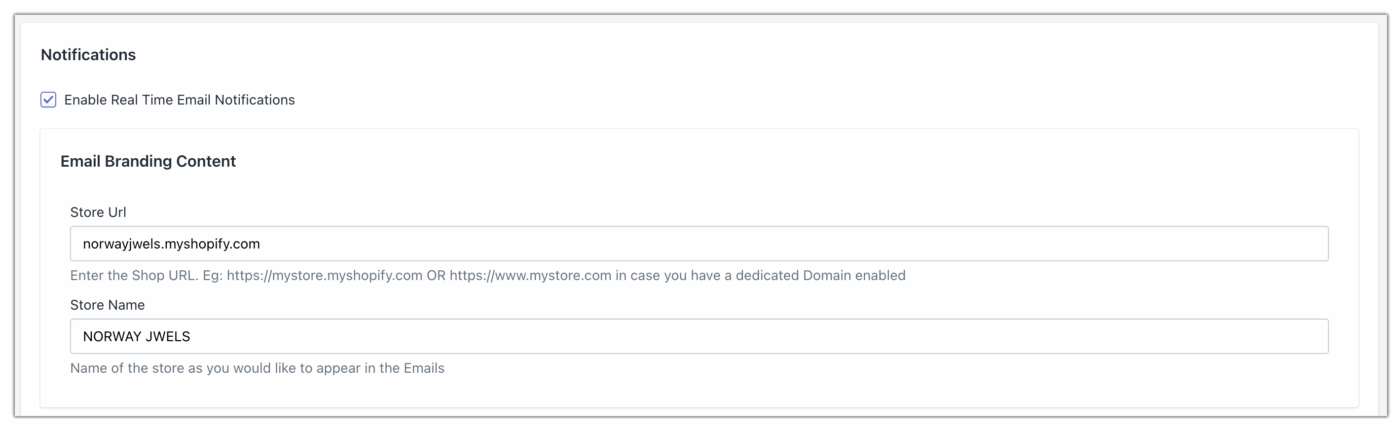
- Use the app to send automated shipment status email notifications, keeping customers informed throughout the delivery process.
- Create a branded PostNord tracking page with the app and add it to your store navigation, making it easy for customers to track their orders from your header or footer.
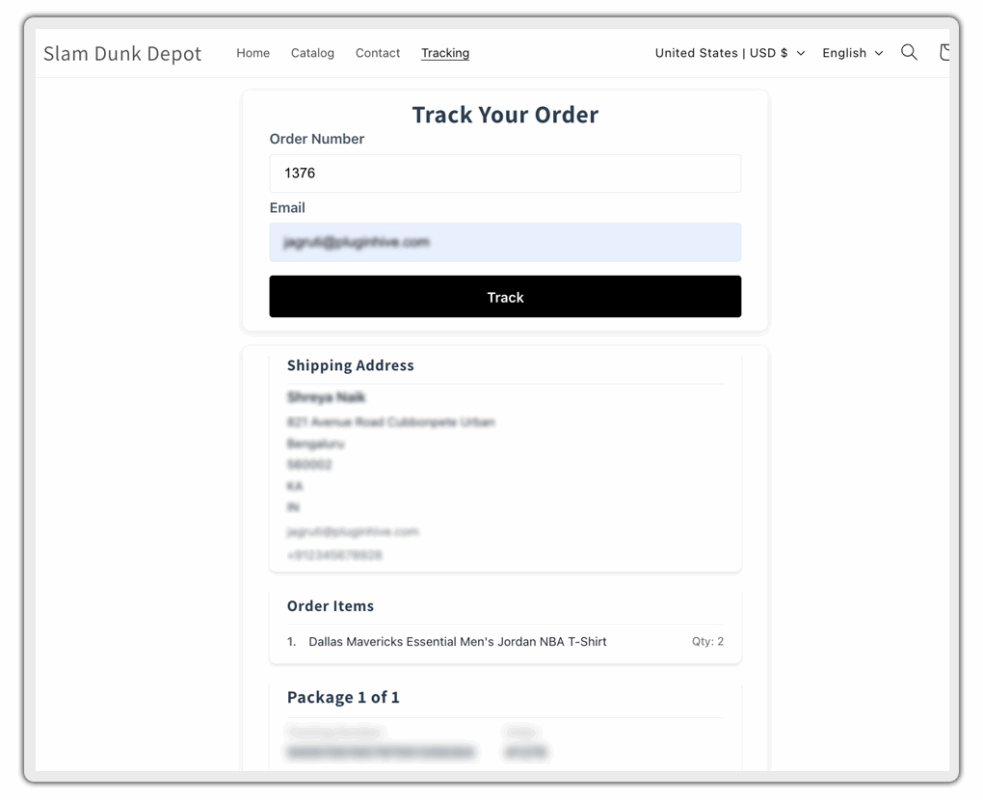
Once this is live, every PostNord shipment you fulfil is automatically tracked, and your customers get a properly branded PostNord order tracking page instead of a plain PostNord.com link. If you’d rather see how the full PostNord and Shopify connection is set up from scratch, including rates and labels, this guide on how to integrate PostNord shipping with Shopify walks through the process end to end.
PostNord Shipment Statuses to Know
PostNord tracking typically shows shipments progressing through these key delivery stages:
- Booked/Information received – the shipping label has been created, but PostNord hasn’t yet physically received the parcel
- In transit – the parcel is moving through PostNord’s terminal network
- Arrived at service point – for MyPack Collect and similar services, the parcel is ready for customer pickup
- Out for delivery – the parcel is on the final leg to a home address
- Delivered – the parcel has reached its destination
Understanding these stages helps you set the right expectations in your notification emails, especially if you also let customers select a PostNord Service Point at checkout, as explained in this guide on adding PostNord Service Point to your Shopify cart.
Best Practices for PostNord Order Tracking on Shopify
- Connect your own PostNord account rather than relying on generic tracking lookups, so the data returned is authenticated and accurate for your shipments.
- Send notifications from your own domain, not a third-party address, so tracking emails don’t end up in spam.
- Keep the tracking page on-brand so customers stay within your store’s experience instead of bouncing to an external carrier site.
- Communicate transit expectations clearly, particularly for cross-border orders, since customs handling can affect how often PostNord’s status updates.
- Review your shipping setup periodically if you operate multiple warehouses, since routing rules affect which PostNord service and tracking flow applies to each order, as covered in this guide to Shopify multi-warehouse shipping with PostNord.
Conclusion
PostNord’s own tracking infrastructure is dependable, but Shopify’s native fulfilment flow only surfaces a fraction of it. Setting up proper PostNord order tracking means automating status-based notifications and giving customers a branded page to check on their order without leaving your store. With PluginHive Shipment Tracking & Notify handling that automation, a simple PostNord tracking number becomes a complete, professional post-purchase experience, one that builds trust and reduces “where is my order” support tickets.
FAQ’s
Q. Does Shopify support PostNord tracking natively?
Shopify lets you enter a PostNord tracking number during fulfilment and includes a generic tracking link in the confirmation email. It does not pull live PostNord status updates or send automated follow-up notifications.
Q. Can customers track PostNord orders without leaving my Shopify store?
Yes, with an app like PluginHive Shipment Tracking & Notify, customers can enter their order number on an on-store page to view live PostNord tracking.
Q. What if I ship with multiple carriers besides PostNord?
Tracking apps like PluginHive Shipment Tracking & Notify support multiple carriers simultaneously, so you can manage PostNord alongside other carriers.
