



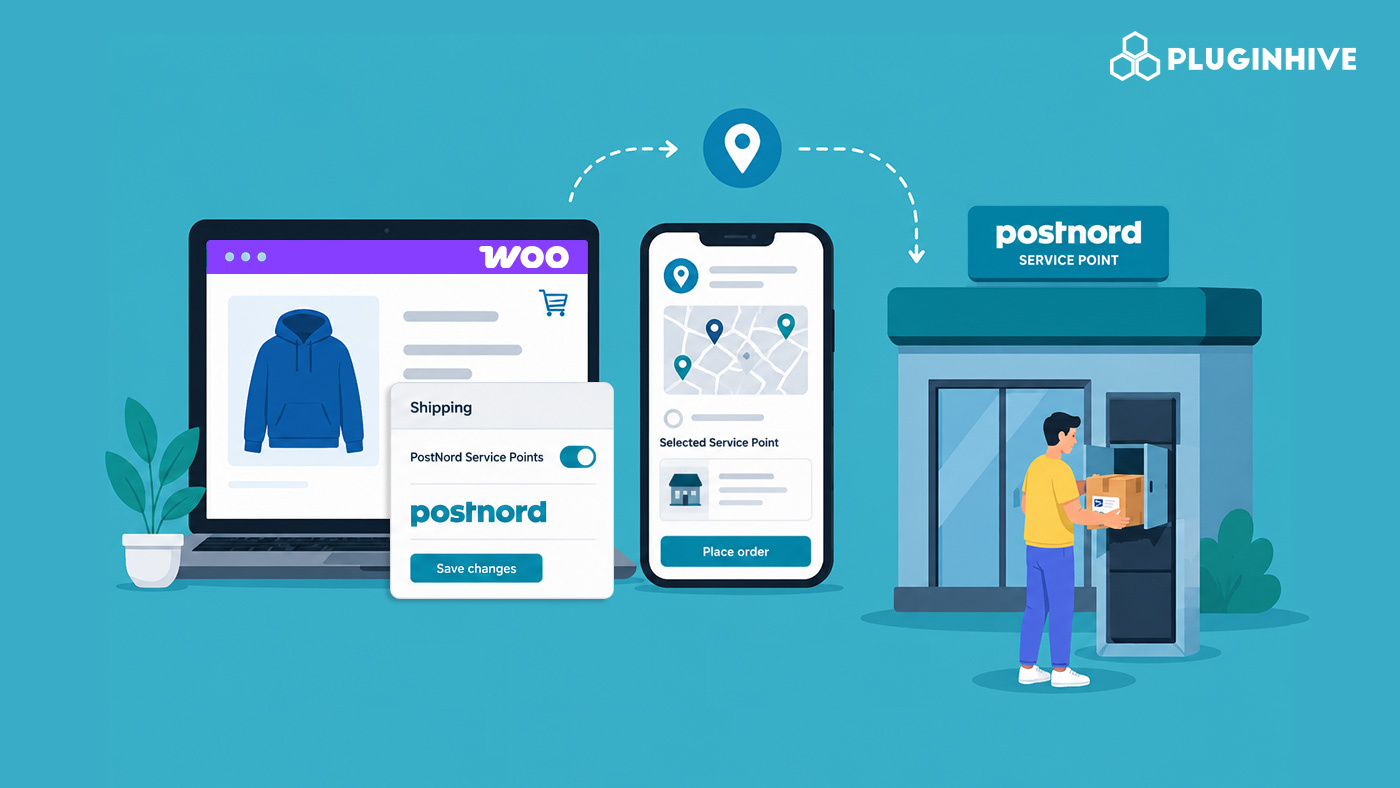
Failed home deliveries are one of the biggest pain points in Nordic e-commerce. The customer isn’t home, the parcel goes back to a distribution center, and you’re left handling complaints about a delivery that technically happened. PostNord service points solve this, but only if your WooCommerce store is set up to offer them at checkout.
This guide explains what PostNord service points are and why they matter for WooCommerce stores, and how to set them up using the PH PostNord Shipping Plugin for WooCommerce with Print Label.
On This Page
- What Are PostNord Service Points?
- Why Offer Service Points in Your WooCommerce Store?
- How to Enable PostNord Service Points in WooCommerce
- Real-World Use Case
- FAQs
- Conclusion
What Are PostNord Service Points?
PostNord service points are designated parcel pickup locations, typically grocery stores, petrol stations, pharmacies, and convenience stores, where customers can collect their shipments instead of waiting for home delivery. PostNord operates thousands of these service points across Sweden, Denmark, Norway, and Finland.
When a parcel is delivered to a service point, PostNord notifies the customer via SMS or email with pickup details and a collection code. Customers can then pick up their parcel at their convenience within the holding period, which is usually around 7–14 days, depending on the country and service.
Using service points helps avoid:
- Missed deliveries
- Re-delivery attempts and fees
- Parcels are being left unattended outside
For many customers, collecting parcels from a nearby pickup point during daily routines is more convenient than waiting at home for a delivery window.
Why Offer Service Points in Your WooCommerce Store?
Home delivery works well when someone is always available to receive parcels. For most residential customers, that’s not the case. Here’s why service points matter for your WooCommerce store:
- Fewer failed deliveries: Home delivery attempts fail when no one is in. Service points eliminate this — the customer picks up when it suits them.
- Lower re-delivery costs: Every failed delivery attempt costs time and money. Routing parcels to service points removes this from the equation.
- Better customer experience: Customers get a pickup notification and a 14-day window with no anxiety about missing a delivery slot.
- Competitive checkout: Nordic shoppers are accustomed to choosing a nearby pickup point at checkout. Stores that don’t offer it lose sales to competitors that do.
How to Offer PostNord Service Points in WooCommerce
The PH PostNord Shipping Plugin for WooCommerce has built-in support for PostNord service points. Once the plugin is installed and your PostNord API credentials are connected, enabling service points takes only three steps.
Since no PostNord integration currently provides real-time shipping rates, you’ll need to configure shipping costs manually. You can do this using the WooCommerce Table Rate Shipping Pro Plugin or the built-in Flat Rate Shipping method.
Here’s How It Works
- Go to the Services tab in the plugin settings.
- Enable the PostNord Service Points option.
- Select the type of PostNord service points you want to display at checkout.
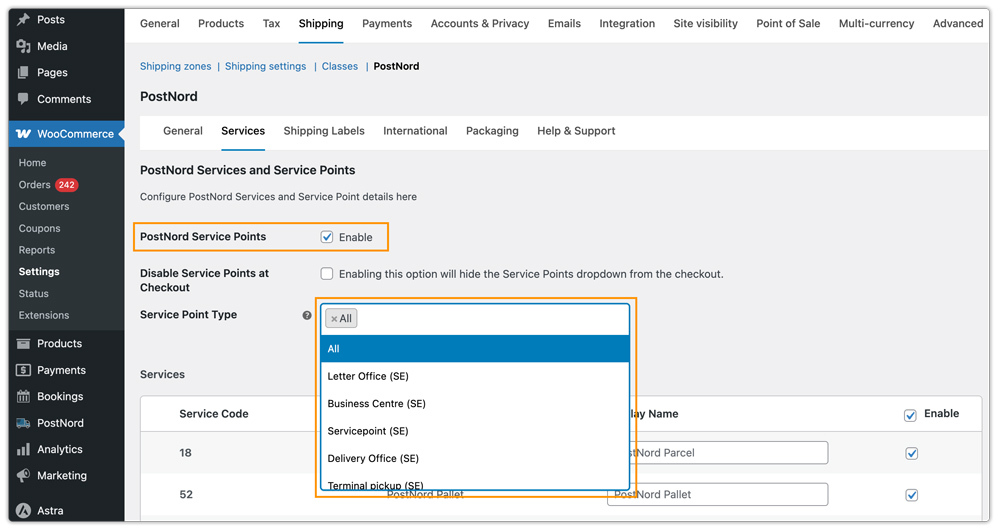
Once saved, the plugin fetches nearby PostNord service points in real time based on the customer’s delivery address and displays them as selectable pickup locations during checkout.
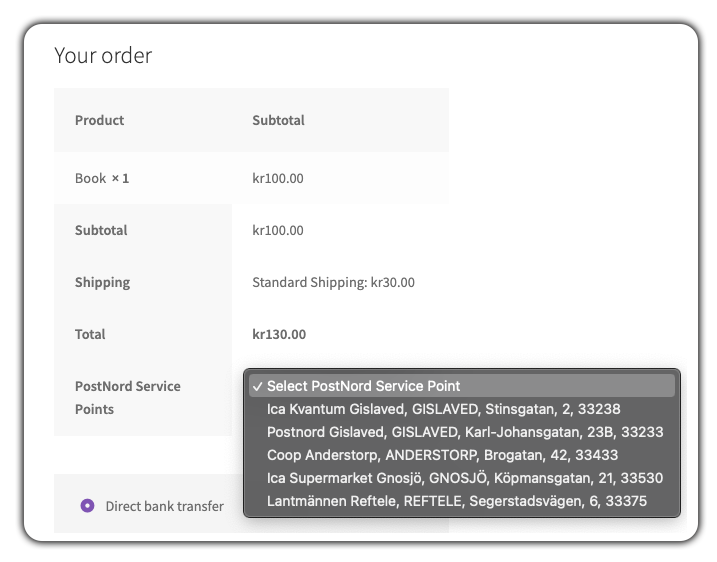
The selected service point is automatically saved with the WooCommerce order, and shipping labels are generated using the chosen pickup location address.
If you need help configuring the plugin, refer to the WooCommerce PostNord Shipping Plugin Setup Guide.
Real-World Use Case: How a Swedish Woo Store Reduced Failed Deliveries With PostNord Service Points
A WooCommerce store selling personal care and wellness products across Sweden was facing frequent failed home deliveries. Many customers were unavailable during delivery attempts, causing parcels to be redirected to PostNord terminals or returned to the store. This increased re-delivery costs, customer support workload, and complaints related to delayed deliveries. The store was already shipping with PostNord, but did not offer customers the option to select nearby pickup locations during checkout.
How the Plugin Helped
The store installed the PH PostNord Shipping Plugin for WooCommerce and enabled PostNord service points from the plugin settings. Once enabled, customers could choose nearby PostNord pickup locations directly during checkout based on their delivery address. Since service point delivery is already a familiar option for Nordic shoppers, adoption was immediate.
The Result
- Failed delivery attempts reduced significantly within the first month.
- Re-delivery and return handling costs dropped noticeably.
- Customer support queries related to delayed or missed deliveries decreased.
- The checkout experience improved as customers could collect parcels at a convenient time and location.
Conclusion
PostNord service points give your WooCommerce customers a reliable alternative to home delivery, and for Nordic stores, they’re close to a checkout standard. The PostNord Shipping Plugin for WooCommerce makes the setup straightforward, saving the selection to the order and addressing the label correctly.
Questions about the setup or your PostNord integration? Reach out to the PluginHive support team.
FAQs
Q. Which countries does PostNord service point delivery cover?
PostNord service points are available across Sweden, Denmark, Norway, and Finland. The plugin displays service points based on the customer’s delivery address, so the right country’s network is queried automatically at checkout.
Q. How many service point options does a customer see at checkout?
The plugin displays the nearest available service points based on the customer’s address, typically the closest locations.
Q. How long does PostNord hold parcels at service points?
PostNord holds parcels at service points for 14 days. If the customer doesn’t collect within that window, the parcel is returned to the sender. The holding period may vary slightly by country.
Q. Does the plugin automatically generate shipping labels for selected service points?
Yes. When generating shipping labels, the plugin automatically uses the selected PostNord service point address for shipment processing.
Q. Do I need a PostNord account to use the WooCommerce plugin?
Yes, you must have a registered PostNord business account to access shipping labels, live tracking, and other features via the WooCommerce plugin. Check out this guide to learn how to register for a PostNord account.
