


For WooCommerce stores that sell in the Nordic region and across Europe, choosing the right shipping carrier is essential. It helps ensure reliable delivery and a smooth checkout experience. PostNord is one of the leading logistics providers in this region. So, how does PostNord shipping actually work in WooCommerce?
In this guide, you’ll learn how PostNord integrates with WooCommerce to automate key shipping tasks. You’ll also understand what store owners need to set up for efficient and accurate order fulfillment
On This Page
- Overview of PostNord?
- Why Use PostNord Shipping in WooCommerce?
- How PostNord Shipping Works in WooCommerce
- Best Practices for WooCommerce Shipping with PostNord
- Conclusion
- FAQs
Overview of PostNord
PostNord is a well-known shipping carrier in the Nordic region. It delivers parcels across Sweden, Denmark, Norway, and Finland. The company was formed by merging the national postal services of Sweden and Denmark. Today, it handles millions of parcels for businesses and online stores every year.
For eCommerce businesses, PostNord mainly focuses on parcel delivery services such as:
- Home delivery
- Pickup point delivery (service points)
- Parcel locker delivery
- International shipping within Europe
Moreover, PostNord has an extensive network of delivery routes and collection points. As a result, customers can receive or collect their orders conveniently. Because of this strong regional presence, many WooCommerce stores choose PostNord as their primary shipping carrier.
Why Use PostNord Shipping in WooCommerce?
If your WooCommerce store sells in Sweden, Denmark, Norway, or Finland, using PostNord makes practical sense because:
- Your customers already know and trust it. PostNord is one of the most commonly used carriers in the Nordic region, so shoppers feel comfortable selecting it at checkout.
- It matches local delivery habits. Many Nordic customers prefer collecting parcels from nearby service points or lockers instead of waiting at home, and PostNord has a wide pickup network to support this.
- It gives flexible delivery options. You can offer home delivery, pickup point delivery, parcel lockers, and business deliveries based on what suits your store.
- It supports cross-border shipping within the Nordics. If you sell to neighboring countries, PostNord simplifies regional deliveries.
- It’s suitable for growing eCommerce stores. Whether you ship a few parcels daily or handle higher order volumes, PostNord is equipped to manage online retail shipments efficiently.
For WooCommerce stores targeting Nordic customers, PostNord aligns well with both customer expectations and regional shipping practices. Let’s now see how PostNord shipping works in WooCommerce.
How PostNord Shipping Works in WooCommerce?
To use PostNord shipping in your WooCommerce store, you’ll need to integrate it using the PostNord Shipping Plugin for WooCommerce with Print Label.
To configure the plugin settings, refer to the setup guide: WooCommerce PostNord Shipping Plugin Setup
After Setup, Here’s How It Works:
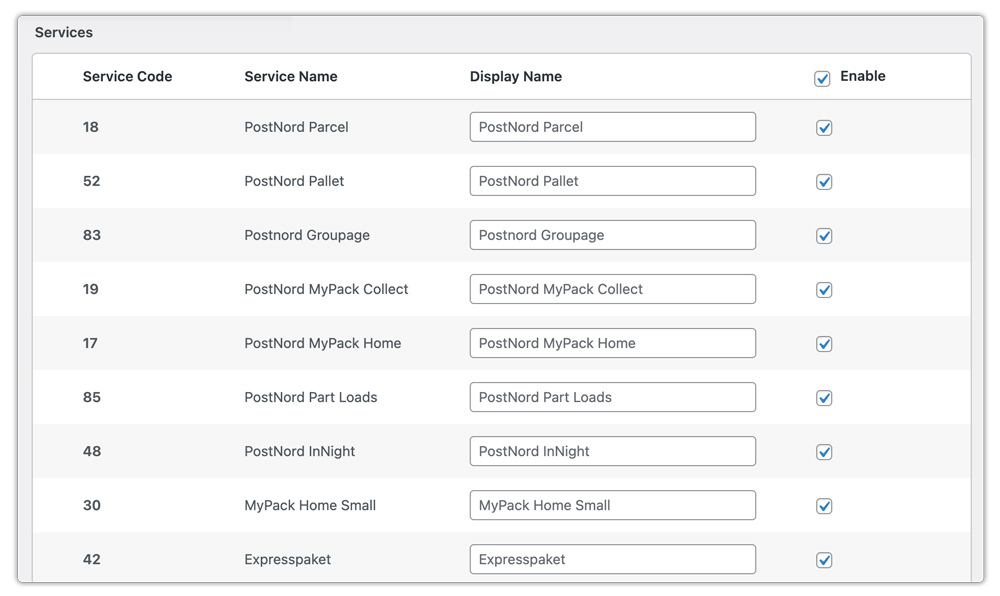
- You can choose the PostNord domestic and international services you want to use for order fulfillment.
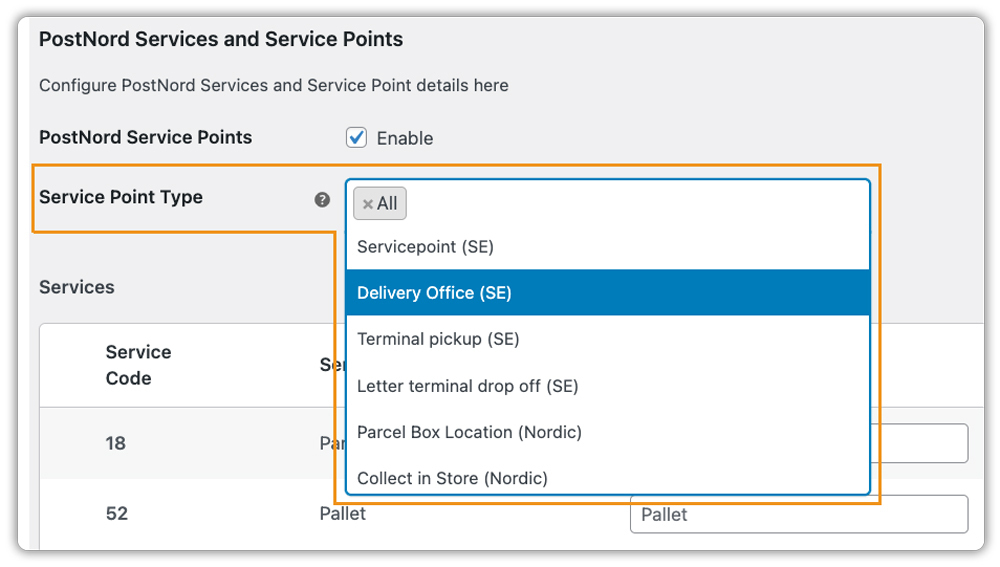
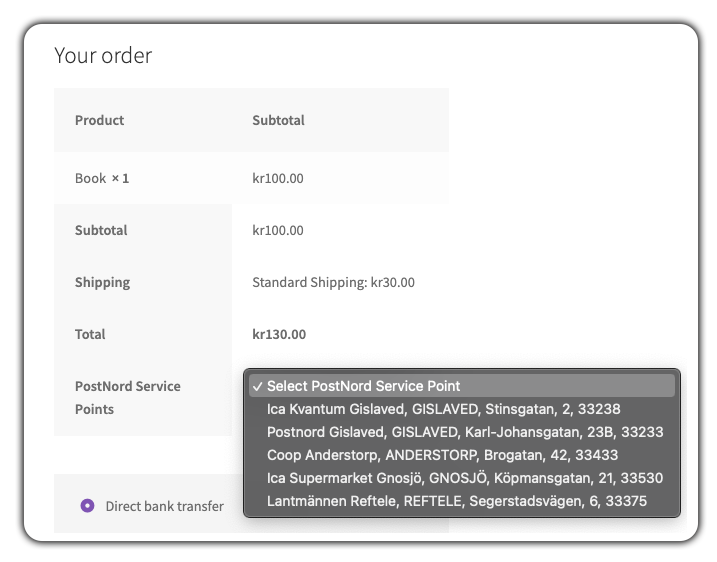
- You can select the type of PostNord service points you want to offer. Based on the customer’s address, available PostNord service points will be displayed on the WooCommerce checkout page for selection.
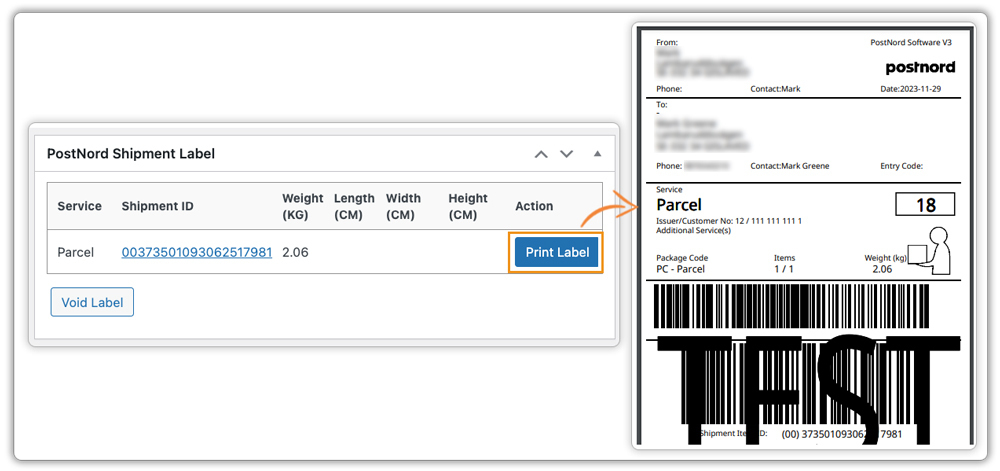
- Once a customer places an order, you can generate and print PostNord shipping labels directly from the WooCommerce Orders page, reducing manual work and speeding up fulfillment.
By automating PostNord shipping in WooCommerce, you streamline order processing, minimize manual effort, and offer reliable Nordic delivery options that customers already know and trust.
Best Practices for PostNord Shipping in WooCommerce
- Offer Flexible Shipping Options: Combine PostNord shipping with free shipping or flat rates based on cart value, weight, or destination using the WooCommerce Table Rate Shipping Pro Plugin.
- Display Estimated Delivery Dates: Show expected delivery timelines for PostNord shipments at checkout using the Estimated Delivery Date Plugin for WooCommerce to boost customer confidence.
- Automate Shipment Tracking: Provide end-to-end tracking updates for PostNord orders using the WooCommerce Shipment Tracking Pro Plugin to improve post-purchase communication.
- Use Multiple Carriers Efficiently: To manage PostNord alongside other carriers with rate display and label printing from a single dashboard, use the WooCommerce Shipping Services plugin for seamless operations.
These practices help WooCommerce stores streamline PostNord shipping and provide a reliable delivery experience for customers.
Conclusion
Integrating PostNord with your WooCommerce store ensures reliable, customer-friendly delivery across the Nordic region. By automating label creation and streamlining tracking, store owners can save time and provide a smoother post-purchase experience.
For help with setup or advanced PostNord shipping workflows, you can reach out to PluginHive Support.
FAQs
- Do I need a PostNord account to use the WooCommerce plugin?
Yes, you must have a registered PostNord business account to access shipping labels, live tracking, and other features via the WooCommerce plugin. Check out this guide to learn how to register for a PostNord account - Does the plugin support bulk shipment handling?
Yes. The PostNord Shipping Plugin supports bulk label printing, batch order processing, and even manifests, making it efficient for high-volume WooCommerce stores. - Is there a PostNord option for customers to pick up orders from a nearby point?
Yes. MyPack Collect and Service Point Delivery allows your customers to pick up parcels from a nearby service point or locker, giving them greater flexibility. - Does PostNord support returns?
Yes. PostNord offers services like Return Drop-Off and Return to handle both domestic and international returns securely.
