


For Shopify merchants shipping within India, Blue Dart is one of India’s most reliable and prominent courier services, known for its efficiency and dependable delivery services, and a trusted name for customers across the country. Printing a BlueDart shipping label correctly is the foundation of every compliant domestic shipment, and doing it directly from Shopify removes the manual work of switching between portals for each order.
This guide covers everything you need to know about printing a Blue Dart shipping label from Shopify.
In This Article
- What Is a Blue Dart Shipping Label and What Does It Contain?
- Blue Dart Shipping Services to Know Before Printing Labels on Shopify
- Regulatory and Packaging Requirements When Printing a Blue Dart Shipping Label in Shopify
- How the PH Multi-Carrier Shipping Label App Automates Blue Dart Shipping Labels on Shopify
- Conclusion
- FAQs
What Is a Blue Dart Shipping Label and What Does It Contain?
A Blue Dart shipping label is a document that enables shipments to move through the network from pickup to delivery. A Blue Dart shipping label uses a waybill that serves as both the shipment record and tracking identifier.
Each waybill has a distinct number that ranges from 8 to 11 digits. The waybill number makes your Blue Dart shipping label scannable and trackable throughout the delivery journey.
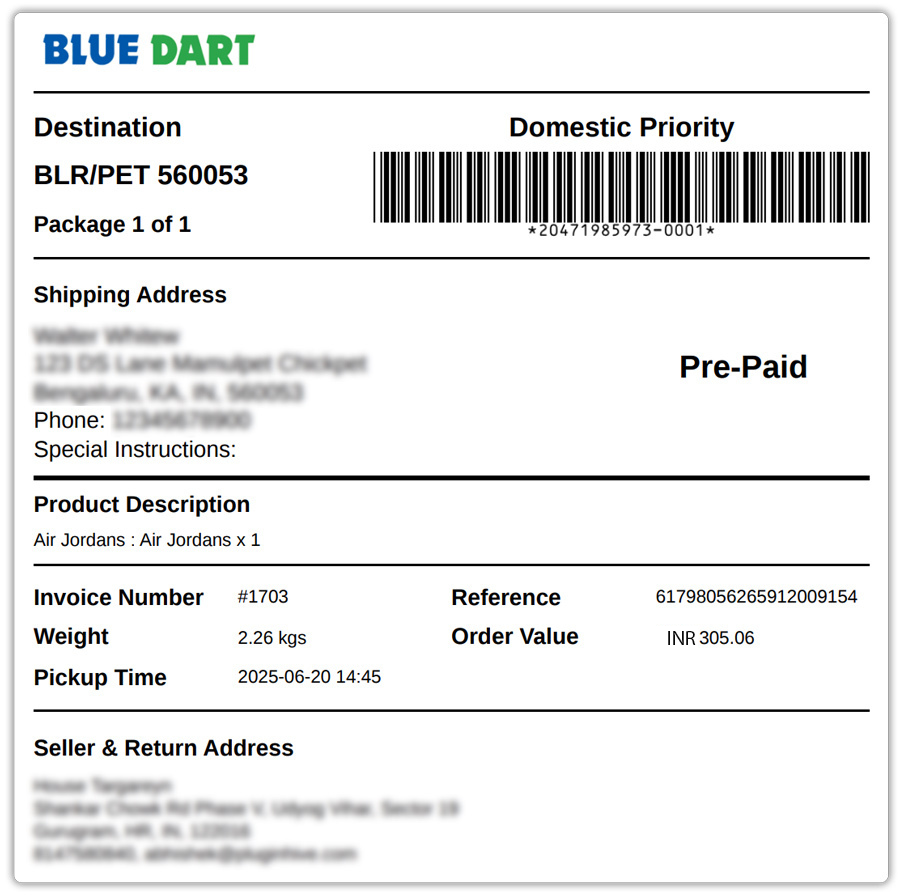
A complete Blue Dart shipping label includes:
- Shipper details: your business name, address, and contact information
- Recipient details: the customer’s full name, delivery address, and phone number
- Waybill number: the unique identifier used for tracking and proof of delivery
- Service selected: whether the shipment is on Domestic Priority, Dart Apex (Air Express Package), Dart Surfaceline, or another service
- Weight and dimensions: declared at the time of label generation
- Barcode: for automated scanning through Blue Dart’s network
- COD amount (if applicable): for Cash on Delivery shipments
Blue Dart Shipping Services to Know Before Printing Labels on Shopify
Choose the right Blue Dart service before printing the Bluedart shipping label to balance delivery speed and shipping cost. Blue Dart offers multiple domestic services, each suited to different order types and urgency levels.
Domestic Priority
Blue Dart’s Domestic Priority services are specifically designed to offer time-critical businesses a competitive edge through the fastest delivery. The key sub-services are:
- Domestic Priority 1030: A guaranteed door-to-door time-definite delivery of shipments by air the next possible business day by 10:30 hours, targeted at time-critical business-to-business needs, with a Money Back Guarantee.
- Domestic Priority 1200: A guaranteed next-business-day delivery by 12:00 hours to select pin codes including Pune, Vapi, Vadodara, Thane, Vasai, Noida, Hyderabad, Ghaziabad, Faridabad, and Kolkata.
- Critical Express: A door-to-door express service for critical shipments such as passports, tenders, original papers/certificates, property documents, etc. across India under 32 kg per package securely and safely.
Air Express Package (Dart Apex)
Air Express Package is a door-to-door day-definite delivery service within India for shipments weighing 10 kg and above.
It delivers time-sensitive commercial shipments that require regulatory clearance or special handling.
Surface (Dart Surfaceline)
Surface is Blue Dart’s economical road-based option for non-urgent domestic shipments.
It serves a wide pin code range and is the most cost-effective choice for heavier orders where delivery speed is secondary.
For a detailed breakdown of when to use each service for your Shopify store, see the guide on Blue Dart shipping services for Indian Shopify merchants.
Regulatory and Packaging Requirements When Printing a Blue Dart Shipping Label in Shopify
Printing the Bluedart shipping label is only one part of a compliant Blue Dart shipment. Blue Dart operates under specific regulatory requirements for domestic shipments, and following them correctly is essential to avoid delays or refusals at pickup.
Key requirements for domestic Blue Dart Shopify shipments:
- Provide invoices for all non-documents: Blue Dart requires customers to please provide invoices for all non-documents.
- Hand over packages in an open condition: Please hand over your packages in an open condition.
- Photo identity at booking: In compliance with security and safety regulations, at the time of booking your shipment, customers will need to provide a photo identity that will be photocopied and kept confidential in our records.
- Declare accurate weight: Blue Dart uses volume weight calculation where applicable.
- Check banned and restricted items: Certain commodities cannot be sent on specific service modes. Blue Dart maintains a list of banned commodities and dangerous goods on its website; review these before generating a bluedart shipping label for non-standard products.
- GST compliance: Blue Dart’s regulatory section specifies paperwork requirements for domestic shipments under GST. Ensure your invoice includes GST details for commercial shipments.
For Shopify merchants handling high-value or time-sensitive orders, the guide on Blue Dart Domestic Priority for high-value Shopify orders covers the additional compliance steps specific to that service tier.
How the PH Multi-Carrier Shipping Label App Automates Blue Dart Shipping Labels on Shopify
Generating a BlueDart shipping label manually through the Blue Dart portal for each Shopify order is workable at very low volumes, but it doesn’t scale. The PH Multi-Carrier Shipping Label app connects your Blue Dart account credentials to Shopify and automates the label generation workflow from order to dispatch.
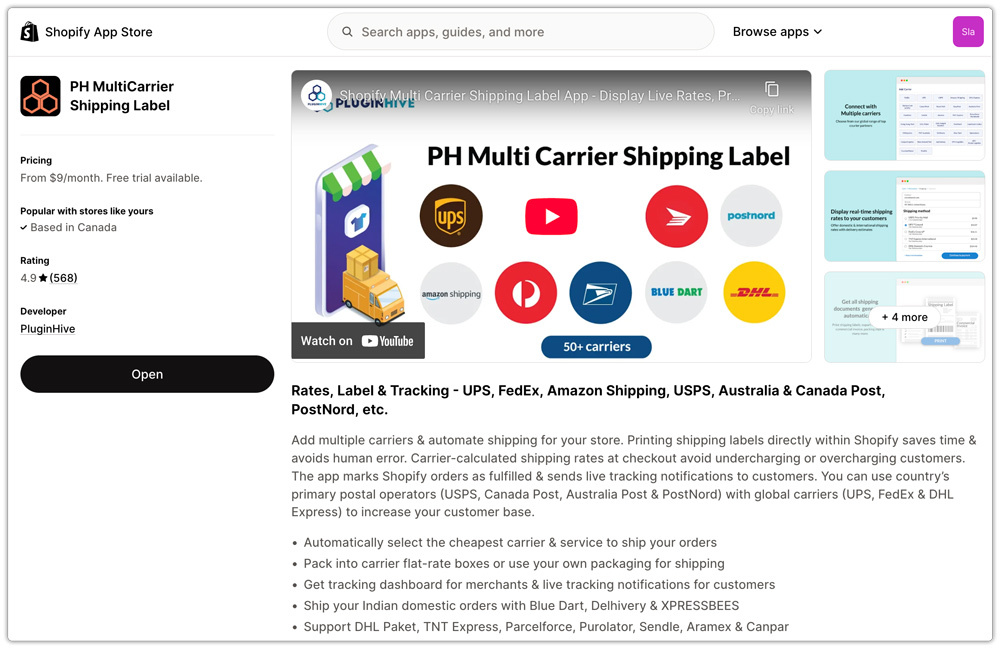
Here’s what the app does:
- Automatic order import. The app automatically imports Shopify orders as soon as they are placed, so they’re ready for label generation without any manual copy-paste of customer details.
- BlueDart shipping label generation from the order page. Select the order, choose the Blue Dart service, and the app generates the BlueDart shipping label with the shipper and recipient address, tracking number, and service type, ready for printing directly from Shopify.
- Service selection per order. You can select the appropriate Blue Dart service Domestic Priority, Dart Apex, or Surfaceline, for each order based on urgency and weight, from within the app.

- Pickup scheduling. Place a Blue Dart pickup request from the order page after generating the label; no need to contact Blue Dart.

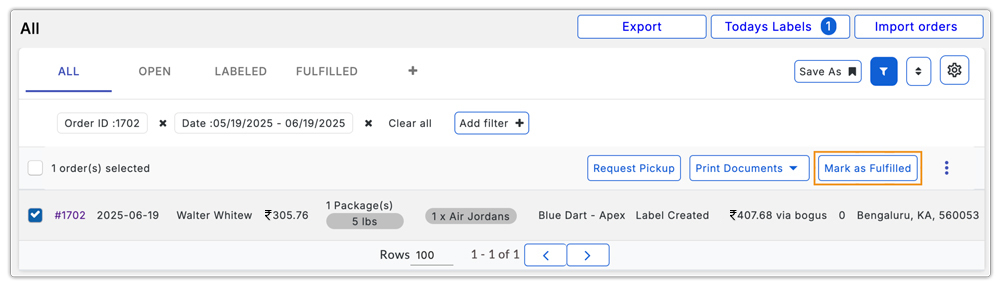
- Automatic order fulfilment and tracking sync. The app marks the Shopify order as fulfilled and pushes the Blue Dart tracking number back to the order, triggering the customer fulfilment email with tracking details automatically.
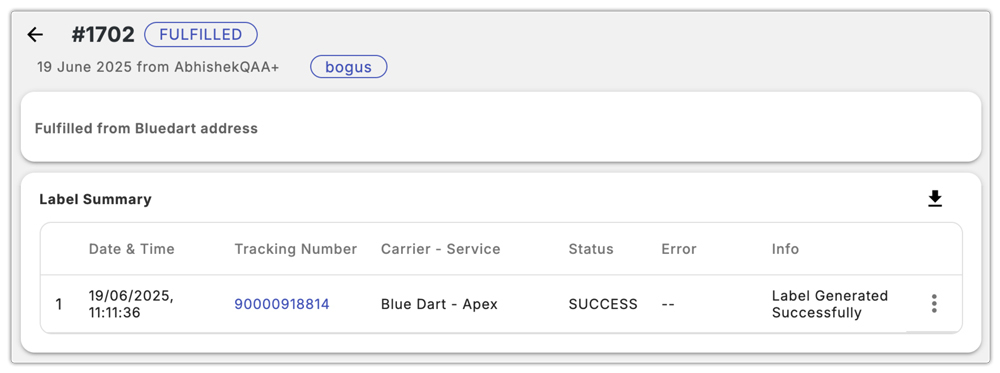
The app also supports running Blue Dart alongside other Indian carriers like Delhivery within the same interface, which is useful for Shopify merchants who use multiple carriers depending on PIN code coverage or service requirements. For more on how Blue Dart tracking works in Shopify, including how the waybill number flows from label to customer notification, see the dedicated tracking guide.
Conclusion
Printing a Blue Dart shipping label directly from Shopify is straightforward once your Blue Dart account credentials are in place and your service selection is configured. The waybill number enables scanning, tracking, and proof of delivery throughout the Blue Dart shipment.
For stores with growing order volumes, the PH Multi-Carrier Shipping Label app removes the manual steps between order placement and label dispatch: importing orders automatically, generating labels from the Shopify order page, scheduling pickups, and syncing tracking numbers back to fulfilled orders without switching between platforms.
FAQs
Q: Which Blue Dart service should I use for standard Shopify orders?
For time-sensitive orders under 10 kg, Domestic Priority is the right choice. Heavier commercial shipments requiring regulatory clearance, Air Express Package (Dart Apex) is appropriate. For non-urgent, cost-sensitive orders, Dart Surfaceline is the most economical option.
Q: Does Blue Dart offer free pickup for Shopify merchants?
Yes. Blue Dart’s Domestic Priority and Air Express Package services include free pickup from your location. Check pickup availability for your origin city and PIN code before relying on it for your dispatch workflow.
Q: How does tracking work after I print a Blue Dart shipping label?
Each label carries a unique waybill number. Once the shipment is collected, you can track it via the PH Multi-Carrier Shipping Label app; the tracking number is synced back to the Shopify order, and customers receive their tracking details automatically through Shopify’s fulfilment notification.
