


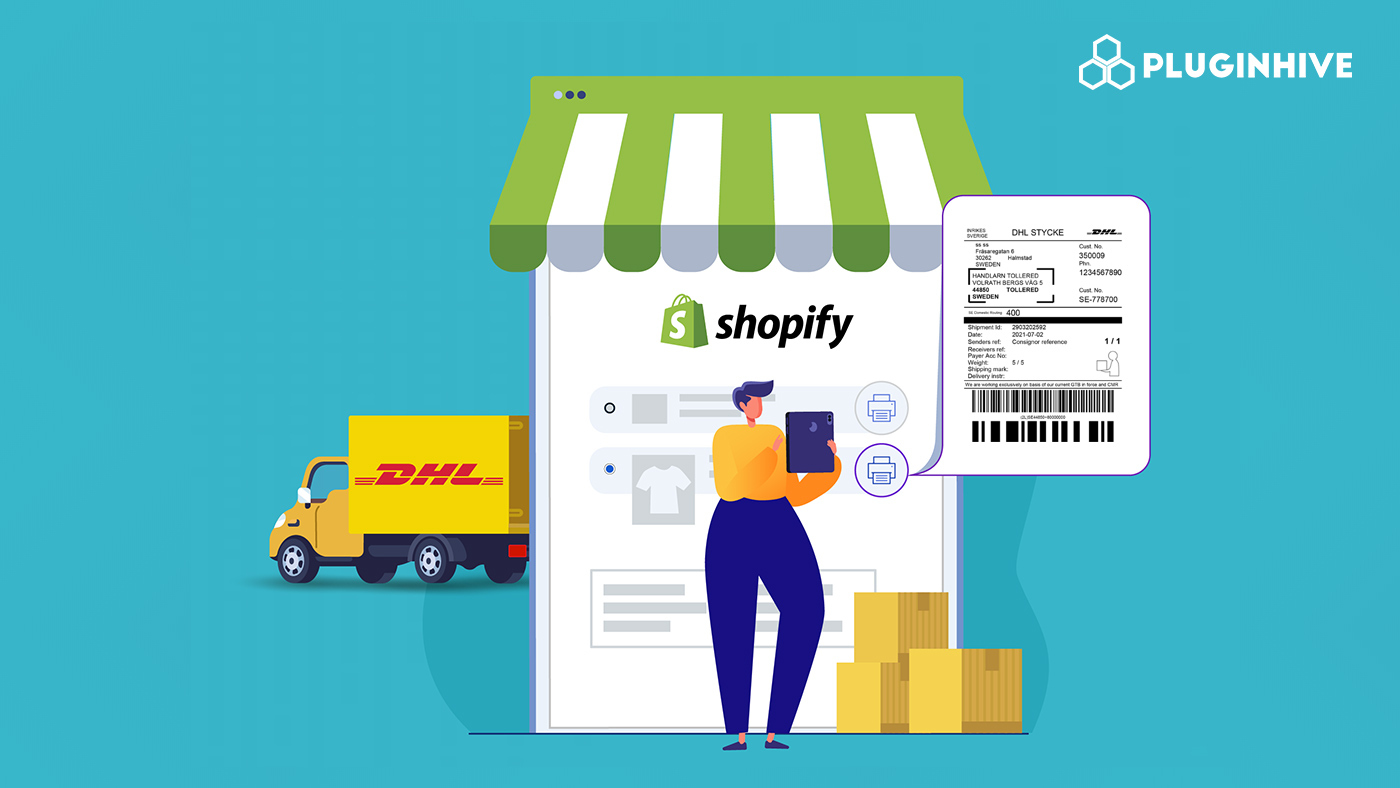
Printing DHL Freight Sweden shipping labels directly from Shopify isn’t just about convenience; it’s about eliminating one of the biggest hidden bottlenecks in order fulfillment. Manually creating shipping labels means switching between Shopify and DHL’s portal, re-entering customer information, and double-checking every shipment. These repetitive steps add up, increase the risk of errors, and slow down dispatch, especially during high-volume periods.
For growing Shopify stores, manual DHL Freight Sweden label printing can’t keep pace. Automation ensures order details flow directly from Shopify, shipping labels are generated accurately, and fulfillment happens faster without extra effort. Using apps like the PH Multi-Carrier Shipping Label app, Shopify sellers can connect their DHL Freight Sweden account, print labels in bulk, and automatically sync tracking updates. The result is a smoother shipping workflow, fewer mistakes, and faster delivery times.
In This Article:
- DHL Freight Sweden Label Printing Challenges for Shopify Sellers
- How to Solve DHL Freight Sweden Label Printing Challenges on Shopify
- How to Automate DHL Freight Sweden Label Printing in Shopify
- Common Mistakes Shopify Sellers Make with DHL Freight Sweden Automation
- How Direct Label Printing Impacts Dispatch Speed
- Conclusion
- FAQ’s
DHL Freight Sweden Label Printing Challenges for Shopify Sellers
Manual DHL Freight Sweden label printing can create several hurdles for Shopify shipping workflows. These issues often start small but grow quickly as order volumes increase:
- Switching between platforms slows fulfillment. Moving between the Shopify and DHL Freight Sweden portals interrupts workflow, wasting time for every order.
- Manual data entry errors. Copying customer addresses, order weights, and service details can easily introduce mistakes, leading to misprinted labels, failed deliveries, or returned parcels.
- High-volume delays. When dozens or hundreds of orders come in, manual label creation makes same-day dispatch nearly impossible.
Over time, these problems affect delivery and customer satisfaction. Slower dispatch and misprinted labels can lead to “Where is my order?” tickets, missed delivery windows, and lower repeat purchase rates. Manual DHL Freight Sweden label printing becomes a serious scalability bottleneck for Shopify sellers.
How to Solve DHL Freight Sweden Label Printing Challenges on Shopify
The first step to solving these issues is removing manual steps from your shipping workflow. Automation allows Shopify sellers to manage labels, tracking, and fulfillment in a single place.
Key benefits of automating DHL Freight Sweden labels include:
- Generate labels directly from Shopify orders without switching platforms
- Reduce errors by syncing addresses, weights, and order information automatically
- Print in bulk for daily dispatch or high-volume sales events
- Keep tracking updates in sync with Shopify, improving customer transparency
Tools like the PH MultiCarrier Shipping Label app integrate DHL Freight Sweden services directly into Shopify, enabling seamless label creation, tracking updates, and fulfillment from a single dashboard.
How to Automate DHL Freight Sweden Label Printing in Shopify
Automation keeps your fulfillment process organized and eliminates repetitive tasks. With a setup like the PH MultiCarrier Shipping Label app, labels can be generated directly from Shopify orders as soon as an order is placed.
This setup allows Shopify sellers to:
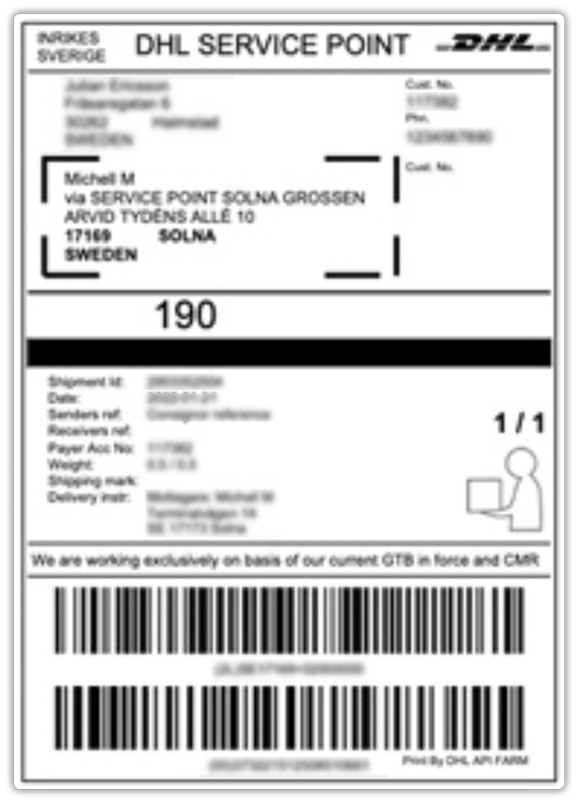
- Print DHL Freight Sweden labels instantly from the order grid, even for multiple orders, saving time during daily dispatch.
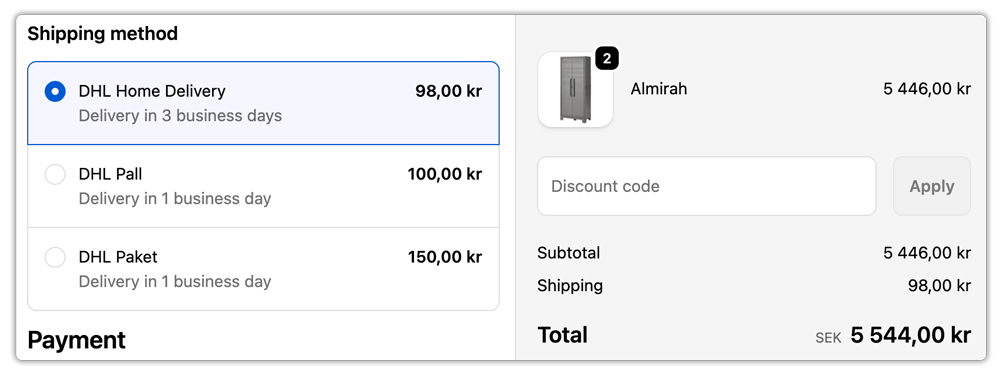
- Live Rates at checkout. It also helps you display live rates at checkout
- Automatically sync tracking updates back to Shopify, with notifications sent to customers once shipments are dispatched
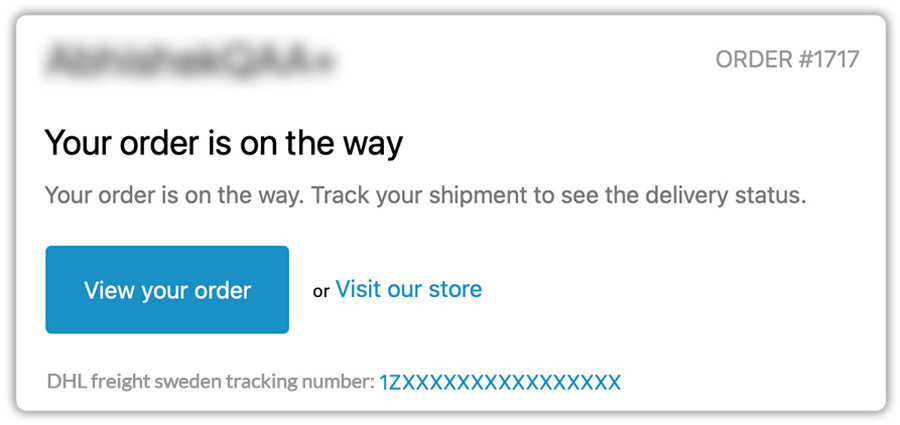
By connecting label printing, tracking, and fulfillment, automation reduces errors, speeds up dispatch, and provides full visibility over all DHL Freight Sweden shipments.
Common Mistakes Shopify Sellers Make with DHL Freight Sweden Automation
Even with automation tools, sellers often encounter issues due to setup mistakes:
- Incorrect product weights or dimensions can cause failed label generation or inaccurate shipping costs, which decreases the shipping speed.
- Mismatched shipping services, where Shopify checkout options don’t align with the DHL Freight service used for shipping label printing.
- No bulk-processing workflow, leading to orders still being processed one by one.
- Incomplete tracking sync, resulting in labels being created but tracking not updating in Shopify.
The solution is to treat DHL Freight Sweden label printing as part of a complete fulfillment system, not a separate task. Accurate product data, correctly mapped shipping services, and automatic tracking sync are essential for successful automation.
How Direct Label Printing Impacts Dispatch Speed
Most sellers underestimate how much time label creation consumes in a day.
Let’s break it down:
If manual DHL Freight Sweden label creation takes even 2–3 minutes per order, and you process 80 orders daily, that’s up to 4 hours spent just generating labels.
Now imagine cutting that down to bulk processing:
- Select multiple orders
- Generate all labels in seconds
- Download or print instantly
- Automatically mark orders as fulfilled
With the PH Multi-Carrier Shipping Label, a label can be generated in less than 15 seconds. That brings the total label processing time for 80 orders down to roughly 20 minutes instead of 4 hours.
That time saved can be redirected toward:
- Customer service
- Marketing
- Inventory planning
- Business growth
Direct DHL Freight Sweden label printing inside Shopify isn’t just operationally efficient; it directly impacts how quickly your warehouse can dispatch shipments and meet promised delivery timelines.
Conclusion
Shipping shouldn’t slow your business down. While manual DHL Freight Sweden label printing may work at first, it quickly becomes unmanageable as order volumes grow. Small mistakes, repeated data entry, and delays can snowball into bigger fulfillment issues.
Automating DHL Freight Sweden label printing in Shopify removes these bottlenecks. When orders, labels, and tracking updates are connected, fulfillment is faster, more accurate, and more predictable. With the right setup and tools like the PH MultiCarrier Shipping Label app, Shopify sellers can focus on growing their business instead of managing shipping labels.
Automation isn’t just a convenience; it’s essential for scalable, reliable shipping that keeps your store competitive and your customers happy.
FAQ’s
Q. Can I print DHL Freight Sweden shipping labels directly in Shopify?
Yes, you can print DHL Freight Sweden shipping labels directly inside Shopify by using an integration app like the PH Multi-Carrier Shipping Label app. Shopify does not natively support DHL Freight Sweden label generation, so an integration is required to generate, download, and print labels without switching platforms.
Q. Do I need a DHL account to automate label printing?
Yes. You must have an active DHL Freight Sweden business account to generate shipping labels programmatically. The integration connects your DHL Freight credentials to Shopify so rates, services, and tracking details sync automatically.
Q. Can I print DHL Freight Sweden labels in bulk for multiple Shopify orders?
Yes. With the PH Multi-Carrier Shipping Label app in place, you can select multiple Shopify orders and generate DHL Freight Sweden shipping labels in bulk. This significantly reduces dispatch time, especially during high-volume sales periods.
