


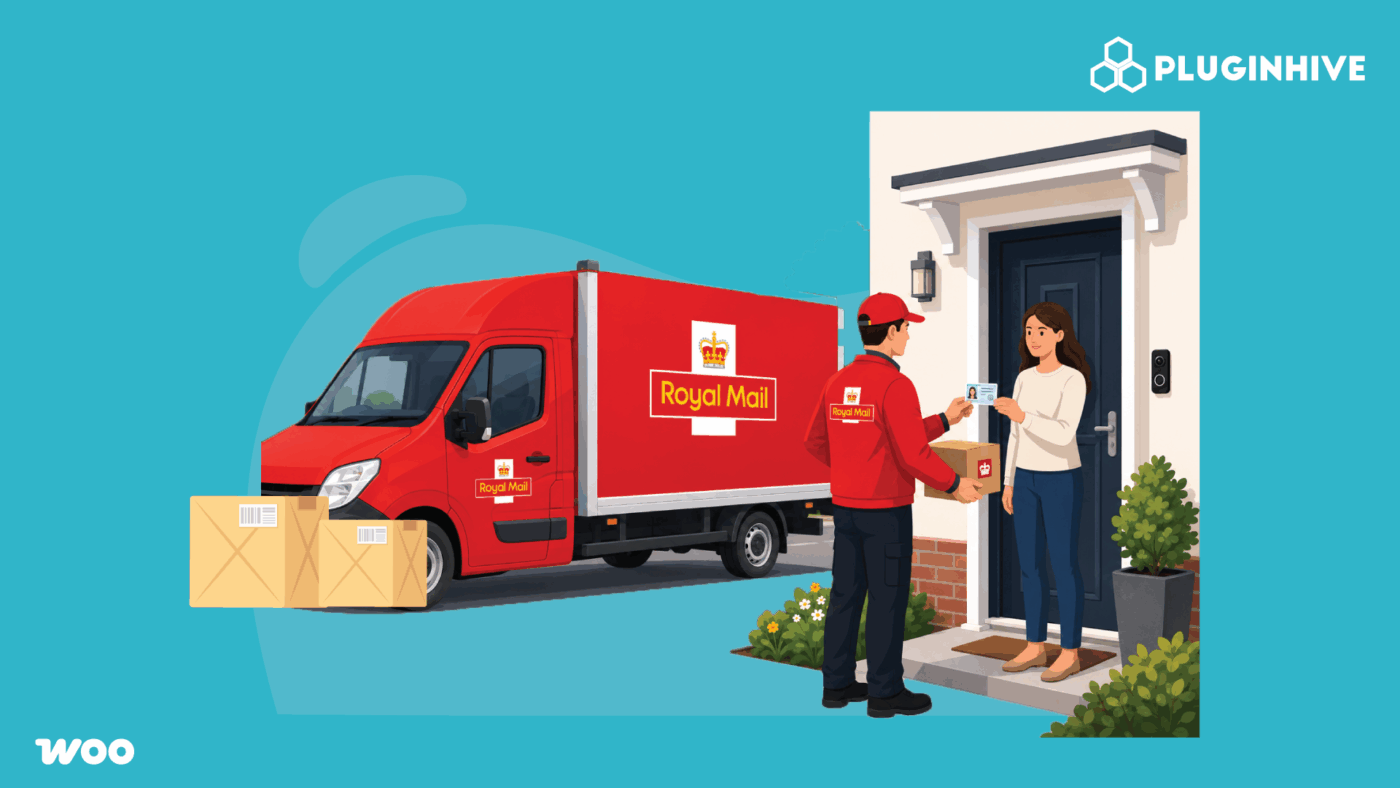
If you sell age-restricted products through WooCommerce, verifying a customer’s age online is only part of the process. You also need to make sure the parcel is delivered to someone who meets the required age. The Royal Mail Age Verification Service helps businesses verify the recipient’s age when delivering eligible age-restricted items.
In this guide, we’ll explain how the Royal Mail Age Verification Service works, which products require age verification, and how you can handle age-restricted deliveries with Royal Mail in WooCommerce.
On This Page
- What Is the Royal Mail Age Verification Service?
- Which Products Require Royal Mail Age Verification?
- How Does the Royal Mail Age Verification Service Work?
- How to Ship Age-Restricted Products with Royal Mail in WooCommerce
- Using Royal Mail Click & Drop for Age-Verified Shipments
- Best Practices for Shipping Age-Restricted Products in WooCommerce
- Conclusion
- FAQs
What Is the Royal Mail Age Verification Service?
Royal Mail’s Age Verification service confirms that the person receiving a parcel is old enough for what’s inside, before the courier hands it over. It’s available on Royal Mail Tracked and Royal Mail Special Delivery Guaranteed, rather than being a shipping method you pick on its own.
For some products, using this service isn’t optional. For others, it’s a choice you make as the sender. We’ll cover which is which next, and exactly how the verification process works at delivery.
Which Products Require Royal Mail Age Verification?
Royal Mail splits age-restricted items into two groups:
Legally required:
- Knives and bladed products – this isn’t a store preference; it’s a legal requirement under UK legislation (the Criminal Justice Act 1988 and the Offensive Weapons Act 2019).
Optional, at the sender’s discretion:
- Alcohol – wine, beer, spirits, and gift sets containing alcohol.
- Vape equipment and liquids – devices, e-liquids, and related accessories.
- Tobacco products – cigarettes, rolling tobacco, and related items.
For alcohol, vapes, and tobacco, Royal Mail leaves it up to you as the seller to decide whether to use the Age Verification service. If you’re shipping knives or bladed products, using it isn’t a choice. If you’re unsure whether a product you sell falls into either category, it’s worth double-checking against Royal Mail’s own guidance before you finalise your shipping setup.
How Does the Royal Mail Age Verification Service Work?
Here’s what actually happens when an age-verified parcel reaches its destination:
- Year of birth first: The courier asks the recipient for their year of birth and enters it into their handheld device.
- ID only if needed: Royal Mail follows the Challenge 25 principle – if the recipient looks under 25, the courier asks to see photo ID before handing the parcel over.
- Accepted ID: Only a valid, in-date passport or UK/EU driving licence (full or provisional) is accepted as proof of age.
- What’s recorded: The delivery agent records the recipient’s year of birth and collects a signature. They do not photograph the recipient’s ID or record any other personal details.
- Who can receive it: The parcel can go to the named recipient, another adult (18+) at the same address, or a neighbour the recipient has nominated in advance, as long as that neighbour is 18+ and shows proof of age too.
- If no one eligible is home: The courier leaves a card. Royal Mail either attempts delivery again the next working day, or held at the local Customer Service Point for collection with ID. Customers can also arrange a redelivery for a time that works for them.
This means age-verified shipping needs a bit more coordination on the customer’s side than a standard parcel. Setting clear expectations at checkout goes a long way toward reducing missed deliveries.
How to Ship Age-Restricted Products with Royal Mail in WooCommerce
Royal Mail’s courier handles age verification at the door. Your job in WooCommerce is making sure customers ordering restricted products are shown the right service to begin with. The PH Royal Mail Shipping with Tracking for WooCommerce plugin gives you that control at checkout:
- Enable the right services: In the plugin’s General settings, go to the Services section and enable Royal Mail Tracked 24 with Age Verification and Royal Mail Tracked 48 with Age Verification. These are the age-verification services currently available in the plugin.
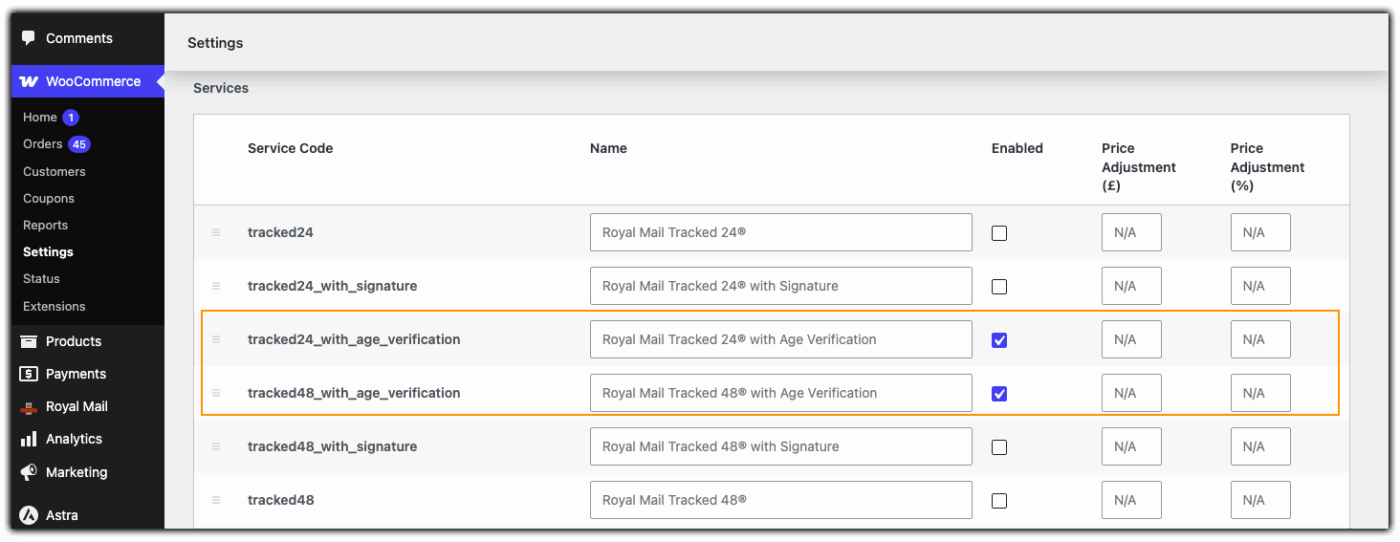
- Adjust pricing if needed: Use the plugin’s price adjustment fields (in £ or %) to reflect the cost of these services compared to standard delivery.
- Set a clear Method Title (Optional): Rename the shipping method label so customers know what they’re choosing, for example “Age-Verified Delivery” instead of a generic carrier name.
Need help with the complete setup? Follow our step-by-step guide to setting up Royal Mail Shipping with Tracking for WooCommerce to configure the plugin and get everything working correctly.
Once configured, the Royal Mail shipping option will appear at WooCommerce checkout. Customers can then select the appropriate delivery option for their order.
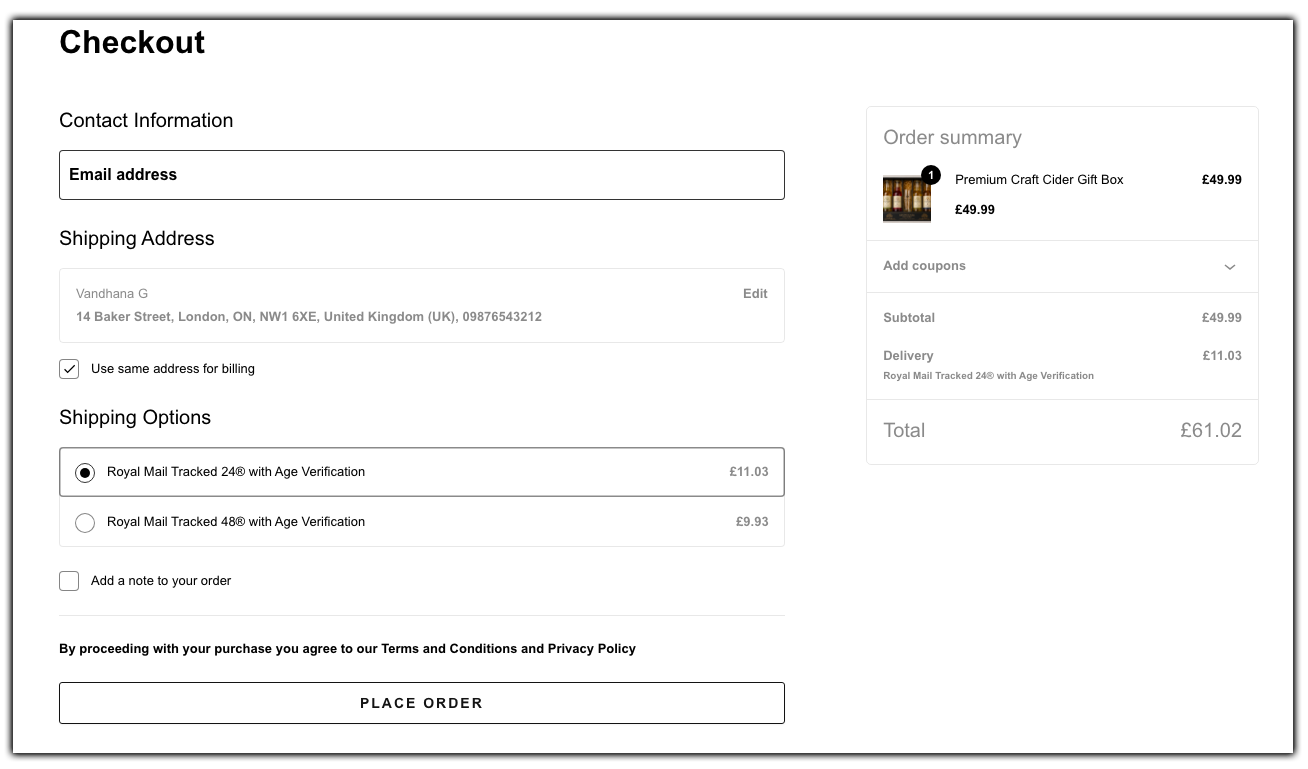
Show Age-Verified Shipping Only for Restricted Products
If your store sells both restricted and regular products, use the PH Hide Shipping Methods & Rate Adjustment plugin to display age-verified services only when they’re actually needed:
- Create a rule based on product category or shipping class, such as “Alcohol” or “Knives.”
- Show the age-verified service only when a matching product is in the cart.
- Leave standard shipping options untouched for everyone else.
Using Royal Mail Click & Drop for Age-Verified Shipments
Royal Mail’s Click & Drop platform is where you’ll generate the actual shipping label once an order is ready to send. When printing labels for age-restricted products, select the age verification option against a Tracked or Special Delivery Guaranteed service, which flags the parcel for the courier before it leaves your premises.
- Match the label to the checkout service: Make sure the service you select in Click & Drop matches what the customer paid for at checkout, so the courier applies age verification correctly.
- Confirm the flag is set: Double-check the age verification option is switched on for that shipment before printing, since it’s easy to miss on a busy dispatch day.
- Keep tracking numbers in sync: Once the label is generated, add the tracking number to the WooCommerce order so it’s included in the order completion email, keeping the customer informed from dispatch to delivery.
Click & Drop and your WooCommerce shipping setup work best together when the service names, pricing, and expectations line up across both, so there are no surprises for the customer at delivery.
Best Practices for Shipping Age-Restricted Products in WooCommerce
A few adjustments to how you present and manage these orders can cut down on missed deliveries and support tickets.
- Be upfront at checkout: Add a short note near the shipping method explaining that proof of age may be required at delivery, so customers aren’t caught off guard.
- Flag restricted products clearly: Use product categories or shipping classes consistently, so your shipping rules stay accurate as your catalogue grows.
- Suggest a reliable delivery address: A workplace or an address where someone is usually home works better than one that’s often empty, since a missed delivery means a second attempt or a trip to collect it.
- Mention the Challenge 25 policy: Let customers under 25 know they’ll likely be asked for ID, so it doesn’t feel unexpected.
- Review your restricted product list regularly: UK rules around age-restricted items can change, so check that your product categorisation still matches current requirements.
These small adjustments can make a noticeable difference in how smoothly your store handles age-restricted deliveries.
Conclusion
Shipping age-restricted products doesn’t have to mean extra manual work for your team. By enabling the right Royal Mail services in the Royal Mail Shipping plugin, and using the Hide Shipping Methods plugin where needed, you can make sure the correct age-verified delivery option shows up automatically for the products that need it. If you run into any setup questions along the way, PluginHive support is available to help you get it configured correctly.
FAQs
Q: Does Royal Mail ask for ID when delivering age-restricted items?
Only if the recipient looks under 25. Royal Mail first asks for year of birth, then ID if needed, accepting only a passport or UK/EU driving licence.
Q: How do I send a parcel with age verification?
Choose Royal Mail Tracked or Special Delivery Guaranteed, then turn on age verification for that shipment in Click & Drop. In WooCommerce, enable these services in the PH Royal Mail Shipping with Tracking for WooCommerce plugin.
Q: How much does Royal Mail age verification cost?
There’s no separate fee. It’s included with Royal Mail Tracked or Special Delivery Guaranteed, so the cost depends on which service you choose.
