


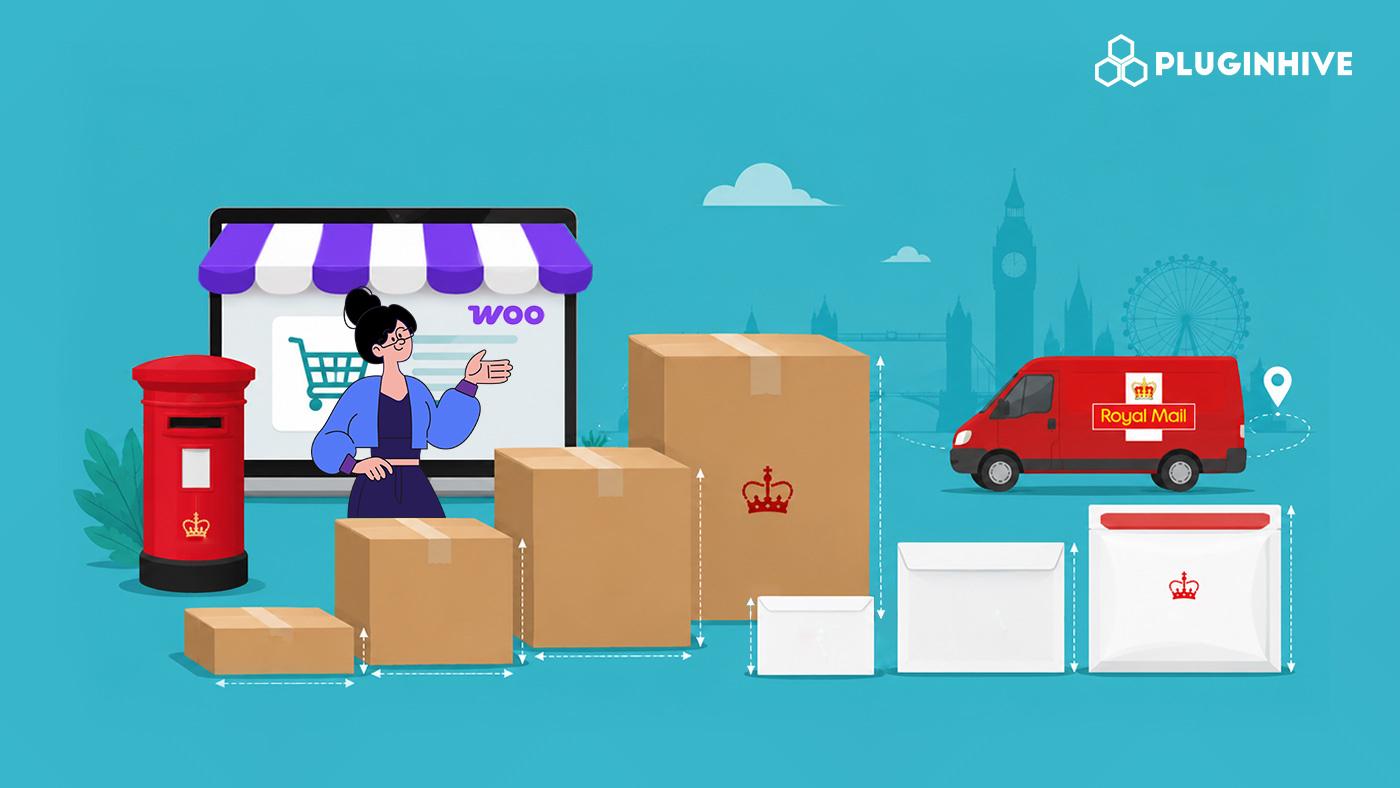
Royal Mail doesn’t charge for shipping based on weight alone. Royal Mail parcel sizes determine the price band before weight is even considered, since every parcel or letter is first sorted into a size format. This means two products with the same weight can have very different shipping costs. Even a few extra millimetres of packaging can move one into a higher pricing band.
For WooCommerce sellers, this matters because your checkout should display the same rate Royal Mail charges. Otherwise, customers may see inaccurate shipping costs. If your shipping setup doesn’t account for Royal Mail’s size formats, you risk showing customers an inaccurate rate at checkout. The PH Royal Mail Shipping with Tracking for WooCommerce plugin is built to handle this automatically. In this article, you’ll learn how Royal Mail parcel and letter size rules work and how to set them up correctly in your WooCommerce store
On This Page
- Royal Mail Parcel and Letter Size Categories Explained
- How Royal Mail’s Size Bands Affect Your WooCommerce Shipping Costs
- Configuring Royal Mail Box Sizes in WooCommerce
- Best Practices for Shipping with Royal Mail in WooCommerce
- Conclusion
- FAQs
Royal Mail Parcel and Letter Size Categories Explained
Royal Mail classifies your item according to the first limit it reaches. Each has its own maximum size and weight, and going even slightly over either limit pushes your item into the next, pricier category.
| Format | Max Dimensions | Max Weight | Typical Items |
|---|---|---|---|
| Letter | 24 × 16.5 × 0.5 cm | 100g | Invoices, cards, thin documents |
| Large Letter | 35.3 × 25 × 2.5 cm | 750g | A4 documents, magazines, slim books, CDs |
| Small Parcel | 45 × 35 × 16 cm | 2kg | Phone cases, cosmetics, folded clothing, small tech |
| Medium Parcel | 61 × 46 × 46 cm | 20kg | Boxed shoes, kitchen appliances, gift sets |
| Large Parcel | Anything larger | Handled via Parcelforce | Bulky or heavy goods |
Your item is classed by whichever limit it hits first. A box that’s the right length and width but slightly too thick for Large Letter still gets priced as a Small Parcel, even if the WooCommerce product itself is well under the weight limit.
How to Check Which Royal Mail Parcel Size Your Product Falls Into?
Before you touch any settings, it helps to check where your typical products land. Pack the item the way you actually plan to ship it, then measure the packed box or envelope, not just the product inside. Compare those numbers against the Royal Mail parcel sizes table above, checking length, width, and thickness (depth) separately, since any one of them can bump you up to the next format. If a product sits right on the edge of a limit, it’s safer to plan for the higher band, as slight variations in packing (tape, padding, a bulging seam) can tip it over on the day.
How Royal Mail’s Size Bands Affect Your WooCommerce Shipping Costs?
Since Royal Mail prices by format first and weight second, how your store handles this classification has a direct, ongoing effect on what customers pay and what you absorb. Here’s where it shows up:
- Checkout accuracy: If your store calculates shipping based solely on cart weight, without accounting for package dimensions, the rate shown at checkout may not match what Royal Mail actually charges once the parcel is scanned at the depot.
- Shrinking margins on borderline items: A product that would easily qualify for the cheaper Large Letter rate can get bumped into Small Parcel pricing simply because of how it’s packed – an oversized envelope or a slightly thick mailer is often enough.
- Cost creep at scale: A few millimetres of extra packaging on one order looks trivial, but across hundreds of monthly orders, that repeated jump into the next price band adds up to a real difference in your shipping spend.
Put simply, accurate size classification at checkout isn’t a minor detail; it’s what keeps your Royal Mail shipping costs honest and predictable as your order volume grows.
Configuring Royal Mail Box Sizes in WooCommerce
The PH Royal Mail Shipping with Tracking for WooCommerce plugin is what applies Royal Mail parcel sizes to your store’s shipping rates. Setting it up correctly takes just a couple of steps.
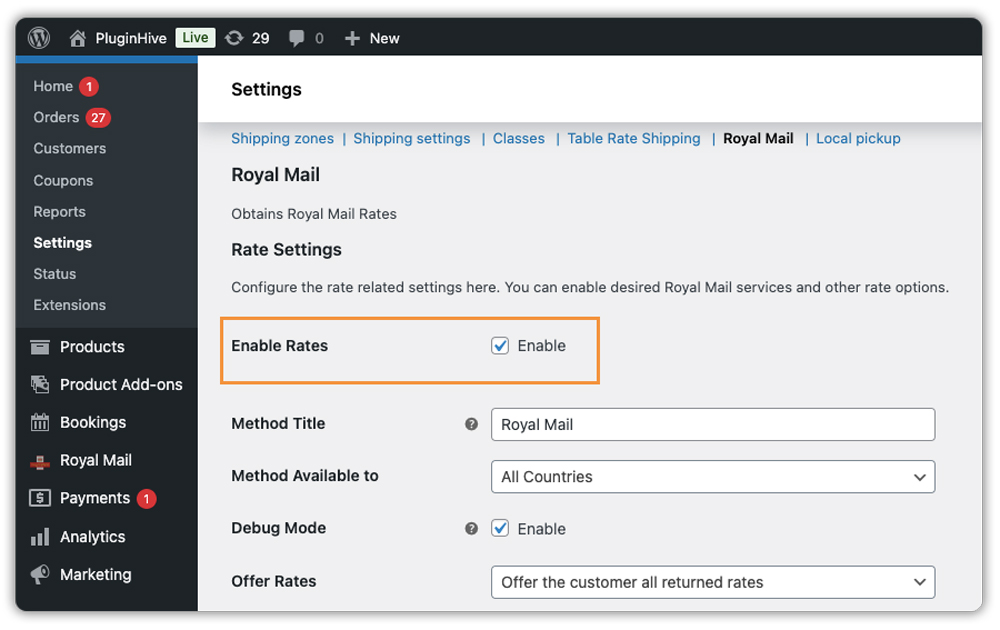
Start by turning on the shipping rates option in the plugin settings, so Royal Mail’s official rates show up on your WooCommerce Cart and Checkout pages instead of a flat estimate.
Next, choose “Pack into boxes with weight and dimensions” as your packaging method. This is the only option that applies Royal Mail’s size formats – it sorts each order into the correct format based on packed dimensions, rather than pricing on weight alone.
Once selected, the plugin’s Box Sizes table is pre-filled with the five Royal Mail parcel sizes – Letter, Large Letter, Small Parcel, Medium Parcel, and Royal Mail Parcel (International) set to Royal Mail’s official dimensions and weight limits.
- Use the Enabled checkbox to turn off any format you never ship in.
- The plugin packs each order into the smallest enabled box the item fits into, based on your WooCommerce product dimensions.
- The plugin packs items that don’t fit any enabled box individually, so they still receive a shipping rate.

You’ll also need to choose which Royal Mail and Parcelforce services to offer and set any price adjustments – for the detailed steps on that, refer to the Royal Mail setup guide.
Once configured, the plugin works automatically. It checks each product’s dimensions and the customer’s delivery address, selects the correct format, and displays the matching rate at Cart and Checkout.

Best Practices for Shipping with Royal Mail in WooCommerce
Setting up the plugin correctly is only half the job. You also need accurate product data and consistent packaging to keep your shipping rates correct over time.
- Right-size your packaging: Choose the smallest box or mailer your product comfortably fits in. Fitting into Large Letter instead of Small Parcel can noticeably lower your postage per order.
- Keep product weights and dimensions accurate: Since the plugin classifies parcels automatically based on this data, incorrect values lead to incorrect rates at checkout.
- Stock more than one packaging size: Relying on a single box or envelope for every product often means smaller items get shipped in packaging sized for bigger ones, pushing them into a pricier format unnecessarily.
- Enable debug mode if rates look off: If shipping rates seem too high, too low, or missing entirely, the plugin’s debug option helps you trace exactly where the issue is.
- Review your box packing settings periodically: As you add new products, revisit your packaging setup to make sure larger or unusually shaped items are still being classified correctly.
Getting these basics right once means your store keeps quoting accurate Royal Mail rates automatically, without needing regular manual fixes.
Conclusion
Royal Mail parcel sizes aren’t just a shipping technicality – they directly shape what your WooCommerce customers pay at checkout and how much of that cost you absorb. Getting your product dimensions and packaging settings right, and letting the PH Royal Mail Shipping with Tracking for WooCommerce plugin handle the classification automatically, keeps your rates accurate and your shipping costs predictable order after order.
FAQs
1. What are the Royal Mail parcel sizes?
Royal Mail parcel sizes fall into three formats: Small Parcel (up to 45 × 35 × 16 cm, 2kg), Medium Parcel (up to 61 × 46 × 46 cm, 20kg), and Large Parcel for anything bigger, which is handled through Parcelforce.
2. What is the difference between a large letter and a small parcel?
A Large Letter is flatter and lighter, up to 35.3 × 25 × 2.5 cm and 750g. A Small Parcel allows more depth and weight up to 45 × 35 × 16 cm and 2kg making it better suited for bulkier items.
3. How do I measure my parcel for Royal Mail?
Measure the item after it’s packed, not the product alone. Check the length, width, and thickness or depth separately, then compare each against Royal Mail’s size table to see which format it fits.
4. How much does Royal Mail charge for a small parcel?
It depends on the weight and service you choose (1st Class, 2nd Class, or Tracked). Rates are updated periodically, so it’s best to check current pricing on the Royal Mail website or your WooCommerce checkout.
5. What are the Royal Mail letter sizes?
A standard Letter must be no larger than 24 × 16.5 × 0.5 cm and weigh under 100g. It also needs to be flexible enough to bend.
6. Is A3 a large letter in Royal Mail?
No. A3 paper is 297 × 420mm, which is wider than the Large Letter limit of 250mm. It would need to be sent as a Small Parcel instead.
