



Not every Shopify store needs the same tracking setup. A store shipping twenty orders a week has different requirements than one processing hundreds of daily shipments across multiple carriers. Getting Shopify package tracking right means matching the setup to your actual volume, carrier mix, and the experience you want to deliver to customers, not simply installing whatever app comes up first.
This guide walks through your options, what each approach covers, and how to decide which one actually fits your store.
Table of Contents
- What Is Shopify Package Tracking?
- Why Getting the Right Shopify Package Tracking Setup Matters
- What Shopify Gives You Out of the Box
- The Three Approaches to Shopify Package Tracking
- Key Factors to Consider When Choosing a Tracking Setup
- How PluginHive Shipment Tracking & Notify Fits In
- Which Setup Is Right for Your Store?
- Conclusion
- FAQs
What Is Shopify Package Tracking?
Shopify package tracking is the process of giving merchants and customers visibility into where a shipment is at any point in the delivery journey. From the moment a label is generated to the moment the package lands at the customer’s door, a tracking setup captures status changes from the carrier and surfaces them either to the merchant’s dashboard, to the customer via email, or both.
A complete Shopify package tracking setup typically includes three things working together:
- A way to pull live status updates from your carrier or carriers
- A customer-facing experience where those updates are visible (a tracking page, email notifications, or both)
- A merchant-facing dashboard where all active shipments can be monitored in one place
When any one of these is missing, gaps appear either in customer communication, operational visibility, or both.
Why Getting the Right Shopify Package Tracking Setup Matters
Poor Shopify package tracking doesn’t just create a bad customer experience. It creates operational overhead. When customers can’t easily find out where their order is, they contact your support team. Those “where is my order” (WISMO) queries stack up fast during busy periods and pull your team away from higher-value work.
On the flip side, a well-configured tracking setup:
- Reduces inbound WISMO support tickets by giving customers self-serve visibility
- Improves customer trust through proactive and accurate delivery communication
- Gives your team a live view of shipment exceptions before customers notice them
- Keeps customers on your store domain rather than sending them to carrier websites
- Supports repeat purchases by closing the post-purchase experience on a positive note
Understanding how Shopify order tracking statuses work is also a useful starting point; knowing what each carrier status actually means helps you communicate them clearly at the right moments.
What Shopify Gives You Out of the Box
Before choosing a more advanced setup, it helps to know what Shopify already provides by default for package tracking.
When you fulfill an order and add a tracking number, Shopify:
- Records the tracking number against the order
- Sends the customer a shipping confirmation email with a tracking link
- Directs the customer to the shop app to view their shipment status
What Shopify does not do automatically:
- Send in-transit, out-for-delivery, or delivery confirmation notifications
- Host a branded tracking page on your store domain
- Pull live carrier scan events into a merchant dashboard
- Alert your team when a delivery exception occurs
The Three Approaches to Shopify Package Tracking
Option 1: Shopify’s Native Tracking
This is the zero-configuration approach. You fulfill orders, add tracking numbers, and Shopify handles the confirmation email. Customers click through to the shop app to check their status.
- Best for: Very small stores, early-stage merchants testing their shipping workflow.
- Limitations: No in-transit notifications, no branded tracking page, no merchant dashboard, no exception alerts.
Option 2: Carrier-Specific Shipping App with Built-In Tracking
Apps like the PH Multi-Carrier Shipping Label App handle the full shipping workflow: live rates at checkout, label generation, order fulfillment, and tracking updates all connected to your own carrier account. This approach integrates Shopify package tracking directly into the label-and-fulfillment flow.
When a label is generated, the tracking number is automatically added to the order, and the fulfillment is marked in Shopify. Live tracking updates are sent to customers via email as the carrier updates the shipment status.
- Best for: Stores that want to consolidate rates, labels, fulfillment, and tracking in one place.
- Limitations: The tracking page experience depends on Shopify’s default order status page unless paired with a dedicated tracking page app.
Option 3: Dedicated Shopify Package Tracking App
A standalone tracking app is focused entirely on the customer-facing and merchant-facing tracking experience. It monitors shipment status across all your active carriers, sends automated email notifications at each stage, and provides a branded tracking page directly on your Shopify store.
This approach is most powerful when paired with a carrier shipping app — where label generation and fulfillment happen in the shipping app, while the tracking app handles all post-fulfillment customer communication and visibility.
Best for: Stores that already have a shipping workflow in place and want to upgrade specifically the tracking and notification experience.
Key Factors to Consider When Choosing a Tracking Setup
- Order Volume: Your monthly order count is the most practical filter. A free plan on a tracking app may cover a store shipping twenty orders a month perfectly well. A store processing thousands of orders needs a setup that scales without manual intervention.
- Number of Carriers: If you ship exclusively with one carrier, a carrier-specific app may be all you need. If your store ships with two or more carriers — or if you use different carriers for domestic versus international orders — a setup that supports multi-carrier Shopify package tracking from a single dashboard saves significant time. For stores doing Shopify international shipping with regional carriers, unified tracking becomes even more important.
- Customer Communication Expectations: Different product categories carry different customer expectations. Someone ordering a luxury item expects frequent, branded updates. Someone ordering a low-cost commodity may not.
- Branded vs. Off-Domain Tracking: A basic tracking link sends customers to the carrier website. A branded tracking page keeps them on your domain. For stores focused on customer retention and brand consistency, keeping the post-purchase experience on-domain matters. Learn more about how branded order tracking pages benefit Shopify stores if this is a priority for you.
How PluginHive Shipment Tracking & Notify Fits In
The PluginHive Shipment Tracking & Notify app is a dedicated Shopify package tracking app built specifically to handle the post-fulfillment customer experience.
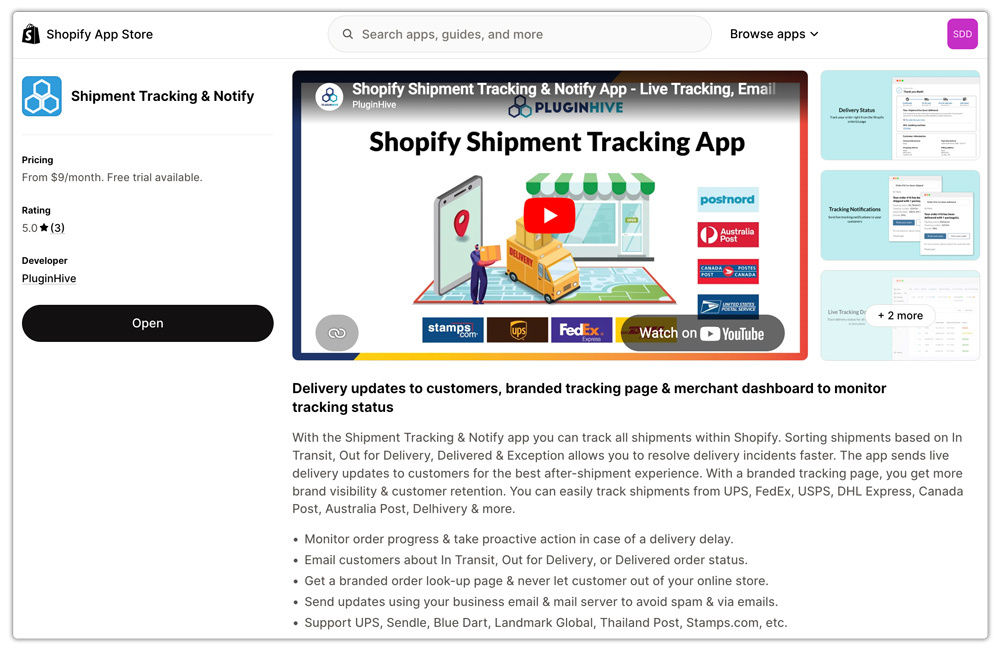
Here is what it adds:
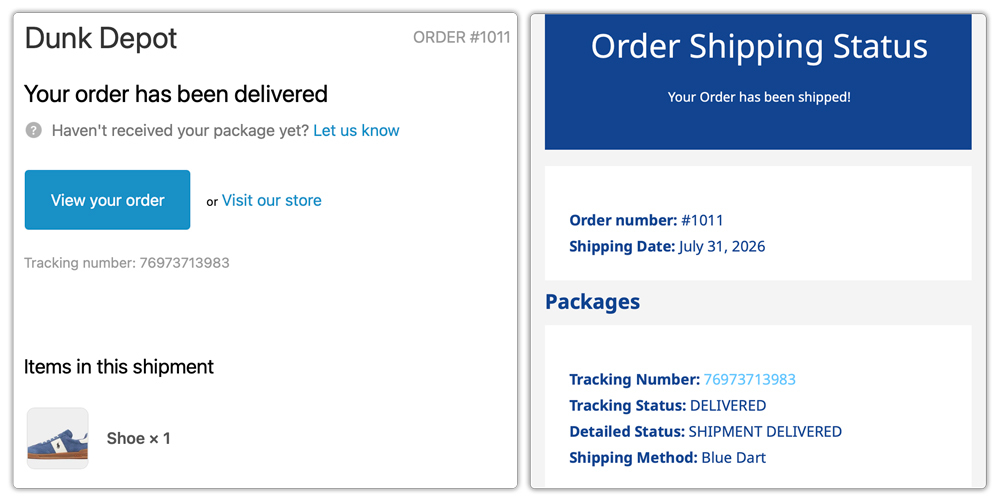
- Automated, Event-Driven Email Notifications: The app monitors carrier scan events in real time and sends customers email updates at each meaningful stage: shipped, in transit, out for delivery, delivered, and exception. These are triggered by actual carrier data, not scheduled timers, so the information customers receive is always accurate.
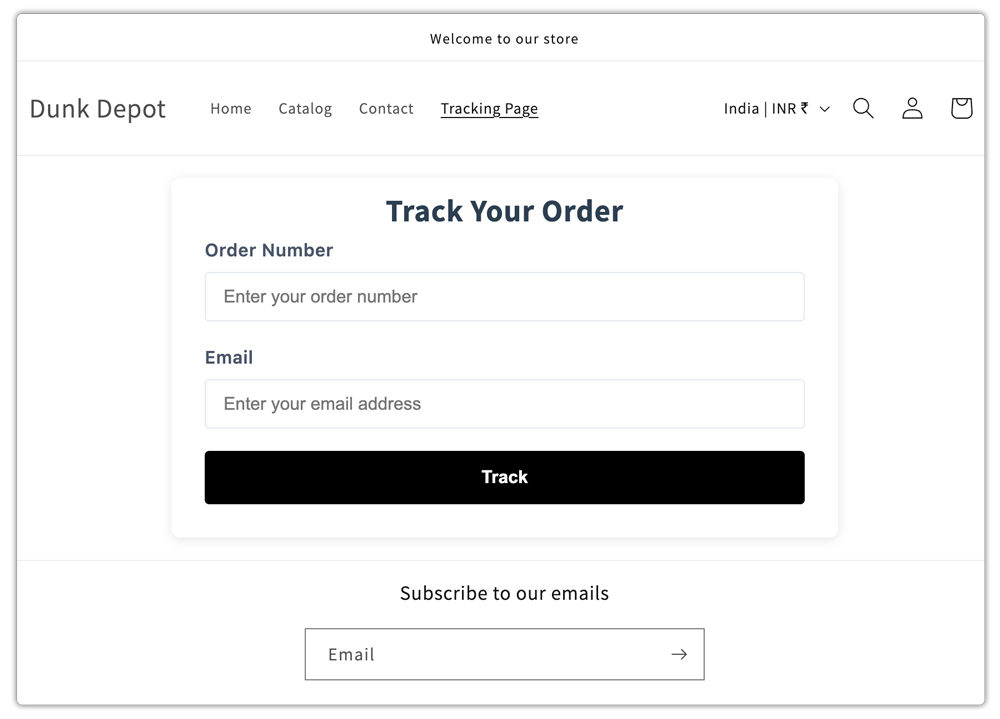
- Branded Tracking Page on Your Storefront: The app creates a dedicated tracking lookup page within your Shopify store. Customers enter their order number and email to view their live shipment status, all without leaving your domain.
- Your Own SMTP for Better Deliverability: All notification emails are sent through your own SMTP server and business email address. This eliminates the deliverability risk that comes with generic platform senders; your tracking emails are far less likely to land in spam.

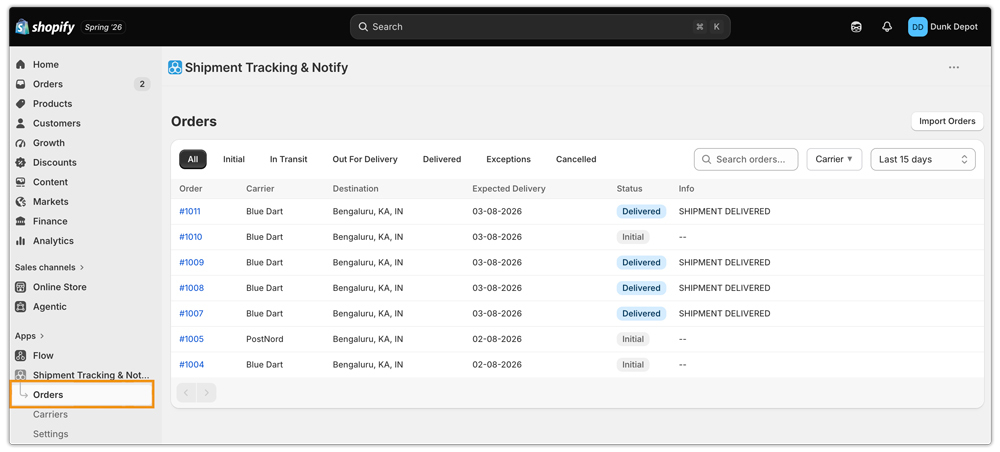
- Multi-Carrier Dashboard: The app tracks shipments from UPS, FedEx, USPS, DHL Express, Canada Post, Australia Post, Blue Dart, Delhivery, Aramex, Sendle, and more. All active shipments are visible in one dashboard, organized by status: In Transit, Out for Delivery, Delivered, Exception, and Cancelled.
Which Setup Is Right for Your Store?
Here is a practical summary to help you decide:
- Just starting out, under 25 orders/month: Shopify’s native tracking + the free plan of PluginHive Shipment Tracking & Notify app to get branded notifications in place early.
- Growing store, 1–2 carriers, 25–500 orders/month: A carrier shipping app for rates and labels paired with a mid-tier tracking app plan for automated notifications and a branded tracking page.
- Established store, multi-carrier, 500+ orders/month: PH Multi-Carrier Shipping Label App for full shipping automation combined with a higher-tier PluginHive Shipment Tracking & Notify plan for end-to-end post-purchase visibility. For stores also doing international shipping, multi-carrier support in a unified dashboard is non-negotiable.
- Dropshipper or third-party fulfillment: No label app needed. A standalone Shopify package tracking app is enough to connect your carriers, set up email notifications, and let the app communicate delivery status to customers automatically.
If you’re evaluating all available options in the market, the best Shopify order tracking apps comparison is worth reviewing before making a final decision.
Conclusion
The right Shopify package tracking setup depends on how your store actually ships. For a smaller store, Shopify’s native tracking may cover the basics. As order volume grows, multiple carriers and higher customer expectations can make automated notifications, branded tracking, and centralized shipment visibility much more valuable.
The goal is to build a setup that gives customers clear delivery updates without adding more work for your team. Whether that means using Shopify alone, combining shipping and tracking tools, or adding a dedicated tracking app, choose a setup that fits your current workflow and can scale as your store grows.
FAQs
Q. Does Shopify have built-in package tracking?
Shopify provides basic package tracking by default: a tracking number is added to the fulfilled order and included in the shipping confirmation email, with a link to the carrier’s website. It does not include in-transit notifications, branded tracking pages, or a merchant dashboard. For those, a dedicated tracking app is needed.
Q. What is the difference between a carrier shipping app and a tracking app on Shopify?
A carrier shipping app handles rates at checkout, label generation, and order fulfillment. A tracking app handles post-fulfillment customer notifications and provides a tracking page on your storefront. The two work best together, but a tracking app can also be used independently if you already have a fulfillment workflow in place.
Q. How do I add a branded tracking page to my Shopify store?
Install a dedicated Shopify package tracking app such as the PluginHive Shipment Tracking & Notify app. The app creates a branded tracking lookup page directly on your storefront, which you can style with custom CSS and add to your store navigation.
