


Running a Shopify store in Australia comes with its fair share of shipping challenges. From incorrect rate configurations to missing tracking updates, even small errors in your shipping setup can lead to unhappy customers, unexpected costs, and lost orders.
In this article, we’ll walk you through the most common Shopify shipping errors merchants make when using Australia Post and show you exactly how to avoid them, so you can build a smooth, reliable fulfillment process from day one.
In This Article:
- Not Adding Product Weight and Dimensions for Australia Post Shipping
- Displaying Incorrect Australia Post Rates at Shopify Checkout
- Using the Wrong Australia Post Service for the Shopify Order
- Not Choosing the Right Australia Post Packaging for Shopify Shipments
- Not Setting Up Australia Post Tracking Notifications for Shopify Customers
- Conclusion
- FAQ’s
Not Adding Product Weight and Dimensions for Australia Post Shipping
One of the most common and easily avoidable mistakes is forgetting to add accurate weight and dimensions to your products. Missing this information will result in incorrect rate calculations or no rates showing at checkout at all.
What goes wrong:
- You end up absorbing the difference between what the customer paid and the real cost
- Oversized or underweight products get packed into the wrong service tier
How to fix it:
- Go to Shopify → Products, select each product, and fill in the Weight field under the Shipping section.
- Since Shopify does not provide a built-in option to add product dimensions, you’ll need to use the PluginHive Australia Post Ship app
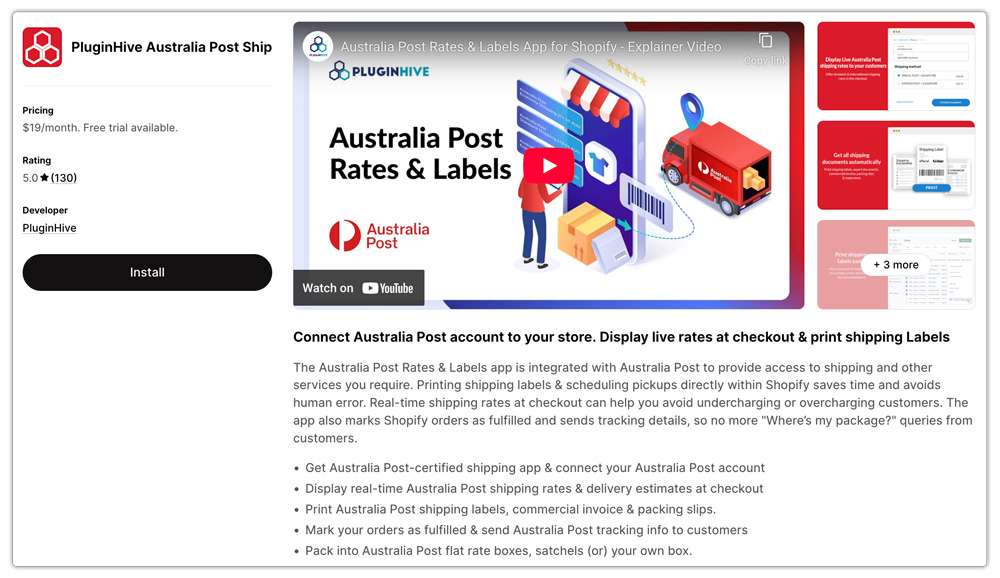
- To set the length, width, and height for each product
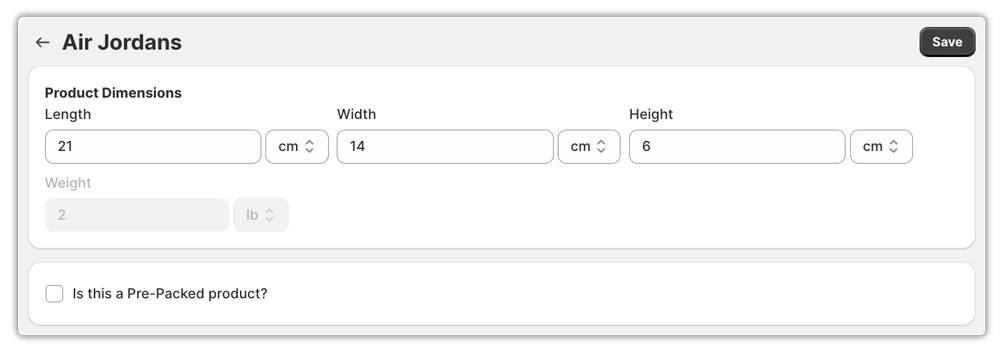
- Inside the app, navigate to Products and enter accurate dimensions for every item in your catalogue
Keeping your product data accurate is the foundation of a reliable shipping setup. Without it, Australia Post cannot calculate the correct rates, and nothing else in your fulfilment flow works as expected.
Displaying Incorrect Australia Post Rates at Shopify Checkout
Many Shopify merchants either manually enter flat shipping rates that quickly go out of date or don’t configure Australia Post rates at all, leaving customers with inaccurate pricing at checkout. This leads to cart abandonment, customer complaints, and margin erosion on every order.
What goes wrong:
- Flat rates don’t reflect Australia Post’s weight-based or zone-based pricing
- Rates become outdated when Australia Post updates its tariffs
- Overcharging customers hurts conversion; undercharging hurts your profits
How to fix it:
- Use the PluginHive Australia Post Ship app to display real-time, carrier-calculated Australia Post rates directly at checkout
- Connect your eParcel, MyPost Business, or StarTrack account to the app to pull live rates based on your negotiated pricing
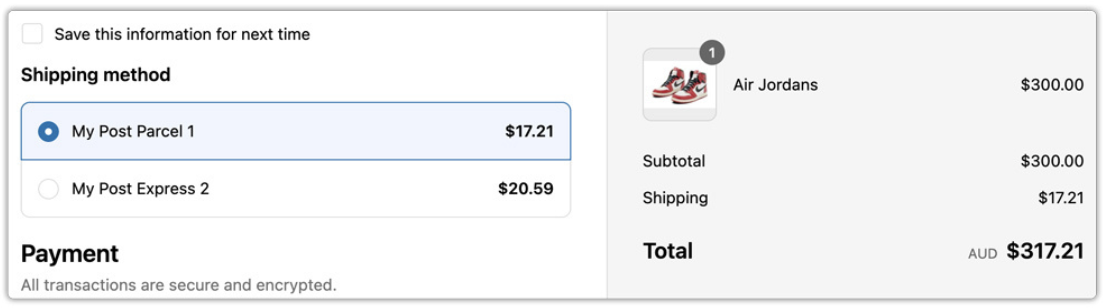
Real-time rates mean customers always see accurate, up-to-date pricing, and you’re never out of pocket covering the gap.
Using the Wrong Australia Post Service for the Shopify Order
Australia Post offers a range of services, including Parcel Post, Express Post, eParcel, StarTrack, and more. Selecting the wrong one for a given order is an easy mistake that results in overspending, slower deliveries, or customers expecting express service receiving standard.
Common mix-ups include:
- Sending urgent orders via standard Parcel Post instead of Express Post
- Using Express Post for heavy, non-urgent items when eParcel would be cheaper
- Applying the same service regardless of whether the destination is metro, regional, or rural
How to fix it:
- Map your product types and customer locations to the most suitable Australia Post service
- Use Express Post for time-sensitive orders or high-value items that need faster delivery
- Use eParcel for regular, higher-volume domestic shipments, as it offers better tracking and competitive rates
- For large freight or premium deliveries, consider StarTrack Express or Premium services
- Give customers the option to choose their preferred service at checkout using the PluginHive Australia Post Ship app
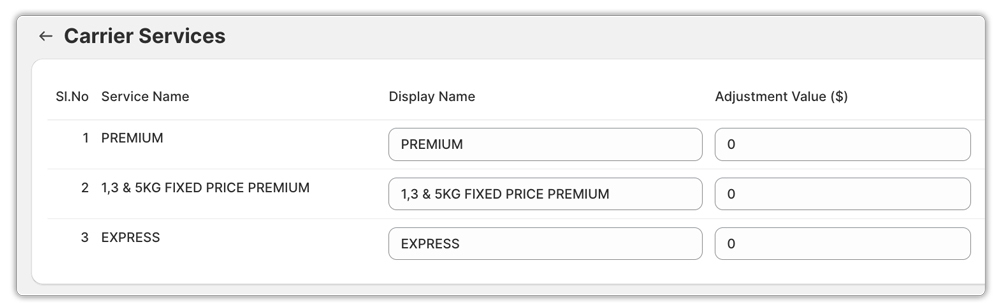
Matching the right service to each order type keeps costs in check and customer expectations aligned.
Not Choosing the Right Australia Post Packaging for Shopify Shipments
Packaging is something many Shopify merchants overlook, but the box or satchel you choose directly affects how much Australia Post charges you, whether your parcel arrives safely, and whether it gets accepted at the depot in the first place.
What goes wrong:
- Oversized boxes inflate cubic weight and increase Australia Post shipping costs
- Parcels that don’t meet Australia Post’s size or weight limits for a service get rejected or repriced at the depot
How to fix it:
- Choose packaging that fits your product snugly to keep cubic weight as low as possible
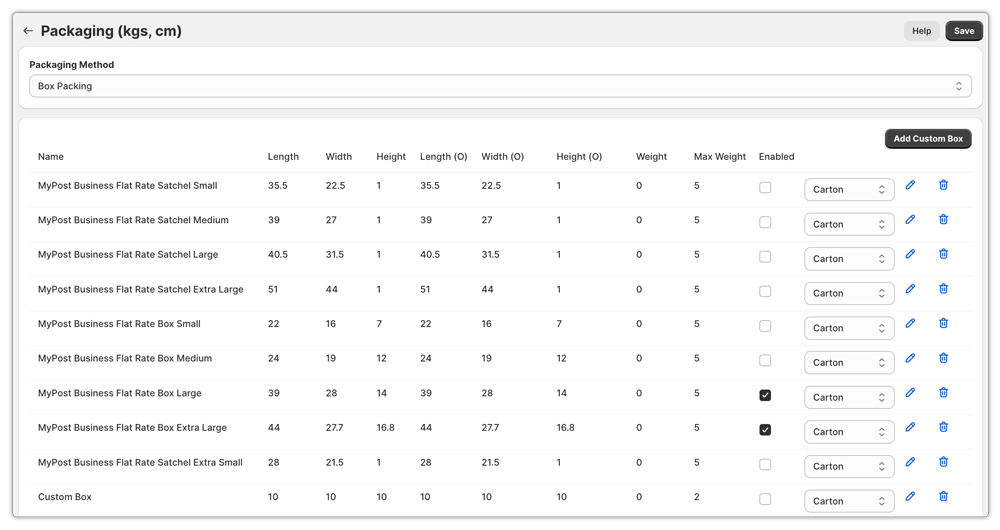
- If you need ready-to-use options, Australia Post offers its own range of satchels and boxes.
- To use Australia Post’s own boxes and satchels directly within your Shopify workflow, the PluginHive Australia Post Ship app lets you configure Australia Post packaging, so the app automatically picks the right Australia Post box for each order and calculates accurate rates at checkout
Not Setting Up Australia Post Tracking Notifications for Shopify Customers
Once a parcel leaves your hands, your customer’s experience is still very much in progress. If they can’t track their order easily, they’ll email you, and a flooded support inbox is a sign that your post-purchase communication needs work.
What goes wrong:
- Customers don’t receive a tracking number after their order ships
- Support teams spend hours manually responding to “Where is my order?” queries
- A poor post-purchase experience damages repeat purchase rates
How to fix it:
- Make sure your Shopify fulfilment flow automatically sends tracking numbers to customers as soon as a label is generated
- The PluginHive Australia Post Ship app automatically marks orders as fulfilled in Shopify and adds the tracking number to the order, which Shopify then uses to send tracking emails to customers
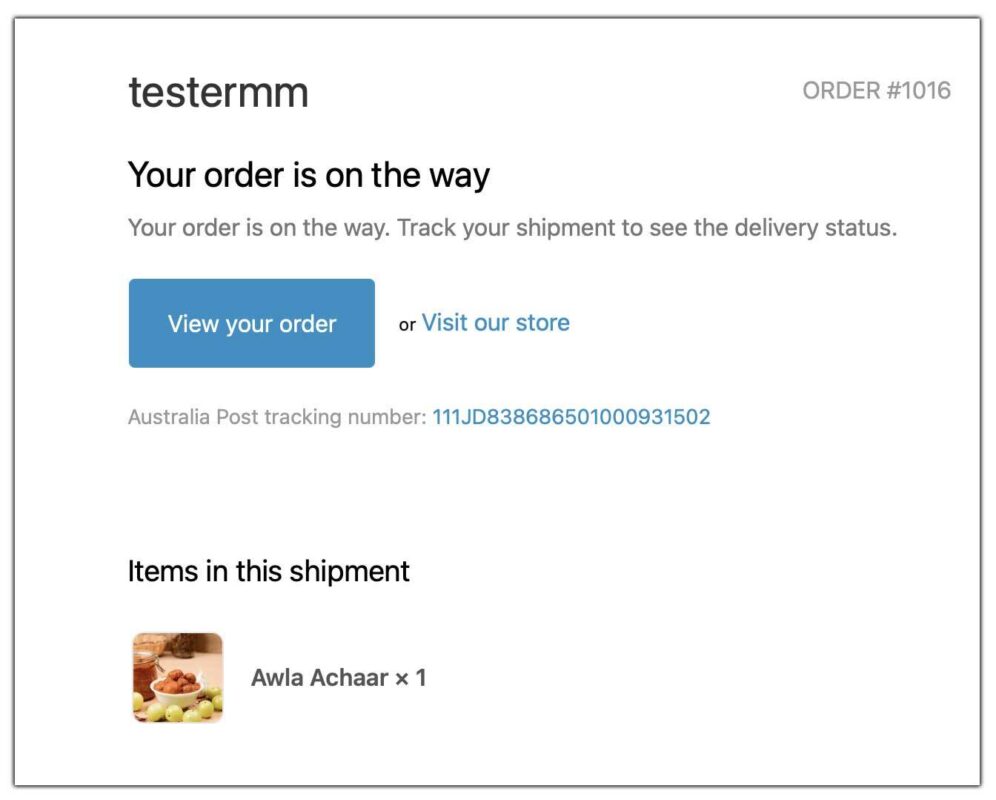
Automated tracking updates dramatically reduce support load and improve customer confidence from the moment their order ships.
Conclusion
Shipping might not be the most glamorous part of running a Shopify store, but it’s one of the areas where small mistakes can quietly cost you the most in money, time, and customer trust.
The good news is that every mistake covered in this article is entirely avoidable. Whether it’s adding accurate product dimensions, displaying real-time Australia Post rates at checkout, picking the right service, using the correct packaging, or keeping customers informed with tracking updates, each fix is straightforward once you know what to look for.
The easiest way to get all of this right in one place is by using the PluginHive Australia Post Ship app. It takes care of live rate calculations, label generation, packaging configuration, and automated tracking so you can focus on growing your store instead of troubleshooting shipping errors.
If you need help setting up Australia Post shipping on your Shopify store, feel free to reach out to the PluginHive support team.
FAQ’s
Q. What happens if Australia Post loses your package?
If your package cannot be located after a reasonable delivery period has passed and Australia Post has made the necessary inquiries, it may be declared lost, and you can submit a claim. To protect yourself against this, it’s always recommended to enable Australia Post Extra Cover on your shipments.
Q. What are common Australia Post tracking problems?
Some of the most common Australia Post tracking issues include tracking numbers not updating, parcels showing as delivered but not received, and delays in scan updates at depots. Most of these resolve within 24-48 hours. If tracking hasn’t updated for an extended period, contact Australia Post directly with your tracking number to investigate.
Q. What is the most common Australia Post shipping error on Shopify?
Not adding accurate product weight and dimensions to Shopify is one of the most frequent shipping errors. Without this data, shipping rates cannot be calculated correctly, leading to undercharging, overcharging, or no rates displaying at checkout at all.
