


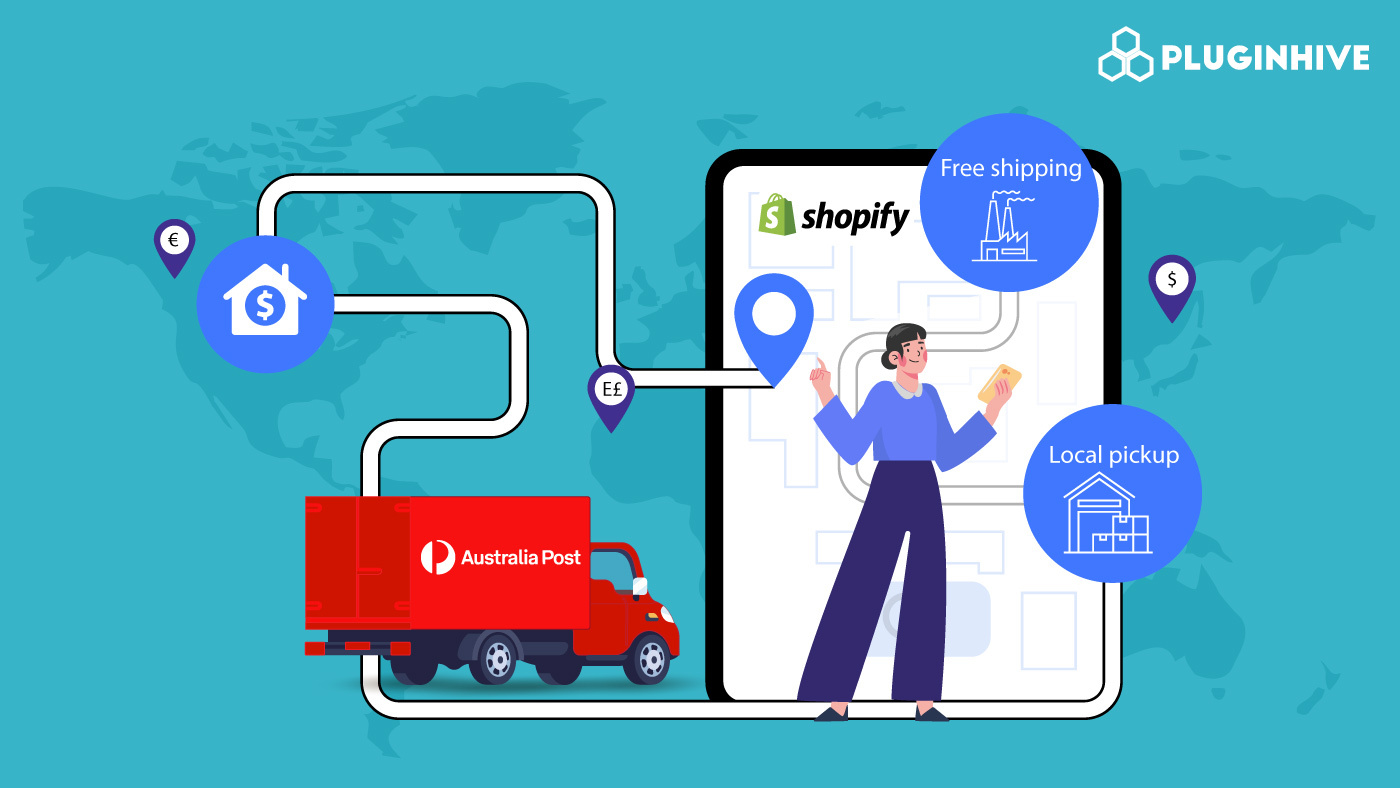
If you are running a Shopify store and shipping with Australia Post, one of the most important things to get right is how you set up your Shopify shipping zones. Getting your zones configured correctly ensures that the right shipping rates show up at checkout for the right customers, whether they are in Sydney, rural Queensland, or ordering from overseas.
This guide walks you through everything you need to know about Shopify shipping zones, how they work, how to set them up properly for Australia Post shipments, and how to get the most out of them for your online store.
In This Article:
- What Are Shopify Shipping Zones
- Types of Shopify Shipping Zones You Should Set Up for Australia Post
- How to Create Shopify Shipping Zones for Australia Post
- Common Mistakes When Setting Up Australia Post Shopify Shipping Zones
- Shipping Zones vs Shipping Profiles
- How to Ship Properly with Australia Post in Shopify
- Conclusion
- FAQ’s
What Are Shopify Shipping Zones
A shipping zone in Shopify is a defined geographical area that shares the same set of shipping rates. When a customer places an order, Shopify looks at their delivery address and matches it to a shipping zone. The rates you have assigned to that zone are then displayed at checkout.
For example, if you are shipping domestically within Australia, you might have one zone for metro cities and another for regional areas. If you also ship internationally, you would set up separate zones for countries like New Zealand, the United States, the United Kingdom, and so on.
Shopify shipping zones are attached to shipping profiles. A shipping profile is where you define your warehouse or fulfillment origin, and you create zones within it to cover different destinations.
Without properly configured Shopify shipping zones, your store either shows incorrect rates or shows no rates at all at checkout. That is why setting them up correctly is not optional; it is foundational to your shipping setup.
Types of Shopify Shipping Zones You Should Set Up for Australia Post
Before jumping into the setup steps, it helps to plan which zones you actually need. For most Australia Post merchants, the following zone structure makes sense:
- Domestic Zone: This covers all of Australia. Depending on your business needs, you might keep this as a single zone or break it into multiple zones, such as one for metro areas and one for regional and remote areas.
- New Zealand Zone: Australia Post has strong connectivity with New Zealand and offers multiple service options to NZ. Setting this up as its own zone lets you tailor the services and rates specifically for NZ customers.
- Asia Pacific Zone: Countries like Singapore, Japan, Hong Kong, and others in the Asia Pacific region have similar transit times from Australia. Grouping them into a zone makes rate management easier.
- Rest of World Zone: For all other international destinations, a catch-all zone ensures you are showing no rates at checkout. You can configure this with more conservative rate options or a flat rate.
How to Create Shopify Shipping Zones for Australia Post
Here are the steps to create Shopify shipping zones from your Shopify admin:
- Log in to your Shopify admin dashboard
- Click on Settings at the bottom left of the page
- Select Shipping and Delivery
- Under Shipping, find your shipping profile and click “Add zone” at the bottom of your Australia fulfillment location
- Enter a name for the zone, for example, Domestic Australia
- Select the countries or regions you want to include in that zone
- Click Done
- Click Add Rate to configure the shipping rates for that zone
- Click Save when finished
Repeat these steps for each zone you need to create.
When adding rates to your zones, you have three main options:
- Flat rate: A fixed price regardless of weight or order value
- Calculated rate: Rates pulled in real-time from a carrier like Australia Post
- Free shipping: No charge to the customer
For Australia Post integration, you will want to use carrier-calculated rates wherever possible, since Australia Post pricing is based on weight, dimensions, and destination. Flat rates are fine as a fallback, but they are rarely accurate enough for most product catalogs.
Common Mistakes When Setting Up Australia Post Shopify Shipping Zones
There are a few mistakes that store owners commonly make when setting up Shopify shipping zones. Here is what to watch out for:
- Leaving countries unassigned: Any customer from a country that is not in any zone will see no shipping options at checkout and will not be able to complete their order
- Not testing rates: After setting up zones and rates, always test by going through the checkout process with a test address in each zone to confirm that the correct rates are showing
- Using only flat rates for international orders: Australia Post international pricing varies significantly by destination. A flat rate that works for New Zealand might be far too low for the United States
Shipping Zones vs Shipping Profiles
This is a common source of confusion for Shopify merchants. A shipping profile is the parent container. It holds your origin locations and your zones. A shipping zone lives inside a profile and contains the rates for a specific destination group.
You can have multiple shipping profiles if you want to handle different products differently. For example, you might have one profile for standard products and another for oversized or fragile items that require special handling. Each profile will have its own set of Shopify shipping zones and rates.
Most small to mid-sized Australia Post merchants start with a single General shipping profile and build all their zones within it.
How to Ship Properly with Australia Post in Shopify
Once your Shopify shipping zones are set up in Shopify, the next step is to connect to Australia Post so that real-time rates are fetched and displayed at checkout. This is where the PluginHive Australia Post Ship app comes in.
The app integrates directly with Australia Post and works alongside your existing Shopify zone configuration to display accurate, carrier-calculated rates to your customers.
Here is how to use the app with your zones properly configured:
Step 1: Install and Connect the App
Install the PluginHive Australia Post Ship app from the Shopify App Store and connect it to your Australia Post account. You will need your Australia Post API credentials to do this.

Step 2: Configure Your Parcel Settings
Before rates can be calculated accurately, you need to set up your parcel dimensions and weight defaults. The app uses this information along with the product weights in your Shopify catalog to calculate accurate shipping costs.

Step 3: Live Rate Display in Your Shopify Zones
The app fetches real-time rates from Australia Post based on the destination. Since you have already set up your Shopify shipping zones in Shopify, the app will display rates only for destinations covered by those zones.
Within the app, you can choose which Australia Post services to display for each type of shipment. For example:
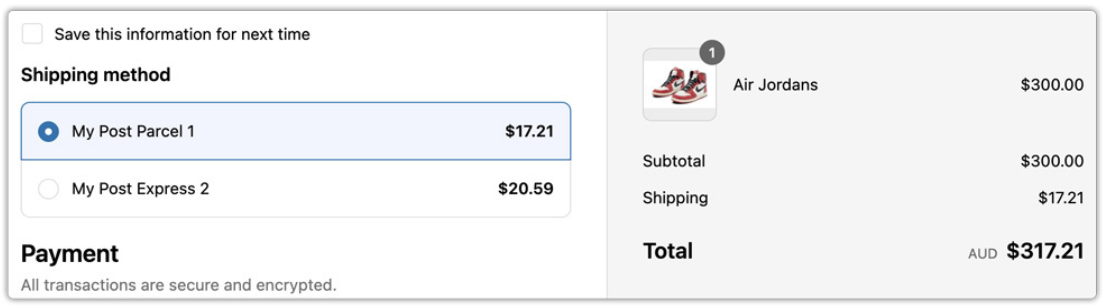
- For the Domestic Australia zone: Enable Parcel Post and Express Post
- For the New Zealand zone: Enable International Standard and International Express
- For the Rest of World zone: Enable International Economy and International Standard
Step 4: Test the Checkout
Once everything is configured, place a test order using addresses from each of your Shopify shipping zones. Confirm that:
- The correct Australia Post services are appearing
- The prices shown match what you expect based on weight and destination
- No zones are returning empty results
Conclusion
Setting up Shopify shipping zones is one of the most important steps in building a reliable shipping experience for your customers. When your zones are properly configured, the right rates show up at the right time for the right customers, and your Australia Post integration can do its job accurately.
Whether you are just getting started with Australia Post shipping or you are looking to clean up an existing setup, the zone structure we have covered in this guide gives you a solid foundation to work from. Combined with the PluginHive Australia Post Ship app, you can take your Shopify shipping zones from a basic configuration to a fully automated, carrier-integrated shipping workflow.
FAQ’s
Q. Does Shopify work with Australia Post?
Yes, Shopify works with Australia Post. You can integrate your Australia Post account with Shopify to manage shipping, display rates, and fulfill orders.
Q. What are shipping zones on Shopify?
Shipping zones in Shopify are geographical areas where the same shipping rates apply. When a customer enters their delivery address at checkout, Shopify matches it to a zone and displays the shipping rates assigned to that region.
Q. Are there apps to improve Australia Post shipping on Shopify?
Yes. Apps like PluginHive Australia Post Ship app provide advanced features such as:
- Real-time rate calculation
- Bulk label printing
- Pickup scheduling for orders
- Shipping automation
