



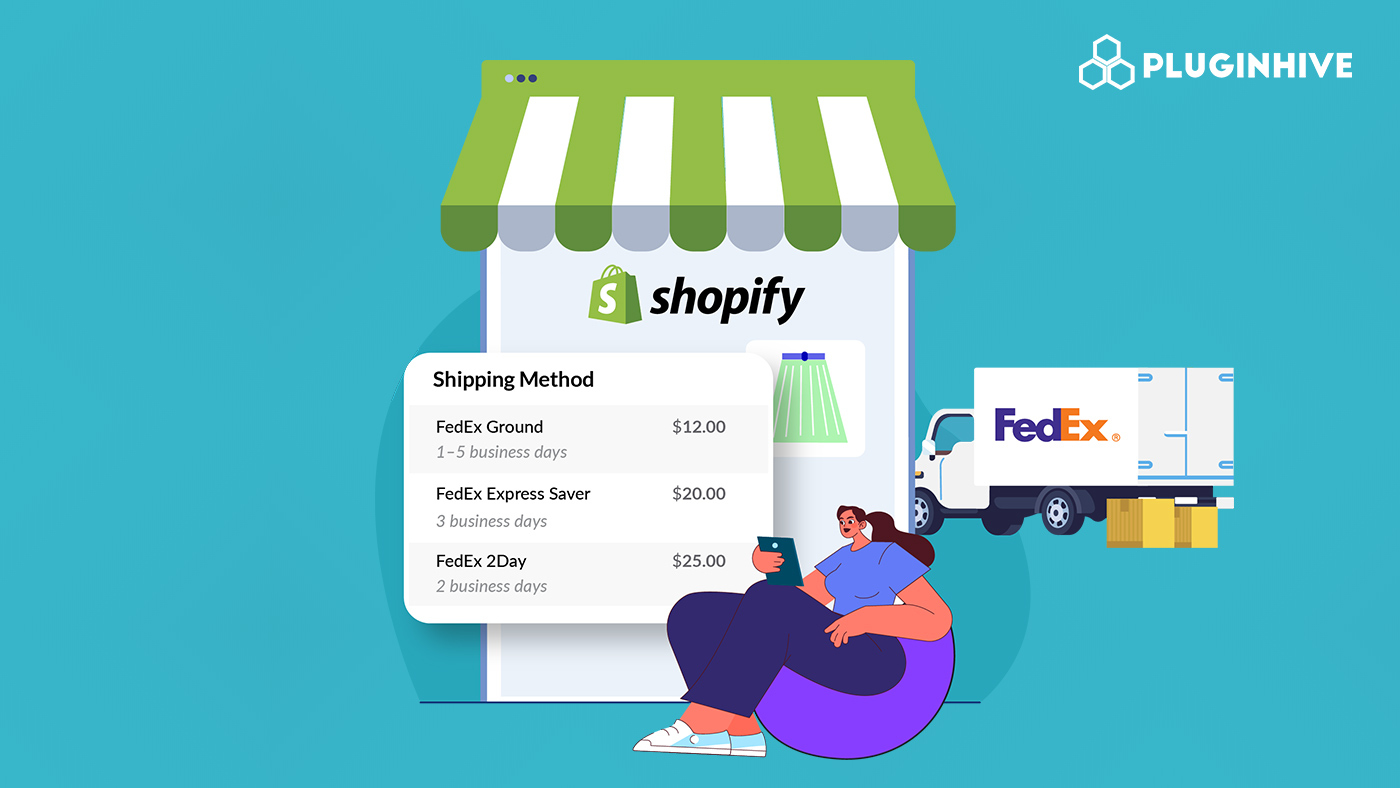
If you run a Shopify store, displaying live FedEx shipping rates at checkout is key to providing a smooth and transparent shopping experience. Real-time rates ensure customers see the exact shipping cost based on their order’s weight, dimensions, destination, and selected FedEx service.
By showing accurate rates upfront, you avoid overcharging or undercharging, common causes of confusion or frustration, and build trust with your customers. Shoppers appreciate knowing they’re paying the right amount for delivery, whether it’s a domestic or international order.
Integrating live FedEx rates not only enhances customer confidence but also helps you streamline order fulfillment, minimize shipping errors, and maintain a professional, reliable checkout experience.
In This Article
- Understanding FedEx Shipping Rates For Shopify
- Requirements to Show Live FedEx Rates in Shopify
- Setting Up FedEx Live Rates on Shopify
- Conclusion
- FAQ’s
Understanding FedEx Shipping Rates For Shopify
Before you can display accurate shipping costs at your Shopify checkout, it’s important to understand how FedEx calculates its rates. Knowing these factors helps ensure the shipping charges you show your customers are precise and reliable. Several key factors determine the final rate for each shipment:
Weight and Package Dimensions
- Heavier packages usually cost more to ship.
- The size of the package also matters, as larger dimensions may affect pricing, especially for oversized items.
Shipping Zones and Destination
- FedEx rates vary depending on the distance between the origin and destination.
- Deliveries to remote or less accessible areas typically have higher fees.
Service Level
- Different FedEx services come at different prices:
- Ground – Affordable standard shipping.
- Express – Faster delivery for urgent packages.
- 2Day – Two-day delivery option.
- Overnight – Next-day delivery for time-sensitive shipments.
Standard vs. Negotiated Rates
- Standard rates apply to regular FedEx accounts.
- Negotiated rates are discounted prices offered to business accounts, for which you have to contact FedEx, which can help save significantly on shipping costs.
By understanding these factors, you can ensure that the shipping rates displayed at checkout are accurate, transparent, and tailored to your business needs.
Requirements to Show Live FedEx Rates in Shopify
Before you can display live FedEx rates at checkout, there are a few key requirements you need to meet:
FedEx Business Account
- You’ll need a FedEx business account to connect with Shopify. This account can be used with apps like PH Ship Rate & Track for FedEx to display real-time rates.
- Alternatively, you can use Shopify Shipping’s FedEx integration, which allows you to use Shopify’s own FedEx account instead of a separate business account.
Shopify Plan Supporting Carrier-Calculated Rates
- To show live FedEx rates at checkout, your Shopify store must be on the Advanced plan or higher.
- This ensures you can enable carrier-calculated shipping and provide accurate, real-time rates to your customers.
Meeting these prerequisites is the first step to offering transparent and accurate FedEx shipping costs at checkout.
Setting Up FedEx Live Rates on Shopify
Getting live FedEx rates to show up at your Shopify checkout is easier than you might think, especially with the PH Ship Rate & Track for FedEx app.
Here’s how it works:
- Connect Your FedEx Account
- Simply add your FedEx account details into the app: your account number, meter number, authentication key, and password.

- Show Rates at Checkout
- After setup, customers will see accurate FedEx shipping options and costs right on the checkout page.
- The rates will reflect the exact service, package weight, and destination.

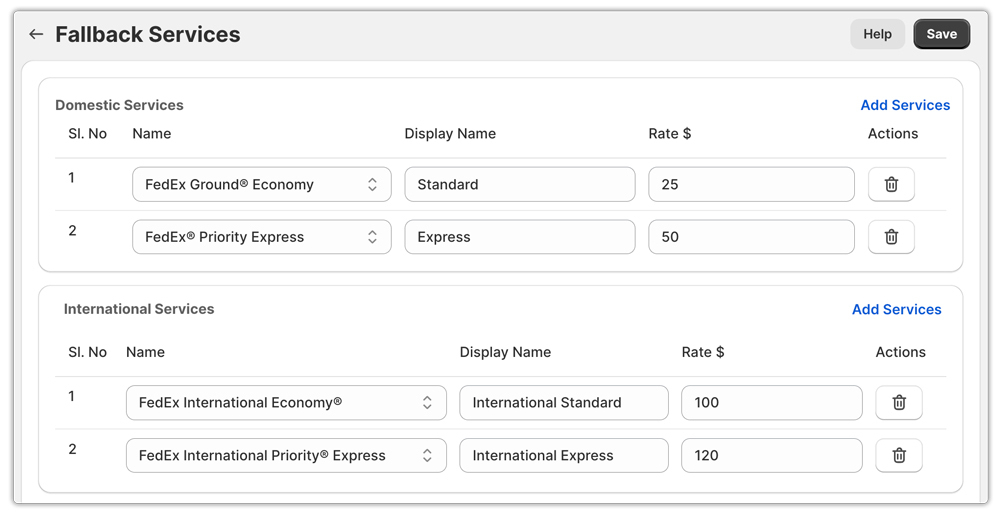
- Set Up Fallback Rates
- Just in case the live rates fail to load, you can create fallback rates.
- This ensures customers always see shipping costs at checkout, avoiding confusion or abandoned carts.
- Adjust Shipping Costs
- You can tweak the cost of any FedEx service, like adding handling fees or adjusting prices for certain products.

With this setup, you can offer your customers accurate, real-time FedEx shipping rates, while keeping your checkout simple and reliable.
Conclusion
Showing live FedEx rates at your Shopify checkout is one of the easiest ways to improve the shopping experience for your customers. Accurate, real-time shipping costs build trust, reduce confusion, and make it clear that your store is professional and reliable. By understanding how FedEx calculates rates, meeting the necessary requirements, and using tools like the PH Ship Rate & Track for FedEx, you can offer precise shipping options for both domestic and international orders. This not only keeps your customers happy but also helps streamline your own fulfillment process, saving you time and minimizing errors. Taking the time to set up live FedEx rates ensures that every checkout is smooth, transparent, and hassle-free for you and your shoppers alike.
FAQ’s
- Does Shopify offer real-time shipping rates?
Yes. Shopify can display live carrier-calculated rates at checkout for FedEx. You need an app like PH Ship Rate & Track for FedEx to show real-time and negotiated rates.
- What are live shipping rates?
Live shipping rates are real-time shipping costs calculated by carriers like FedEx checkout. They take into account package weight, dimensions, destination, and service type to show customers the exact cost of shipping.
- How do you determine shipping prices?
Shipping prices are calculated based on factors like package weight and dimensions, delivery distance, chosen service level (e.g., Ground, Express, Overnight), and any additional surcharges such as residential delivery or fuel fees. Carriers like FedEx can provide real-time rates to ensure accuracy at checkout.
