


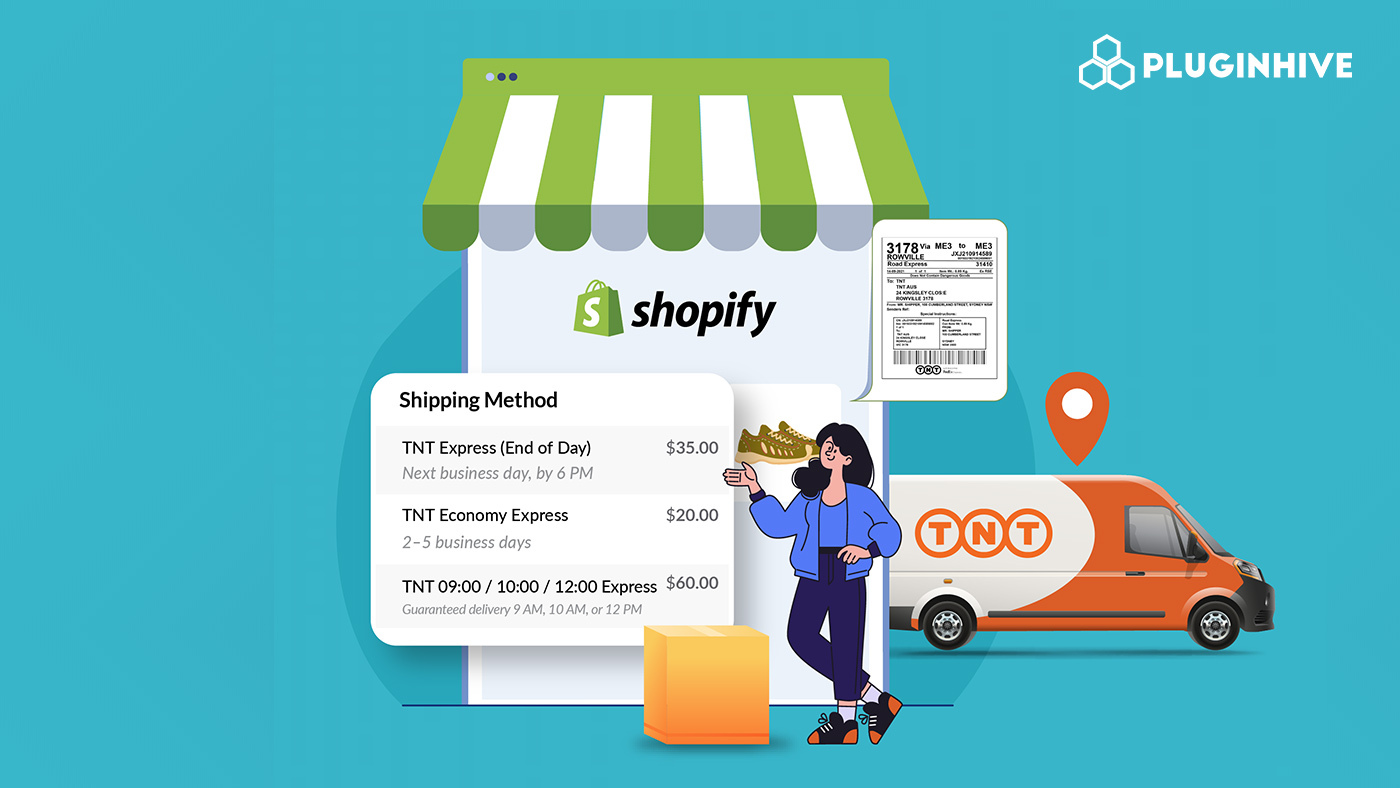
For Shopify merchants who ship domestically and internationally, TNT is a strong carrier choice. With a reliable global network, time-definite delivery options, and door-to-door service, TNT Express shipping covers everything from urgent next-morning deliveries to cost-effective economy options across 200+ countries.
This guide covers everything you need to know.
In This Article
- TNT Express Shipping Services Available in Shopify
- How TNT Express Shipping Rates Work in Shopify
- How TNT Express Shipping Labels Work in Shopify
- How TNT Express Tracking Works in Shopify
- How the PH Multi-Carrier Shipping Label App Simplifies TNT Shipping
- Best Practices for TNT Express Shipping on Shopify
- Conclusion
- FAQs
TNT Express Shipping Services Available in Shopify
Understanding the service tiers helps you decide which options to offer your customers at checkout.
Express Services
TNT’s Express service delivers worldwide the next possible working day at a time that suits you best. It covers documents, parcels, and pallets, includes online tracking, basic customs clearance, and a money-back guarantee.
The Express tier is divided into four time-definite options:
- 9:00 Express: Delivery before 9 am, for documents and parcels, available in major cities across 40+ countries, up to 210 kg
- 10:00 Express: Delivery before 10 am, for documents and parcels, available in major cities across 45+ countries, up to 210 kg
- 12:00 Express: Delivery before 12 pm, for documents, parcels, and pallets, available in major cities across 60+ countries, up to 500 kg
- Express: Delivery the next possible working day before the close of business, for documents, parcels, and pallets, worldwide, up to 500 kg
Economy Express Services
For less time-sensitive shipments, TNT offers a cost-effective alternative:
- 12:00 Economy Express: Delivery before 12 pm on a specified business day, for parcels and freight, in major business areas across 25+ European countries, up to 500 kg. This service utilizes the fastest road network in Europe.
- Economy Express: Delivery on a specified business day, for parcels and freight, worldwide up to 500 kg and in Europe up to 7,000 kg.
Additional and Special Services
TNT also offers tailor-made special services for urgent, confidential, temperature-controlled, or sensitive shipments, as well as large or heavy freight and industry-specific solutions.
How TNT Express Shipping Rates Work in Shopify
Shopify does not natively support TNT as a built-in carrier the way it does with some domestic carriers. To display live TNT shipping rates at checkout, you need Carrier-Calculated Shipping (CCS) enabled on your Shopify plan and a shipping app like the PH Multi-Carrier Shipping Label app to connect your TNT account.
What Determines TNT Rates
Three factors determine the shipping price: shipment type (the size and weight of goods), destination (the distance and accessibility of the delivery location), and speed (when you want your shipment to arrive and the required service level).
Your final invoice from TNT may also include:
- Optional extras such as out-of-regular-hours collection, import solutions, customs solutions, and insurance
- Surcharges are extra charges that can be added because of variables or extra costs TNT has to cover, such as fuel surcharges
Tips to Keep Rates Accurate
TNT offers four quick tips to reduce costs: pack smart using their packing guidelines to reduce delays; choose the right service to match your business needs and budget; label correctly to reduce the chance of a misroute; and weigh and measure correctly to make sure you declare the right details.
Always keep product weights and dimensions accurate in Shopify. If TNT discovers your shipment’s actual size and/or weight is greater than what you declared, they may charge you the difference in shipping costs.
How TNT Express Shipping Labels Work in Shopify
Shopify has no native TNT label generation. Generating TNT labels from within Shopify requires connecting your TNT account through a shipping app like PH Multi-Carrier Shipping Label, which then creates labels directly via TNT’s API.
What a TNT Label Contains
Every TNT shipping label includes:
- Sender and recipient address
- Consignment number (used for tracking)
- Service type (e.g., Express, Economy Express)
- Barcode for scanning through the TNT network
- Origin and destination codes
- Customs and weight/dimension information for international shipments
Label Placement Requirements
Taking a few extra moments to get your labelling right reduces the risk of delay. According to TNT’s official labelling guidelines, labels must be affixed flat, clearly visible, and on the largest face of the package. Do not place labels over seams, edges, or existing barcodes.
How TNT Express Tracking Works in Shopify
Once a TNT label is generated and the shipment is collected, every scan point through TNT’s network updates the tracking status in real time.
TNT’s Track & Trace System
TNT’s Track & Trace allows you to easily track shipments online and get real-time, detailed progress of all your shipments.
A few useful things to know about TNT tracking:
- It can take up to an hour for a shipment to appear in TNT’s system after collection
- Shipments stay in TNT’s system for approximately 90 days
- If a delivery is missed, a redelivery can be arranged. Shipments can only be redelivered between Monday and Friday
- Proof of Delivery (PoD) with signature image is available from TNT shipping tools such as myTNT
Tracking Notifications
TNT’s mobile app lets shipment updates come to you. Automatically download the app and enable notifications, and TNT will alert you every time the status of your shipment changes.
When tracking is connected to Shopify, customers receive their TNT consignment number via order notification emails, so they can follow their delivery without contacting your store.
How the PH Multi-Carrier Shipping Label App Simplifies TNT Shipping
The PH Multi-Carrier Shipping Label app by PluginHive is the recommended way to integrate TNT into Shopify end-to-end. It connects your TNT account directly to your Shopify workflow and covers rates, labels, tracking, and pickups from one dashboard.
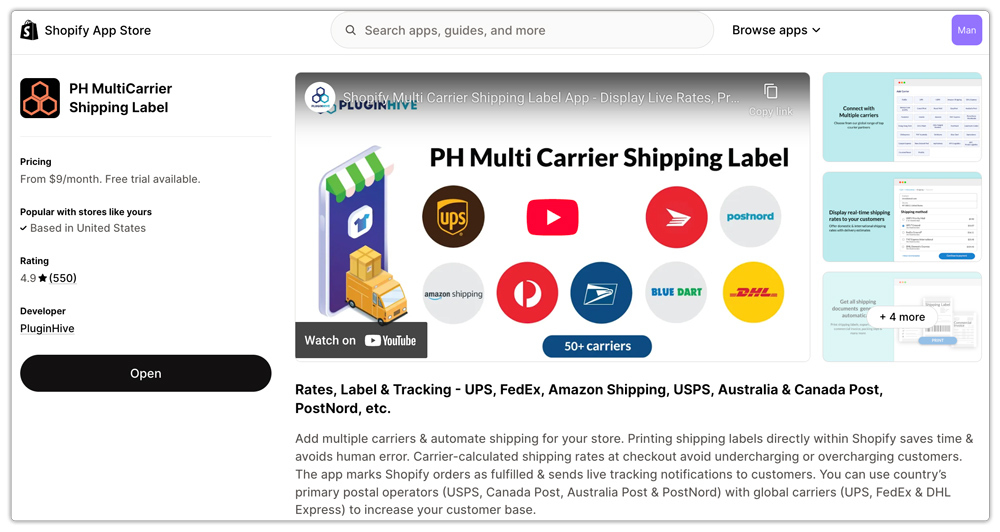
- Live TNT Rates at Checkout
Once your TNT account credentials are entered in the app, live TNT shipping rates appear at checkout, calculated from the customer’s address, product weight, and dimensions. You can:
- Choose which TNT services to display (Express, Economy Express, or specific time-definite tiers)
- Set handling fees or rate markups
- Show estimated delivery days alongside each rate

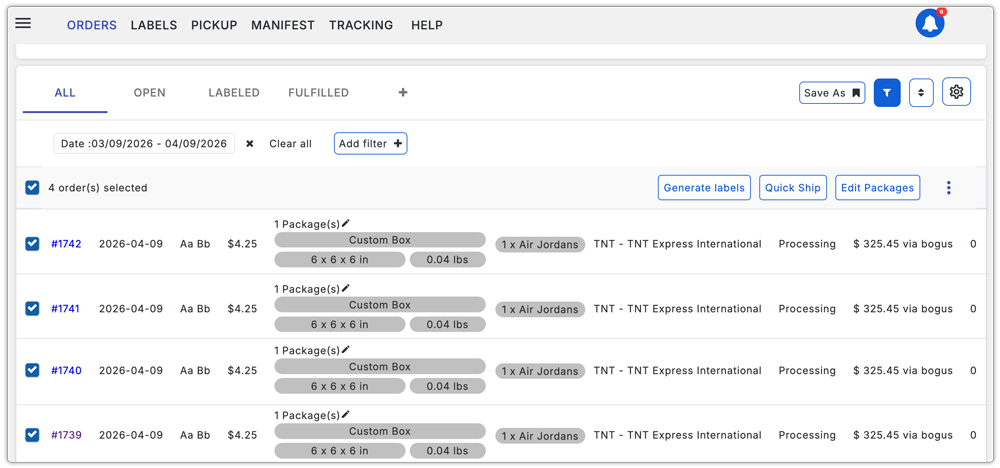
- TNT Label Generation (Single and Bulk)
- Single label: Open any order in the app and click Generate Label
- Bulk labels: Select multiple orders and generate all labels at once, ideal for high-volume days
The app also supports automatic label generation after an order is paid, removing the need for manual action on every fulfillment.
- TNT Tracking Updates in Shopify
Once a label is generated and the order is fulfilled, the TNT consignment number is attached to the order automatically. Tracking status updates are sent to customers via email as the shipment moves through TNT’s network.

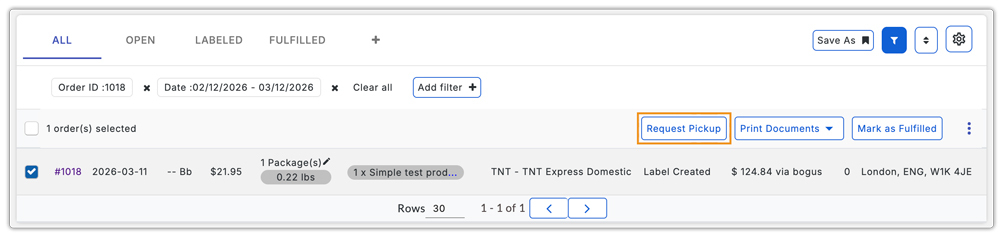
- TNT Pickup Scheduling
Instead of booking collections separately through TNT’s portal, the app lets you schedule TNT pickups directly from within Shopify. This includes standard end-of-business pickups and on-demand out-of-hours collections.
Best Practices for TNT Express Shipping on Shopify
- Keep product weights and dimensions accurate: TNT rates are based on actual and volumetric weight; inaccurate data leads to rate discrepancies and post-shipment adjustments
- Offer multiple service tiers at checkout: Displaying both Express and Economy Express gives customers the choice between speed and cost, which improves checkout conversion
- Generate labels before the collection window: Have labels ready before TNT’s pickup time to avoid missed collections
- Use correct customs documentation for international shipments: Missing or incomplete commercial invoices cause customs delays regardless of the service tier selected
- Enable tracking notifications: Share consignment numbers with customers immediately after generating labels to reduce “Where is my order?” enquiries.
Conclusion
TNT is a strong shipping option for Shopify merchants looking for reliable domestic and international delivery. With Express and Economy services, global coverage, and real-time tracking, it supports a wide range of shipping needs from urgent same-morning deliveries to scheduled economy shipments.
Using a solution like the PH Multi-Carrier Shipping Label app helps automate TNT shipping in Shopify by handling live rates, label generation, tracking updates, and pickups directly from your store.
FAQs
Q. Does Shopify natively support TNT shipping?
No. Shopify does not include TNT as a built-in carrier. To display live TNT rates, generate labels, and share tracking, you need Carrier-Calculated Shipping enabled and an app like the PH Multi-Carrier Shipping Label app connected to your TNT account.
Q. How are TNT shipping rates calculated?
Three factors determine the shipping price: shipment type (size and weight of goods), destination (distance and accessibility), and speed (the service level and time-definite requirements). Surcharges such as fuel and remote area fees may also apply.
Q. What is the difference between TNT Express and Economy Express?
Express delivers the next possible working day worldwide. Economy Express delivers on a specified business day from 2 business days onwards, offering a more cost-effective option for less urgent shipments.
