



When shipping expensive products, fragile items, or consignments through TNT, delivery speed alone is not enough. Merchants also need protection against loss, damage, and delivery disputes. That is where shipment insurance and signature-based proof of delivery become critical.
For Shopify merchants using TNT, understanding how these two services work helps reduce claim issues, chargebacks, and customer disputes.
This guide explains how TNT insurance and signature handling work, when to use them, and how to apply them in your Shopify shipping workflow.
In This Article:
- TNT Shipment Insurance in Shopify: What You Need to Know
- TNT Signature on Delivery in Shopify
- How to Enable TNT Insurance & Signature in Shopify
- Filing an Insurance Claim with TNT in Shopify
- Best Practices for TNT Insurance & Signature in Shopify
- Conclusion
- FAQ’s
TNT Shipment Insurance in Shopify: What You Need to Know
By default, every TNT shipment is covered by standard global coverage. However, this default coverage is limited liability based on the weight of your parcel, not the actual declared value. For high-value Shopify orders, this gap can be significant.
What TNT Insurance Covers
- Physical loss of the shipment while in TNT’s care
- Damage to goods during transit (adequate packaging required)
- International shipments across 200+ countries
- Shipment values up to €25,000 at the standard 1% rate
- Higher-value shipments on request via TNT Customer Service
Standard Liability vs. Optional Insurance
| Feature | Standard Liability | Optional TNT Insurance |
|---|---|---|
| Coverage basis | Weight of shipment | Declared value of goods |
| Full-value coverage | No | Yes |
| Included by default | Yes | Add-on at booking |
| High-value shipments | Limited | Up to €25,000 |
| Global coverage | Varies by route | 200+ countries |
| Separate insurer needed | May be required | No – TNT handles it |
TNT Signature on Delivery in Shopify
A signature on delivery is one of the most effective tools for resolving delivery disputes. TNT offers Proof of Delivery (PoD), which captures a digital image of the recipient’s signature along with the printed name, date, and time of delivery.
When TNT Requires a Signature
- Business deliveries: If the delivery address is unattended and the receiver has given written authority to leave, TNT may leave the shipment without a signature.
- Residential deliveries: If the address is unattended, TNT may release the shipment without obtaining a signature. To require a signature, you must provide special delivery instructions when creating the shipment.
- Failed deliveries: If a business delivery has not been completed after three attempted deliveries or five business days, it may be considered undeliverable.
Where to Find Your PoD Signature
Merchants can view PoD images online, download, save, print, and send them via email or fax. Depending on the countries involved, the PoD also serves as additional proof of export for VAT administration.
How to Enable TNT Insurance & Signature in Shopify
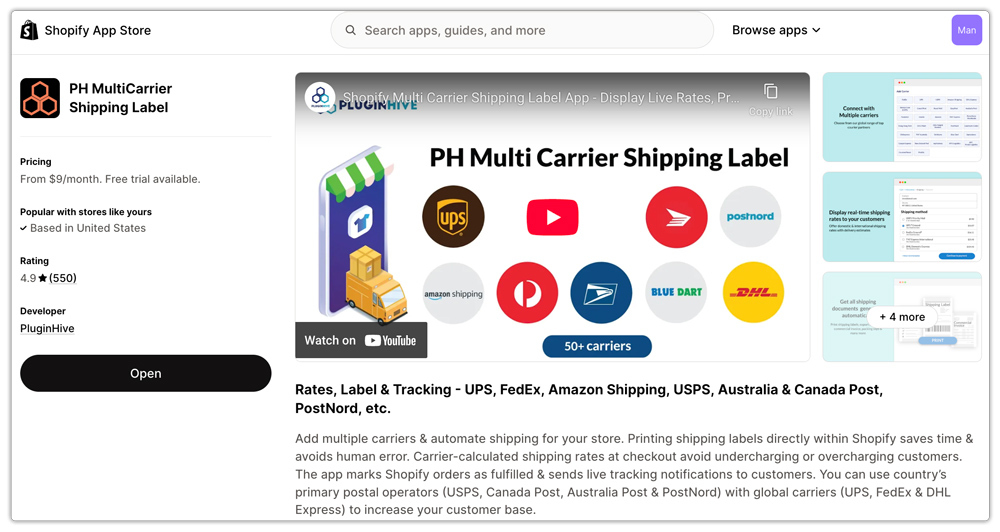
The most efficient way to enable TNT shipment protection and signature confirmation in Shopify is by using the PH Multi-Carrier Shipping Label. This app gives Shopify merchants direct control over TNT shipping preferences, including optional shipment insurance coverage and signature-required delivery, without manually configuring each shipment on the carrier side.
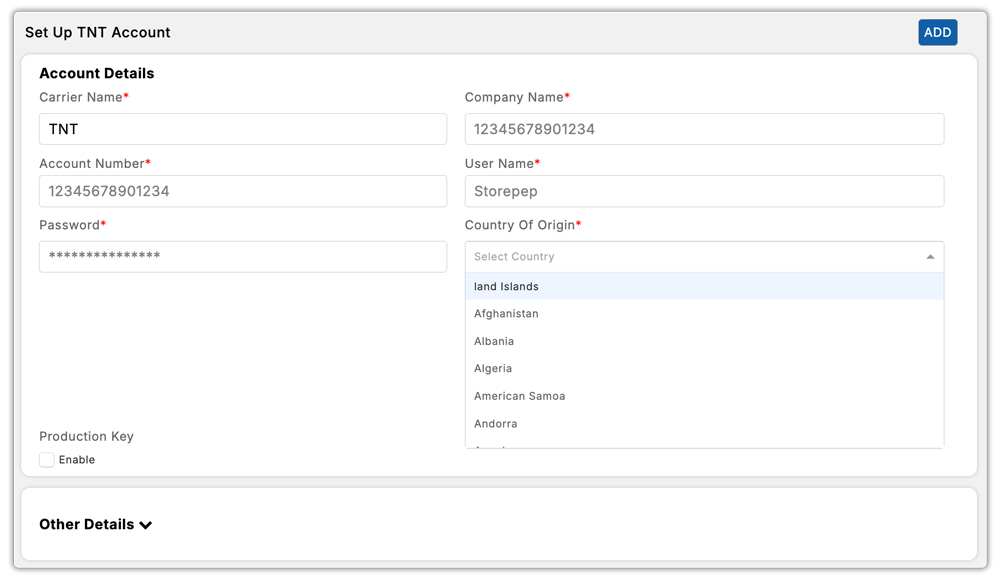
- Connect your own TNT Express account to PH Multi-Carrier Shipping Label first. This is essential because TNT shipment insurance and signature options are available only when your carrier account is directly linked to the app.
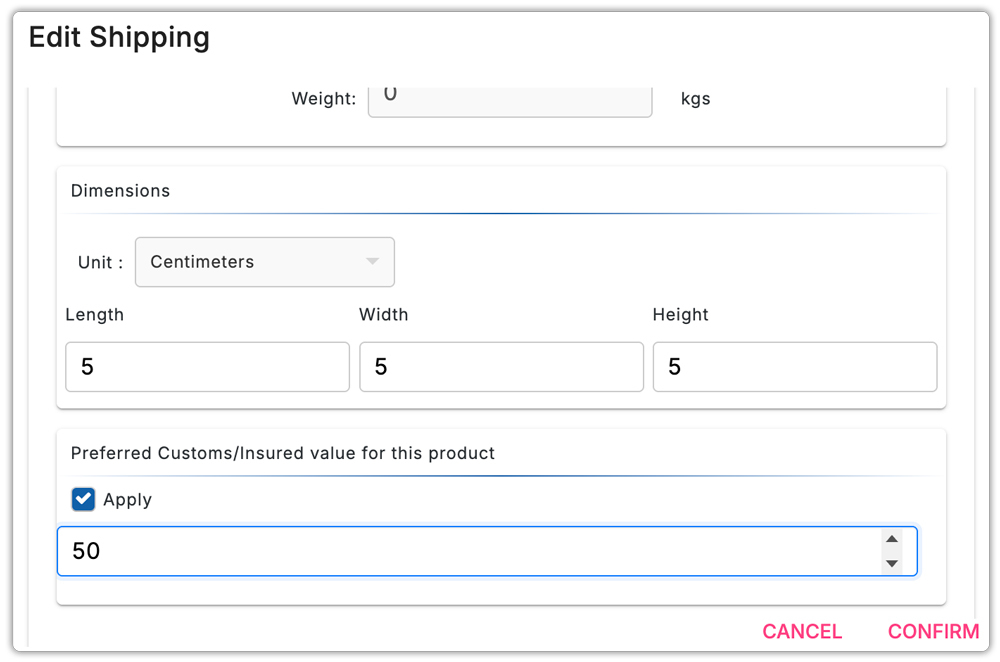
- Set a custom insured value for each product inside the app’s product settings. This allows the shipment value to be passed correctly during label generation, so your orders can be covered for loss or damage based on declared value.
- Enable delivery confirmation (signature confirmation) through TNT automation rules inside the app. Configure the app so TNT shipments automatically request a signature on delivery for selected orders or shipping conditions.
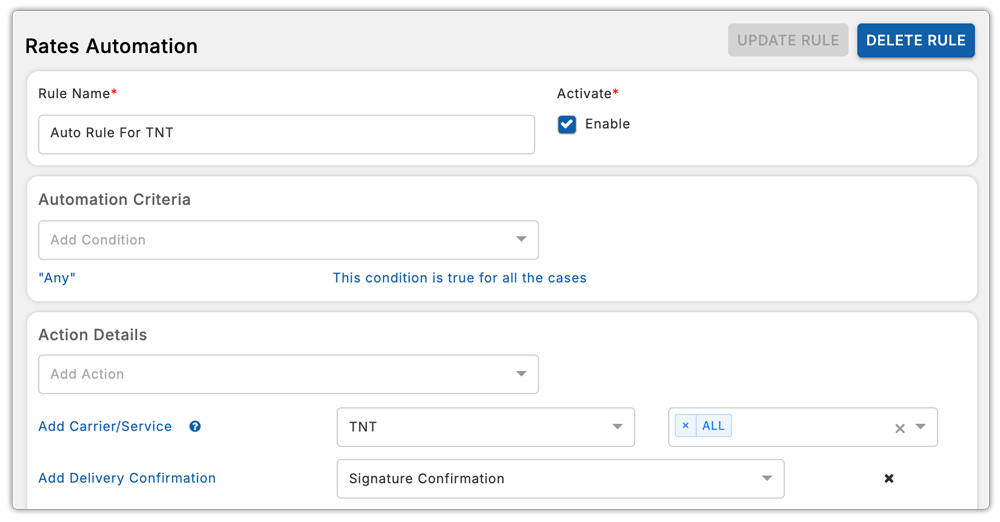
Once these settings are saved, every eligible shipment can go out with both insurance and delivery confirmation enabled automatically, with very little manual work during fulfillment.
Filing an Insurance Claim with TNT in Shopify
If a shipment is lost or damaged, you can file a claim through TNT. Having the right documentation ready speeds up the process significantly.
What You’ll Need
- Consignment note number and date of dispatch
- Proof of the shipment value (commercial invoice or order receipt)
- Photographs of damaged goods and external packaging
- The claimant must be the person who booked the shipment
- Original packaging and contents available for inspection at the delivery address
Claims Process
After registering your claim, a link to an online Claims Form will be sent to you. Complete the form fully with all relevant information, consignment note number, date of despatch, and all supporting material, including invoices and photographs. Provide as much information as possible.
Best Practices for TNT Insurance & Signature in Shopify
When to Add Insurance
- All orders above your average order value threshold, even small increases in coverage cost, protect against significant losses.
- Use it for fragile, electronic, or irreplaceable goods that you cannot easily replace.
- International orders where recovery is harder, and customs complications add risk.
- B2B orders where both parties need documented protection.
When to Require a Signature
- High-value residential delivery packages left unattended are more likely to go missing.
- Repeat customers who have previously raised ‘not received’ disputes.
- Orders containing age-restricted goods or pharmaceuticals.
- B2B shipments to warehouses or offices where a named recipient is expected.
Balancing Cost vs. Protection
Adding shipment insurance and signature services increases per-shipment cost. For high-value products or premium shipping, it often makes sense to include shipment insurance costs in the product price or pass them on as part of the live shipping rate. For low-value, easily replaceable goods, the extra cost may not be justified.
Conclusion
For Shopify merchants using TNT Express, insurance and signature services add an important layer of protection beyond basic shipping. Insurance helps cover higher-value or fragile shipments against loss and damage, while signature confirmation provides clear proof of delivery to reduce disputes and chargebacks.
Using the PH Multi-Carrier Shipping Label makes both easy to automate during label creation, so eligible orders can go out protected without extra manual effort. For premium, international, or sensitive shipments, these options can make your shipping workflow far more reliable.
FAQ’s
Q. What is enhanced liability protection?
Enhanced liability protection covers the full declared value of your goods against loss or damage during transit, beyond the standard limited liability offered by the carrier. It is especially useful for high-value or fragile shipments because it helps you recover the actual product value if the carrier loses or damages the shipment during transit.
Q. What is the TNT money-back guarantee?
The TNT Express money-back guarantee allows eligible shipments to qualify for a refund when a guaranteed delivery arrives later than the committed delivery time. TNT may also issue refunds when billing errors occur, such as incorrect surcharges, wrong address correction fees, or other shipping charge discrepancies.
Q. What is a proof of delivery signature?
A proof of delivery (POD) signature confirms that the carrier delivered the shipment to its final destination and that the intended recipient received it. It usually includes the recipient’s signature, printed name, delivery date, and delivery time, providing clear evidence that the carrier successfully delivered the package.
