


Most Shopify merchants focus on service selection and carrier rates when thinking about UPS shipping costs. But the dimensions entered at the time of label creation are just as consequential, and mistakes here show up as invoice corrections after delivery, not upfront warnings at checkout. Incorrect UPS package dimensions lead to dimensional weight miscalculations, missed Additional Handling surcharges, and billing corrections that arrive weeks after a shipment has already been delivered.
This guide breaks down exactly how UPS uses package dimensions to calculate rates, what happens when those dimensions are wrong, and how to build accurate measurement into your Shopify shipping workflow.
Table of Contents
- How UPS Package Dimensions Determine Shipping Rates
- What Is Dimensional Weight and Why It Matters for Shopify Merchants
- Billable Weight: How UPS Decides What You Actually Pay
- Additional Handling Charges Triggered by UPS Package Dimensions
- How Dimension Errors Create Billing Corrections on Your UPS Invoice
- Manage UPS Package Dimensions in Shopify with the PH Multi-Carrier Shipping Label App
- Conclusion
- FAQ
How UPS Package Dimensions Determine Shipping Rates
UPS calculates every shipment’s rate based on the service type, zone, and billable weight. Billable weight is not always the same as actual weight; it depends entirely on the relationship between a package’s physical dimensions and how much it actually weighs.
UPS provides clear guidance on how to measure correctly:
- Determine length, width, and height: Measure the longest side first (this is the length). Rotate the package 90° and measure the next longest side (the width). Rotate again and measure the remaining side (the height).
- Round up your package dimensions: Round up to the nearest whole number when taking your measurements. For example, 1.01 to 1.99 will be rounded up to 2.
- Keep measurements handy: You’ll need these when you create your shipment. For irregularly-shaped packages, measure as if the package were in a rectangular box. Measure length, width, and height from the extreme points to determine the package’s dimensions.
Incorrect UPS package dimensions, even by a few inches, can push a shipment into a higher billable weight tier or trigger a surcharge that wouldn’t otherwise apply. The UPS shipping guide for Shopify covers the fundamentals of how these inputs connect to the overall UPS rate structure.
What Is Dimensional Weight and Why It Matters for Shopify Merchants
Dimensional weight is the most direct way that incorrect UPS package dimensions affect what you pay.
A package’s dimensions determine how much space it occupies compared to its actual weight. UPS uses dimensional weight to calculate shipping costs when a package is large relative to its weight. Dimensional weight may apply to all UPS domestic and international package services.
The formula is straightforward:
Dimensional Weight = (L × W × H) ÷ Divisor
Multiply the package length (longest side) by the width and by the height. The result is the cubic size in inches. Then divide the cubic size by the DIM factor (also called divisor) to calculate the dimensional weight in pounds. Increase any fraction to the next whole pound. The divisor varies by rate type: 139 for Daily Rates and 166 for Retail Rates.
Example for a Shopify merchant: A box measured at 14 × 12 × 10 inches:
- Cubic size: 1,680 cubic inches
- Dimensional weight (Daily Rate): 1,680 ÷ 139 = 12.1 → rounds up to 13 lbs
If the actual contents weigh only 5 lbs, UPS charges you for 13 lbs, not 5. Now consider what happens if the merchant enters 10 × 10 × 10 instead, underreporting dimensions. UPS will audit the package in transit, recalculate the dimensional weight, and issue a billing correction. That correction includes the rate difference plus an administrative adjustment charge.
For merchants reviewing their full approach to UPS cost management, the cheap UPS shipping guide for Shopify explains how dimensional weight interacts with service selection to control per-package costs.
Billable Weight: How UPS Decides What You Actually Pay
Billable weight is the final number UPS uses to calculate your rate. It is always the greater of actual weight or dimensional weight.
Compare the package’s actual weight to its dimensional weight. The greater of the two determines the billable weight and the rate calculation. For multiple-package shipments, total the billable weight of all packages in the shipment.
This means:
- If actual weight > dimensional weight → you pay based on actual weight
- If dimensional weight > actual weight → you pay based on dimensional weight
- If you understate dimensions, UPS’s scan-and-measure systems will catch the discrepancy and issue a correction for the difference in billable weight
For Shopify stores that display live UPS rates at checkout, accurate package dimensions help ensure the rate shown to customers matches the actual shipping charge. Inaccurate UPS package dimensions at the checkout-rate stage result in merchants absorbing the difference. The guide on displaying UPS rates at Shopify checkout covers how package configuration affects rate accuracy.
Additional Handling Charges Triggered by UPS Package Dimensions
Incorrectly entered UPS package dimensions can cause Additional Handling charges to be missed when creating a shipment, potentially resulting in a shipping charge correction after delivery. UPS recommends entering accurate package dimensions to ensure applicable Additional Handling charges are correctly applied at the time a shipment is created.
An Additional Handling charge may apply if a shipment requires special handling. Criteria include:
- A package with the longest side exceeding 48 inches or the second-longest side exceeding 30 inches
- A domestic package with an actual weight greater than 50 pounds, or a shipment where the average weight per package exceeds 50 pounds and the weight for each package is not specified in the source document or UPS automated shipping system
- A package that is not fully enclosed in a corrugated cardboard shipping container.
- A package with its length plus girth exceeding 105 inches
- Other packaging characteristics that require special handling, such as certain soft-sided packages, packages covered in shrink or stretch wrap, packages with wheels or straps, and cylindrical-like items
By entering the correct package dimensions, UPS shipping systems can automatically calculate Additional Handling for packages with the longest side exceeding 48 inches or the second-longest side exceeding 30 inches. UPS automatically applies Additional Handling to packages with an actual weight greater than 50 pounds.
How Dimension Errors Create Billing Corrections on Your UPS Invoice
Additional charges can occur when shipments are not processed properly in your UPS shipping system. When UPS scans and measures a package in transit and finds that the actual dimensions differ from what was entered at label creation, a shipping charge correction is issued. This appears on your UPS invoice days or weeks after the original shipment and includes the rate difference plus an administrative adjustment.
Common sources of dimension-related billing corrections for Shopify merchants:
- Underreported length: Using a round number estimate rather than measuring, causing dimensional weight to be understated
- Ignoring packaging material: Measuring the product rather than the final packaged box, then entering smaller-than-actual dimensions
- Wrong box assigned to order: Using a default box configuration in Shopify that doesn’t match the box actually used for a particular order
- Irregular item measured incorrectly: Measuring along the item’s contours rather than its extreme points in all three dimensions
Avoid dimensional weight shipping charge corrections by indicating correct package dimensions in your shipping system. Your system will automatically calculate dimensional weight when you enter the correct dimensions.
For Shopify stores, consistent billing corrections signal a systemic problem with how they capture package dimensions, not isolated incidents. For merchants also working with UPS services alongside other carriers, the UPS vs FedEx comparison for Shopify covers how dimensional weight policies differ between carriers.
Manage UPS Package Dimensions in Shopify with the PH Multi-Carrier Shipping Label App
Entering the correct UPS package dimensions manually for every order is impractical at scale, and relying on Shopify’s default shipping settings often means dimensions are estimated rather than measured. The PH Multi-Carrier Shipping Label App by PluginHive provides a structured way to manage box configurations and apply the right dimensions consistently across all UPS shipments.
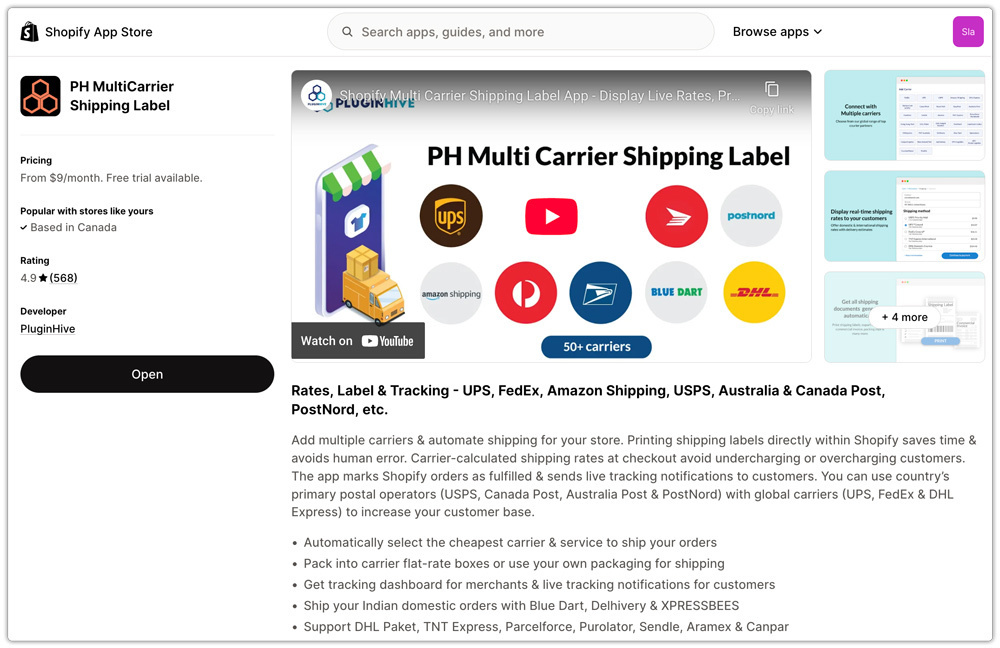
Here’s how it handles UPS package dimensions specifically:
- Box configuration: Add your actual packaging options with precise length, width, height, and weight to the app as saved box profiles. These profiles are then available for selection when creating any UPS label.

- Dimensional weight at label creation: Because the app pulls live UPS rates based on the box dimensions you’ve configured, the dimensional weight is calculated correctly before the label is generated, not discovered later as a billing correction.
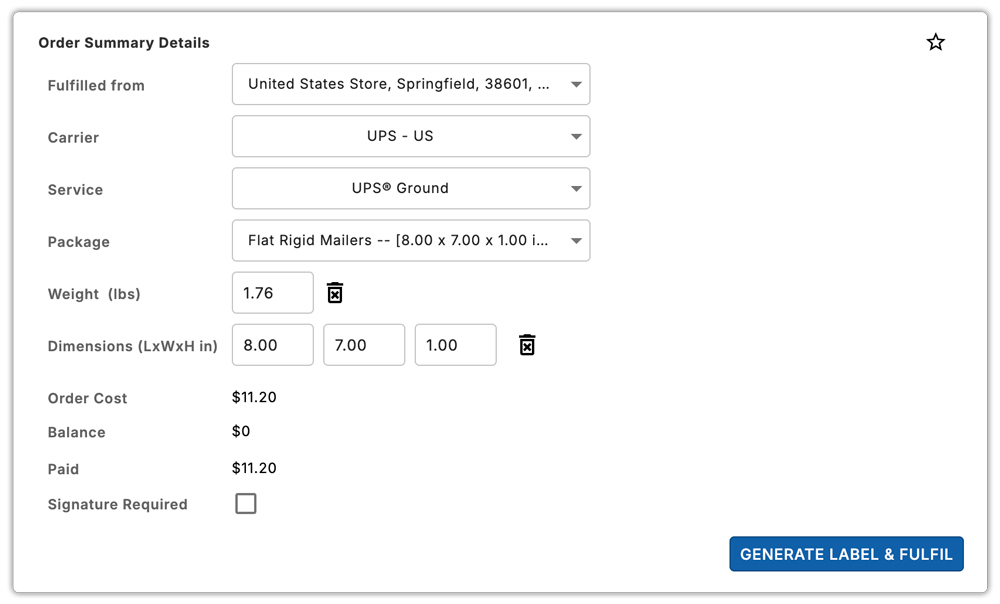
- Live rates at checkout: Customers see accurate UPS rates based on the actual package dimensions linked to their order, not generic estimates. This directly prevents the margin erosion that comes from quoting checkout rates based on incorrect dimensions.

- Bulk label generation: For high-volume fulfilment days, the app generates multiple UPS labels in bulk using pre-configured box profiles, keeping dimensions consistent across all shipments in a batch.

Conclusion
Accurate UPS package dimensions help Shopify merchants avoid unexpected shipping costs, billing corrections, and additional handling charges. Entering the correct dimensions also ensures customers see more accurate UPS rates at checkout.
The PH Multi-Carrier Shipping Label App helps merchants manage saved box dimensions, calculate UPS rates, and generate labels consistently. This makes it easier to maintain accurate dimensions and control UPS shipping costs as order volume grows.
FAQ
Q. Does UPS check package dimensions after a label is created?
Yes. UPS scans and measures packages in transit. UPS issues a shipping charge correction to the shipper’s account if the measured dimensions differ from those entered at label creation. The correction reflects the accurate billable weight and applicable surcharges.
Q. What divisor does UPS use for dimensional weight calculation?
UPS uses a divisor of 139 for Daily Rates and 166 for Retail Rates. The dimensional weight formula is: (Length × Width × Height) ÷ Divisor, with any fraction rounded up to the next whole pound.
Q. How should I measure an irregularly-shaped package for UPS?
UPS instructs shippers to measure irregularly-shaped packages as if they were in a rectangular box, measuring length, width, and height from the extreme points in each direction.
