



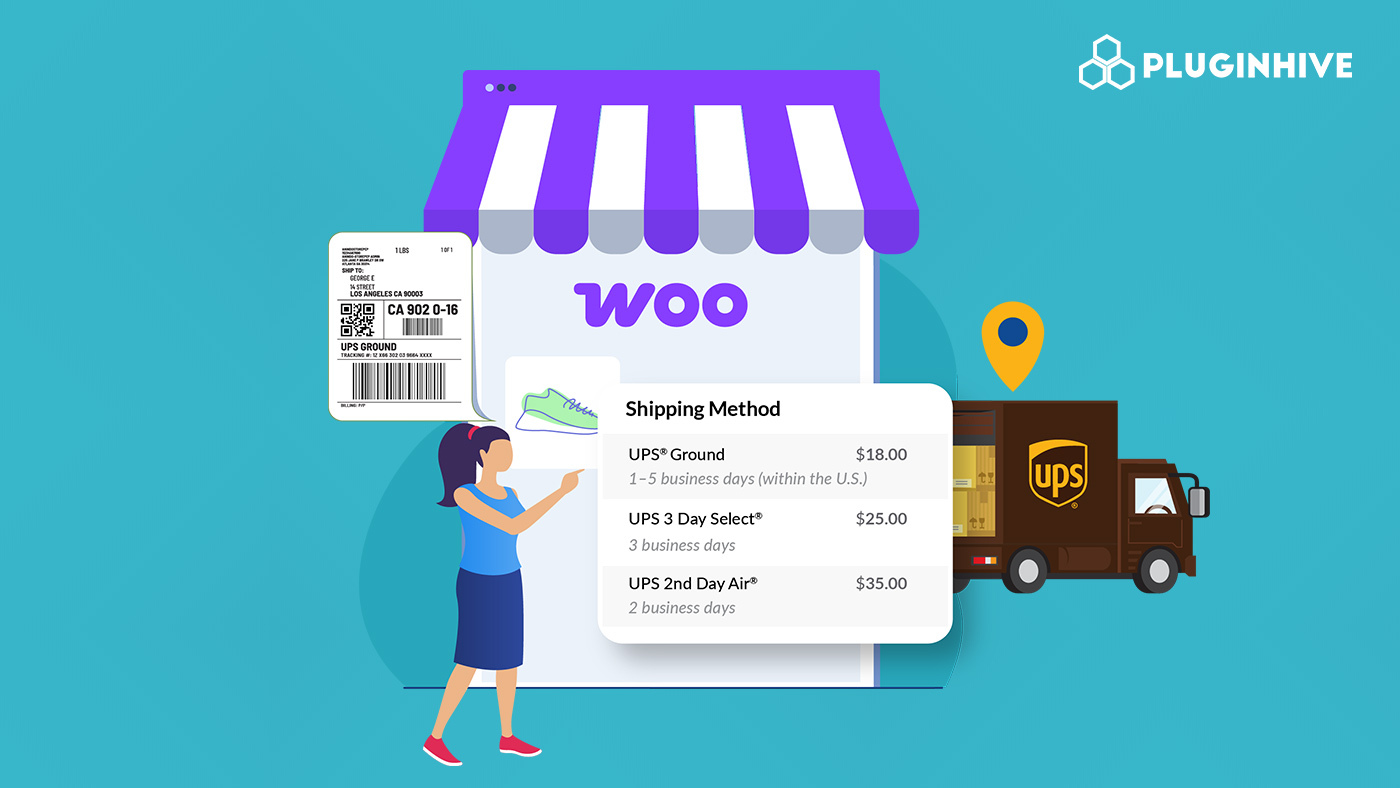
Shipping plays a crucial role in any WooCommerce store, and UPS is a trusted choice for both domestic and international deliveries. From budget-friendly ground to fast express, UPS covers diverse needs. But without proper integration, issues like wrong shipping rates, manual labels, and limited order tracking can hurt customer experience.
This guide shows how to use UPS in WooCommerce for live rates, labels, and tracking to streamline fulfillment and boost customer satisfaction.
On This Page
- Overview of UPS
- Challenges of UPS Shipping in WooCommerce
- Integrating and Offering UPS Shipping in WooCommerce
- Real-World Example
- Best Practices for UPS in WooCommerce
- Conclusion
- FAQs
Overview of UPS
UPS is one of the world’s largest shipping carriers, offering a wide range of domestic and international services to suit different delivery needs. From cost-effective ground shipping to urgent same-day deliveries, UPS provides reliable solutions for businesses of all sizes.
Domestic Services include:
- UPS Ground – economical delivery in 1-5 days across the U.S.
- UPS 3 Day Select®, 2nd Day Air®, and Next Day Air® – guaranteed delivery options ranging from three days to overnight.
- UPS Express Critical® – same-day service for urgent shipments.
International Services include:
- UPS Worldwide Express® and Saver® – fast delivery to over 200 countries within 1-3 business days.
- UPS Worldwide Expedited® – economical international shipping within 2-5 days.
- UPS Standard® – day-definite delivery to Canada and Mexico.
Specialized Services include:
- UPS Simple Rate® – flat-rate shipping within the U.S. using your own packaging.
- Additional options like Saturday Delivery, pickups, real-time tracking and declared value coverage, and UPS My Choice® for better delivery control.
With this variety, WooCommerce store owners can choose the right UPS service to balance speed, cost, and customer expectations.
To learn more about UPS shipping services, visit: UPS Shipping Services Overview.
Challenges of UPS Shipping in WooCommerce
UPS is a reliable carrier, but integrating it with WooCommerce comes with several challenges:
- Complex Rate Calculations: UPS rates depend on weight, dimensions, zones, service types, and surcharges. Without third-party integration, checkout rates can be inaccurate, causing lost revenue or abandoned carts.
- Label Generation Issues: Creating UPS labels manually slows fulfillment, especially for bulk orders. Automated label generation is often needed.
- Multi-Package Shipments: WooCommerce doesn’t handle multi-box orders by default, making it tricky to calculate shipping costs and generate correct labels.
- International Shipping & Customs: Cross-border shipments require HS codes, customs invoices, and duties. Manual processes can cause delays or errors.
- Tracking & Customer Communication: Real-time UPS tracking isn’t built into WooCommerce, so keeping customers updated can be challenging.
- Limited Delivery Options: Not all UPS services appear at checkout unless properly configured, limiting customer choices.
But all these issues can be tackled with the right solution. This is where the WooCommerce UPS Shipping Plugin with Print Label, which is a UPS Ready® solution, comes in.
Integrating and Offering UPS Shipping in WooCommerce
The WooCommerce UPS Shipping Plugin with Print Label makes it easy to integrate UPS services into your WooCommerce store, allowing you to offer flexible shipping options that meet varying customer needs for speed and cost.
To get started with the UPS plugin, visit the: WooCommerce UPS Shipping Guide for detailed setup instructions..
Once configured, you can:
Display UPS Live Rates in WooCommerce
Choose the UPS services to display in the cart or checkout, such as UPS Ground, UPS 2nd Day Air, UPS Next Day Air, and more that best suit your business.
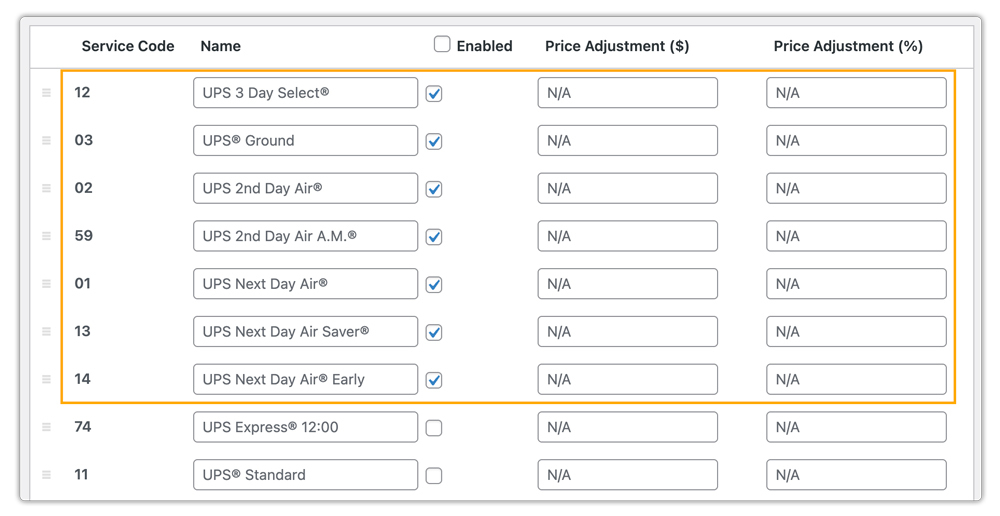
The plugin automatically retrieves live shipping rates from your UPS account. Customers can then choose from available services based on their delivery needs.

Check out this guide to learn more about UPS live rates in WooCommerce: Display UPS Real-Time Rates in WooCommerce.
Print UPS Shipping Labels
With the plugin, you can generate UPS shipping labels directly from WooCommerce orders. Labels include all necessary shipment details, ensuring accurate package handling.
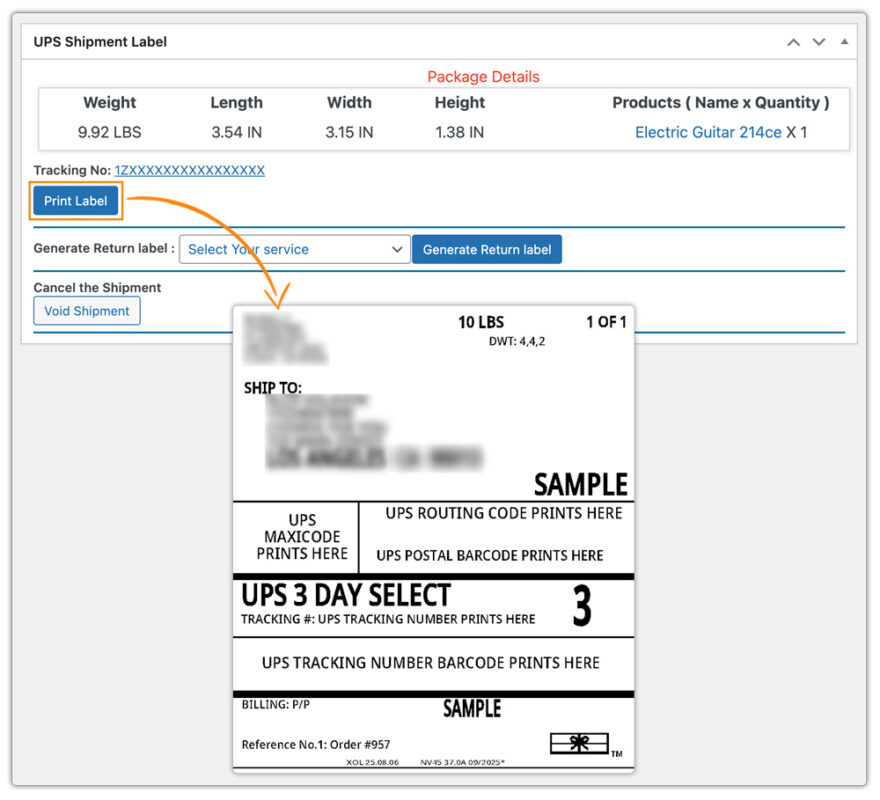
You can also schedule UPS pickups directly after label generation, streamlining order fulfillment.
UPS Shipment Tracking in WooCommerce
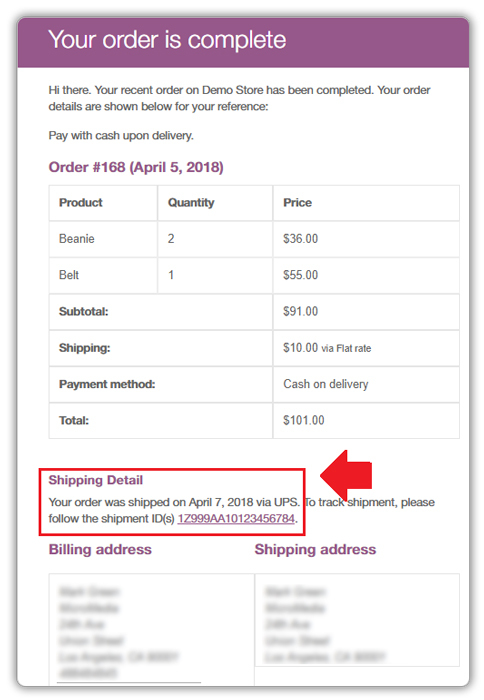
The plugin automatically provides UPS tracking IDs once a label is generated. Merchants can monitor shipment progress from the WooCommerce dashboard.
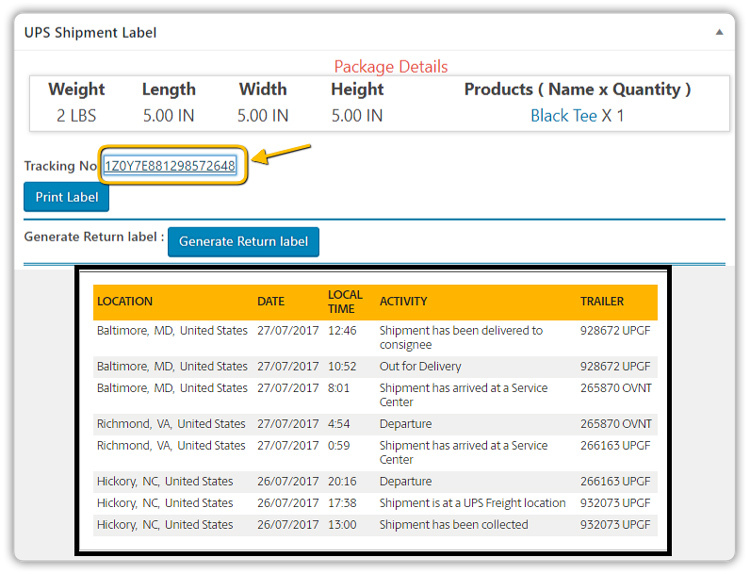
Customers can view tracking updates directly in order confirmation emails.
By integrating UPS with WooCommerce through this plugin, you can make the shipping management simpler and more reliable.
For international shipping, check out this guide: WooCommerce UPS International Shipping.
Real-World Example: Optimizing UPS Shipping in WooCommerce
A WooCommerce store specializing in outdoor equipment and adventure gear, such as backpacks, tents, and travel accessories, serves both domestic and international customers. Orders often range from small accessories to multi-item gear kits.
The Problem:
The store faced several shipping challenges:
- Inaccurate Checkout Rates: Customers were often shown flat or estimated shipping costs, causing complaints and abandoned carts.
- Manual Label Generation: Printing UPS labels manually for bulk orders was time-consuming and prone to errors.
- Tracking Issues: Customers frequently contacted support for shipment updates, increasing workload.
- Limited Shipping Options: Not all UPS services were visible at checkout, restricting delivery choices.
The Solution:
Integrating the WooCommerce UPS Shipping Plugin with Print Label enabled the store to:
- Display Live UPS Rates: Customers could view accurate rates for UPS Ground, 2nd Day Air, and Next Day Air at checkout.
- Automate Label Generation: UPS shipping labels, including for multi-box orders, were automatically created from WooCommerce orders.
- Enable Real-Time Tracking: Tracking IDs were shared via order emails, reducing support queries.
- Offer Flexible Shipping Options: All eligible UPS services were displayed based on package details and destination.
This integration reduced shipping errors, sped up fulfillment, and improved customer satisfaction. With real-time rates and tracking, customers gained transparency, boosting trust and conversion rates.
Best Practices for UPS in WooCommerce
To make the most of UPS shipping and the WooCommerce UPS Shipping Plugin, merchants should follow these best practices:
- Leverage Plugin Features: Utilize ETD (Electronic Trade Documents), EDI, EEI, and NAFTA Certificates to reduce paperwork errors and speed up customs processing.
- Offer Appropriate UPS Services: Provide customers with multiple UPS shipping options, Ground, 2nd Day Air, Next Day Air, or international express, to balance speed, cost, and delivery expectations.
- Schedule Pickups Efficiently: Use the plugin to schedule UPS pickups directly after label generation, streamlining fulfillment.
- Monitor Shipments: Share real-time tracking updates with customers via order emails and monitor shipments from the WooCommerce dashboard.
- Keep Account Credentials Updated: Ensure UPS account details in the plugin are accurate to prevent rate calculation errors or failed label generation.
Following these practices helps WooCommerce merchants reduce shipping errors and provide a seamless customer experience with UPS.
Conclusion
Integrating UPS with WooCommerce streamlines shipping by providing live rates, automated label generation, real-time tracking, and flexible service options. This not only enhances operational efficiency but also improves the overall shopping experience, helping build trust and repeat business.
For assistance or setup guidance, reach out to PluginHive support.
FAQs
1. Can I ship frozen food with UPS in WooCommerce?
Yes. UPS allows shipping frozen or perishable food items if properly packed with dry ice or gel packs. Learn how to set it up in WooCommerce here: Ship Frozen Food with UPS in WooCommerce.
2. Can I print UPS labels in bulk from WooCommerce?
Yes. You can generate and print multiple UPS labels in bulk, saving time on large order volumes. Here’s a step-by-step guide: Generate UPS Shipping Labels in Bulk.
3. Does UPS Saturday delivery work with WooCommerce?
Yes. You can enable UPS Saturday delivery services for eligible locations. This helps meet urgent delivery demands for customers ordering late in the week.
4. Can I offer UPS Cash on Delivery (COD) in WooCommerce?
Yes. UPS COD can be enabled so customers pay upon delivery. This is useful in markets where cash payments are still preferred.
5. How do I reduce UPS international shipping costs in WooCommerce?
You can save by comparing UPS services (e.g., Standard vs. Expedited), using negotiated rates, and optimizing packaging. Learn more: Save on UPS International Shipping.
