


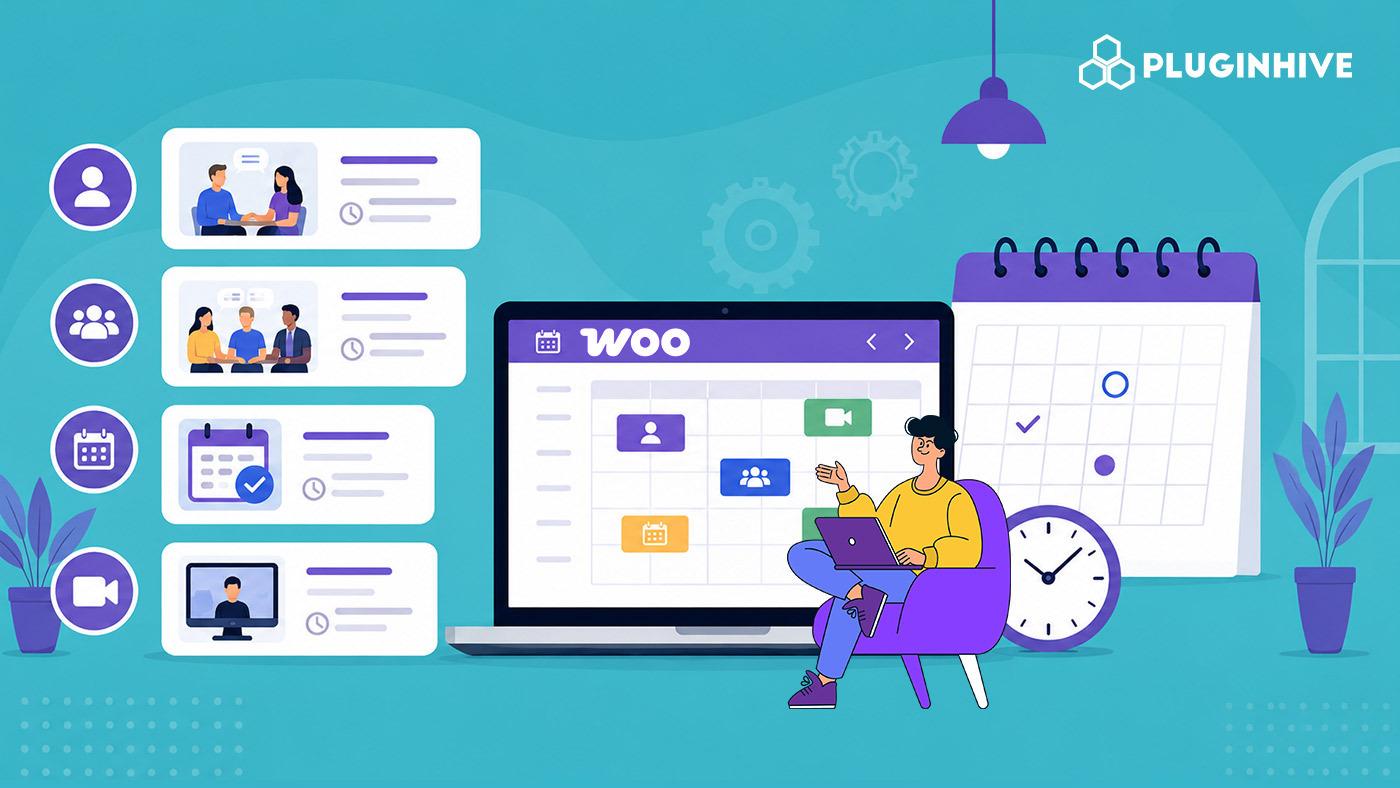
Not every appointment works the same way. A consultation may be booked once, a class may repeat every week, and a repair service may need to be scheduled at short notice. Each of these has different scheduling needs in WooCommerce.
Choosing the right appointment type can help you manage your schedule more effectively while making it easier for customers to book the service they need. In this guide, we’ll look at the common WooCommerce appointment types, how they differ, and which one is best suited for your business.
On This Page
- Why Choosing the Right Type of Appointment Matters
- Common Types of Appointments in WooCommerce
- How to Choose the Right WooCommerce Appointment Type for Your Business
- Offering Different Types of Appointments in WooCommerce
- Final Thoughts
- FAQs
Why Choosing the Right Type of Appointment Matters
A poorly planned appointment system can quickly lead to scheduling conflicts, unused time slots, and extra admin work. Getting it right from the start can help with:
- Managing availability: The right booking structure helps prevent overlapping appointments and unnecessary gaps in your schedule.
- Creating a smoother booking experience: Customers can choose the service, time, or session that fits what they actually need.
- Reducing manual work: When bookings follow the right format from the start, there’s less need to adjust appointments manually.
- Making better use of your schedule: You can accommodate individual clients, groups, recurring sessions, or last-minute bookings based on how your business operates.
A well-planned appointment structure gives you a more organised schedule from the start.
Common Types of Appointments in WooCommerce
Appointments can vary depending on the service and how customers book it. In WooCommerce, these can be grouped by booking format, service delivery, and booking availability, making it easier to understand the different appointment options available.
WooCommerce Appointment Types at a Glance
| Appointment Type | Typical Use Case | Key Benefit |
|---|---|---|
| Individual Appointment | Consultations, treatments, coaching | Reserves dedicated time for one customer |
| Group Session | Classes, tours, workshops | Allows multiple customers to join one session |
| Recurring Appointment | Tutoring, coaching, ongoing services | Schedules repeat visits without separate bookings |
| Session Package | Fitness sessions, counselling, training | Combines multiple sessions into one purchase |
| Combo Appointment | Spa packages, bundled services | Lets customers receive multiple services together |
| Prepaid Appointment | Premium or high-demand services | Secures payment before the appointment |
| Discovery Call | Consultations, demos, introductory calls | Gives potential customers an easy first interaction |
Core WooCommerce Appointment Types Explained
Most booking needs are covered right out of the box by the Bookings and Appointments for WooCommerce plugin, which handles individual and group bookings natively. For more specific scheduling needs, a set of add-ons extends the core plugin to handle each case.
- Individual Appointments: One client, one slot, one provider, with a fixed time block so there’s no confusion over duration or cost. The standard setup for salons, tutors, and consultants.
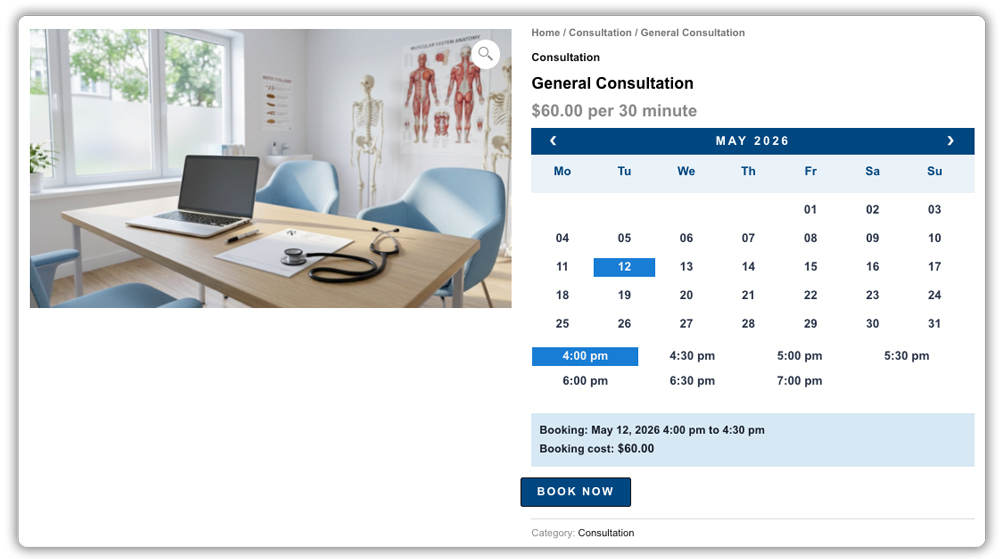
- Group Sessions: Multiple clients share the same time slot up to a fixed capacity, making this suitable for group counselling, coaching, or therapy sessions. Once the capacity is reached, the slot is no longer available for booking.

- Recurring Appointments: Clients who book the same service on a set cadence, like a weekly training session, can set the schedule once and pay for the entire series upfront with the Recurring Bookings and Appointments add-on.

- Session Packages: A prepaid batch of visits (say, 8 physiotherapy sessions) redeemed over time. When those redemptions fall on scattered, non-adjacent dates, the Multiple Non-Adjacent Bookings add-on lets clients pick them all in one order.

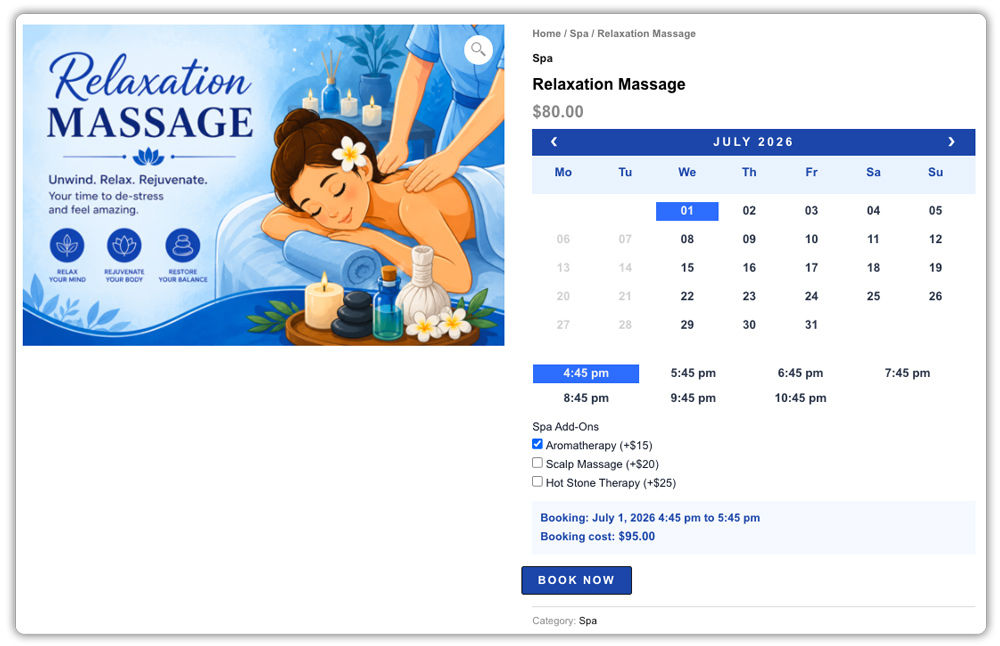
- Combo Appointments: Some visits naturally bundle more than one service, like a massage with aromatherapy. PH Product Add-ons for WooCommerce adds that flexibility, letting clients tack extras onto the same booking.
- Prepaid Appointments: Requiring payment at booking filters out low-commitment clients. For high-value services where full payment upfront is a big ask, PH Deposits for WooCommerce collects a partial payment or deposit instead.

- Discovery Calls: A short, free call that lowers the barrier for hesitant first-time clients. Since these are almost always virtual, the Zoom Integration add-on auto-generates a meeting link for each booking.

WooCommerce Appointment Types Based on Service Delivery
Appointments can be offered online, in person, or in both formats, depending on how the service is delivered.
| Service Delivery | Suitable For | Booking Consideration |
|---|---|---|
| Online | Consultations, tutoring, coaching, demos | Provide clear meeting or joining details |
| In-Person | Salon services, treatments, repairs, training | Specify the location and available hours |
| Hybrid | Services available in either format | Let customers choose their preferred option |
WooCommerce Appointment Types Based on Booking Availability
Appointments can also vary based on when customers are allowed to book, from last-minute slots to bookings planned in advance.
| Booking Availability | Suitable For | How It Works |
|---|---|---|
| Same-Day Booking | Repairs, consultations, services with open slots | Customers can reserve available appointments on the same day |
| Advance Booking | Services requiring preparation, staff planning, or resources | Customers must book a specified amount of time before the appointment |
| Follow-Up Booking | Treatments, consultations, coaching, ongoing services | Customers return for another appointment as part of the service journey |
How to Choose the Right WooCommerce Appointment Type for Your Business
The right appointment type depends on how your service works and what you want to achieve. Use the table below to find the option that best fits your business.
| If Your Priority Is… | Consider… | Why It Works |
|---|---|---|
| Providing one-to-one service | Individual Appointments | Gives each customer a dedicated time slot |
| Serving multiple customers at once | Group Sessions | Allows several customers to book the same session |
| Offering services on a regular schedule | Recurring Appointments | Makes repeat bookings easier to manage |
| Selling multiple visits together | Session Packages | Combines several sessions into one purchase |
| Reducing no-shows | Prepaid Appointments | Secures payment before the appointment |
| Connecting with potential customers | Discovery Calls | Provides an easy introduction to your service |
| Accepting last-minute bookings | Same-Day Booking | Helps fill available slots |
| Planning services ahead of time | Advance Booking | Provides time to prepare staff or resources |
The best choice is the one that fits how your service is delivered, scheduled, and used by your customers.
Offering Different Types of Appointments in WooCommerce
Choosing an appointment type is one part of the process. You also need to decide how bookings are managed before, during, and after each appointment. Bookings and Appointments for WooCommerce plugin provides several options for this:
- Flexible booking durations: Set appointments in minutes or hours, so the slot length matches how long the service actually takes – a 15-minute consultation or a 2-hour session, for instance.
- Staff-based bookings: Assign staff members with their own availability and pricing, and allow customers to book with a specific staff member when needed.
- Booking approval: Review booking requests before confirming them, which can be useful for services that require prior approval.
- Buffer time: Add time before or after appointments for preparation, cleanup, or travel.
- Confirmations and cancellations: Send booking confirmation emails and define when customers are allowed to cancel.
- Reminder emails: Send customers reminders before their scheduled appointment.
- Follow-up emails: Contact customers after an appointment with relevant follow-up information or next steps.
These features can be used across different appointment types, helping you manage bookings according to how your business operates.
Final Thoughts
Every appointment type covered here does the same core job: it turns your availability into something customers can book without back-and-forth emails. The right choice isn’t about which type sounds the most advanced; it’s about which one matches how your service actually runs day to day. Pick that one, and the rest of your booking setup falls into place with it.
If you need help setting up any of these appointment types on your WooCommerce store, the PluginHive support team is just a message away.
FAQs
Q: What is the best appointment scheduling plugin for WooCommerce?
Bookings and Appointments for WooCommerce by PluginHive is built to handle individual, group, recurring, and package-based appointments from a single plugin, making it a solid fit for most WooCommerce service businesses.
Q: What are the types of appointments?
Common types include individual appointments, group sessions, recurring appointments, session packages, combo appointments, prepaid appointments, and discovery calls. The right type depends on how your service is delivered and booked.
Q: What are the benefits of an appointment scheduling plugin for WooCommerce?
It prevents double bookings, automates confirmations and reminders, supports different appointment formats in one place, and cuts down the manual work of managing a calendar by hand.
Q: How do I create an appointment booking system in WooCommerce?
Install Bookings and Appointments for WooCommerce plugin, set up a bookable product, define your availability and staff, and configure the appointment type that fits your service. The setup guide walks through each step.
