


In today’s digital-first world, virtual meetings, online classes, and remote consultations have become an essential part of how service-based businesses operate. WooCommerce stores offering services or high-value products need a seamless way to connect with customers in real time. Managing Zoom links, scheduling meetings, and sending reminders manually can be time-consuming and prone to errors, impacting the customer experience. Integrating Zoom with WooCommerce simplifies this process. PluginHive’s Zoom Integration for WooCommerce automates meeting creation, sends instant join links, and manages multiple hosts directly from your dashboard. This ensures smooth virtual sessions, saves time, and enhances professionalism. In this article, we’ll explore the top WooCommerce businesses that benefit the most from Zoom integration and how they can leverage it to grow their operations.
Table of Contents
- The Importance of Zoom Integration for WooCommerce Businesses
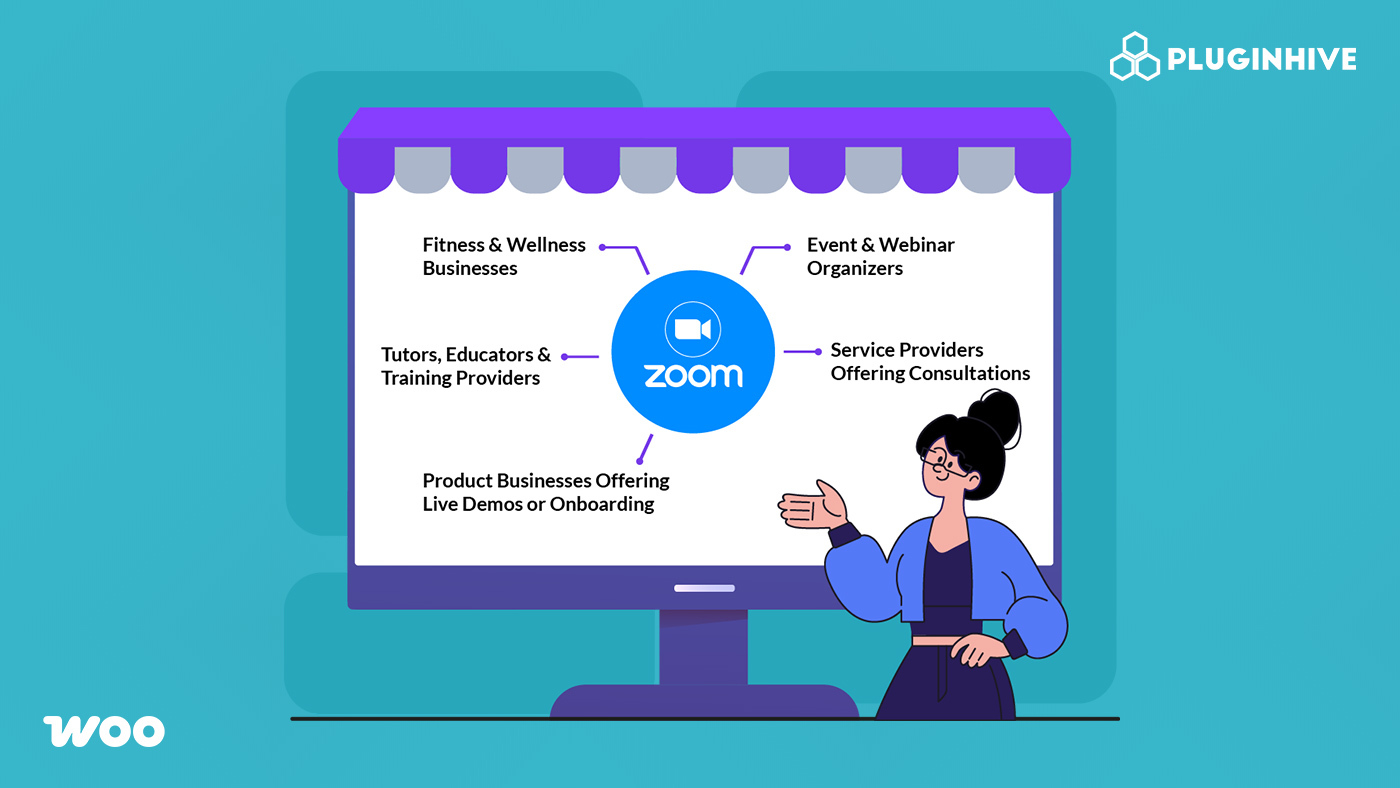
- Businesses That Benefit the Most from WooCommerce Zoom Integration
- Conclusion
- FAQs
The Importance of Zoom Integration for WooCommerce Businesses
Integrating Zoom with WooCommerce is more than just a convenience; it’s a foundation for running virtual services in a structured, automated, and scalable way. It enables store owners to focus on delivering value rather than managing logistics.
Here are the key reasons why seamless Zoom integration is vital for service-based WooCommerce businesses:
- Eliminates Manual Errors: The system automatically generates Zoom links and assigns them to the right customer for every paid order.
- Improves Security and Access Control: It sends the session link only to paying customers, preventing unauthorized access.
- Builds Professionalism and Trust: It automatically delivers meeting details through a confirmation email, creating a smooth and polished experience.
- Simplifies Follow-Up: It allows you to share session recordings efficiently after the session without extra manual work.
- Supports Growth and Multiple Hosts: The integration enables multiple instructors or staff to manage sessions easily as the business scales.
The shift from manual scheduling chaos to automated confidence is essential for any WooCommerce business looking to scale digital services efficiently. With these advantages in mind, let’s explore the specific types of businesses that benefit the most from Zoom integration.
Businesses That Benefit the Most from WooCommerce Zoom Integration
Just as product-based stores automate inventory and order workflows, service-based WooCommerce businesses need automation for virtual communication. Automated Zoom integration helps these businesses deliver classes, consultations, demos, and events without the hassle of manual scheduling.
Below are the industries that see the most impact when connecting Zoom with WooCommerce using PluginHive’s Zoom Integration with WooCommerce Bookings and Appointments plugin.
1. Fitness & Wellness Businesses
For fitness and wellness brands, live interaction is at the heart of the business. Whether you’re running yoga flows, HIIT classes, or guided meditation, clients expect classes to start on time with zero confusion. But when you’re running multiple sessions a day, often with different instructors, manually creating Zoom links and sending reminders quickly becomes chaotic.
This is where PluginHive’s WooCommerce Zoom integration streamlines everything and keeps your studio running smoothly.
How Zoom Integration Supports Fitness & Wellness Brands
- Ensures every client receives a class-specific Zoom link instantly.
- Reduce no-shows with automated session reminders and Google Calendar sync.
- Allows seamless rotation of multiple trainers without administrative stress.
- Cuts down admin work, letting your team focus on training, not tech management.
Example: A fitness studio offers a daily 1-hour HIIT session taught by multiple instructors.

With Zoom integrated into WooCommerce, clients book through the site, get their Zoom link instantly, and just join the session while the studio team spends zero time managing links or reminders.

2. Tutors, Educators & Training Providers
For educators, clarity and structure are everything. Whether you’re teaching academic subjects, offering skill-based workshops, or running professional training programs, students expect organized sessions. But juggling class schedules, one-on-one lessons, and group batches becomes overwhelming when Zoom links and reminders are handled manually.
Integrating Zoom with WooCommerce brings order to your teaching workflow and ensures every student gets the right session at the right time.
How Zoom Integration Supports Educators
- Keeps lessons structured by automatically scheduling the correct Zoom meeting for each booking.
- Reduces missed classes through instant confirmations and automated reminders.
- Supports multiple instructors, making it easy for academies and training centres to manage large student groups.
- Provides a clear student experience, where all session details are delivered instantly upon booking.
Example: A language tutor runs weekly one-on-one sessions for 10 different students.

With Zoom integrated into WooCommerce, each student automatically receives their unique meeting link and reminders for every booked class. The tutor no longer needs to manage scheduling manually and can focus fully on teaching.

3. Service Providers Offering Consultations
Consultation-based businesses rely on precision; every session is tied to a specific customer, time slot, and service type. Whether you’re a lawyer, therapist, financial advisor, astrologer, or career coach, your clients expect a seamless experience from booking to meeting. But manually creating Zoom links, matching them to appointments, and sending reminders quickly becomes messy as bookings increase.
Using PluginHive’s WooCommerce Zoom integration turns the entire consultation workflow into a polished, automated system that supports both client trust and business scalability.
How Zoom Integration Strengthens Consultation Services
- Ensures appointment accuracy by automatically generating the correct meeting link for each confirmed booking.
- Builds client trust with professional, timely delivery of consultation details right after purchase.
- Supports varied consultation formats, from quick 15-minute sessions to detailed paid assessments.
- Reduces admin work, allowing consultants to focus on delivering value rather than managing Zoom logistics.
Example: A business consultant offers 60-minute paid strategy sessions.

When a client books, a unique Zoom link is instantly sent, and the consultant sees the meeting added to their Zoom account without doing anything manually.

4. Product Businesses Offering Live Demos or Onboarding
Some products require more than just a description; they need a guided walkthrough for customers to understand their full value. Businesses selling software, digital tools, high-end equipment, or customizable products often rely on live demos or onboarding calls to close sales and improve customer satisfaction. Without automation, managing demo requests, creating Zoom links, and coordinating schedules becomes a bottleneck that slows down conversions.
Zoom integration with WooCommerce helps these businesses deliver smooth, professional demo experiences without spending hours on manual coordination.
How Zoom Integration Supports Product Demo & Onboarding Workflows
- Automates demo scheduling, ensuring each booked session instantly generates a unique Zoom link.
- Improves conversion rates by making it easier for prospects to move from browsing → booking → joining a live demo.
- Supports multiple team members, letting you automatically assign demos to different product specialists or sales reps.
- Creates a smoother onboarding journey for new customers by organizing all post-purchase demo calls directly through WooCommerce.
Example: A SaaS company offers one-on-one product demos.

When a prospect books a session, WooCommerce automatically creates a Zoom meeting hosted by the assigned sales rep. The prospect receives their link instantly, joins on time, and completes the demo all without anyone on the team manually setting up the meeting.

5. Event & Webinar Organizers
For businesses running online events, webinars or workshops, the entire experience depends on simple registration, reliable access links, and smooth coordination. When these steps are manually handled, mistakes are common wrong links, missing reminders, or last-minute changes that confuse attendees.
The WooCommerce Zoom integration by PluginHive simplifies event hosting, giving attendees a consistent and professional experience every time.
How Zoom Integration Supports Event & Webinar Workflows
- Automates event registration, sending each attendee their unique Zoom link immediately after payment.
- Handles large audiences effortlessly with automated link distribution.
- Keeps communication consistent, with automated emails and reminders.
- Handles events easily, ensuring each session – webinars, workshops, etc. gets its own dedicated Zoom meeting.

Example: A business hosts a paid marketing webinar.
Every ticket purchase automatically receives its unique join link. Attendees get reminders, join without confusion, and the organizers manage the event without manually creating hundreds of links.

Note: Ready to get started? Follow the setup guide to connect Zoom with your WooCommerce store and automate your virtual sessions.
Conclusion
Zoom integration is now essential for WooCommerce businesses that offer virtual services. Whether it’s online fitness classes, tutoring sessions, consultations, or product demos, automating your meeting workflows reduces manual work, prevents scheduling errors, and creates a smoother experience for customers. Connecting Zoom directly to WooCommerce allows businesses to scale confidently while delivering every session professionally and on time.
PluginHive’s Zoom Integration for WooCommerce makes this effortless by automatically generating meeting links, supporting multiple hosts, sending instant join details, and keeping everything organized within your store’s dashboard. To streamline your virtual sessions or get help setting up Zoom for your WooCommerce store, reach out to PluginHive’s support team for expert guidance.
FAQs
Q: Do I need the WooCommerce Bookings plugin besides Zoom?
A: Yes. For scheduled sessions like classes, consultations, or events, a WooCommerce booking plugin is required to connect bookings with PluginHive’s Zoom Integration for WooCommerce.
Q: Will the Zoom link be sent automatically to the customer?
A: Yes. Once the integration is set up, the join link is included in the WooCommerce confirmation email immediately after purchase.
Q: Can I manage multiple instructors or hosts in WooCommerce?
A: Yes. The Zoom plugin supports multiple hosts and lets you assign different sessions to different trainers or staff members easily.
Q: Do I need a paid Zoom account to use PluginHive’s Zoom Integration for WooCommerce?
A: It depends. Free Zoom accounts have a 40-minute limit and fewer features. For longer sessions, recordings, or advanced features, a paid Zoom plan is recommended.
Q: What happens if a customer cancels a booking on my WooCommerce store?
A: If a customer cancels a booking, the Zoom meeting is automatically canceled as well, keeping your schedule up to date and accurate.
