



Shipping with Canada Post on WooCommerce comes down to two real contenders: the Canada Post Shipping Plugin for WooCommerce with Print Label by PluginHive, and the official Canada Post Shipping Method for WooCommerce. Both pull live rates from Canada Post, but that’s where the similarity ends – how far each one takes you past “showing a rate at checkout” is where the real difference lies.
Here’s a full breakdown to help you pick the right one for your store.
On This Page
- PluginHive Canada Post Shipping Plugin vs Canada Post Shipping Method for WooCommerce: Overview
- WooCommerce Canada Post Shipping Plugin Feature Comparison
- Ease of Setup, User Experience & Workflow Efficiency
- Pricing & Value Comparison
- Support, Integrations & Scalability
- Final Verdict
- FAQs
PluginHive Canada Post Shipping Plugin vs Canada Post Shipping Method for WooCommerce: Overview
Before diving into the feature comparison, let’s first understand what each plugin offers and who it’s designed for.
PluginHive Canada Post Shipping Plugin for WooCommerce with Print Label
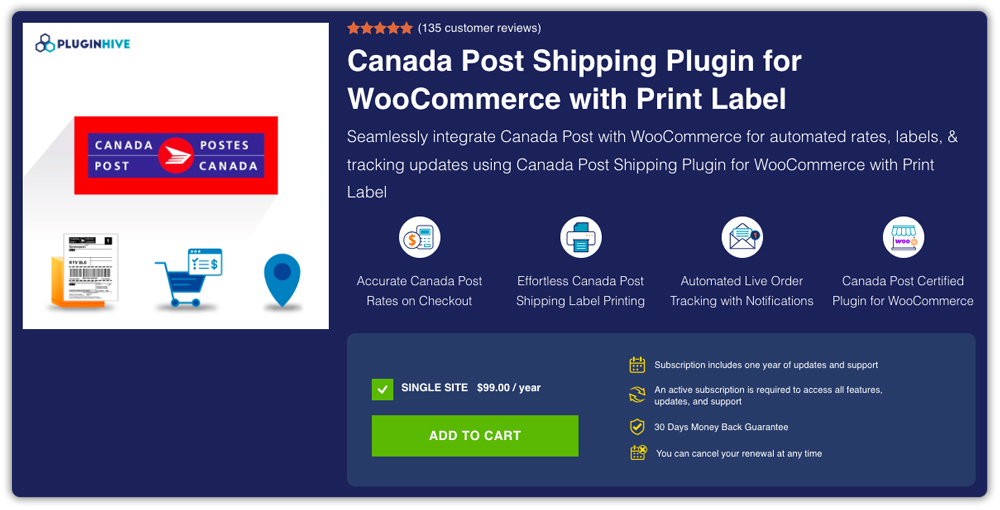
The Canada Post Shipping Plugin for WooCommerce with Print Label is officially certified by Canada Post for WooCommerce integration. It goes well beyond rate display; it lets you print Canada Post shipping labels, generate manifests and commercial invoices, and track shipments directly from your WooCommerce dashboard. It works with both Contract and “Solutions for Small Business” (Non-Contract) accounts, and covers domestic, international, USA-specific, and Lettermail services. It’s used by 7,000+ WooCommerce stores.
Best suited for:
- Growing WooCommerce stores
- High-volume merchants
- Businesses shipping domestically and internationally
- Stores wanting to automate fulfillment
Canada Post Shipping Method for WooCommerce
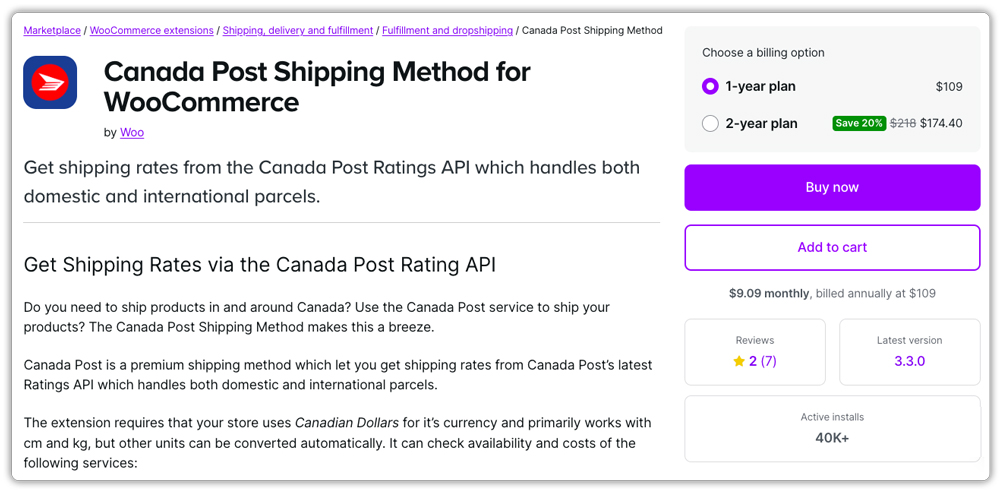
The Canada Post Shipping Method is built and sold directly by Woo. It connects to Canada Post’s Ratings API to pull live domestic and international rates at checkout, using either a box packer or per-item packing. This extension is scoped specifically to rate calculation – it doesn’t offer label printing, tracking, or customs documentation.
Best suited for:
- Stores that only need live Canada Post rates
- Merchants with simpler shipping workflows
- Businesses comfortable managing fulfillment outside WooCommerce
To better understand these differences, let’s compare the features each plugin brings to WooCommerce.
WooCommerce Canada Post Shipping Plugin Feature Comparison
Here’s a quick side-by-side look at what each plugin actually covers, feature by feature:
| Feature | PluginHive Canada Post Shipping Plugin for WooCommerce with Print Label | WooCommerce Canada Post Shipping Method |
|---|---|---|
| Canada Post Certification | Officially certified by Canada Post. | Not stated. |
| Domestic, International & USA Rates | Live rates for all three. | Live rates for all three. |
| Contract & Non-Contract Accounts | Supports both account types. | Not explicitly stated. |
| Lettermail Services | Included in live rates. | Included, but hardcoded (non-API) pricing. |
| Shipping Label Generation | Print official Canada Post labels (4×6 or 8.5×11) right from WooCommerce. | Not offered. |
| Bulk Label Printing | Yes, for multiple orders at once. | Not offered. |
| Shipment Tracking | Auto-attached tracking with updates. | Not offered. |
| Tracking Email Notifications | Automated customer emails. | Not offered. |
| Estimated Delivery Date | Shown on cart/checkout. | Available via checkbox setting. |
| Insurance / Coverage | Lets you add declared value and insurance coverage. | Coverage add-on available. |
| Commercial Invoice & Manifests | Auto-generated. | Not offered. |
| Packing Methods | Per-item, weight-based, custom boxes. | Per-item, weight-based, box packing. |
| Delivery to Post Office | Customer pickup option available. | Not offered. |
| QR Code Labels for Retail Pickup | Yes. | Not offered. |
| Zonos Integration (Duties/Tax) | Yes. | Not offered. |
| WPML Multilingual Support | Yes. | Not offered. |
| Rate Adjustments & Shipping Zones | Yes. | Yes. |
The table highlights a clear difference in scope. PluginHive’s plugin covers much more of the shipping workflow from label generation and tracking to customs documentation, while the WooCommerce extension focuses primarily on shipping rates and packaging. Let’s look at how that difference translates into the setup process and daily workflow.
Ease of Setup, User Experience & Workflow Efficiency
Beyond features on paper, what matters day-to-day is how easy the plugin is to configure and how much it simplifies your actual shipping workflow. Here’s how the two compare.
PluginHive Canada Post Shipping Plugin for WooCommerce with Print Label
- Once you activate your license, connecting your Canada Post account (Contract or Non-Contract) is quick and happens directly within the plugin, without needing to leave WooCommerce.
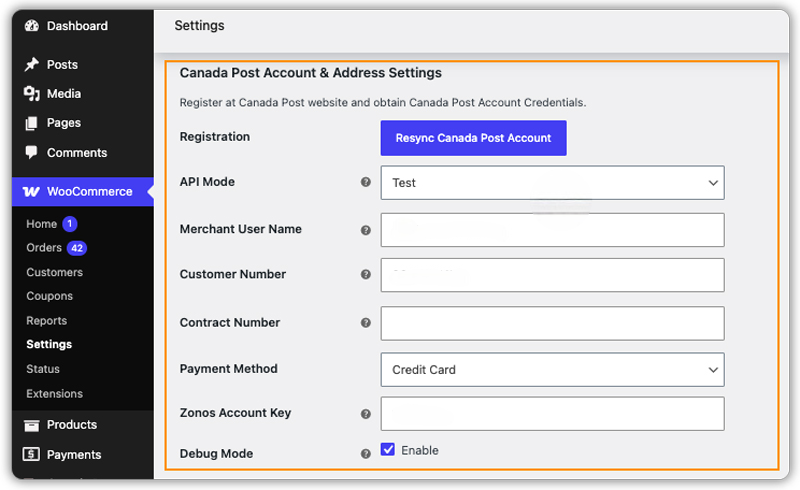
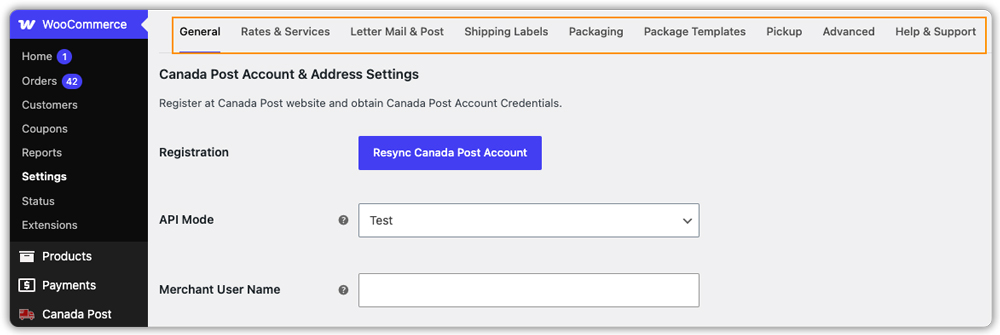
- Settings are grouped into clear tabs – General, Rates & Services, Shipping Labels, Packaging, Package Templates, and Pickup keeping the interface clean and easy to work through.
- From the WooCommerce Orders page, store admins can print shipping labels, generate tracking numbers, create manifests, and manage other shipping tasks without leaving the dashboard. Keeping everything in one place makes the Canada Post shipping workflow faster and easier to manage.
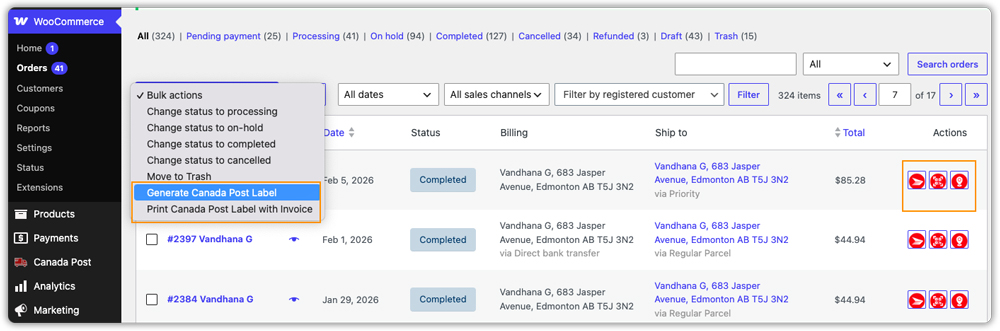
A live demo and detailed setup documentation let you test the full workflow before purchasing.
Canada Post Shipping Method for WooCommerce
- Setup involves connecting your Canada Post account through an OAuth-style registration flow, then adding the shipping method to a WooCommerce Shipping Zone.
- Configuration is limited to rate-related settings – Method Title, Origin Postcode, Quote Type, Lettermail options, Delivery Time, and packing method.
- Label printing, tracking, and shipment processing aren’t part of the plugin, so these steps need to be handled separately, outside WooCommerce.
Store reviews on the Marketplace flag underestimated postage costs, outdated Lettermail pricing, and “no matching shipping methods” errors on some addresses.
The difference really comes down to convenience: PluginHive’s Canada Post Shipping Plugin for WooCommerce with Print Label lets you handle the full Canada Post workflow without leaving WooCommerce, while the standard extension keeps you tied to external tools for anything beyond rate display. Next, let’s see how that convenience weighs up against the price tag.
Pricing & Value Comparison
Price is only meaningful when you weigh it against what’s actually included. Here’s how the two stack up on cost, support, and overall value.
| Plugin | Price | Support | Rating | Notable Extras |
|---|---|---|---|---|
| PluginHive Canada Post Shipping Plugin | $99.00/year (single site) | Dedicated support team | 4.96/5 | Label printing, tracking, manifests, commercial invoices, Zonos integration, 30-Day Money-Back Guarantee |
| Canada Post Shipping Method (WooCommerce) | $109.00/year, or $174.40 for 2 years | Ticket-based support | 2.0/5 | Box packer, rate adjustments, 30-Day Money-Back Guarantee |
Canada Post Shipping Plugin for WooCommerce with Print Label costs $10 less per year than the WooCommerce extension’s 1-year plan, and that lower price still includes label printing, tracking, and customs documentation – features you’d otherwise need a separate tool to cover if you went with the WooCommerce extension alone. Price and features only tell half the story, though – support quality is what determines how smoothly you run day to day.
Support, Integrations & Scalability
Beyond setup and pricing, it’s worth looking at how each plugin holds up once your store is live – the support you can count on, what it connects with, and whether it grows with your business.
PluginHive Canada Post Shipping Plugin for WooCommerce with Print Label
- Support: PluginHive backs the plugin with dedicated support and detailed documentation covering setup, troubleshooting, and real-world use cases. Its 135 customer reviews repeatedly mention fast response times and hands-on help, including Zoom-based troubleshooting sessions.
- Compatibility & Integrations: Compatible with WooCommerce HPOS and Cart & Checkout Blocks. Integrates with WPML, Aelia Currency Switcher for multi-currency stores, Zonos for cross-border duty and tax calculation, and Shipment Tracking Pro for WooCommerce to automatically add and manage shipment tracking information within WooCommerce.
- Scalability: Bulk label generation, package templates, and support for WooCommerce Multi-Warehouse Shipping (via a separate add-on) make it a fit for stores handling growing order volumes.
Canada Post Shipping Method for WooCommerce
- Support: Support runs through WooCommerce’s ticketing system and documentation. The extension holds a 2.0 out of 5 rating from 7 reviews on the Marketplace, with several customers citing trouble reaching support and unresolved rate-accuracy issues.
- Compatibility & Integrations: Compatible with WooCommerce HPOS and Cart & Checkout Blocks, and built for Canadian Dollar–based stores. It doesn’t list any third-party customs/duty integrations like Zonos.
- Scalability: Since the extension only handles rate calculation, growing stores will need separate tools for labels, tracking, and customs paperwork as order volume increases. There’s no bulk processing or multi-warehouse support, which can mean juggling multiple disconnected systems instead of one centralized workflow.
With features, pricing, and support all laid out, the choice comes down to what your store actually needs from a Canada Post integration.
Final Verdict
If you need more than a rate calculator at checkout, PluginHive’s Canada Post Shipping Plugin for WooCommerce with Print Label is the stronger choice. It’s officially Canada Post–certified, costs less annually, and bundles label printing, tracking, manifest generation, and international customs documentation into one plugin – none of which the official WooCommerce extension offers. Add in its considerably higher review rating and dedicated support model, and it’s the more complete solution for running the entire Canada Post shipping workflow from inside WooCommerce.
The WooCommerce Canada Post Shipping Method still works for stores that only need live rate display at checkout and are fine handling labels and tracking through a separate process or Canada Post’s own tools.
FAQs
1. What is the best Canada Post shipping plugin for WooCommerce?
If you only need live Canada Post shipping rates, the WooCommerce extension is a good option. If you also want label printing, shipment tracking, and shipping automation, PluginHive provides a more complete solution.
2. Can I print Canada Post shipping labels from WooCommerce?
Yes. With PluginHive’s Canada Post Shipping Plugin, you can generate and print official Canada Post shipping labels directly from your WooCommerce dashboard.
3. Does the WooCommerce Canada Post Shipping Method include shipment tracking?
No. The WooCommerce Canada Post Shipping Method only displays live shipping rates. Shipment tracking requires a separate solution.
4. Which Canada Post shipping plugin is better for growing WooCommerce stores?
For growing stores, PluginHive is generally the better choice because it combines live rates, label printing, tracking, bulk processing, and customs documents in a single plugin.
