


If you want to ship with FedEx, choosing the right shipping solution for your WooCommerce store directly affects rate accuracy, fulfillment efficiency, and customer experience. Not all FedEx integrations offer the same features or level of automation.
This comparison of the PluginHive’s FedEx Shipping Plugin for WooCommerce with Print Label and the FedEx Shipping Method for WooCommerce highlights what each plugin offers and helps you decide which one best fits your shipping needs.
On This Page
- Overview of These Two FedEx Plugins
- Core Feature Comparison: PluginHive vs WooCommerce
- Ease of Setup, User Experience & Workflow Efficiency
- Support, Integrations & Scalability
- Pricing & Overall Value
- Final Verdict
Overview of These Two FedEx Plugins
PluginHive FedEx Shipping Plugin for WooCommerce with Print Label
The FedEx Shipping Plugin for WooCommerce with Print Label by PluginHive is a FedEx Certified solution and a comprehensive WooCommerce extension that integrates FedEx shipping services directly into your store. It connects your WooCommerce site with your FedEx account and is built to handle the complete FedEx shipping workflow from within the WordPress dashboard.
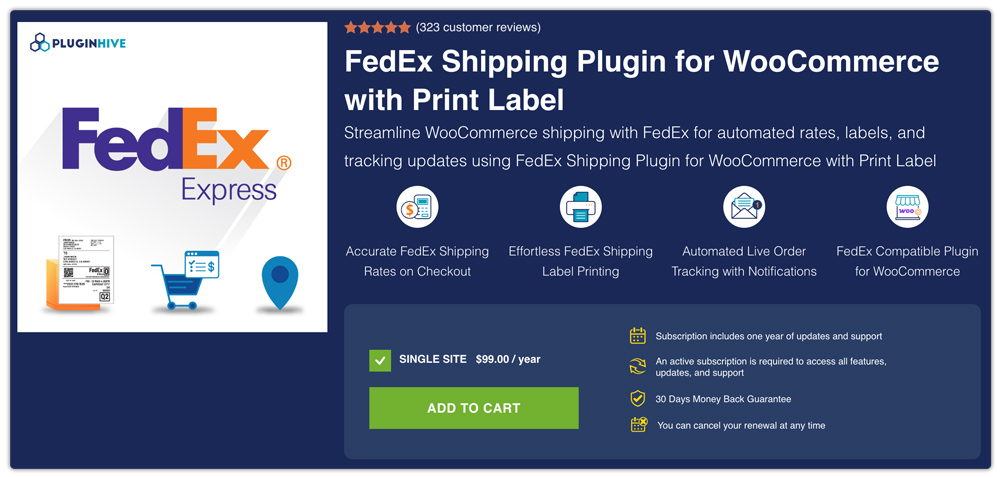
Designed for growing WooCommerce businesses, the plugin centralizes key shipping operations so merchants can manage fulfillment efficiently without relying on multiple external systems.
FedEx Shipping Method for WooCommerce
The FedEx Shipping Method for WooCommerce is an official WooCommerce extension that connects your store to the FedEx API to display shipping services at checkout. It enables merchants to offer FedEx shipping options based on order details and configuration settings within WooCommerce.

This extension is typically used by stores that only need FedEx rates at checkout and handle other shipping tasks separately.
Core Feature Comparison: PluginHive FedEx Shipping Plugin vs FedEx Shipping Method for WooCommerce
When choosing a FedEx integration for your WooCommerce store, it’s important to understand not just what each plugin does, but how they differ in core capabilities. Below is a side-by-side comparison of key features offered by these two plugins:
| Feature | PluginHive FedEx Shipping Plugin for WooCommerce with Print Label | FedEx Shipping Method for WooCommerce |
|---|---|---|
| Live FedEx Shipping Rates | Yes, displays real-time rates at cart, checkout, and order pages. | Yes, fetches live rates for WooCommerce shipments. |
| Shipping Label Generation | Yes, generate and print FedEx labels within WooCommerce (manual or automatic). | No, shipping labels must be purchased/printed outside the plugin or via additional extensions. |
| Tracking Integration | Yes, FedEx tracking numbers auto-attached to orders. | Not included, tracking isn’t part of the core method and must be handled separately. |
| Domestic & International Parcels | Yes, supports both domestic and international services. | Yes, supports both domestic and international services. |
| Label Formats & Print Options | Multiple formats supported (PDF, PNG, etc.). | N/A, relies on external label printing processes. |
| Estimated Delivery & Shipment Info | Supported, can show delivery estimates and shipment tracking. | Limited to rate display; delivery estimates not included. |
| Pickup & Freight Support | Yes, schedule pickups and support FedEx LTL freight. | Basic API rate fetching; advanced pickup/freight features not included. |
| Packaging & Weight Integration | Advanced packing options for rates & labels. | Basic packing/weight support through API settings. |
| Email Notifications | Yes, automated tracking/label emails to customers. | No built-in automatic shipment notifications. |
| Currency/Location Requirements | Flexible, works beyond US/Canada. | Requires USD or CAD and a shop based in the US/Canada. |
Both plugins support FedEx integration in WooCommerce, but they differ in how much of the shipping workflow they manage inside the store. One focuses mainly on rate display, while the other extends into labels, tracking, and automation.
To understand the practical difference, let’s now look at ease of setup and automation.
Ease of Setup, User Experience & Workflow Efficiency
When comparing FedEx plugins, ease of configuration and daily usability matter just as much as features. Store owners need a setup that’s simple and a workflow that saves time.
PluginHive FedEx Shipping Plugin for WooCommerce with Print Label
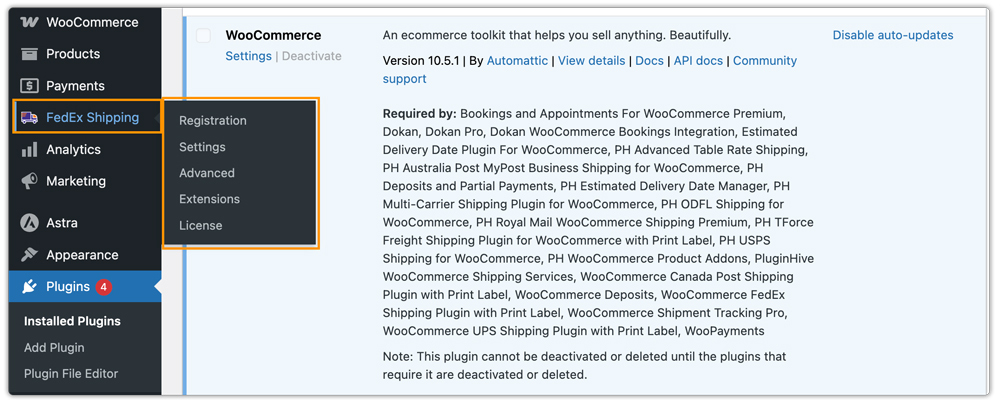
- The plugin has a clear navigation for settings, registration, and license, etc., making it easy for store owners to set up their FedEx integration. The settings are clearly organized and structured, so the configuration process is straightforward.
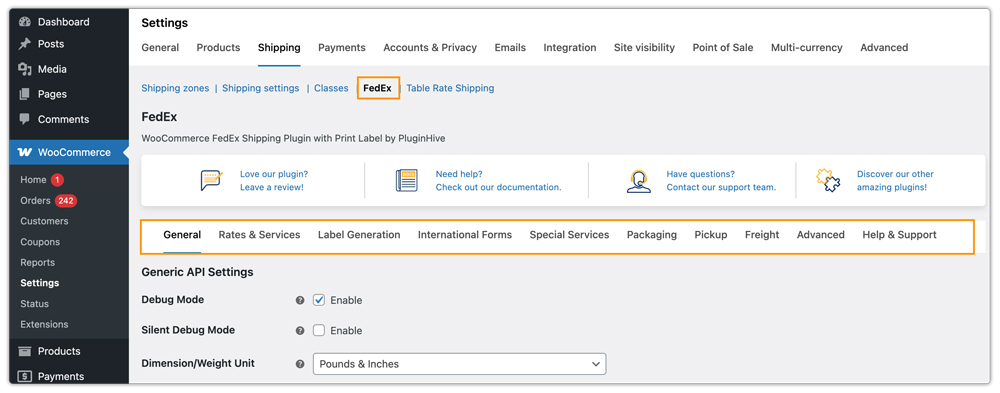
- It offers a tab-based layout inside WooCommerce, keeping the interface clean and logically grouped, allowing users to quickly find and modify settings without navigating multiple pages.
- From the WooCommerce order page, store admins can generate and print labels, request pickups, and perform other activities, all in one place. This keeps the entire FedEx shipping workflow centralized within the WooCommerce dashboard.

FedEx Shipping Method for WooCommerce
- Setup mainly involves entering FedEx API details and configuring shipping services to display live rates. Settings are managed within WooCommerce shipping zones. While functional, the interface is basic and primarily designed for rate calculation.
- Shipment processing and label generation are handled separately, often requiring additional steps outside WooCommerce, which can slow down the shipping workflow.
In short, both plugins allow FedEx integration, but PluginHive’s FedEx Shipping Plugin for WooCommerce with Print Label simplifies the entire shipping lifecycle inside WooCommerce, offering more features and efficiency, while the standard WooCommerce plugin is more limited and basic.
Support, Integrations & Scalability
When selecting a FedEx plugin, support quality and long-term scalability are just as important as features. As your store grows, having the right extensions and reliable assistance makes a big difference.
PluginHive FedEx Shipping Plugin for WooCommerce with Print Label
- Support: Dedicated shipping-focused customer support, along with detailed setup documentation and a comprehensive troubleshooting guide. The support team is responsive and ready to help configure the plugin, troubleshoot issues, and resolve technical queries, even over calls when needed.
- Extensions & Integrations: PluginHive provides powerful extensions for the FedEx plugin, including:
- Default WooCommerce Shipping Method Extension – Control how shipping methods appear (cheapest first, highest first, etc.).
- PH Delivery Date Picker for FedEx – Let’s customers choose delivery dates at checkout.
- Multi-Warehouse Shipping Integration – Manage shipping from multiple warehouse locations.
And many more extensions are available to perfectly suit different business needs.
- Scalability: Suitable for businesses of all sizes, from small startups to high-volume WooCommerce stores. Whether you ship a few orders a day or manage large-scale fulfillment, the plugin adapts to your growth with automation, advanced shipping controls, and extended functionality.
FedEx Shipping Method for WooCommerce
- Support: Supported via WooCommerce documentation and ticket-based support. Mainly focused on API setup and live rate issues.
- Integrations: Primarily built for displaying live FedEx rates. It does not include built-in label printing, pickup scheduling, delivery date selection, or freight management. Additional tools are typically required for full shipping operations.
- Scalability: Works well for stores that only need live rates. Growing businesses may require additional systems for advanced fulfillment needs.
Pricing & Overall Value
Pricing is an important factor when choosing a FedEx plugin. Beyond the cost, it’s essential to consider what kind of support, updates, and long-term value you receive with the license.
| Plugin | Annual Price (Single Site) | Support & Updates | Overall Value |
|---|---|---|---|
| PluginHive FedEx Shipping Plugin | $99/year | 1 year updates + dedicated shipping support | More cost-effective with strong support |
| WooCommerce FedEx Shipping Method | $109/year | 1 year updates + WooCommerce ticket support | Suitable for basic needs but priced higher |
The WooCommerce FedEx extension is slightly more expensive compared to PluginHive, so if you want a more cost-effective solution with dedicated shipping support and flexible extensions, PluginHive offers better overall value.
Final Verdict
Both plugins connect your WooCommerce store to FedEx, but they differ in functionality and long-term value. While basic solutions may only display live FedEx shipping rates at checkout, they often require separate tools for other shipping tasks. For a complete and scalable shipping workflow, the PluginHive’s FedEx Shipping Plugin for WooCommerce with Print Label is the recommended choice. It not only displays real-time FedEx rates but also allows you to generate shipping labels, manage pickups, enable tracking, and handle the entire fulfillment process directly from your WooCommerce dashboard, making it a more efficient and cost-effective solution for growing businesses.
