


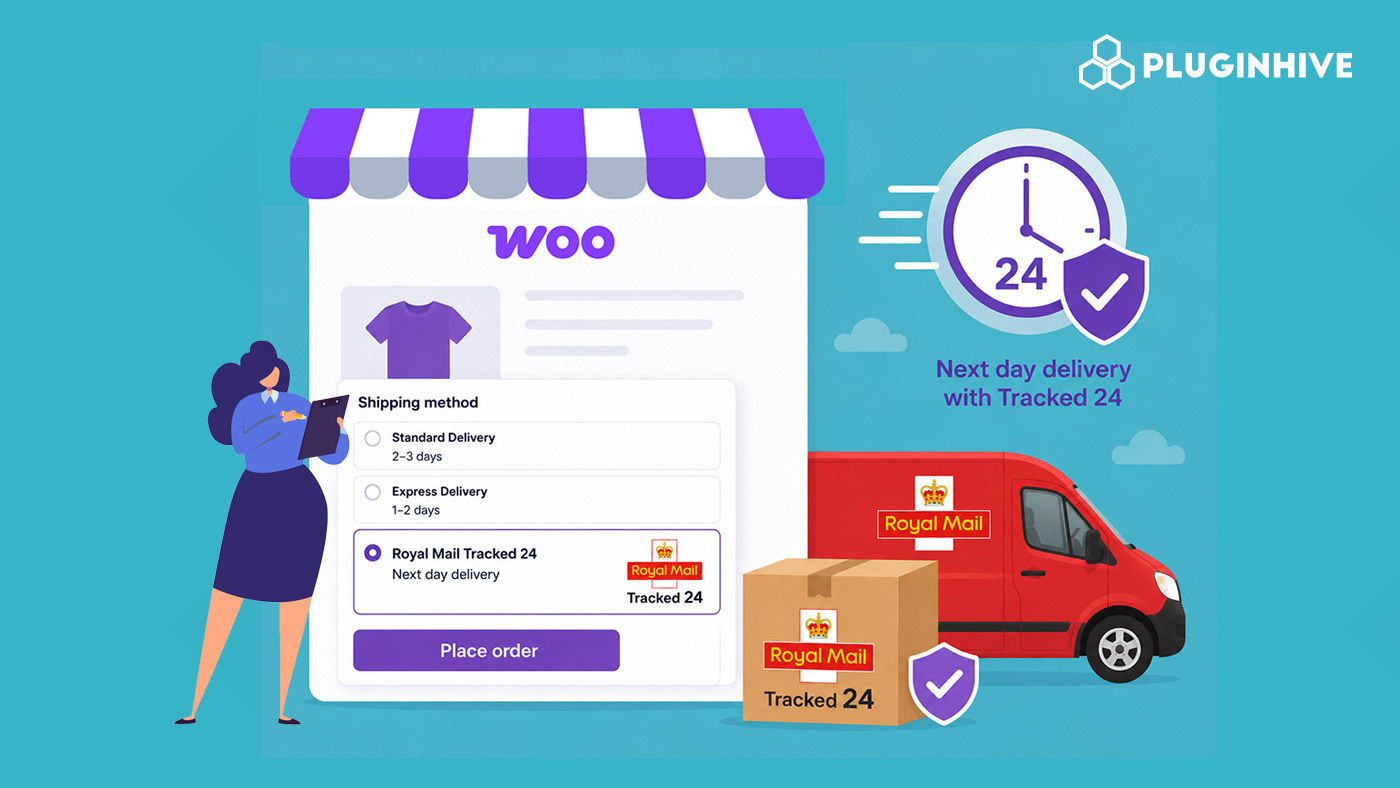
When a customer needs something by tomorrow, and your checkout doesn’t offer a next-day option, they don’t wait; they buy from someone who does. For WooCommerce store owners shipping within the UK, Royal Mail Tracked 24 is the most practical way to close that gap. It’s widely available, includes full tracking, and doesn’t require a complex setup.
This article covers what Royal Mail Tracked 24 is, why it’s worth adding to your store, and how to set it up in WooCommerce using the PH Royal Mail Shipping with Tracking for WooCommerce plugin.
On This Page
- What Is Royal Mail Tracked 24?
- What Are the Benefits of Offering Royal Mail Tracked 24 in WooCommerce?
- How to Set Up Next-Day Delivery in WooCommerce Using Royal Mail Tracked 24
- Example Scenario
- Best Practices for Managing Next-Day Delivery in WooCommerce
- Conclusion
- FAQs
What Is Royal Mail Tracked 24?
Royal Mail Tracked 24 is a next-day delivery service for UK domestic parcels. Items posted by your daily cut-off aim to arrive by the end of the following business day, and every shipment comes with tracking built in, so both you and your customer can follow the parcel from dispatch to door.
Here’s what the service includes:
- Next-day delivery aims for most UK addresses, Monday to Saturday
- Full parcel tracking from dispatch through to delivery
- Royal Mail sends SMS and email delivery notifications to customers at each stage.
- Up to £100 compensation included as standard
- Flexible delivery options – customers can choose a safe place or a preferred neighbour before delivery
- Signature on Delivery available as an optional add-on
What Are the Benefits of Offering Royal Mail Tracked 24 in WooCommerce?
Adding Tracked 24 to your WooCommerce checkout does more than speed up delivery; it changes how customers feel about your store from the moment they see their shipping options.
- Meets the expectation for fast delivery: A visible next-day option at checkout reassures customers who need something quickly, rather than leaving them to guess whether their order will arrive in time.
- Fewer “where’s my order?” messages: Tracked 24 includes automatic delivery notifications via email – customers are kept informed at every stage without you lifting a finger.
- A tracking reference on every order: Every Tracked 24 shipment has a tracking number you can look up instantly if a customer gets in touch – no more dead ends.
- Built-in compensation on every parcel: The £100 compensation cover comes as standard, with no extra cost.
- Helps you compete with larger retailers: Next-day delivery is something customers have come to expect. Showing it clearly at checkout puts your store on a level footing with bigger names.
Now that you know why Tracked 24 is worth offering, here’s how to get it live on your WooCommerce store in a few straightforward steps.
How to Offer Next-Day Delivery in WooCommerce Using Royal Mail Tracked 24
The PH Royal Mail Shipping with Tracking for WooCommerce plugin connects your store to Royal Mail’s rate structure and handles tracking emails automatically. Before you begin, make sure:
- All your WooCommerce products have weights and dimensions filled in – the plugin uses these to pull accurate rates
- The plugin is installed and activated on your store
If you’re setting up the plugin for the first time, the Royal Mail plugin setup guide walks you through the initial configuration.
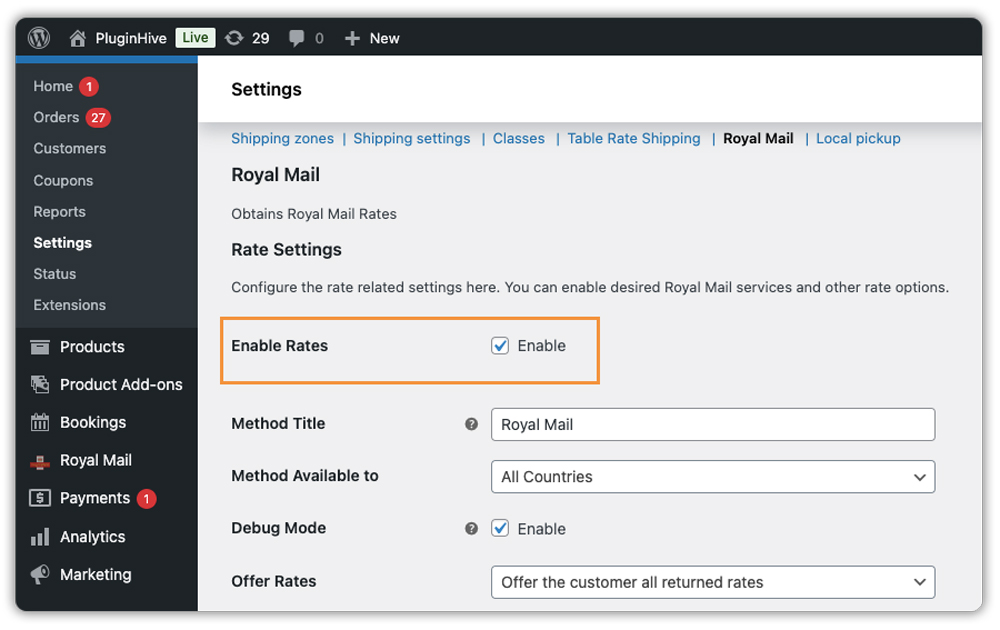
Step 1 – Go to your shipping settings: Navigate to WooCommerce → Settings → Shipping, and click into the Royal Mail plugin settings.
Step 2 – Enable live rates: Tick the Enable Rates checkbox. This is what makes Royal Mail services appear at checkout for your customers.
Step 3 – Activate Royal Mail Tracked 24: Scroll to the shipping services list and check Royal Mail Tracked 24. If you’d like to offer a two-day option at the same time, enable Royal Mail Tracked 48 alongside it – giving customers both options tends to reduce checkout drop-off.
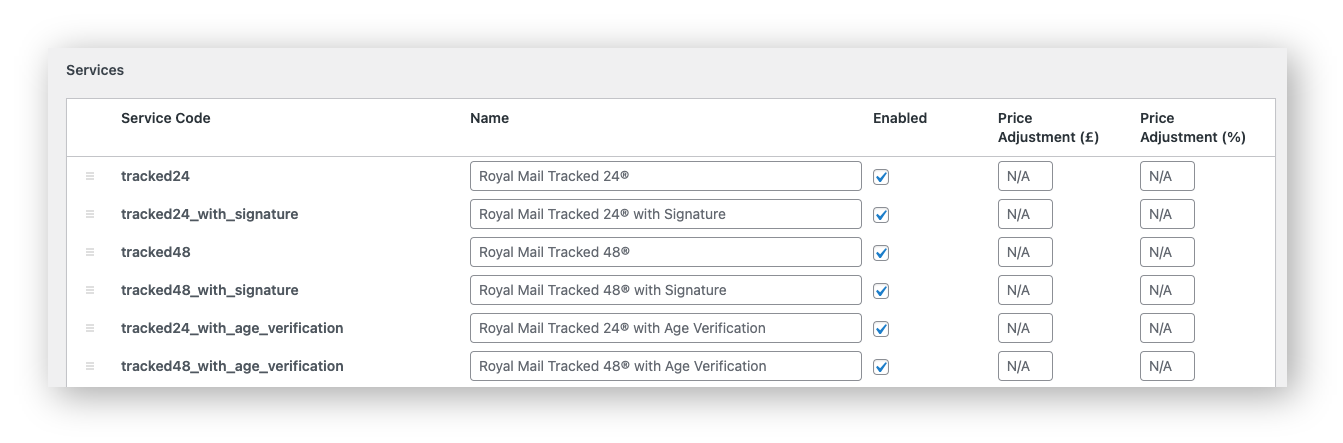
Step 4 – Rename the service at checkout: Use the label field to rename “Royal Mail Tracked 24” to something like “Next Day Delivery (Royal Mail Tracked 24)”. A plain-language label helps customers pick the right option without hesitation.
Step 5 – Save and test: Save your settings, add a product to your cart, and run through checkout to confirm Tracked 24 appears with the correct rate.

After the order is placed
Go to WooCommerce → Orders, open the order, and add the Royal Mail tracking number.

When you mark the order as Completed, WooCommerce sends the tracking reference to the customer automatically.

Example Scenario: WooCommerce Store Offering Next-Day Delivery with Royal Mail Tracked 24
Let’s say you run a WooCommerce store selling personalised gifts, and you’re getting more orders that need to arrive the next day – birthdays, anniversaries, and last-minute purchases. Here’s what you’re likely dealing with.
Challenges you’re probably facing:
- There’s no next-day option at checkout, so customers who need fast delivery leave and buy elsewhere
- You’re on Royal Mail 1st Class with no tracking – when a customer asks where their order is, you have nothing to tell them
- You’re sending tracking updates manually after dispatch, which becomes inconsistent when things get busy
- If a customer claims their order didn’t arrive, you have no proof of delivery to fall back on
How enabling Tracked 24 through the plugin changes this:
The PH Royal Mail Shipping with Tracking for WooCommerce plugin displays a clearly labelled next-day delivery option at checkout – no manual rate entry, no guesswork. Once you dispatch and add the tracking number to the order, the customer gets their tracking reference automatically when you mark the order complete. You’re not chasing updates or fielding “where is it?” emails – the process runs on its own.
Results:
- Next-day delivery appears at checkout as a selectable option with an accurate rate
- Every Tracked 24 order has a tracking number you can check at any point
- Customers receive delivery updates – no manual follow-up needed
- Proof of delivery is available for every shipment
- You stop losing customers who needed a faster option and couldn’t find one
Once the plugin is set up and Tracked 24 is live, next-day delivery is no longer something you manage order by order – it becomes a standard part of how your store operates.
Best Practices for Managing Next-Day Delivery in WooCommerce
Getting Tracked 24 live is the first step – these habits make sure it runs smoothly once it’s there.
- Set a clear order cut-off time: Tracked 24 only delivers the next day if the parcel goes out the same day. A simple note at checkout – “Order by 2 pm for next day delivery” – sets the right expectation upfront.
- Show customers when their order will arrive: The Estimated Delivery Date plugin for WooCommerce lets you display a projected delivery date next to each shipping method – so customers see “Arrives by Tomorrow, 17 June” instead of just “Next Day Delivery.”
- Keep product weights and dimensions accurate: The plugin calculates rates in real time. Incorrect or missing data can lead to incorrect or missing rates.
- Send automatic tracking updates via email: When you dispatch an order, Shipment Tracking Pro for WooCommerce automatically includes live tracking information in the order completion email so customers get everything they need in one place without having to look it up themselves.
- Offer Tracked 48 alongside Tracked 24: Giving customers a two-day option at a lower cost reduces checkout drop-off. Both services can be activated in the plugin simultaneously.
These small adjustments make a noticeable difference in both conversion and the volume of post-purchase questions your team has to handle.
Conclusion
If you’re shipping within the UK and want to offer next-day delivery, Royal Mail Tracked 24 is the most practical place to start. The PH Royal Mail Shipping with Tracking for WooCommerce plugin makes it easy to add Tracked 24 to your checkout, show accurate shipping rates, and send customers their tracking reference once the order is on its way. If you need help getting set up, the PluginHive support team is always available.
FAQs
Q: How long does Royal Mail Tracked 24 take to arrive?
Tracked 24 aims to deliver by the end of the next working day for most UK addresses. Delivery times may vary for remote postcodes.
Q: What is the difference between Tracked 24 and Tracked 48?
Both services include full tracking and delivery notifications. Tracked 24 aims for next-day delivery, while Tracked 48 targets two days at a lower cost. For a full breakdown, see the Royal Mail Tracked 24 and Tracked 48 guide.
Q: How much does Royal Mail Tracked 24 cost?
Pricing starts from around £4 and goes up to £13 depending on the parcel’s weight, dimensions, and whether you’re on a Royal Mail business account or paying retail rates.
