


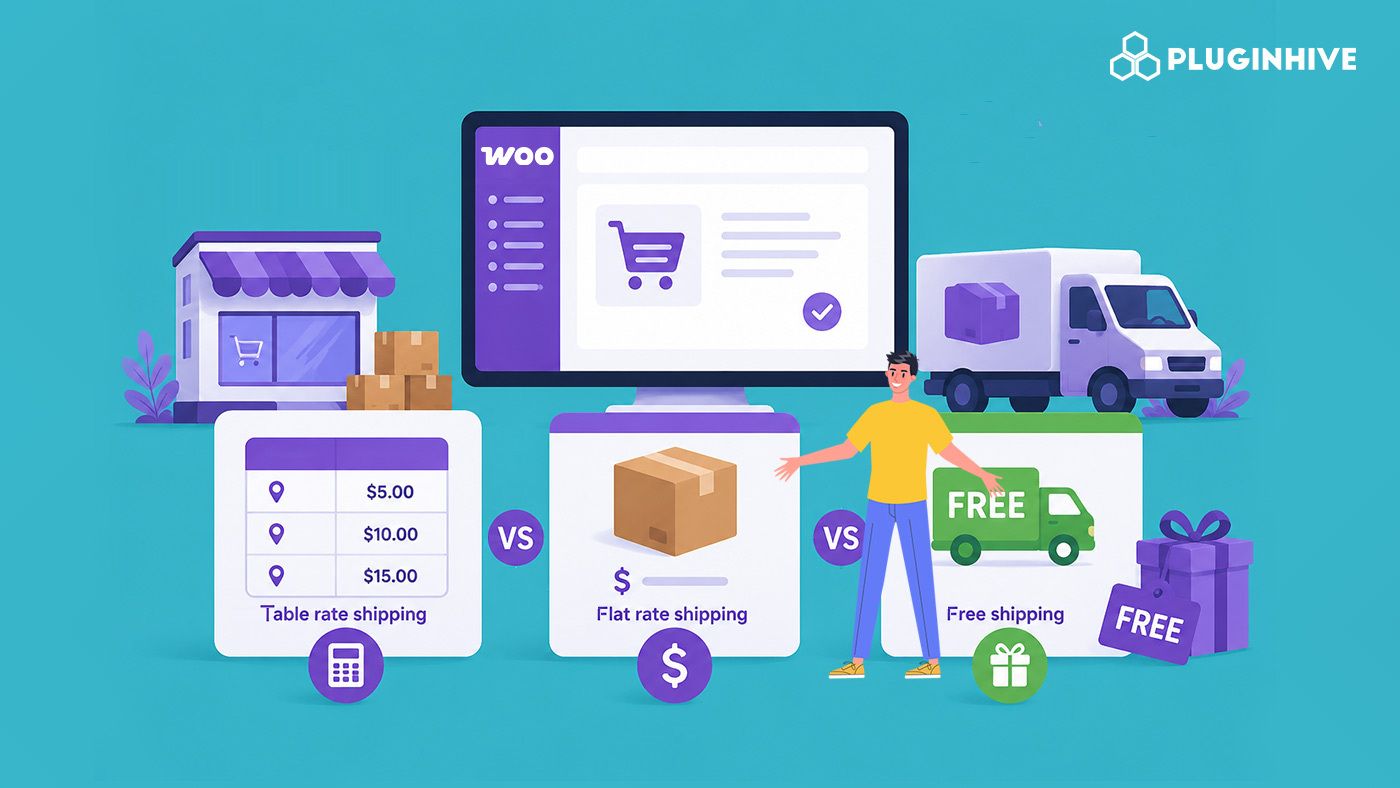
Shipping plays a big role in your customers’ buying decisions. If costs are too high or confusing at checkout, shoppers leave without completing their purchase. Choosing the right shipping method can improve the checkout experience and help increase sales.
WooCommerce store owners typically choose between three shipping methods: Flat Rate and Free Shipping, which come built into WooCommerce, and Table Rate Shipping, which needs a plugin to set up. Each works differently and suits different types of stores. This guide explains how each one works, compares their pros and cons, and helps you decide which fits your WooCommerce store best.
On This Page
- What Are WooCommerce Shipping Methods?
- WooCommerce Table Rate Shipping vs Flat Rate vs Free Shipping
- Limitations of WooCommerce’s Default Shipping Methods
- How to Set Up Advanced WooCommerce Table Rate Shipping
- Best Practices for Choosing a WooCommerce Shipping Strategy
- Conclusion
- FAQs
What Are WooCommerce Shipping Methods?
A WooCommerce shipping method is how you calculate and display shipping charges to customers at checkout. You can use different methods in different shipping zones, and you can offer more than one method at a time so customers have a choice.
New to setting up your store? Read our complete WooCommerce shipping tutorial for a full breakdown of shipping settings.
1. WooCommerce Flat Rate Shipping
Flat Rate Shipping charges a fixed shipping fee. You can set this per order, per item, or based on a WooCommerce shipping class.
Best for: Stores where most products are similar in size, weight, or shipping cost.
Pros: Takes only a few minutes to set up, and the charge stays the same for every order, so both you and the customer know what to expect.
Cons: The rate doesn’t change based on weight or size. This means a small, light order and a large, heavy order in the same shipping class get charged the same amount, so you can end up overcharging on lighter orders and undercharging on heavier ones.
2. WooCommerce Free Shipping
Free Shipping means the customer isn’t charged for delivery. You can turn this on for every order, or only once a customer meets a condition, such as a minimum order value or a coupon code.
Best for: Stores that want to increase order value or run a promotion.
Pros: It’s one of the easier ways to reduce cart abandonment, since many customers expect free delivery once they cross a spending threshold. Setting up a minimum order amount takes just a few clicks.
Cons: The shipping cost doesn’t disappear, since your business pays for it. If you offer it on every order without conditions, it can cut into your margins, particularly for heavy or expensive-to-ship products.
To set up Free Shipping (or any method) for specific regions, check our WooCommerce Shipping Zones guide.
3. WooCommerce Table Rate Shipping
Table Rate Shipping calculates the shipping cost using rules you define, instead of one fixed number for every order. Rules can be based on weight, cart subtotal, quantity, destination, shipping class, or a combination of these.
Best for: Stores with products that vary in size or weight, stores shipping to multiple zones, or stores with shipping requirements that don’t fit into a single flat rate.
Pros: Charges reflect what the order actually costs to ship, and the rules can be adjusted as your product range grows.
Cons: WooCommerce doesn’t include this method by default. You’ll need a table rate shipping plugin to set it up.
If you’re weighing which plugin to use for this, our comparison of WooCommerce table rate shipping plugins breaks down what to look for.
WooCommerce Table Rate Shipping vs Flat Rate vs Free Shipping
Each WooCommerce shipping method has its own strengths. The best choice depends on your products, shipping costs, and business goals.
Here’s a quick comparison:
| Feature | Flat Rate | Free Shipping | Table Rate Shipping |
|---|---|---|---|
| How it works | Charges a fixed shipping fee | Customers pay no shipping cost | Calculates shipping based on custom rules like weight, subtotal, quantity, or destination |
| Best for | Stores with similar products | Stores running promotions or encouraging larger orders | Stores with varied products and complex shipping needs |
| Setup | Easy | Easy | Moderate (requires a plugin) |
| Shipping Cost Accuracy | Low | Shipping cost is absorbed by the store | High |
| Customer Experience | Simple and predictable | Excellent for increasing conversions | Fair and accurate pricing |
| Built into WooCommerce | Yes | Yes | No |
Many stores don’t rely on just one method. A common approach: offer Free Shipping above a certain order value, charge a Flat Rate for standard domestic orders, and use Table Rate Shipping for heavier products or international deliveries. This gives customers more options while keeping your shipping charges fair and profitable.
Limitations of WooCommerce’s Default Shipping Methods
WooCommerce’s built-in Flat Rate and Free Shipping methods are suitable for stores with simple shipping requirements. However, as your business grows and shipping becomes more complex, these default options can become limiting.
Some common limitations include:
- No weight-based shipping: You can’t automatically adjust shipping costs based on the weight of an order. (If you need this, learn how to set up WooCommerce weight-based shipping.)
- Limited pricing rules: Shipping charges can’t be calculated using multiple conditions such as cart value, quantity, and destination together.
- Basic shipping zone options: Creating different shipping rules for specific regions or customer groups is limited.
- No ZIP or postal code-based shipping: WooCommerce’s default settings don’t let you create shipping rates for specific ZIP or postal codes.
- Time-consuming updates: As shipping costs change, you’ll need to manually update your shipping settings.
If your store sells products with different sizes, weights, or shipping costs, you’ll likely need more flexibility than WooCommerce’s default shipping methods can provide. This is where a dedicated WooCommerce Table Rate Shipping plugin becomes useful, allowing you to create advanced shipping rules without custom development.
How to Set Up Advanced WooCommerce Table Rate Shipping
If your store needs shipping rules based on weight, destination, product category, shipping class, quantity, or cart value, the PH Table Rate Shipping Pro Plugin for WooCommerce adds advanced table rate shipping to WooCommerce. It lets you create unlimited shipping rules using conditions such as product weight, cart subtotal, quantity, shipping class, product category, shipping zones, country, state, city, or ZIP/postal code.
Step 1: Open the Table Rate Shipping settings
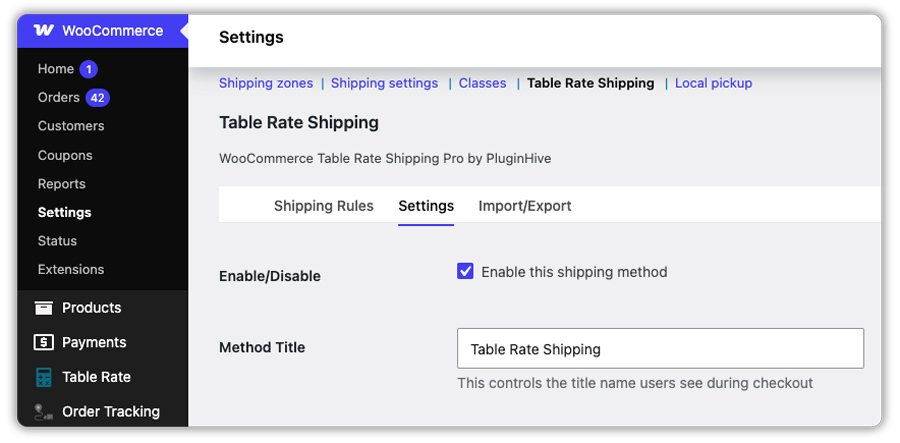
Go to WooCommerce → Settings → Shipping → Table Rate Shipping. This is where you’ll configure the shipping rules, plugin settings, and CSV import/export options.
Step 2: Enable the method and set a title
Turn on the Table Rate Shipping method and give it a name customers will see at checkout, like “Standard Shipping” or “Delivery.”
Step 3: Choose which columns you need
Use Table Rate Shipping Columns to show only the fields relevant to your rules, such as weight, price, country, or shipping class.

Step 4: Build your rate matrix
Add your shipping rules row by row using the Add button, or import them in bulk with the Import/Export option. Each rule defines the conditions (like weight range or destination) and the rate that applies when a cart matches them.

Step 5: Test with sample orders
Add products to your cart and check different addresses to confirm the right rate shows up at checkout before going live.

Best Practices for Choosing a WooCommerce Shipping Strategy
Choosing the right shipping method is important, but managing it effectively is just as essential. Following a few best practices can help you keep shipping costs under control while providing a better checkout experience for your customers.
- Understand your shipping costs: Calculate your average shipping expenses before offering Flat Rate or Free Shipping to ensure your pricing remains profitable.
- Use multiple shipping methods when needed: For example, you can offer Free Shipping above a minimum order value while using Table Rate Shipping for smaller or heavier orders.
- Review your shipping rates regularly: Carrier charges and shipping costs can change over time, so update your rates periodically to avoid unexpected losses.
- Keep checkout simple: Even if you use advanced shipping rules behind the scenes, present customers with clear and easy-to-understand shipping options.
- Test your shipping rules: Check different combinations of products, order values, weights, and destinations to make sure your shipping charges are accurate before going live.
A well-planned WooCommerce shipping strategy helps you balance customer satisfaction with profitability, making it easier to scale your store without running into shipping-related issues.
Conclusion
There’s no single best shipping method for every WooCommerce store – it depends on your products, margins, and customer expectations. Flat Rate is quick and simple for uniform catalogs. Free Shipping is a strong lever when you can absorb the cost. But for stores selling a mix of products or shipping to multiple regions, Table Rate shipping is the method that scales with you, and a plugin like PH Table Rate Shipping Pro Plugin for WooCommerce makes setting it up manageable without custom development.
If you need help setting up shipping rules for your store, PluginHive Support is available to assist.
FAQs
Q: Is Flat Rate Shipping better than Free Shipping?
It depends on your business goals. Flat Rate Shipping helps recover shipping costs, while Free Shipping can increase conversions and encourage customers to place larger orders.
Q: What is WooCommerce Table Rate Shipping?
WooCommerce Table Rate Shipping calculates shipping costs based on conditions such as weight, cart value, quantity, shipping class, or destination, allowing you to create more flexible shipping rules.
Q: Is Table Rate Shipping better than Flat Rate Shipping?
Flat Rate Shipping works well for stores with simple shipping needs, while Table Rate Shipping is a better choice for stores with varied products and shipping costs that depend on multiple factors.
