



If you ship with UPS, choosing the right shipping solution for your WooCommerce store directly impacts rate accuracy, fulfillment efficiency, and overall customer experience. Not all UPS integrations provide the same level of automation, label support, or workflow control.
This comparison of the PluginHive’s UPS Shipping Plugin for WooCommerce with Print Label and the UPS Shipping Method for WooCommerce highlights what each plugin offers and helps you determine which one best fits your business needs.
On This Page
- Overview of These Two UPS Plugins
- Core Feature Comparison: PluginHive vs WooCommerce
- Ease of Setup, User Experience & Workflow Efficiency
- Pricing & Overall Value
- Final Verdict
Overview of These Two UPS Plugins
PluginHive UPS Shipping Plugin for WooCommerce with Print Label
The WooCommerce UPS Shipping Plugin with Print Label by PluginHive is a UPS-Ready solution that fully integrates UPS shipping into your WooCommerce store. It connects your UPS account and manages the entire shipping workflow directly from the WordPress dashboard. It streamlines essential shipping operations while supporting both domestic and international UPS services.
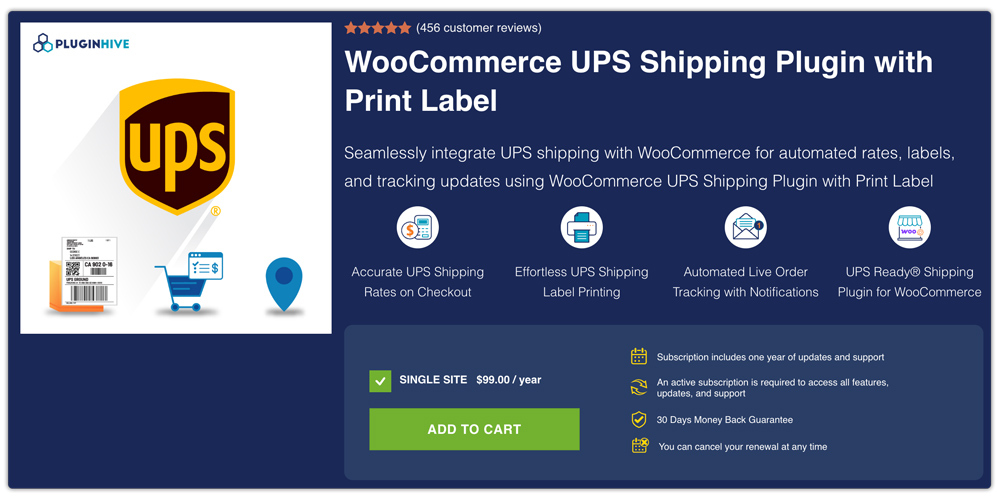
Designed for growing stores, it keeps fulfillment and tracking organized directly within the WooCommerce dashboard.
UPS Shipping Method for WooCommerce
The UPS Shipping Method for WooCommerce is an official WooCommerce extension that connects your store to the UPS API to display live UPS shipping rates at checkout. It supports domestic and international services and calculates shipping costs based on order details.
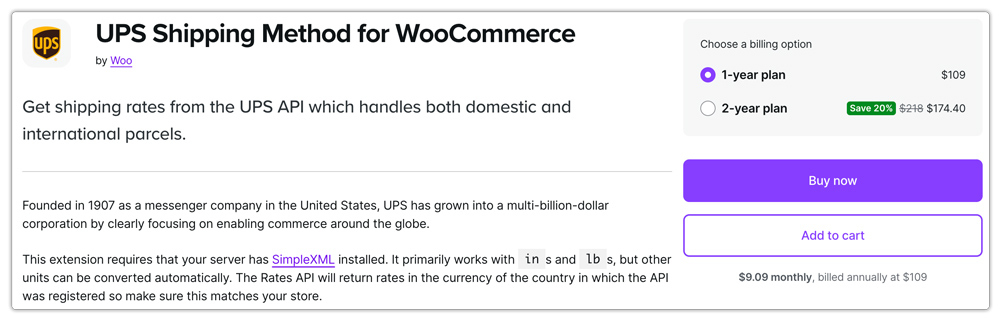
However, it primarily focuses on rate display, and label printing or shipment processing must be handled separately.
Core Feature Comparison: PluginHive vs WooCommerce
When choosing a UPS integration for your WooCommerce store, it’s important to understand not just what each plugin does, but how they differ in core capabilities. Below is a side-by-side comparison of key features offered by these two plugins:
| Feature | PluginHive UPS Shipping Plugin for WooCommerce with Print Label | UPS Shipping Method for WooCommerce |
|---|---|---|
| Live UPS Shipping Rates | Yes, displays real-time rates at cart and checkout | Yes, fetches live UPS rates |
| Shipping Label Generation | Yes, generate and print UPS labels within WooCommerce | No, labels must be created outside the plugin |
| Tracking Integration | Yes, tracking numbers auto-attached to orders | Not included |
| Domestic & International Shipping | Supported | Supported |
| Delivery Estimates | Supported | Not included |
| Pickup Scheduling | Supported within WooCommerce | Not supported |
| Packing & Weight Handling | Advanced packing options for accurate rates | Basic packing via API configuration |
| Customer Email Notifications | Automated tracking emails supported | Not included |
| Return Labels & COD | Supported | Not included |
| Workflow Management | Complete shipping workflow inside WooCommerce | Primarily rate displays only |
Both plugins provide UPS rate integration for WooCommerce. However, the WooCommerce UPS Shipping Plugin with Print Label by PluginHive provides a more complete shipping solution inside WooCommerce, while the official UPS Shipping Method mainly focuses on displaying live rates.
Ease of Setup, User Experience & Workflow Efficiency
When choosing a UPS plugin, ease of setup and daily workflow efficiency play a major role. A plugin should not only be easy to configure but also simplify shipment handling as your order volume grows.
PluginHive UPS Shipping Plugin for WooCommerce with Print Label
- The PluginHive’s WooCommerce UPS Shipping Plugin with Print Label offers a clear and organized setup, with settings located inside WooCommerce that guide you through connecting your UPS account and setting configuration without confusion.
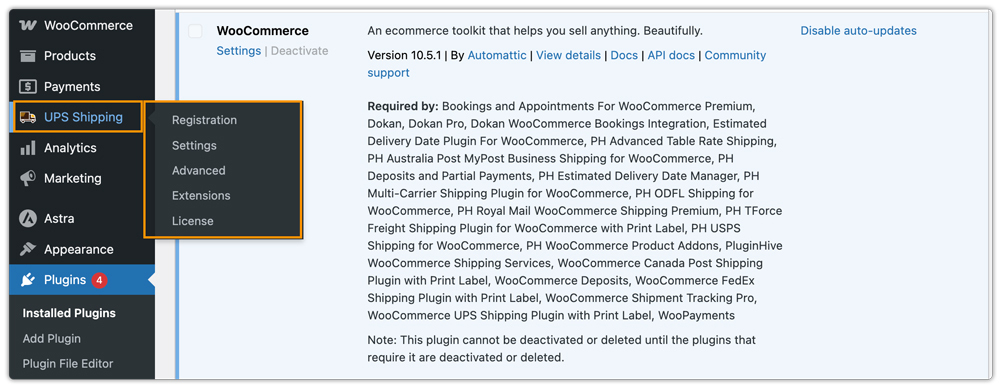
- It keeps related settings logically grouped, helping users quickly adjust services, packing strategies, pickup scheduling, and label preferences without navigating multiple menus.
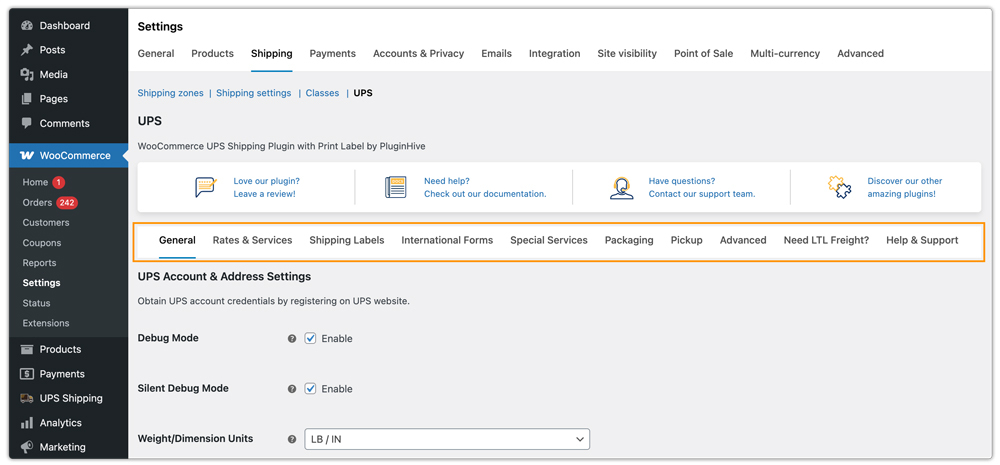
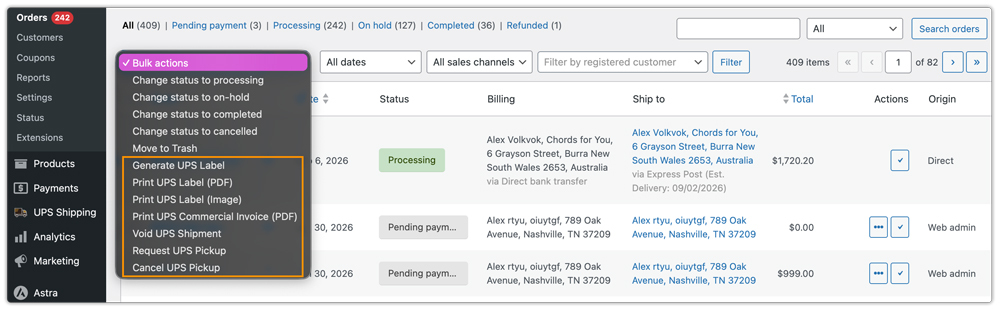
- Once set up, core shipping tasks, such as generating and printing labels, requesting pickups, and performing other activities, are all in one place. This keeps the entire UPS shipping workflow centralized within the WooCommerce dashboard.
UPS Shipping Method for WooCommerce
- The UPS Shipping Method extension has a straightforward configuration that primarily focuses on entering UPS API credentials and selecting services within WooCommerce shipping zones.
- Settings such as origin address, services, packaging options, and parcel packing methods are handled within the standard WooCommerce interface.
Pricing & Overall Value
Pricing is an important factor when choosing a UPS plugin for your WooCommerce store. Beyond the cost itself, it’s essential to consider what you get in terms of features, support, and long-term value.
| Plugin | Annual Price (Single Site) | Support & Updates | Overall Value |
|---|---|---|---|
| PluginHive UPS Shipping Plugin for WooCommerce with Print Label | $99/year | 1 year of updates + dedicated shipping support | More cost-effective with strong support and powerful extensions |
| UPS Shipping Method for WooCommerce | $109/year | 1 year of updates + WooCommerce ticket support | Suitable for basic needs but priced higher |
The WooCommerce UPS Shipping Plugin with Print Label is more affordable and includes broader shipping functionality, while the UPS Shipping Method for WooCommerce is slightly more expensive and mainly focused on live rate display only.
Final Verdict
Both plugins connect your WooCommerce store to UPS and enable live shipping rate calculation, but the WooCommerce UPS Shipping Method primarily focuses on displaying real-time UPS rates at checkout. If you want more than just rate display, the PluginHive’s WooCommerce UPS Shipping Plugin with Print Label offers a complete shipping solution. Along with live UPS rates, it allows you to generate shipping labels, manage shipments, schedule pickups, and handle tracking directly from your WooCommerce dashboard, making day-to-day shipping much easier and more efficient.
