



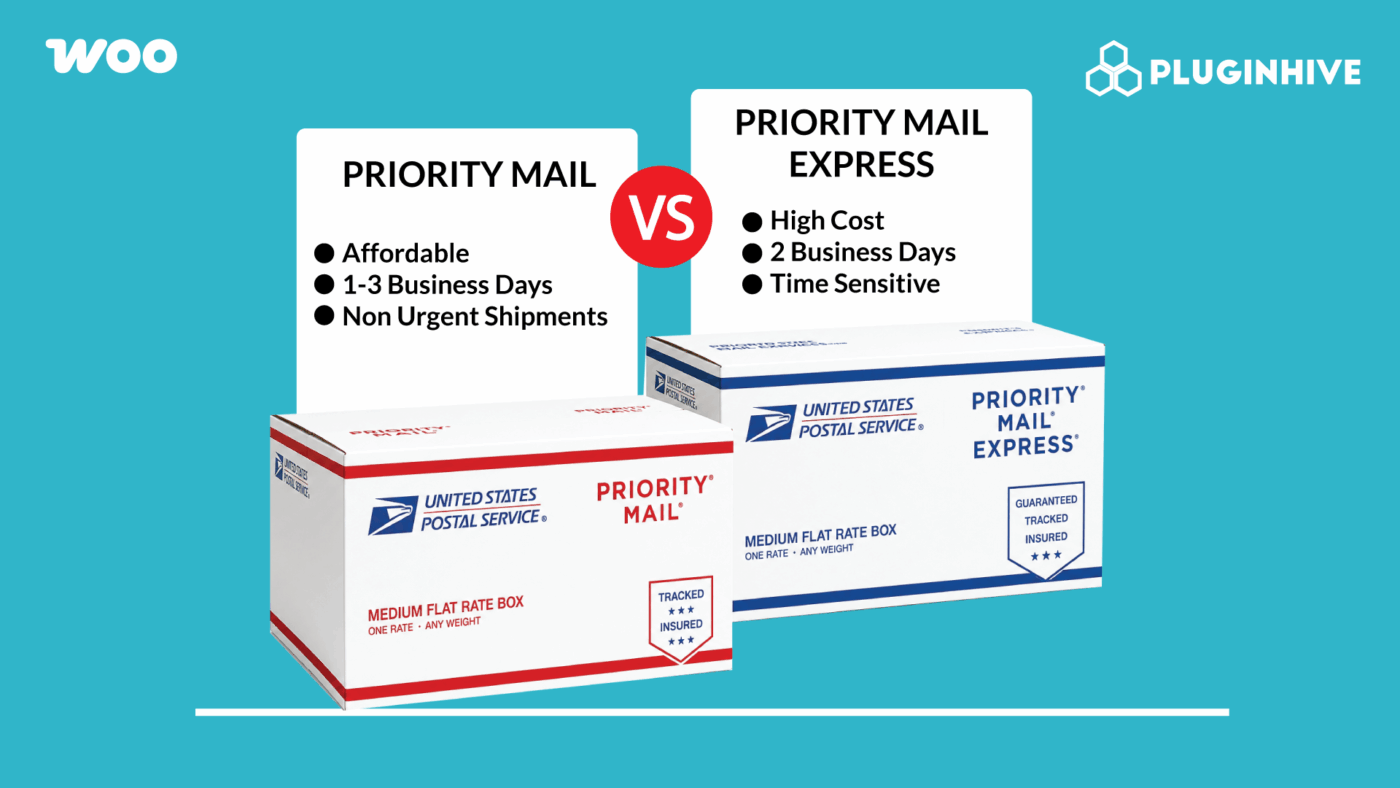
Two of USPS’s most used shipping services, Priority Mail and Priority Mail Express, sound similar but serve different purposes. For WooCommerce stores, deciding which one to show at checkout, or whether to offer both, depends on your products, your customers, and how much speed is actually worth to each order type.
This guide breaks down the differences, when each service makes sense for WooCommerce stores, and how to set them up so customers see the right options at checkout.
On This Page
- USPS Priority Mail
- USPS Priority Mail Express
- Priority Mail vs Priority Mail Express: Key Differences for WooCommerce
- Which WooCommerce Stores Should Offer Which Service?
- How to Enable Both Services in WooCommerce
- Real-World WooCommerce Use Case
- Conclusion
- FAQs
USPS Priority Mail: What WooCommerce Stores Need to Know
USPS Priority Mail is a domestic shipping service with delivery in 1 to 3 business days. It’s not a guaranteed service; USPS aims for that window but doesn’t offer a money-back guarantee if delivery runs long. It covers all 50 US states, US territories, APO/FPO/DPO addresses, and internationally via Priority Mail International.
Every Priority Mail shipment includes USPS tracking, up to $100 in insurance, free package pickup, and a weight limit of 70 lbs. The flat-rate box and envelope program is one of Priority Mail’s strongest features. Small, Medium, Large, and Regional flat-rate options let WooCommerce stores offer a fixed shipping cost regardless of weight, as long as it fits.
USPS Priority Mail Express: What WooCommerce Stores Need to Know
USPS Priority Mail Express is USPS’s fastest domestic shipping service, with guaranteed overnight delivery to most US addresses. Unlike Priority Mail, this is a guaranteed service — USPS offers a money-back guarantee if delivery doesn’t happen within the committed timeframe. Delivery is typically by 10:30 AM or 6:00 PM, depending on destination, with Sunday and holiday delivery available in many locations.
Every Priority Mail Express shipment includes USPS tracking, up to $100 in insurance, free package pickup, a 70 lb weight limit, and the option to add signature on delivery. Rates are significantly higher than Priority Mail — customers paying for Express are paying for certainty, not just faster estimated transit.
Priority Mail vs Priority Mail Express: Key Differences for WooCommerce
| Feature | USPS Priority Mail | USPS Priority Mail Express |
|---|---|---|
| Delivery Time | 1–3 business days | Overnight (1–2 days) |
| Delivery Guarantee | No guarantee | Money-back guarantee |
| Weight Limit | 70 lbs | 70 lbs |
| Included Insurance | Up to $100 | Up to $100 |
| Flat-Rate Options | Boxes + envelopes (full range) | Envelopes only (limited) |
| Sunday/Holiday Delivery | No | Yes, in many locations |
| Free Package Pickup | Yes | Yes |
| Cost | Lower | Significantly higher |
| Best For | Everyday orders, most WooCommerce stores | Time-critical, guaranteed delivery |
Which WooCommerce Stores Should Offer Which Service?
Offer Priority Mail if:
- Your typical customer is comfortable with 1 to 3 business-day delivery
- You sell everyday goods — apparel, homewares, books, supplements — where speed isn’t the main purchase driver
- You want an affordable USPS service with solid coverage and tracking for the majority of orders
- You use flat-rate boxes and want access to the full range of flat-rate packaging options
Offer Priority Mail Express if:
- You sell time-sensitive products — flowers, perishables, event-specific items, and urgent replacement parts
- Your customers have high expectations for delivery speed and are willing to pay a premium
- You want to offer a guaranteed overnight option as an upgrade at checkout
- Sunday or holiday delivery matters to your customer base
You can offer both if:
- You want to give customers a choice — standard speed at a reasonable cost vs guaranteed overnight at a premium
- Your order mix includes both everyday purchases and urgent or time-sensitive orders
- You sell products that work for both use cases, depending on the customer’s situation
For most WooCommerce stores, enabling both services and letting customers choose is the cleanest approach.
How to Enable Both Services in WooCommerce
Offering USPS Media Mail in WooCommerce is simple with the PH USPS Shipping Plugin for WooCommerce with Print Label. The plugin connects directly to the USPS API to fetch live shipping rates, display them at checkout, and automate label generation and tracking.
To get started, configure the plugin by following this guide: Setting Up USPS Shipping in WooCommerce .
In the plugin settings, enable Priority Mail and Priority Mail Express from the services list.

Both appear as separate options in the WooCommerce cart and checkout page.

Once an order is placed, open it from WooCommerce > Orders and print the USPS label directly from the order page. The correct service label is generated based on what the customer selected at checkout.

You can also track and let your customers track the orders via USPS in your store. To learn about USPS tracking, read this: USPS tracking for WooCommerce orders
Real-World WooCommerce Use Case
A WooCommerce store selling handcrafted candles and home fragrance products had been offering only Priority Mail Express at checkout — the owner wanted to signal quality through fast shipping. But checkout conversion was low. Most customers abandoned when they saw the shipping cost, especially for smaller orders where the Express rate was disproportionate to the product value. The few customers who did check out weren’t asking for overnight delivery; they just wanted the product.
How the Plugin Helped
The store added Priority Mail alongside Priority Mail Express in the PH USPS Shipping Plugin for WooCommerce Services tab. Both services appeared at checkout. Priority Mail became the optional choice for most customers. Priority Mail Express remained available and was genuinely used for gift orders with specific date requirements.
The Result
- Checkout conversion improved as most customers chose Priority Mail at a lower rate.
- Cart abandonment on shipping cost dropped — Express was no longer the only option.
- Priority Mail Express continued to serve time-sensitive gift orders.
Conclusion
Priority Mail and Priority Mail Express solve different problems for different customers. For most WooCommerce stores, offering both at checkout is the right call. Priority Mail covers everyday volume at a competitive rate, and Priority Mail Express handles time-sensitive orders with a guaranteed delivery window. The PH USPS Shipping Plugin for WooCommerce with Print Label enables both services in the same Services tab and surfaces them as separate live rates at checkout.
Need help setting up USPS services in WooCommerce? The PluginHive support team is here.
FAQs
Q. Can I compare USPS rates with other carriers at WooCommerce checkout?
Yes. The PH Multiple Carrier Shipping Plugin for WooCommerce shows live rates from USPS alongside UPS, FedEx, DHL, and other carriers at the same checkout.
Q. Can I hide Priority Mail Express for low-value WooCommerce orders?
Yes. The PH Hide Shipping Methods & Rate Adjustment for WooCommerce lets you show or hide specific USPS services based on cart value, destination, or product type, for example, only showing Priority Mail Express above a certain cart total.
Q. Can I combine USPS Priority Mail with free shipping thresholds?
Yes. The PH Table Rate Shipping Pro Plugin for WooCommerce lets you layer conditional rules on top of live USPS rates — free Priority Mail shipping above a certain cart value, while Priority Mail Express remains a paid upgrade.
Q. Can WooCommerce marketplaces calculate USPS rates per vendor?
Yes. The PH Multi-Vendor Shipping Plugin for WooCommerce calculates USPS rates separately per vendor based on each vendor’s origin ZIP code and product weight.
